Creating a new App Penetration Scenario with Designer Script
As the statement says "Operates by re-using scripts/use-cases developed for other Appvance tests." a scenario written with a Designer Script or HAR can be re-used with just a few changes to the scenario.
Prerequisite: Make sure the Designer Script is ready and working successfully as expected.
- Navigate to Scenario Builder > File > New.
-
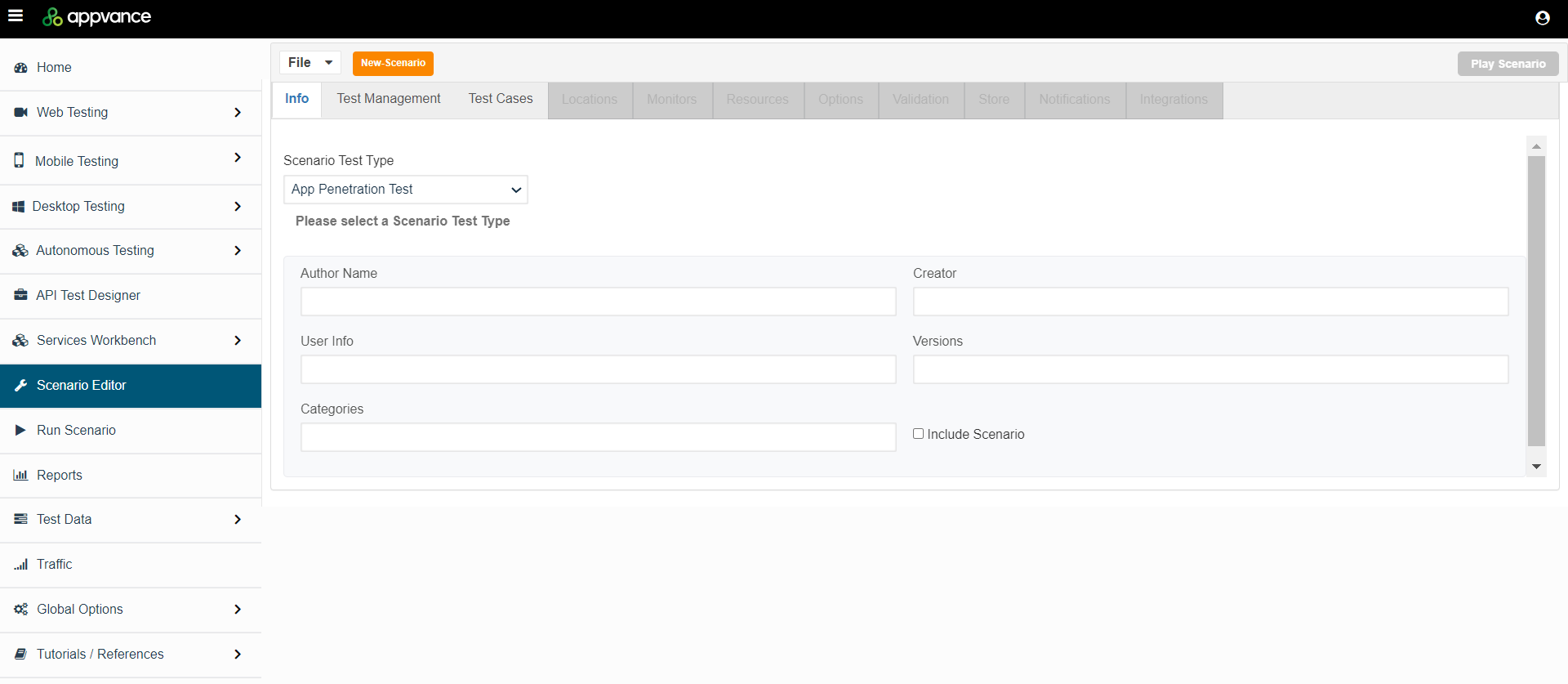
On the info tab, select App Penetration Test as the Scenario Test Type.
-
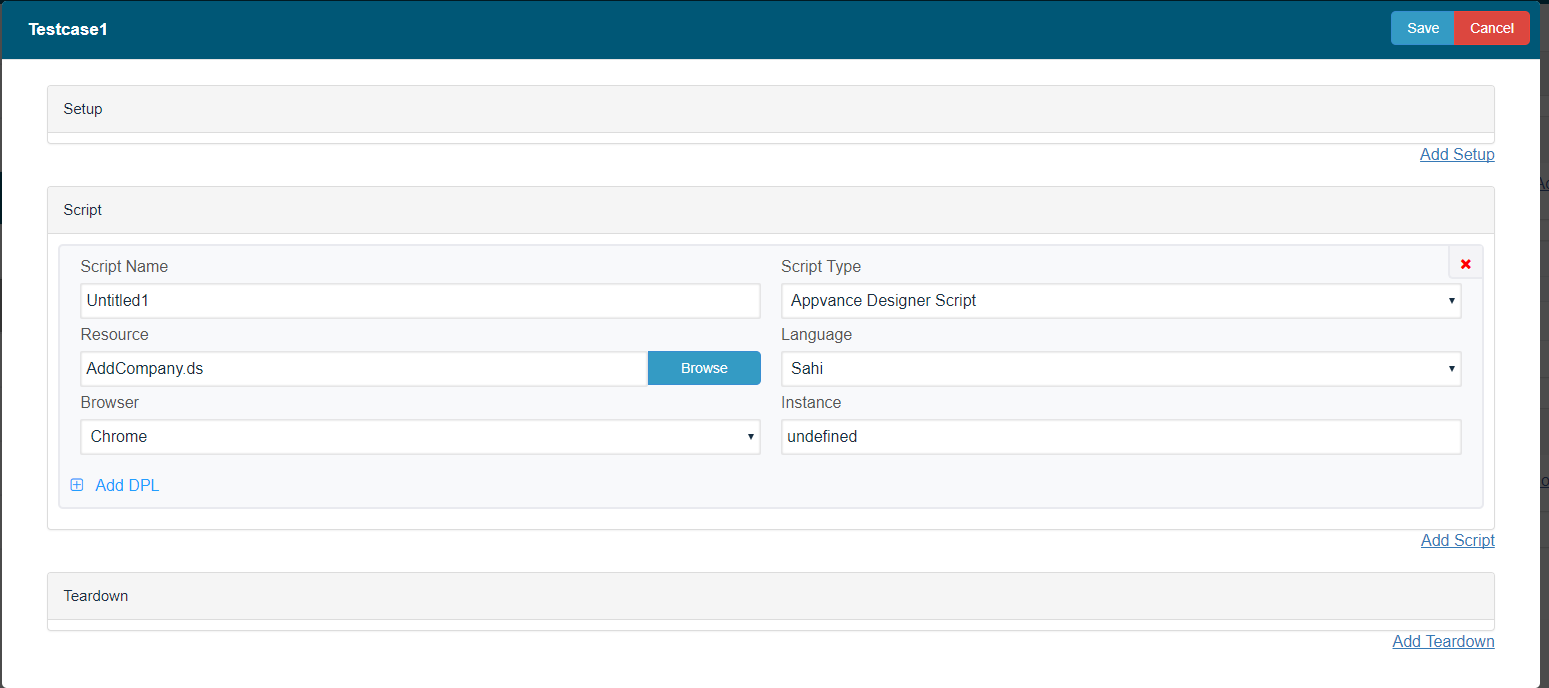
Go to the Test Cases tab > Click 'Add a Test Case Execution', Provide Test case and the script name > Select Script Type to be 'Appvance Designer Script', Browse the Designer Script that was created > Select the browser and click Save.
-
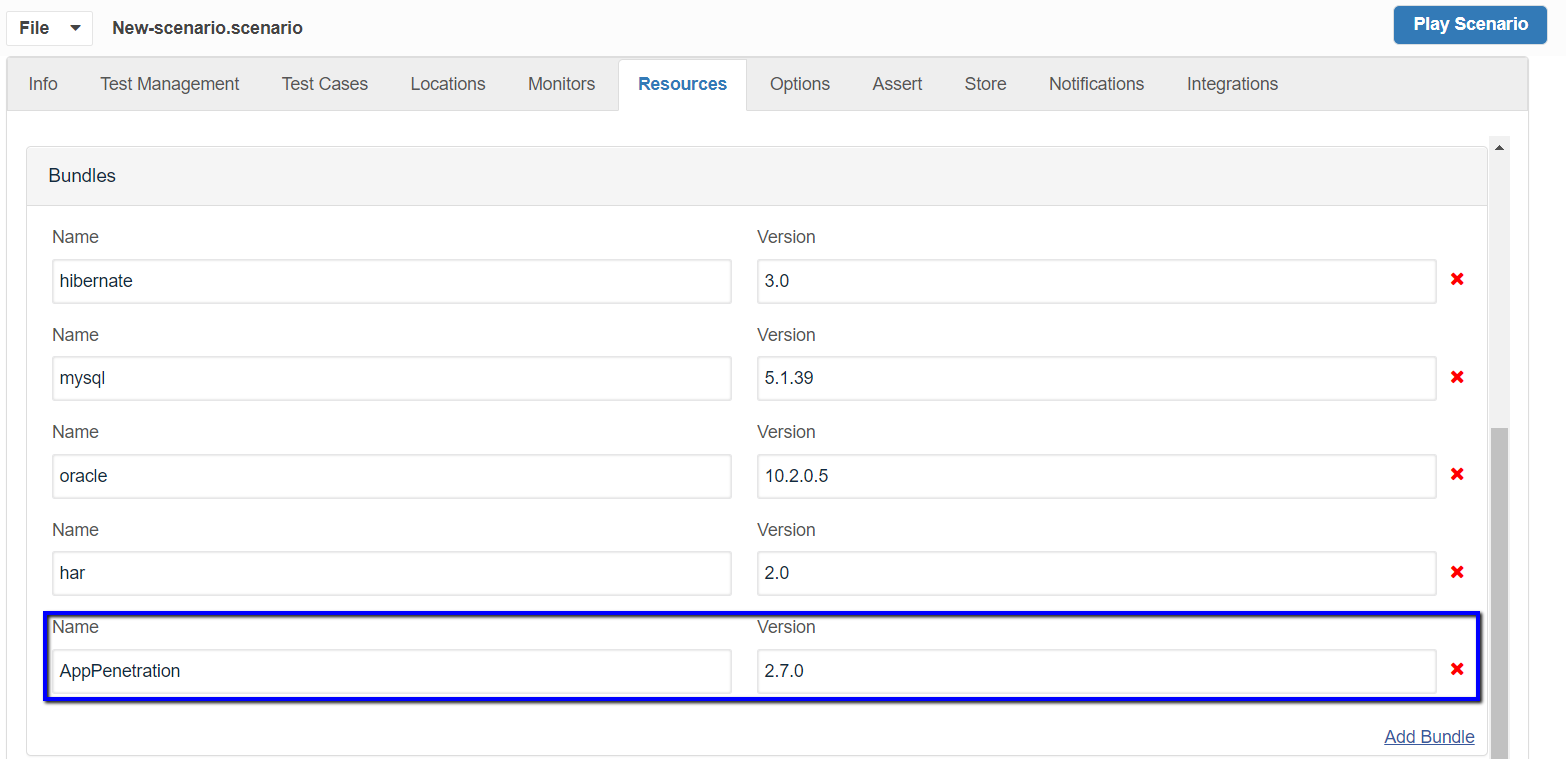
Notice in Resources Panel that the 'AppPenetration' bundle will be added with version '2.7.0'
-
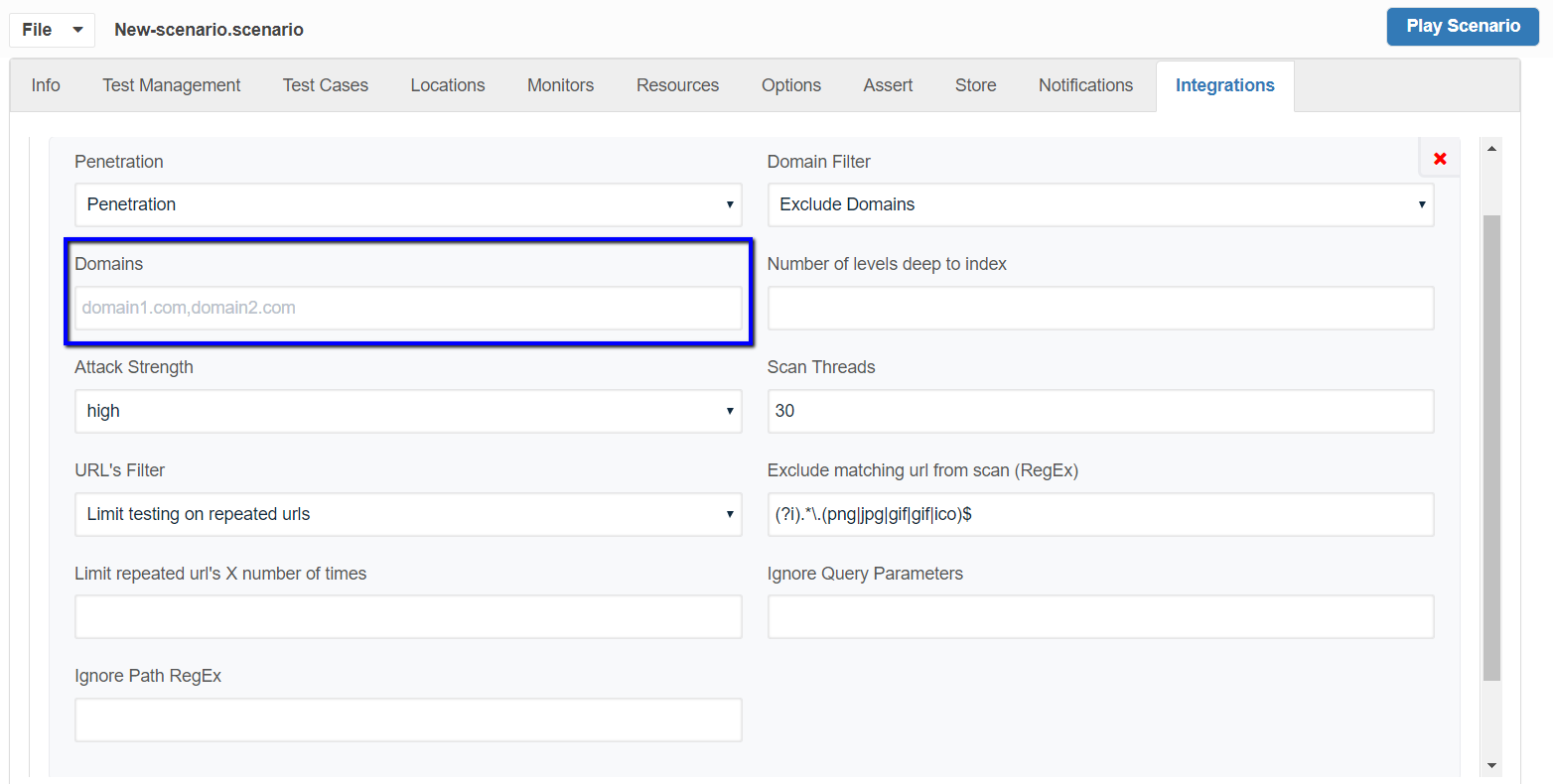
Navigate to Integrations Panel and make sure Penetration Integration has been added as seen below.
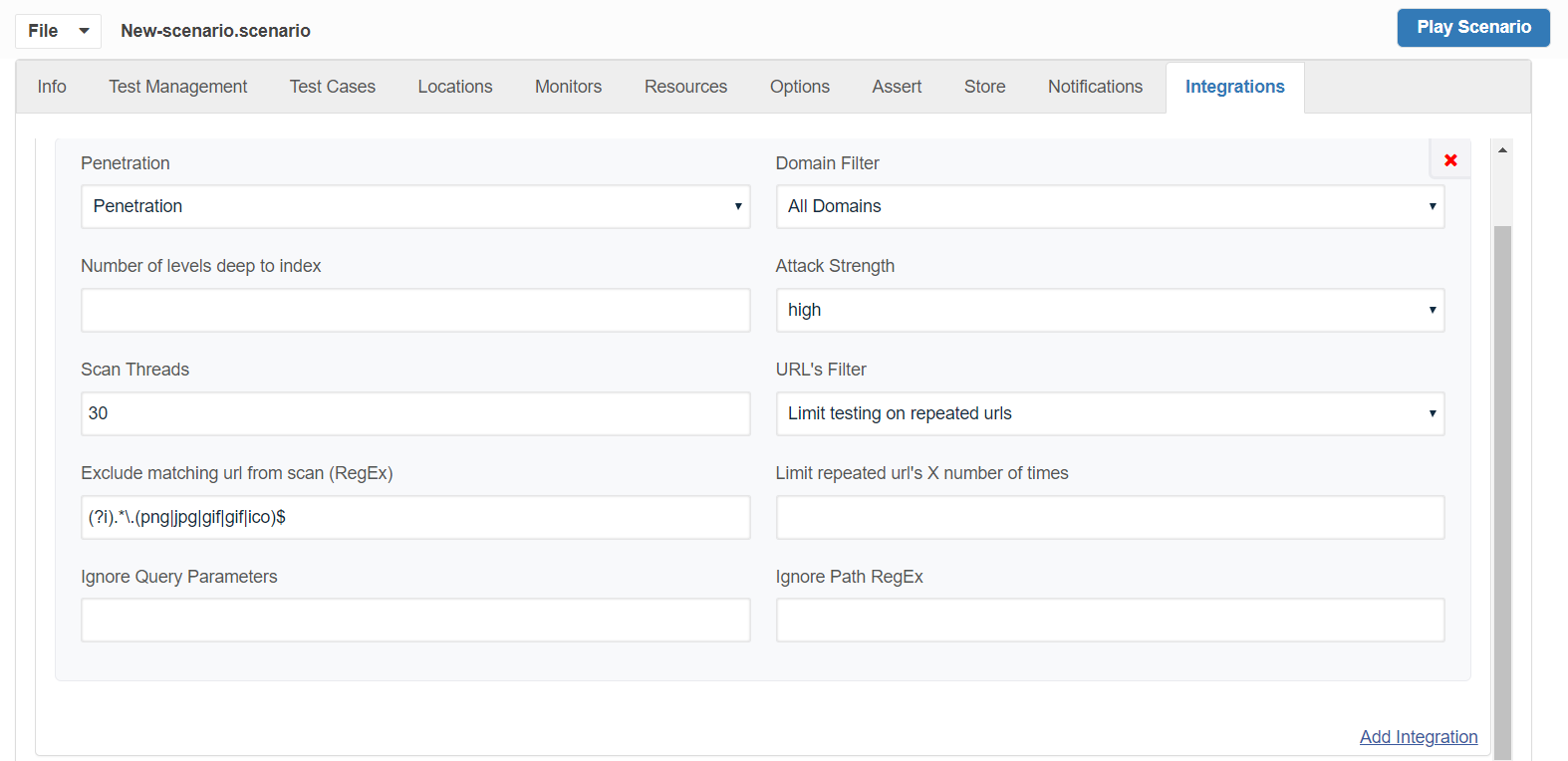
Domain Filter: Has options of All Domains, Include Domains, and Exclude Domains.
You can mention the list of domains comma-separated in the Domains Text box for those domains to be excluded from the scan.
Attack Strength:
Has options of Low, Medium, and High. Defaults to high. This controls the number of attacks that ZAP will perform. If you select Low then fewer attacks will be used which will be quicker but may miss some issues. If you select High then more attacks will be used which may find more issues but will take longer.
Scan Threads:
Defaults to 30. The number of threads the scanner will use per host. Increasing the number of threads will speed up the scan but may put extra strain on the instance the scan is running on and the target host.
URL's Filter:
Have values Limit Testing on repeated URLs and Test all URLs, defaults to Limit Testing on repeated URLs
As the name suggests Limit testing on repeated URLs will limit the scan on repeated URLs that it encounters or you can choose to scan all the URLs which will take much longer for the scan to complete.
Limit repeated URLs X number of times:
Option gets displayed when you choose Limit Testing on repeated URLs as the URL's filter option, where you can mention a number to limit repeated URLs to be scanned.
Exclude matching URL from scan (RegEx):
This is a regEx, so matching URLs will be excluded from spider and scan. Defaults to (?i).*\.(png|jpg|gif|gif|ico)$ - This will exclude all requests with extensions .png, .jpg, .gif, .ico
-
Click File > Save, Provide a valid name and click 'Play Scenario'
-
The controller will open and run the test by launching the browser that was selected
-
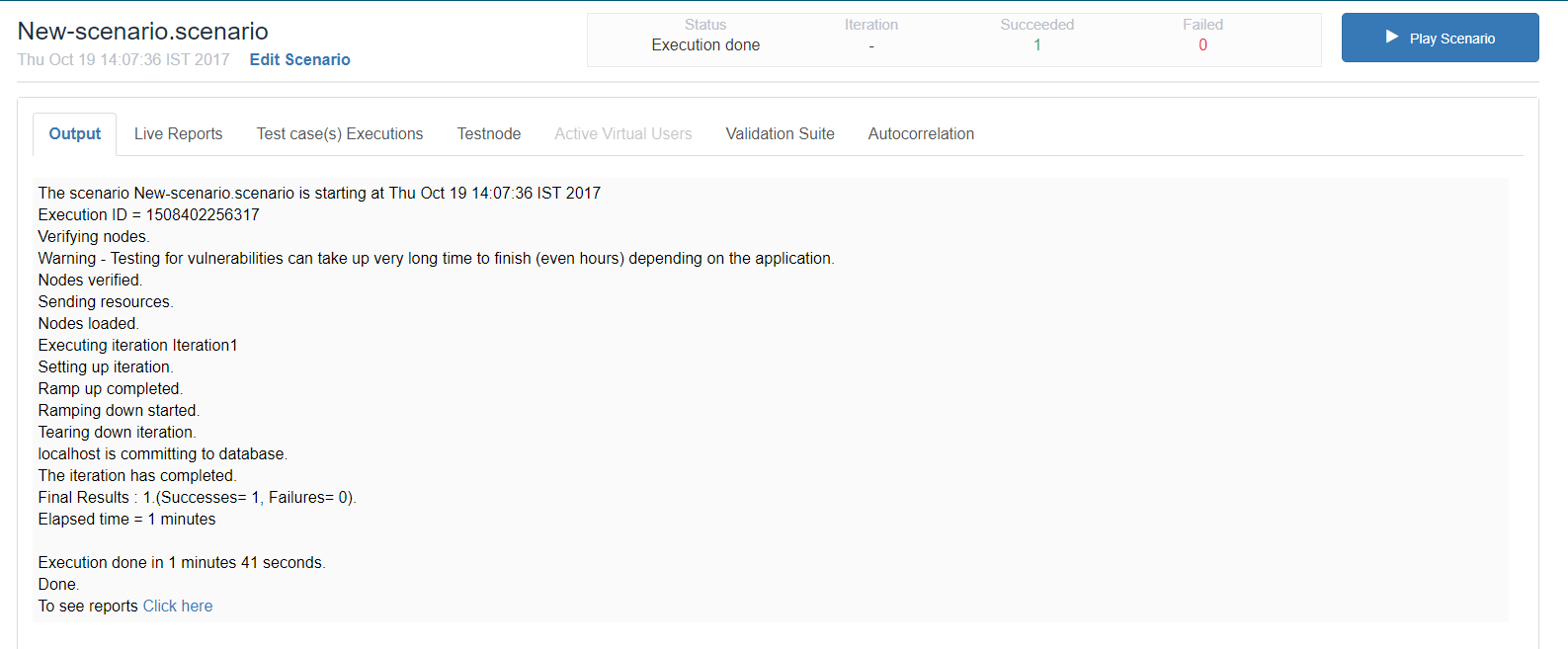
The test run should be successful as seen in the below screenshot.
Testing for vulnerabilities can take up a very long time to finish (even hours) depending on the application.
-
While the test is running, the user can navigate to Active Virtual Users and click Enable and see the logs on what it is currently doing. You will notice some of the statuses below.
Executing App Penetration Active Scan
-
Request: http://localhost:8080/AjaxApp/
Spider: http://localhost:8080/AjaxApp/examples/desktop/images/im48x48.png
Spider progress: 100%
-
-
While the test is complete, the user can navigate to Test Case (s) Executions and click the Success entry to see the output logs as well
-
Once the test id is Done, click the 'Click here' link from the Test Controller which will navigate to the Reports page and you should find an entry in the left navigation panel called "Security Report"
-
Click the Security Report and click the Iteration: Iterationname Report link to download the report in PDF format.
Download: : App Penetration Sample Report
Re-using the Existing Scenario
Any existing test scenario can be converted to an App Penetration scenario just by changing the scenario test type in the Info tab of the Scenario builder and Saving and Playing the Scenario, the rest of the steps are the same as mentioned in the above section.
List of tests include:
- Plugin
- Path Traversal
- Remote File Inclusion
- Source Code Disclosure
- Cross-Site Scripting
- SQL Injection
- Server-side code injection
- Remote OS Command Injection
- Directory browsing
- External Redirect
- Buffer Overflow
- Format String Error
- CRLF Injection
- Parameter Tampering
- Script Alive Scan Rules