Scriptless Test Deployment Configuration
Appvance IQ uses a Test Scenario to define the orchestration instructions for a test. A Test Scenario defines the locations of the TestNodes to operate a test. Use the Appvance Scenario Builder to create and update a Test Scenario.
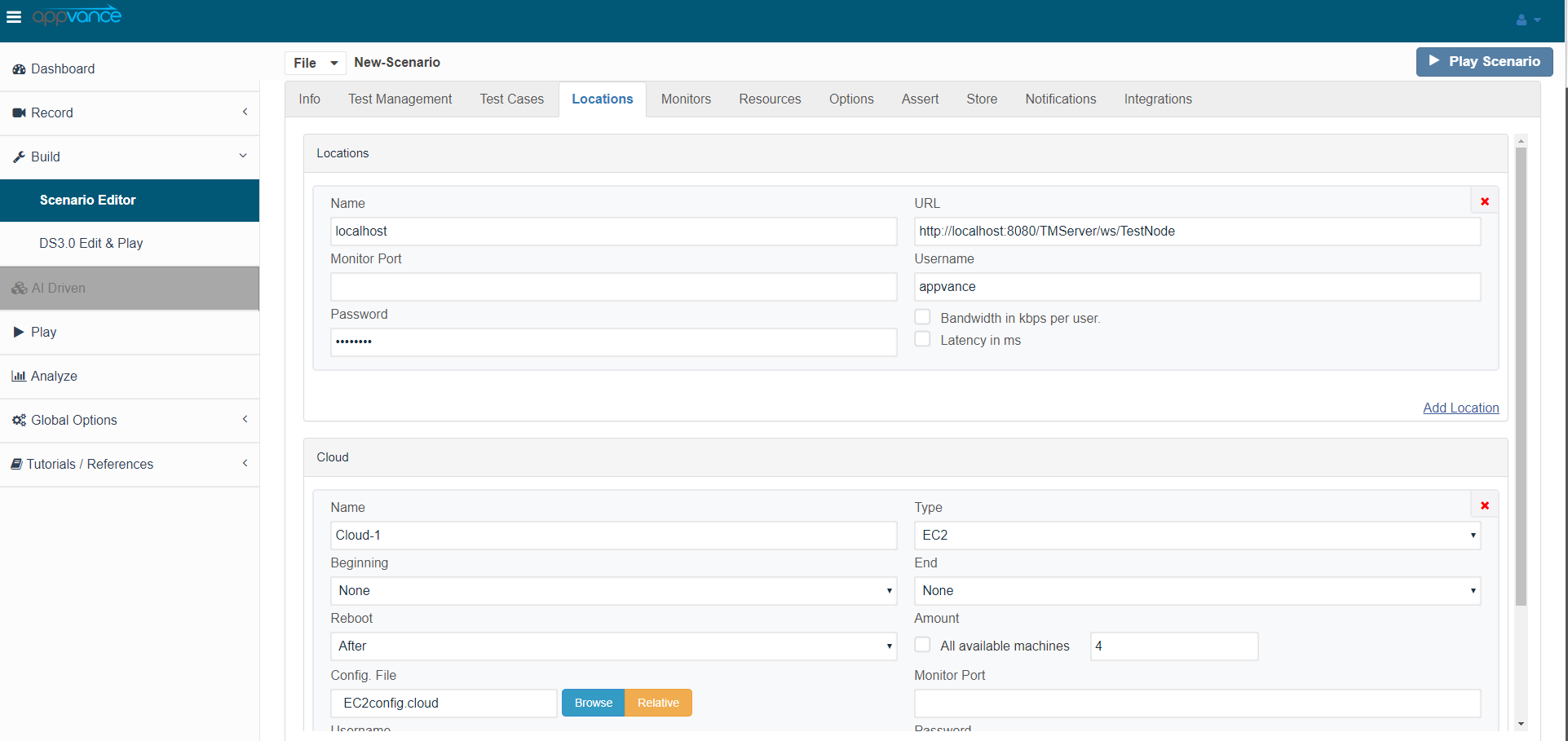
Use the Locations tab in the Appvance Scenario Builder to determine the test deployment location. In the above screenshot, AIQ will run the test on the locally installed TestNode as well as on the EC2 instances that are configured from the EC2.cloud file which initiates 20 instances and runs the test.
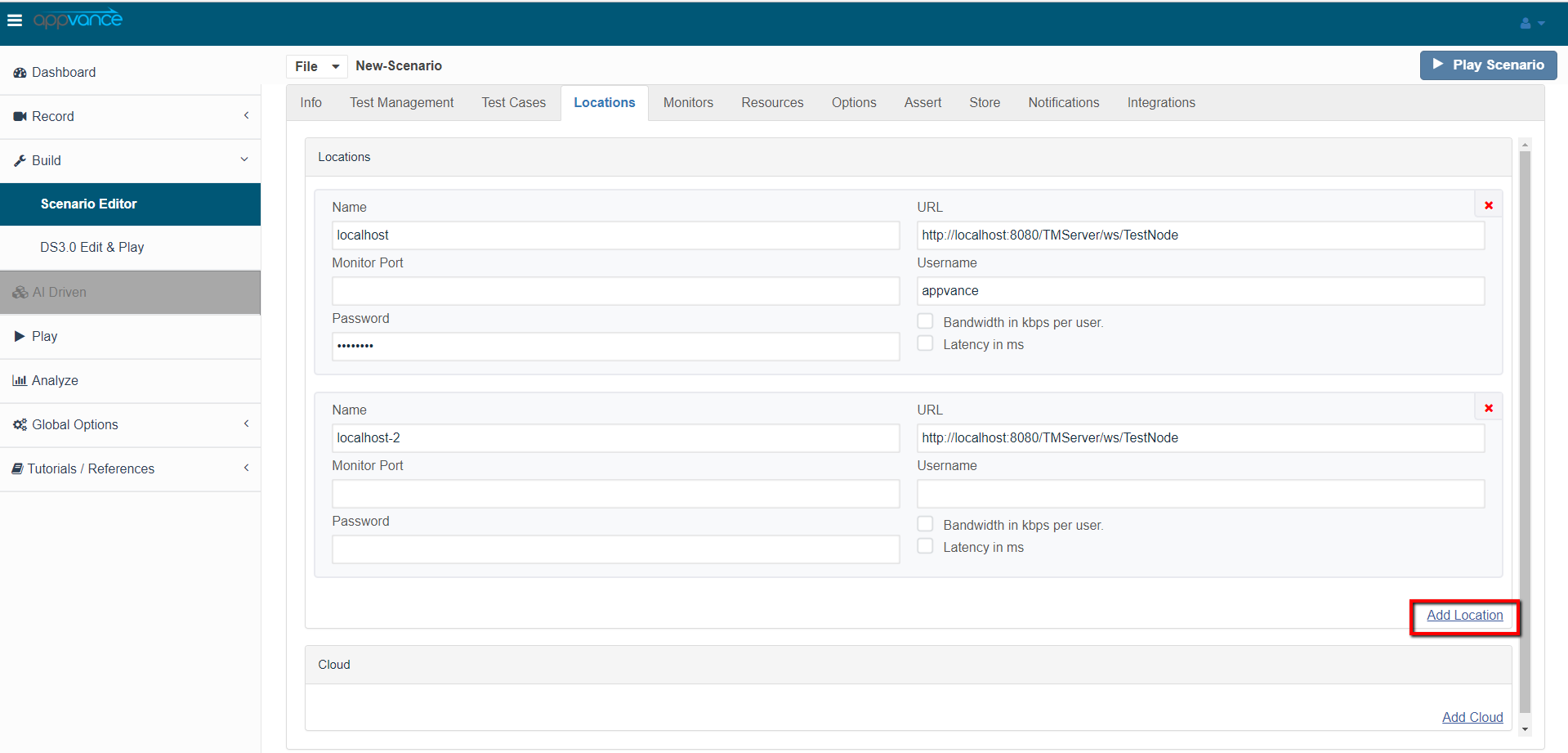
Click Add Test Location to identify multiple TestNodes in your QA lab. In the above example, AIQ runs the test on 2 TestNodes in your QA lab and 1 locally installed TestNode.
AIQ Cloud Testing extends this notation to define a Cloud Testing environment. For example, the following shows a TestScenario that runs locally and in the Amazon EC2 environment.
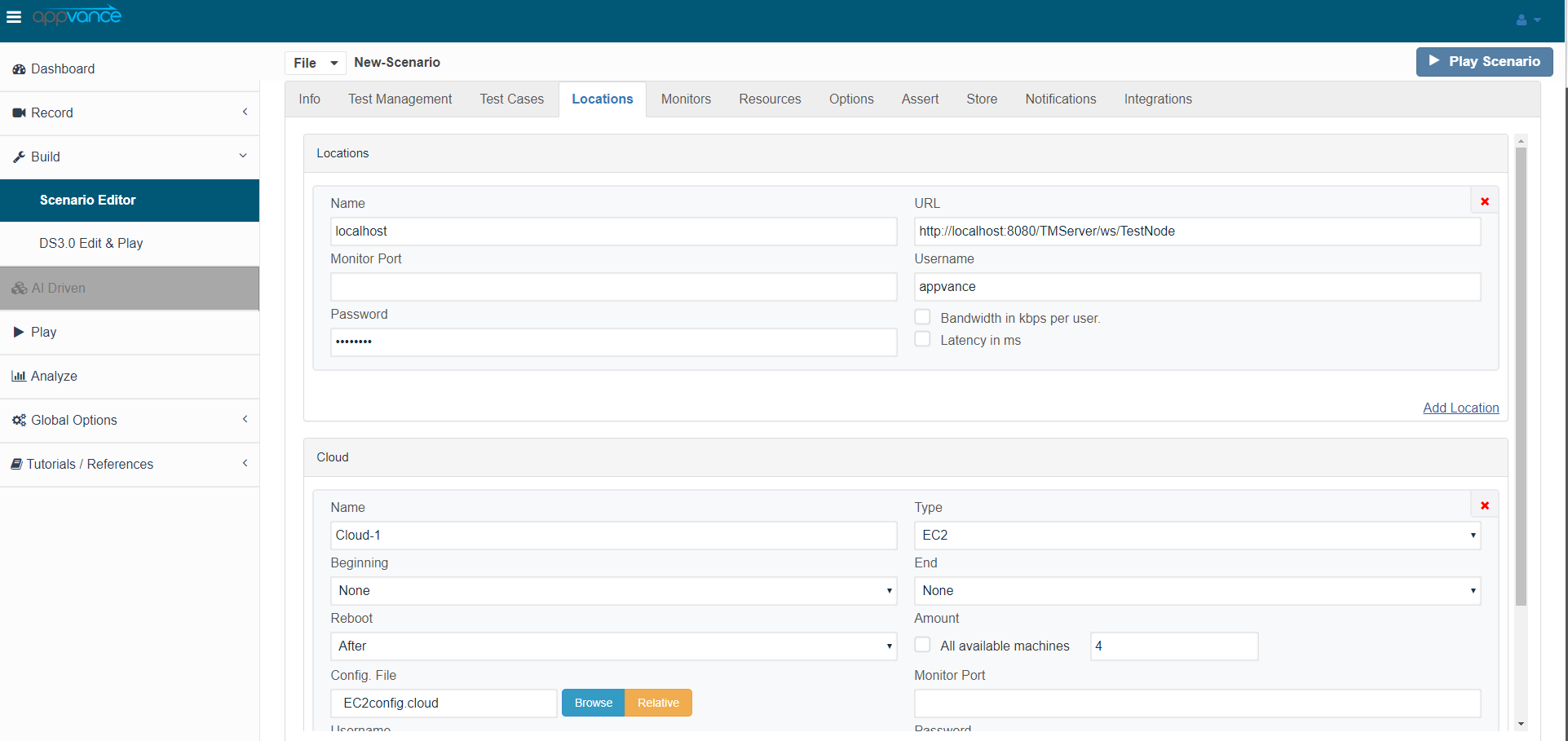
In the above example, AIQ deploys and operates your test on a local TestNode, on 20 Amazon EC2 machine instances in the Eastern United States (Regions can be chosen from Amazon EC2 Console from your AWS Account). Each Cloud definition in the TestScenario controls how the TestNodes are started and termination/reboot options after the test finishes.
Appvance IQ stores Cloud and Grid test deployment information in a configuration file. Create as many configuration files as you need. Use the AIQ Tools drop-down menu, EC2 Configuration utility to create and edit Cloud Configuration files. Use the Grid Configuration utility for Grid deployment settings. Configuration files tell AIQ the security access keys, machine instance file, and other details for AIQ to deploy your test.