How are step time durations calculated in Test Designer
AIQ Test Designer reports durations for steps and requests. Step durations will vary depending on the settings you chose in the Option Timings field in the Scenario Editor.
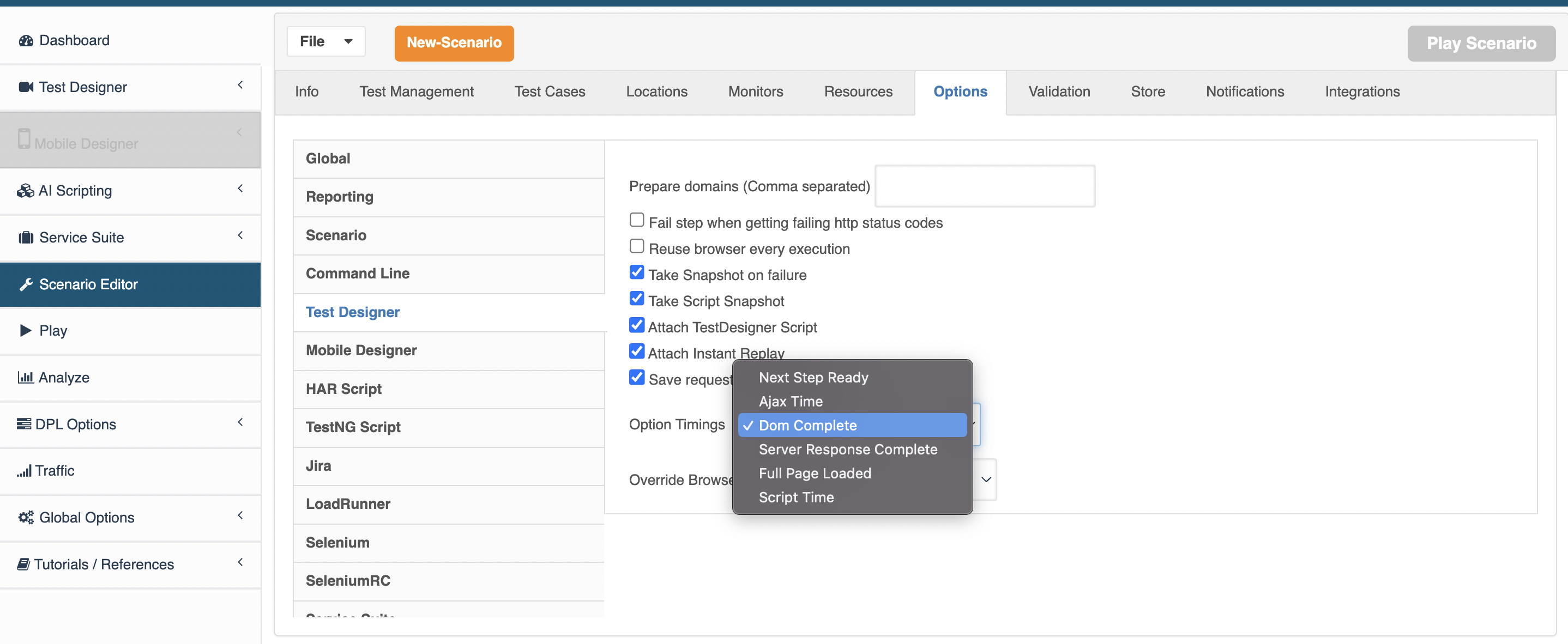
The timing for some options is provided by the browser's performance navigation timing system, for other options the timing is calculated by the Test Designer engine.
The following timings are provided by the browser performance navigation timing system and are industry standard durations based on https://developer.mozilla.org/en-US/docs/Web/API/PerformanceNavigationTiming.
-
Dom Complete (current default mode)
-
Server Response Complete
-
Full Page Loaded
The following timings are calculated by the Test Designer engine:
-
Next Step Ready
-
Ajax Time
-
Script Time (usually closer to human perceived duration)
Each of these options are detailed below.
Timings provided by the Browser (Performance Navigation Timing standard)
You can calculate timings by:
-
Opening a Chrome browser outside AIQ in incognito mode.
-
Right-click and click inspect in the browser context menu.
-
Go to the Console and check for the DOM/Full Page/Server Response timings using the below formula for each step.
You will observe that normally
Full Page Loaded > DOM Complete > Server Response Complete
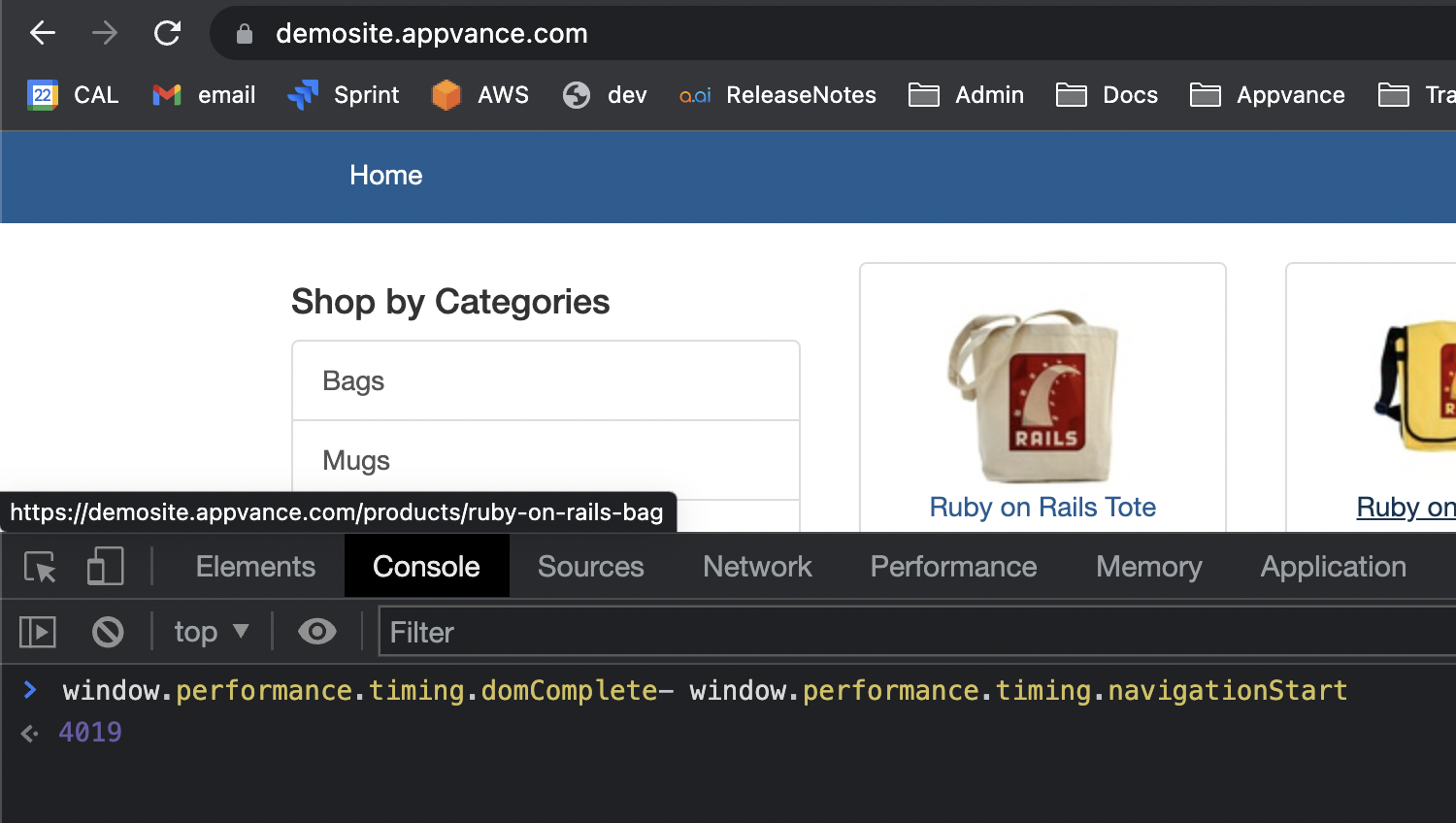
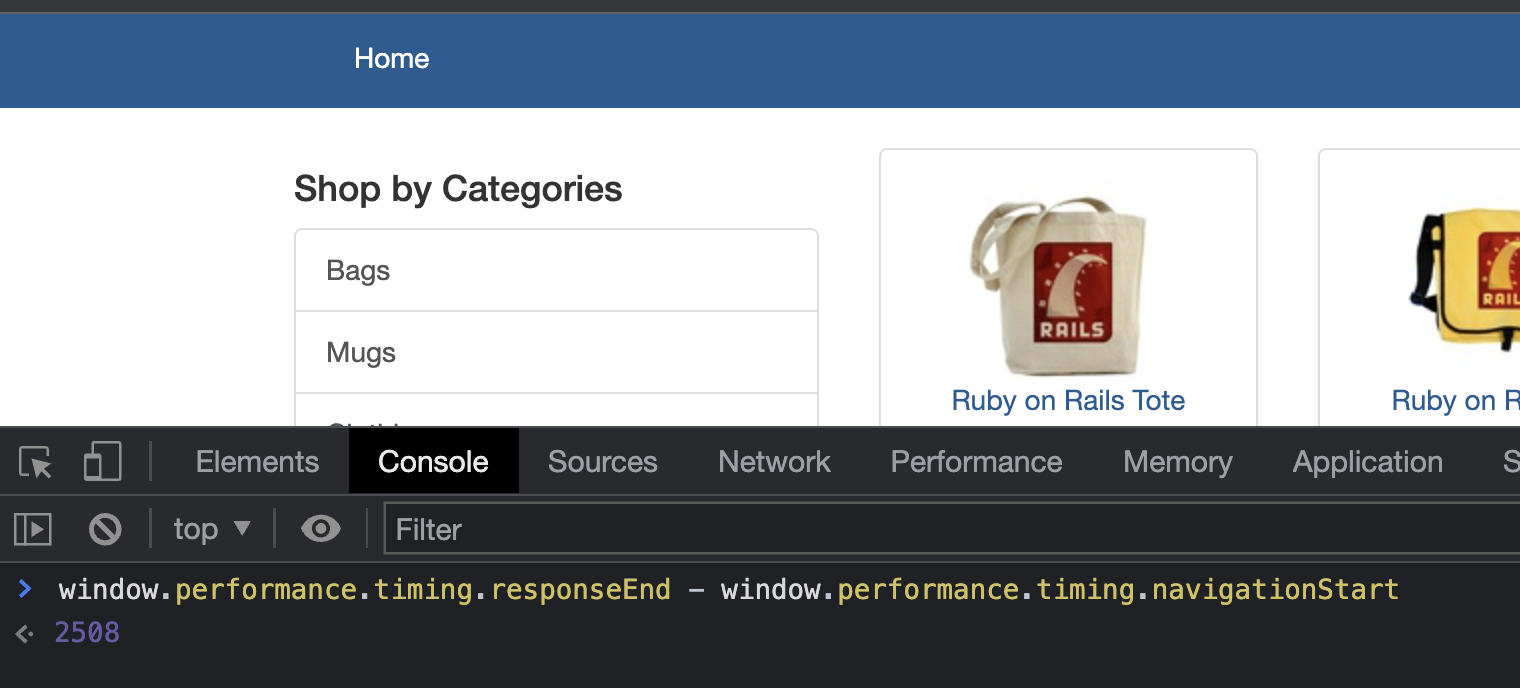
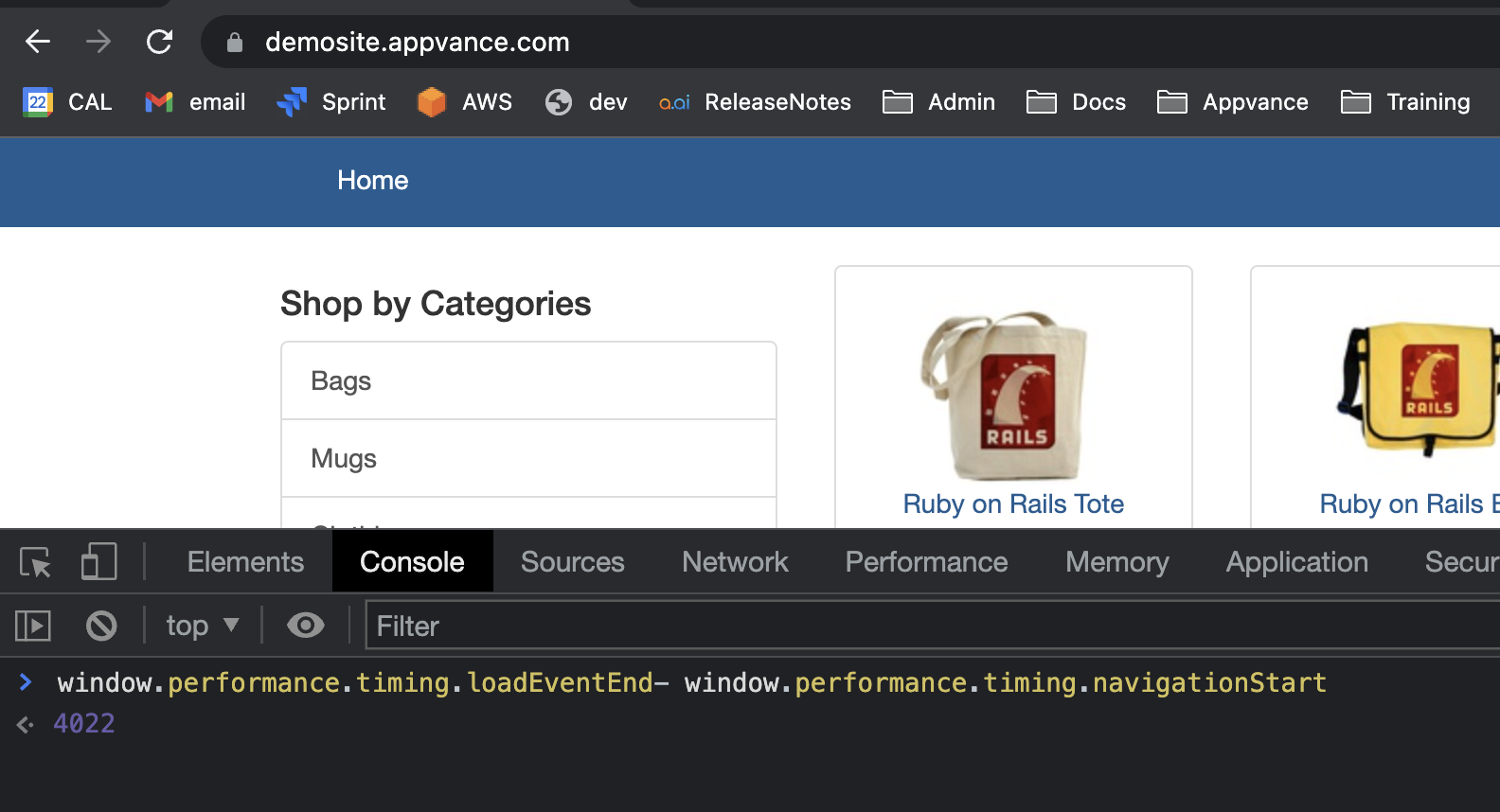
In the screenshots below you can see that for https://demosite.appvance.com the values for the above durations are:
Full Page Loaded (4022) > DOM Complete (4019 ms) > Server Response Complete (2508 ms)
IMPORTANT:
You might find that durations are less than what you can measure manually using the application. The reason for this is that those timings are not taking into consideration possible asynchronous processes where js code is waiting for the response(s) of a backend calls. For this reason, more calculated durations are provided.
DOM Complete
This duration is provided by the browser. It shows the time immediately before the browser’s user agent sets the current document readiness to "complete". (w3.org)
Note: In single-page steps, this calculation will return 0, but AIQ will display the Next Step Ready duration instead of 0.
window.performance.timing.domComplete- window.performance.timing.navigationStart
Server Response Complete
This duration is provided by the browser. It shows the time immediately after the user agent receives the last byte of the current document or immediately before the transport connection is closed, whichever comes first. The document here can be received either from the server, relevant application caches, or local resources. (w3.org)
Note: In single-page steps, this calculation will return 0, but AIQ will display the Next Step Ready duration instead of 0.
window.performance.timing.responseEnd - window.performance.timing.navigationStart
Full Page Loaded
This duration is provided by the browser. It shows the time when the load event of the current document is completed. (w3.org)
Note: In single-page steps, this calculation will return 0, but AIQ will display the Next Step Ready duration instead of 0.
window.performance.timing.loadEventEnd- window.performance.timing.navigationStart
Timings provided by Test Designer
When durations provided by the browser do not reflect the time you want to monitor, a few alternatives are calculated by test designer while managing the steps executions.
Script Time
This duration is calculated by AIQ’s Web Designer interacting with the js code injected in the browser. The script time shows the duration between the start of execution step and when the step returns a status of completed to Web Designer.
Most of the time this duration is thecloser to the duration perceived by a person using the application when there are synchronous calls happening after a post submit call(s).
Ajax Timing
This duration is calculated by AIQ’s Web Designer interacting with the js code injected in the browser. The ajax timing shows the duration of the addition of all the requests durations terminating during the execution of the step. Due to the dynamic nature of modern applications, this duration is not very useful. Kept in product for backwards compatibility.
Next Step Ready
This duration is calculated by AIQ’s Web Designer interacting with the js code injected in the browser. The next step ready duration shows the duration between the start of the execution of the step and when the DOM element is detected. This duration is usually very small and is only useful in single-page applications.