Iteration Summary Error Message
Scenario
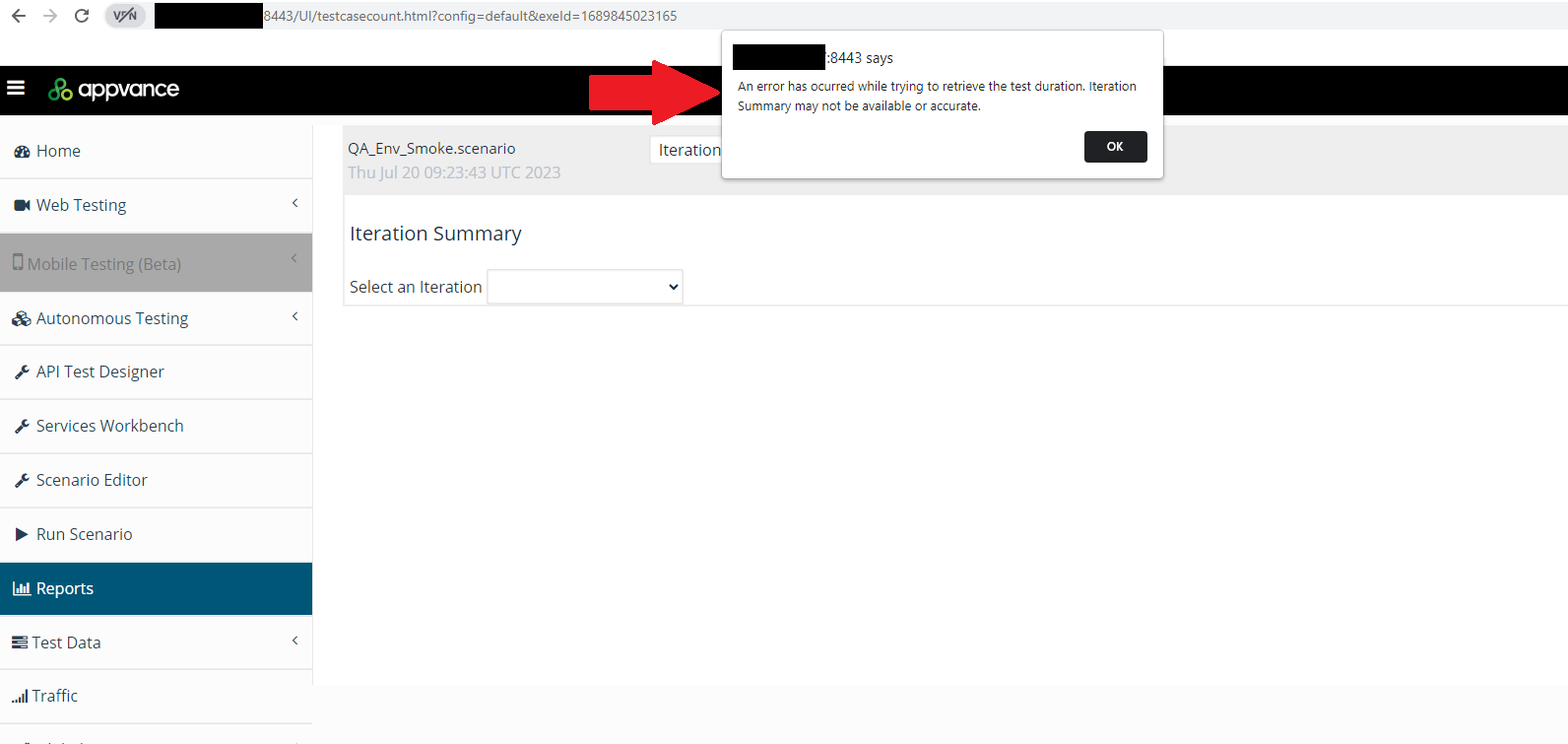
You are trying to download/analyze a report from the Report option and AIQ displays the following message: "An error has occurred while trying to retrieve the test duration. Iteration Summary may not be available or accurate."
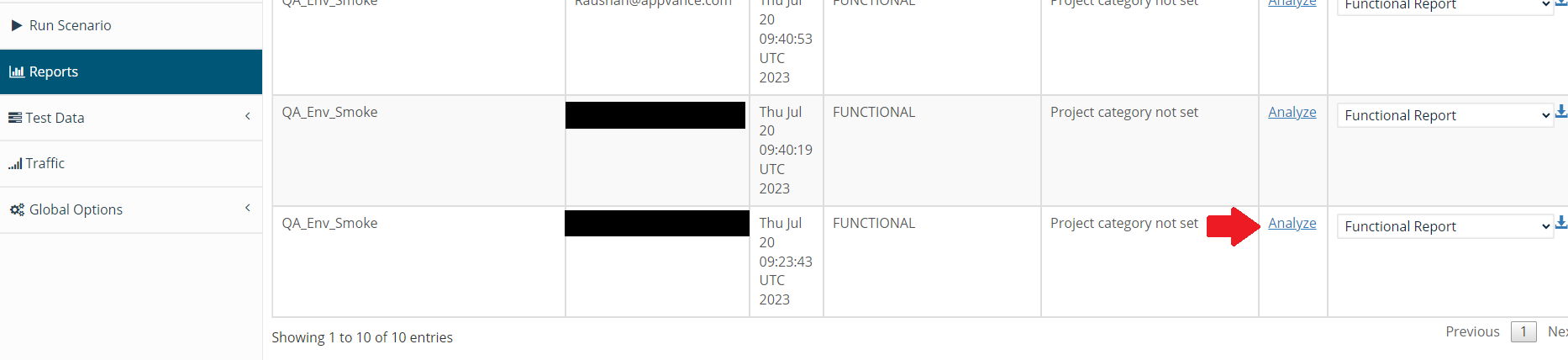
Selected Report Option
Message
Solution / Workaround
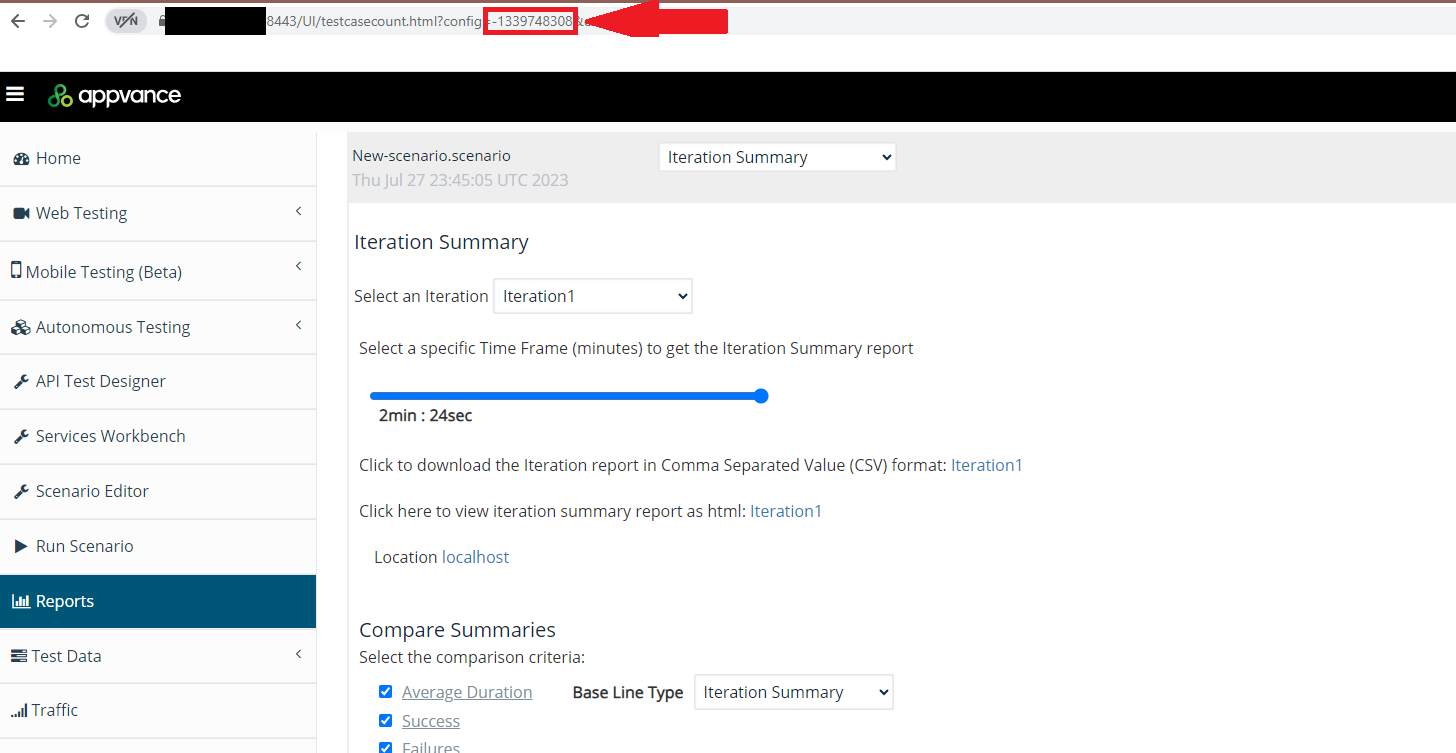
This situation can happen when the URL of the RDS database server is changed (or even the password), the parameter config=default used to access the reports, needs to be changed with a config=<db-config-hash-number> and then the reports are accessible.

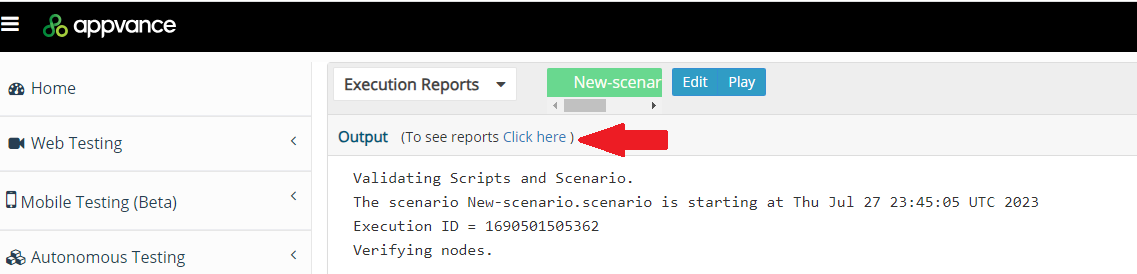
The <db-config-hash-number> can be obtained by inspecting the URL opened by the link “Click here to see reports” seen in the playback-controller.html page when running a scenario. That number does not change unless you change something in the AIQ database URL or DB user creds.
Process
-
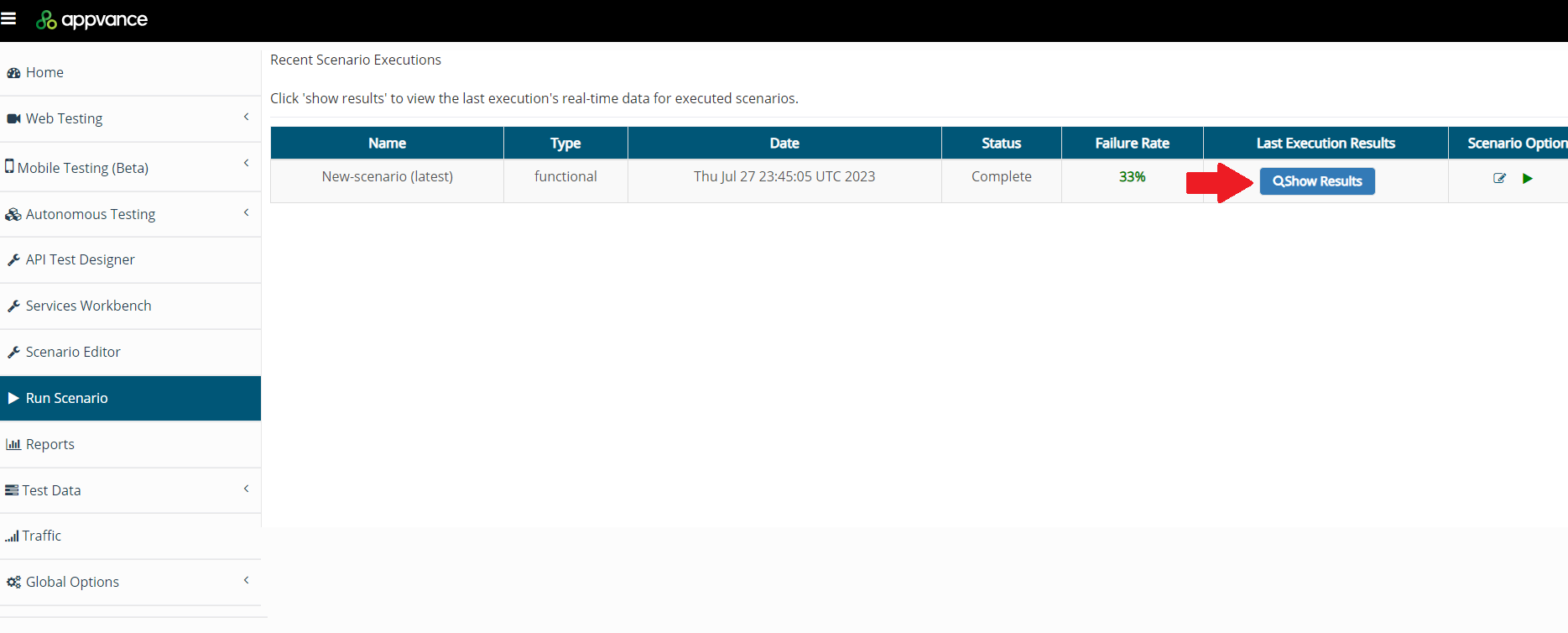
Navigate to the Run Scenario option.
-
Select the most recent scenario executed and click Show Results.
-
Click Click Here.
-
Take the config ID (Copy) displayed in the URL

-
Navigate back to the Report Option, select the report that is broken, replace the cID displayed in the URL with the one obtained in the previous step, and press <Enter>, the report will be displayed and ready to be analyzed.