AIQ is a distributed test and monitor environment. As a load and performance test operates Glassbox observes performance metrics of a Java enterprise application, including memory use, thread contention, database connections, and object operation. Appvance Monitor (Appvance Monitor) communicates with Glassbox over Java management (JMX) protocols. AIQ gathers Glassbox data and correlates Glassbox findings into AIQ reports.
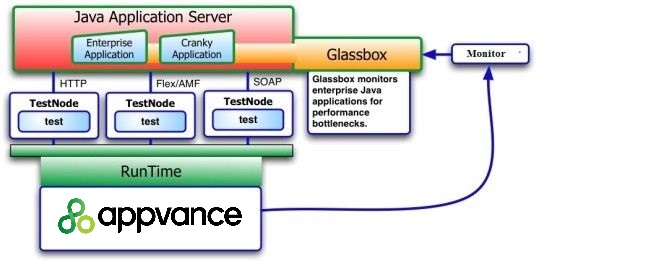
For example, Appvance operates a load and performance test on one or more TestNodes. A TestNode is a Web service that receives and operates a test. The TestNode is in your QA lab, data center, cloud computing environment, or both. Glassbox installs on a Java application server and uses Aspect-Oriented Technology to observe enterprise applications. The AIQ monitor system (Appvance Monitor) communicates over JMX protocols to Glassbox as the test operates. The Appvance Enterprise Results Analysis Engine correlates the Glassbox observations to the load test results for root cause analysis and mitigation.
Glassbox provides a Troubleshooter to view the live monitored data and performance alerts for your application. The following shows the Glassbox Troubleshooter interface.
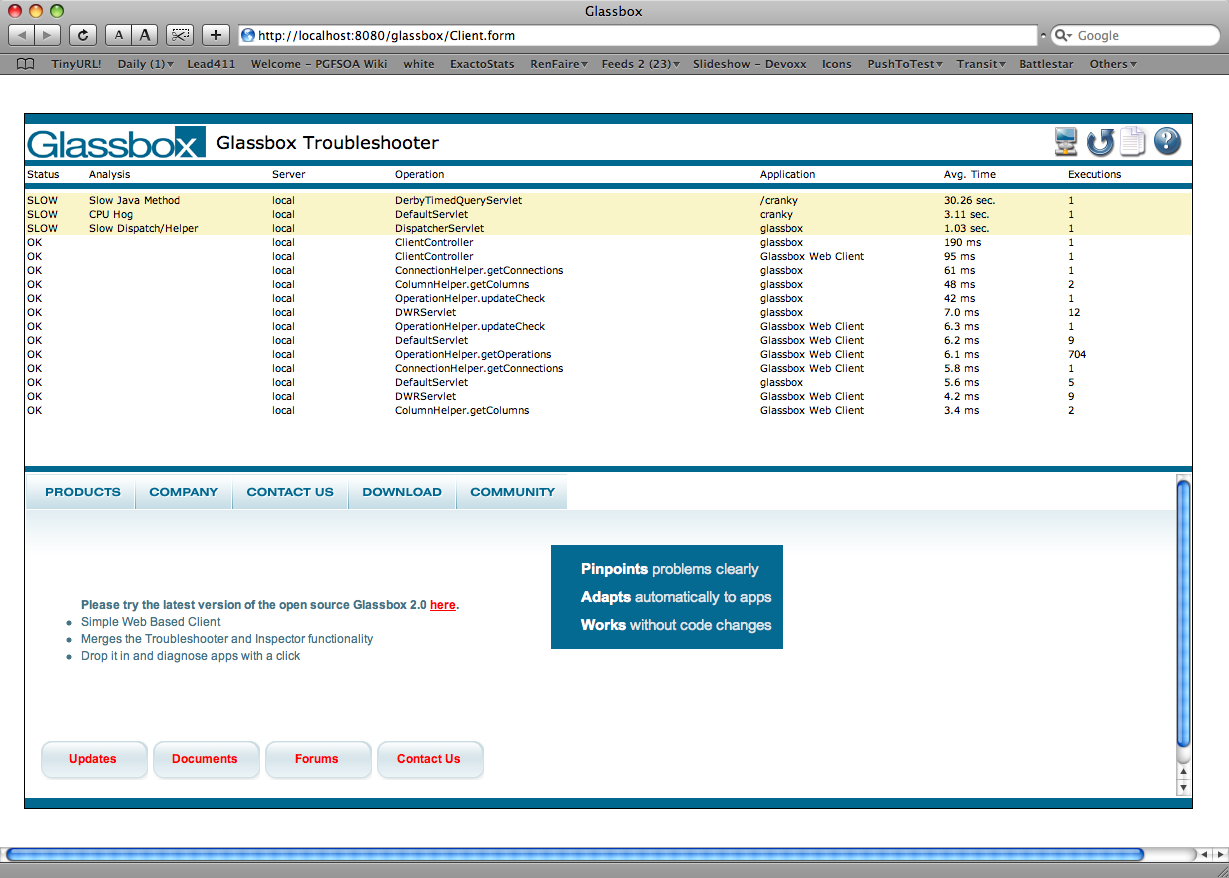
Glassbox Troubleshooter highlights problems with your application achieving your criteria for acceptable performance criteria. For example, Glassbox identifies slow object performance by setting a threshold in milliseconds. Use the Glassbox com (Hyperlink) figuration to set the criteria.
Appvance designed AIQ's Results Analysis Engine to provide drill-down functions on any of the Glassbox performance observations. Contact Appvance Global Services to learn about additional charting and analysis functions.
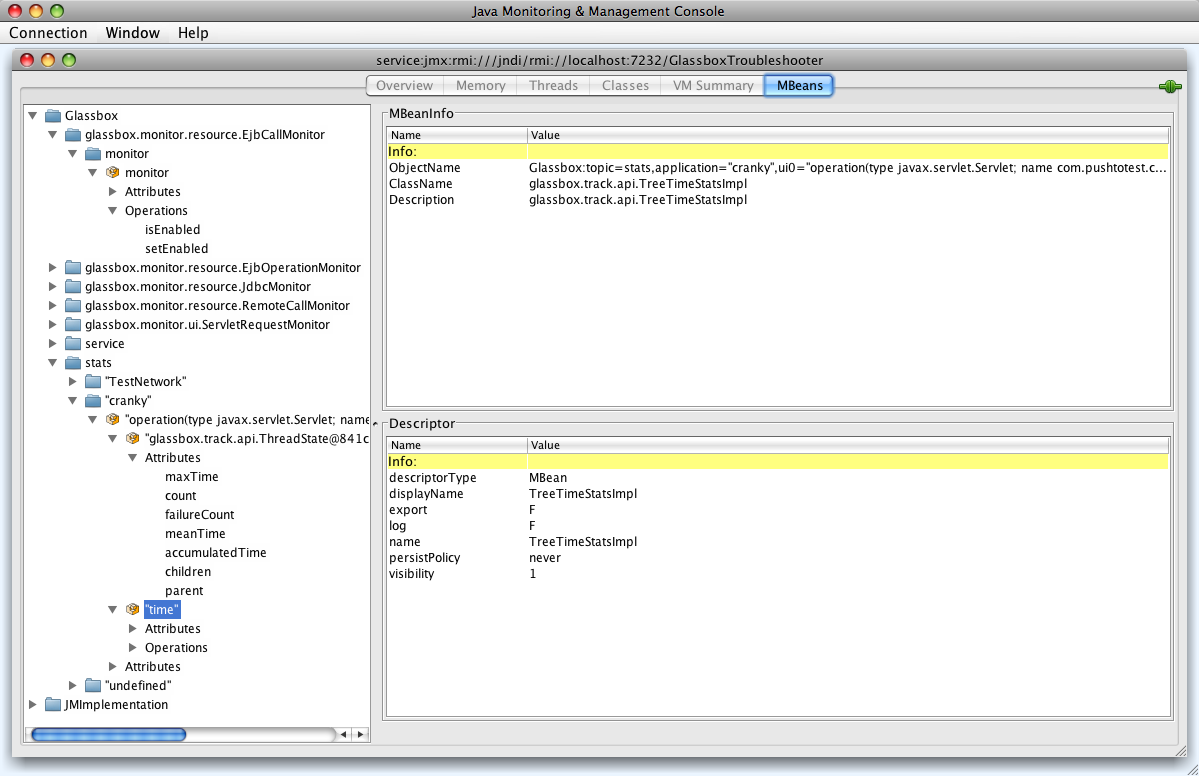
Glassbox provides a Java management (JMX) interface to the Troubleshooter's extended performance monitor data. Access this data through the Java Management Console (JConsole). JConsole comes with the Java Development Kit (JDK.) With the JDK installed run the JConsol in a shell or terminal window by typing the following:
jconsole service:jmx:rmi:///jndi/rmi://localhost:7232/GlassboxTroubleshooter
JConsole connects to the Glassbox Troubleshooter and displays a graphical interface shown in the following.