JS Edit & Play for Mobile Testing User Interface
This topic details the controls and options available in JS Edit & Play for Mobile Testing.

File
-
New - Create a new JS script file.
-
Open- Open any existing available JS scripts. Shortcut key: Control+O
-
Save- Save changes made to the JS scripts. Shortcut key: Control+S
-
Save As- Save the JS script with a different name.
Export Logs
Once a script starts playing the Logs section shall be enabled. Logs display all the steps and also shows the failure steps if any with proper logs to debug further.
Click Export Logs to download the log files as HTML reports that can be shared.
Check Syntax
Click Check Syntax to check your script to detect any JavaScript errors.
If your script has no errors.

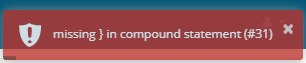
If your script has errors, suggestions will be provided.
The Check Syntax option is also available for Mobile JS Edit & Play and Services Workbench.
Play Script
Plays back the script in the current tab.