Mobile Record From Here
The Record from Here option is available in the Mobile Designer. Record From Here is a debugging option that you can use to add more steps to existing test scripts.
This option was added in the AIQ 4.9.3 release. Previously, this option was only available in the Web Designer IDE.
To use the Record from Here option:
-
Open a test script.
-
Select a step within the script.
-
Right-click and select Record From Here.
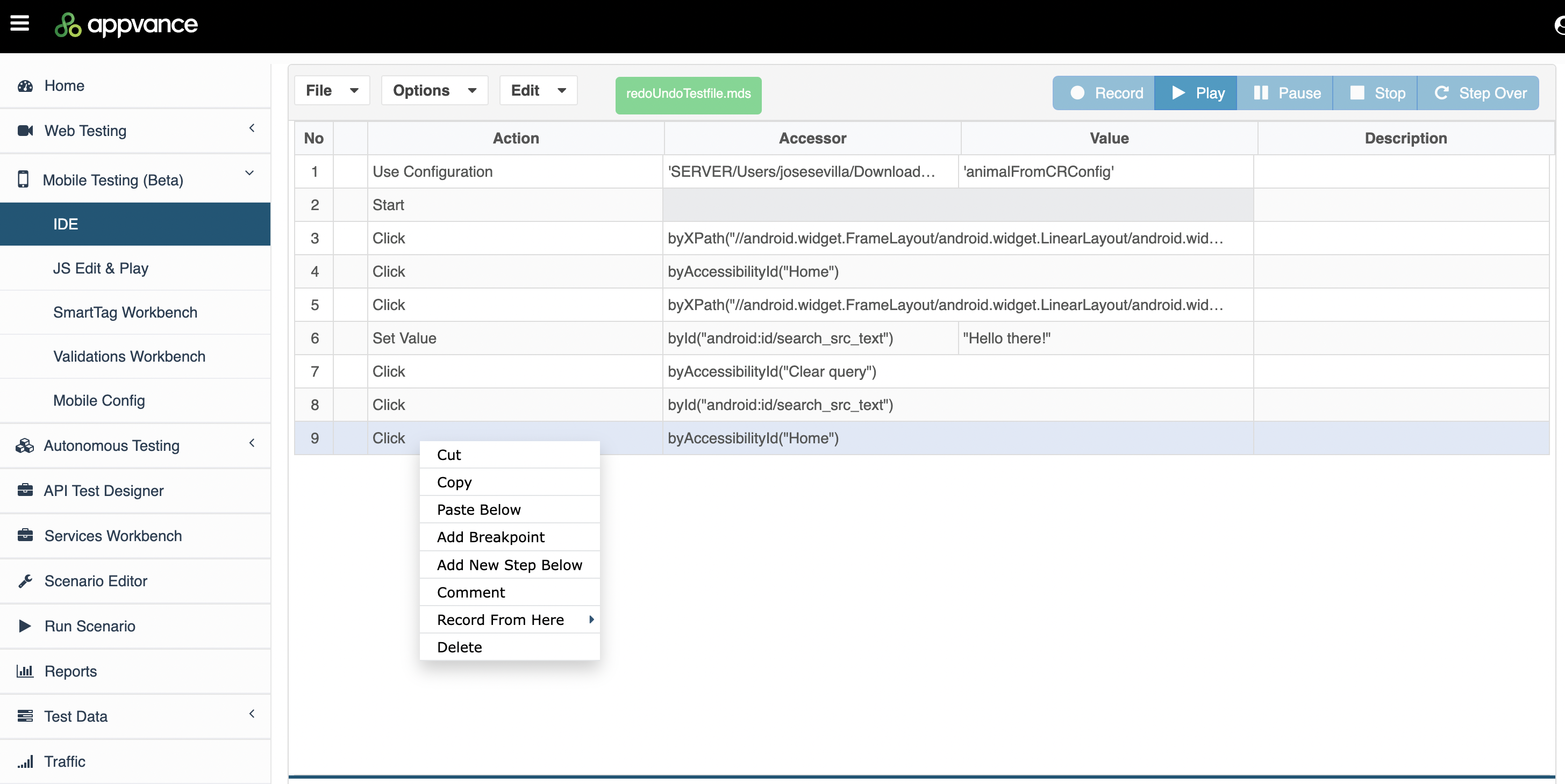
-
Select the browser.
-
The script will playback up to this point, and you will be able to continue to record adding additional steps into your scripts.