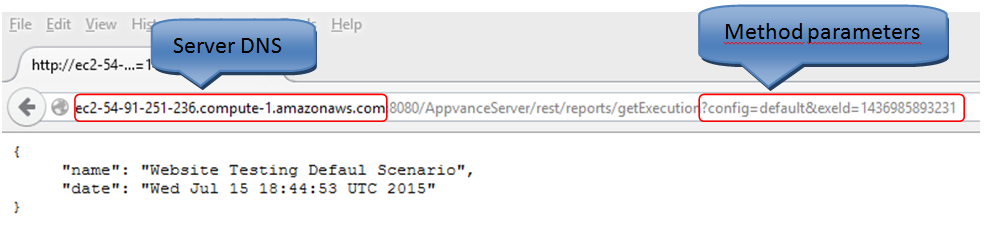
How to use Rest APIs
The REST call for the methods listed below; use a standard syntax with a base URL which is followed by the specific REST method and parameters.
It's important to note that in order for these methods to work, you would have to be logged in to Appvance previously so they can retrieve the required data. If you try to execute a REST method that requires a previous login, you will see an output similar as follows:
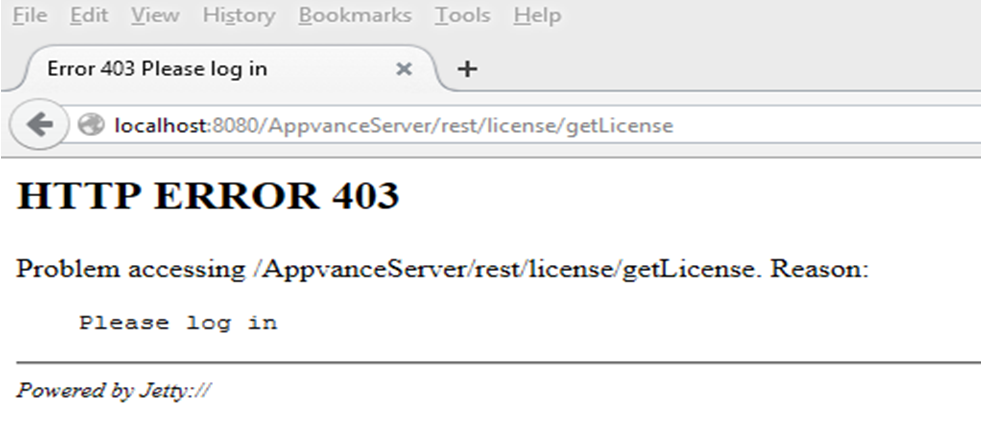
As you can see, the error output reason states that you should log in first into Appvance.
The base URL for the REST method call is the following:

The values in green uppercase letters should be replaced by your current settings as follows:
-
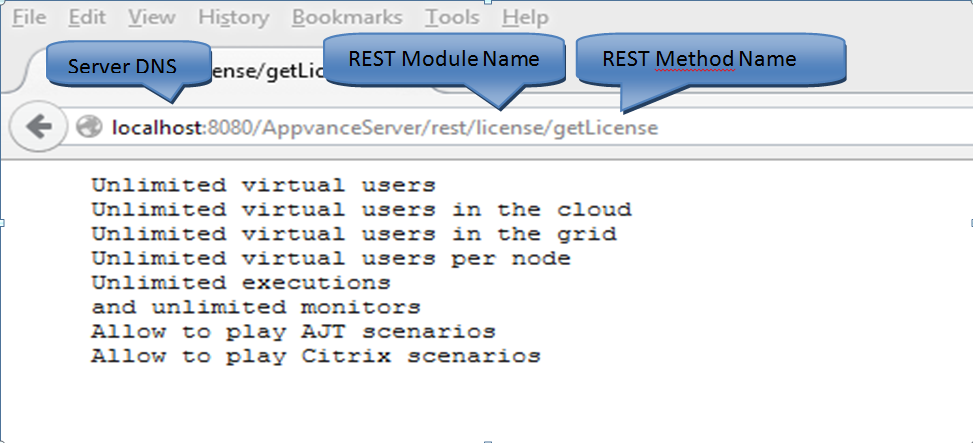
SERVER_DNS: This value is the DNS of the machine you are using to execute Appvance, this is the machine where the Appvance services should be running on port 8080.
-
REST_MODULE_NAME: This value is the name of the module which contains the REST method that it's going to be used. These modules are listed in the below API chart.
-
REST_METHOD_NAME: This value corresponds to the name of the method that is going to be used in the REST call. These methods are listed in the below API chart.
The modules and the names of the methods are case sensitive (same as the names of the parameters).
Examples
Here are some examples on how to use the REST methods call using custom values:
Using localhost as the server DNS with No Parameters Method
Using a cloud machine running AUTP with No Parameters Method
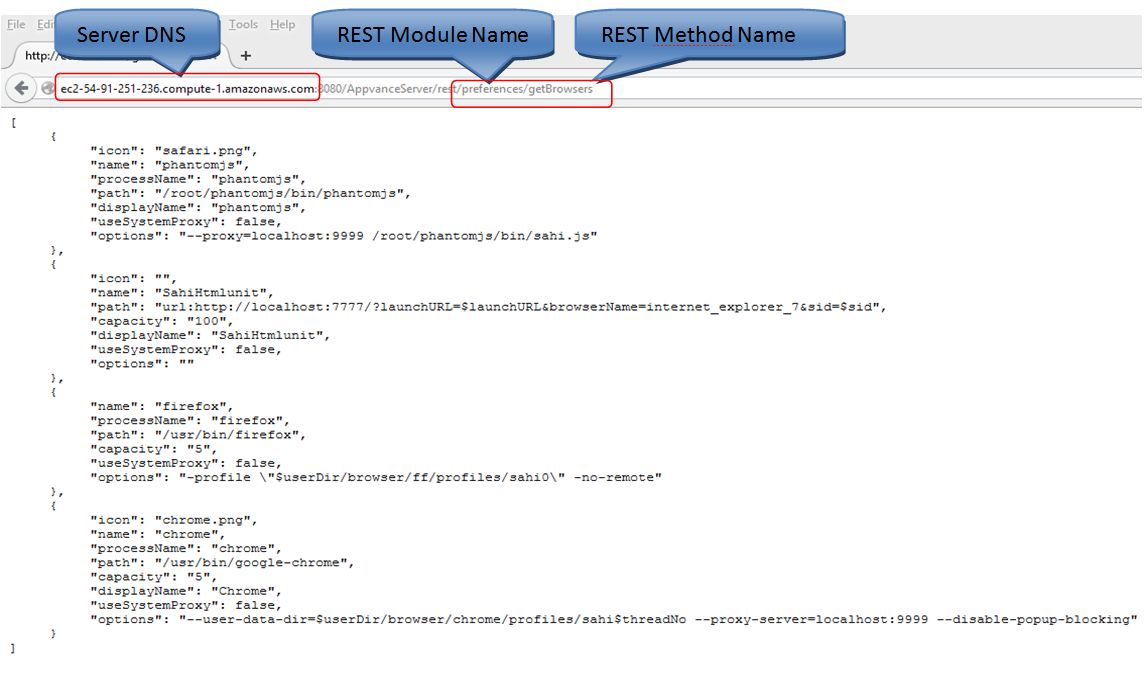
Using a cloud machine running AUTP with Parameters Method