GENI Script Generation
How Appvance IQ converts plain-English test cases into fully executable test scripts using transformer models and a proprietary code generator — no Blueprint, no Digital Twin, no recorder.
- What is GENI Script Generation?
- How GENI Works
- GENI Key Benefits
- GENI Pricing & Availability
- What GENI Can Generate
What is GENI Script Generation?
GENI Script Generation is the generative-AI engine inside Appvance IQ that converts plain-English, step-by-step test cases into fully executable test scripts. You describe what to test the same way a manual tester documents it — GENI writes the automation.
Scripts are produced in bulk — roughly 100 scripts per hour, and up to 400x faster than a human scripter — and they require no ongoing maintenance. When the application under test changes, you regenerate instead of repair.
GENI Script Generation is available from AIQ 5.3.6 (build 536) onward, and is accessed from the GENI area in AIQ.
In short: describe the test in English, and GENI Script Generation delivers the executable script — at scale.
What you get in the GENI area
Opening the GENI area in AIQ presents three options. Script Generation and Script Generation Import are enabled by the GENI license; the Transformation Factory is a separate, complementary capability.
- Script Generation — converts your Excel- or TMS-based test cases into executable test scripts.
- Script Generation Import — imports generated scripts and scenarios back into Appvance IQ, so they run inside the AIQ scenario editor alongside other test types.
- Transformation Factory — automates the full QA artifact chain (requirements to scripts and back). See the GENI Transformation Factory chapter.
Remember: Script Generation is English test case in, executable script out. No Blueprint, no Digital Twin, no recorder.
Important — GENI Script Generation is NOT AISG. AISG (AI Script Generation) is the autonomous-testing module inside AIQ that explores applications and builds the Digital Twin. GENI Script Generation does not use Blueprint or Digital Twin technology: it converts the English test case directly into a script using specially tuned transformer models and a proprietary code generator. AISG is documented in its own book: AI Script Generation (Autonomous Testing).
Key numbers
Batch runtime is roughly constant. Because every test case runs in parallel on its own isolated instance, a batch takes about 2 hours whether you submit 1 test case or 100 — capacity scales linearly.
GENI Script Generation vs AISG — side by side
| GENI Script Generation | AISG (AI Script Generation) |
|---|---|
| Converts plain-English test cases into executable test scripts | Explores applications autonomously and builds the Digital Twin (.abp) |
| 100 scripts per hour · 400x faster than human scripters | Formerly “Blueprint Designer” / “AI Blueprinting”; under Autonomous Testing in AIQ 5.2+ |
| Input: an Excel file or a TMS connection. Output: a script you can download and edit | Input: an application and specific flows. Output: the Digital Twin plus coverage insight |
| No Blueprint, no Digital Twin, no recorder | Uses the Digital Twin as its core artifact |
How it works — at a glance
- Bring your test cases — the English, step-by-step scenarios you want to automate, in Excel or from your TMS.
- Map and validate the batch — GENI auto-detects the columns and tells you exactly how many test cases are ready.
- Generate — a single action, Transform Test Scripts, converts each test case into a script in parallel.
- Run and schedule — group the scripts into scenarios and run them on demand or in CI/CD, with screenshots and reports for every execution.
Sources: appvance.ai/geni · Appvance announces GENI (Mar 18, 2025) — press release · GENI Script Generation — Technical Overview
Last updated: September 10, 2026
How GENI Works
How GENI Works
GENI is not a single AI model — it is a stack of AI technologies working together. According to Appvance, GENI leverages Appvance’s patented AIQ Digital Twin, multiple specially tuned transformer models, and a proprietary code generator.
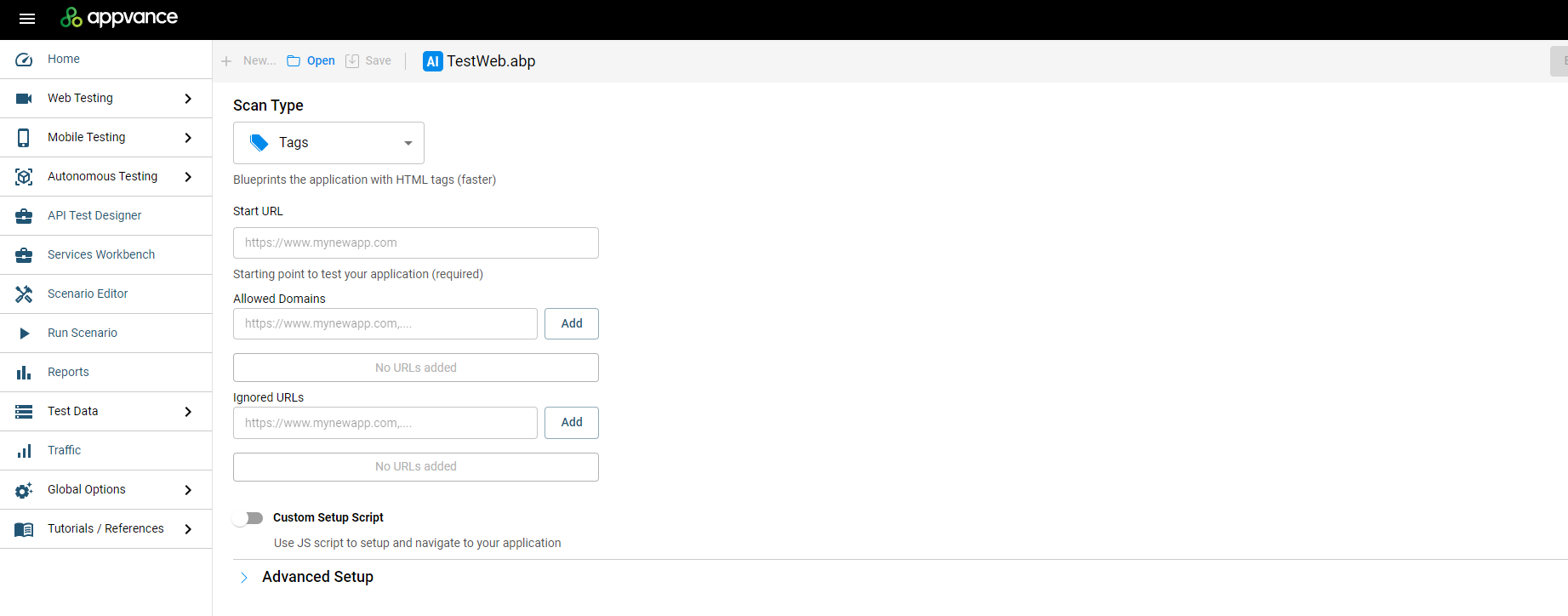
The AI Script Generation / Blueprint Designer UI introduced in AIQ 5.0.
The GENI process
- A business analyst writes step-by-step test cases in plain English — the same way manual testers document them.
- GENI’s transformer models understand the natural language, page layouts, and visual cues in those steps.
- The steps are compared against the AIQ Digital Twin — an offline, AI-built model of the application.
- A proprietary code generator produces executable test scripts — in bulk, hundreds of test cases at a time.
What is the AIQ Digital Twin?
The Digital Twin is created by AI Script Generation (AISG): AIQ’s AI explores the application like a user would,
discovers pages and states, and asks for input (for example via CSV data sets) to dig deeper. The result — previously called a
“Blueprint” — is saved as a .abp file. Because of GENI, this is no longer a mere map of the app: it is a
true Digital Twin.
Did you know? AISG itself is powered by some twenty underlying AI models that together generate actual test scripts after a single training session with a QA engineer.
Data privacy
- GENI models are private and fixed — they do not learn from your application or data.
- No data is shared between clients, and no PII is stored.
- All models run on a GPU-centric AI server, with on-prem and cloud deployment options.
- AISG self-healing ML learns each time a script runs, but only to build accessor data for your application.
Source: AIQ AI and Data Privacy (docs.appvance.net)
GENI Key Benefits
Per the official Appvance GENI press release (March 18, 2025), GENI delivers measurable value across the organization:
| Audience | Benefit |
|---|---|
| CIOs and CTOs | Accelerates AI-first digital transformation while significantly reducing end-to-end test time and eliminating manual testing. Material cost reductions with increased quality standards and more strategic allocation of technology investments. |
| Software development & QA | Optimizes resource allocation by redirecting teams toward higher-value activities and reducing dependency on third-party testing services. Broader application coverage within existing or reduced budgets — and 10x faster time to results, speeding up the SDLC. |
| Enterprises | Significant competitive advantage through streamlined deployment processes and accelerated development cycles. Ship new features with confidence — robust testing without sacrificing speed to market. |
| Services & solution providers | New horizons in AI-first QA offerings and reduced labor costs. Design advanced SQA services that deepen testing coverage while augmenting human capabilities. |
The zero-maintenance model
Traditional automation rots: the application changes, selectors break, and engineers spend their days repairing scripts. GENI Script Generation is built on the same technology as the AIQ Web Designer — fallback accessors and self-optimizing element selection — so scripts intelligently choose the best locator for every element.
- A small UI change (for example, a renamed button)? The script still works — accessors adapt automatically.
- A flow changed? Edit the English line in the test case and regenerate that one script.
- The whole application changed? Rewrite the test case in English and generate a brand-new script.
The result: no selector repair, no maintenance backlog. Regenerate instead of repair.
Why it matters
Roughly 70% of end-to-end testing is still manual, and about 85% of QA automation resources go to scripting and maintenance. GENI Script Generation attacks both numbers at once: it produces the scripts in bulk, and it removes the ongoing repair work that normally consumes the team.
The bottom line: faster releases, higher quality, and lasting competitive advantage — while eliminating the need for manual testers, scripting, and recorders.
Source: Appvance announces GENI (Mar 18, 2025) — press release · GENI Script Generation — Technical Overview
Last updated: September 10, 2026
GENI Pricing & Availability
GENI Script Generation turns plain-English test cases into production-grade Playwright scripts at scale. It is licensed per application and is delivered as a hosted service managed by Appvance, with an on-premises option available as an add-on.
Availability
- Available in AIQ 5.3.6 and later.
- Requires an active GENI license on the AIQ account. The licensed entry point signs you directly into the GENI interface.
- Enterprise licensing is available — ask your Appvance team for the terms that fit your organisation.
- The GENI Transformation Factory (GTF) is a separate, related capability, available from AIQ 5.3.1 onward.
Licensing and pricing
GENI is licensed per application, with coverage sized to the applications you look after, on-premises or in the cloud. Pricing, minimum coverage and enterprise terms are handled by your Appvance team — contact your account manager, your sales representative or your TAM.
Access and administration
Your Appvance team enables GENI on your controller and creates an administrator account for your organisation. That administrator decides who on your team can use GENI, and can grant or revoke access at any time. Usage is shared across the organisation, so it is worth keeping an eye on how the team is drawing on it.
Note: the GENI Transformation Factory (GTF) is a separate, related capability available from Appvance IQ 5.3.1. See the GENI Transformation Factory chapter.
Sources: Appvance announces GENI (March 2025) — press release · GENI Script Generation — Technical Overview
Last updated: November 2, 2026
What GENI Can Generate
Overview
GENI Script Generation converts plain-text, step-by-step test cases into fully executable test scripts. No recording, no manual scripting. Describe the test the way a manual tester would document it, and GENI writes the automation.
Provide your test cases (in Excel or via a supported TMS), and GENI transforms them into ready-to-run scripts, generated in bulk.
GENI Script Generation produces:
- Executable test scripts (Playwright, Java/JavaScript, and Python scripts)
- Test scenarios (grouped scripts, runnable on demand or on a schedule)
- Execution reports and screenshots for every run
How to Provide Your Test Cases
You can bring test cases into GENI in two ways:
- Excel file — using the standard column format below
- TMS integration — TestRail is supported today, with additional integrations rolling out
Excel Format
Column | Required? | Purpose |
|---|---|---|
Step Description | Yes | What the tester does in this step |
Test Data | Yes | URLs, usernames, passwords, and other inputs used in the step |
Test Script Name | Yes, if more than one test case | Names the resulting script |
Expected Result | Optional | Your validations — leave blank if none |
Test Case ID / Name / Preconditions / Step Number | Optional | Metadata, auto-mapped when present |
Column mapping is auto-detected and can be adjusted manually. Once mapped, GENI shows how many test cases are ready to generate before you proceed.
Generating Scripts
- Upload your Excel file or connect your TMS.
- Review and confirm the column mapping.
- Confirm the count of ready test cases.
- Click Transform Test Scripts to start generation.
Each test case is processed independently and in parallel, so a batch of 100 takes about as long as a batch of 1.
Generation Status
Status | Meaning |
|---|---|
Pending | Queued, waiting for an available instance |
Running | Actively being translated into a script |
Failed | Could not be resolved. Re-run or adjust the test case |
Completed | Script generated and ready to execute |
Needs Input | GENI found something that needs your input |
Once complete, scripts appear in the Test Scripts area, where you can inspect the steps and execution history of any script.
Running Your Scripts
- Group scripts into scenarios to run them together, like a CI/CD pipeline.
- Run a scenario manually, or schedule it (daily, weekly, monthly, or custom cadence, in any time zone).
- Every execution captures a screenshot of each state visited, plus a screenshot of the failure point if a run fails.
- Download execution reports per scenario, export to the built-in dashboard, or use the built-in Allure Report.
Maintaining Your Scripts
GENI scripts are built to avoid the usual automation maintenance burden:
- Minor UI change (e.g., a renamed button): no action needed — accessors adapt automatically.
- A flow changed: edit the English step in the test case and regenerate that script.
- Major application change: rewrite the test case and generate a new script.
You edit the English description, not the code.
Access & Security Notes
- GENI Script Generation is a hosted service (on-prem available as an add-on).
- To reach your application under test, whitelist the single outbound IP address provided by Appvance.
- The LLM is used only during generation — execution is pure script playback with no AI inference and no data leaving for model calls.
- Generated scripts are yours: downloadable and editable Playwright (Java/JavaScript).
Getting Started
Bring a sample of your existing manual test cases in the standard Excel format, generate a pilot batch, and run the resulting scripts against your application.