# GENI Script Generation
How Appvance IQ converts plain-English test cases into fully executable test scripts using transformer models and a proprietary code generator — no Blueprint, no Digital Twin, no recorder.
# What is GENI Script Generation?
**GENI Script Generation** is the generative-AI engine inside Appvance IQ that converts plain-English, step-by-step test cases into fully executable test scripts. You describe what to test the same way a manual tester documents it — GENI writes the automation.
Scripts are produced in bulk — roughly **100 scripts per hour**, and up to **400x faster** than a human scripter — and they require no ongoing maintenance. When the application under test changes, you regenerate instead of repair.
GENI Script Generation is available from **AIQ 5.3.6 (build 536)** onward, and is accessed from the **GENI** area in AIQ.
**In short:** describe the test in English, and GENI Script Generation delivers the executable script — at scale.
### What you get in the GENI area
Opening the GENI area in AIQ presents three options. **Script Generation** and **Script Generation Import** are enabled by the GENI license; the Transformation Factory is a separate, complementary capability.
- **Script Generation** — converts your Excel- or TMS-based test cases into executable test scripts.
- **Script Generation Import** — imports generated scripts and scenarios back into Appvance IQ, so they run inside the AIQ scenario editor alongside other test types.
- **Transformation Factory** — automates the full QA artifact chain (requirements to scripts and back). See the [GENI Transformation Factory](https://docs.appvance.net/books/14-new-features/chapter/geni-transformation-factory) chapter.
**Remember:** Script Generation is *English test case in, executable script out*. No Blueprint, no Digital Twin, no recorder.
**Important — GENI Script Generation is NOT AISG.** **AISG (AI Script Generation)** is the autonomous-testing module inside AIQ that explores applications and builds the **Digital Twin**. GENI Script Generation does not use Blueprint or Digital Twin technology: it converts the English test case directly into a script using specially tuned transformer models and a proprietary code generator. AISG is documented in its own book: [AI Script Generation (Autonomous Testing)](https://docs.appvance.net/books/21-ai-script-generation-autonomous-testing).
### Key numbers
100
scripts generated per hour
400x
faster than human scripters
70%
of end-to-end testing is manual today
85%
of QA automation resources go to scripting & maintenance
**Batch runtime is roughly constant.** Because every test case runs in parallel on its own isolated instance, a batch takes about **2 hours** whether you submit 1 test case or 100 — capacity scales linearly.
### GENI Script Generation vs AISG — side by side
| GENI Script Generation | AISG (AI Script Generation) |
|---|
| Converts plain-English test cases into executable test scripts | Explores applications autonomously and builds the Digital Twin (`.abp`) |
| 100 scripts per hour · 400x faster than human scripters | Formerly “Blueprint Designer” / “AI Blueprinting”; under **Autonomous Testing** in AIQ 5.2+ |
| Input: an Excel file or a TMS connection. Output: a script you can download and edit | Input: an application and specific flows. Output: the Digital Twin plus coverage insight |
| No Blueprint, no Digital Twin, no recorder | Uses the Digital Twin as its core artifact |
### How it works — at a glance
1. **Bring your test cases** — the English, step-by-step scenarios you want to automate, in Excel or from your TMS.
2. **Map and validate the batch** — GENI auto-detects the columns and tells you exactly how many test cases are ready.
3. **Generate** — a single action, *Transform Test Scripts*, converts each test case into a script in parallel.
4. **Run and schedule** — group the scripts into scenarios and run them on demand or in CI/CD, with screenshots and reports for every execution.
Sources: [appvance.ai/geni](https://appvance.ai/geni) · Appvance announces GENI (Mar 18, 2025) — press release · GENI Script Generation — Technical Overview
Last updated: September 10, 2026
# How GENI Works
## How GENI Works
GENI is not a single AI model — it is a stack of AI technologies working together. According to Appvance, GENI leverages **Appvance’s patented AIQ Digital Twin**, **multiple specially tuned transformer models**, and a **proprietary code generator**.
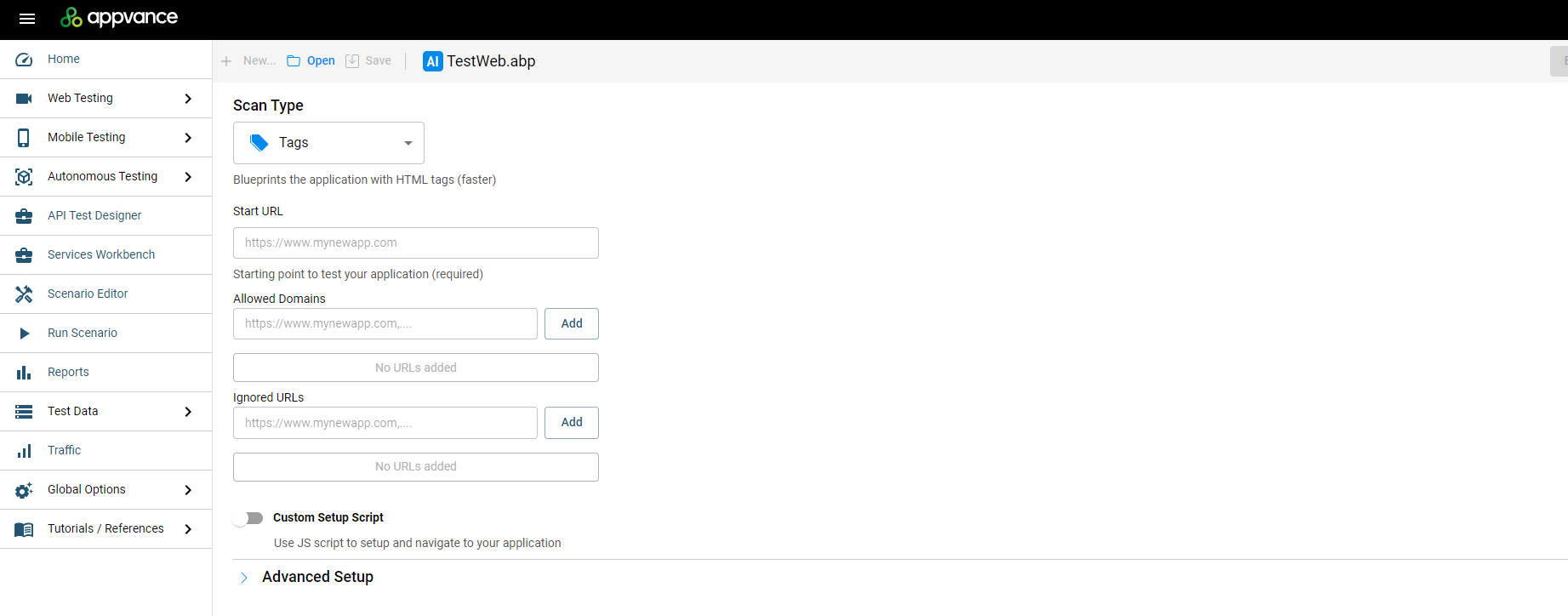*The AI Script Generation / Blueprint Designer UI introduced in AIQ 5.0.*
### The GENI process
1. A business analyst writes **step-by-step test cases in plain English** — the same way manual testers document them.
2. GENI’s transformer models understand the **natural language, page layouts, and visual cues** in those steps.
3. The steps are compared against the **AIQ Digital Twin** — an offline, AI-built model of the application.
4. A proprietary code generator produces **executable test scripts** — in bulk, hundreds of test cases at a time.
### What is the AIQ Digital Twin?
The Digital Twin is created by **AI Script Generation (AISG)**: AIQ’s AI explores the application like a user would, discovers pages and states, and asks for input (for example via CSV data sets) to dig deeper. The result — previously called a “Blueprint” — is saved as a `.abp` file. Because of GENI, this is no longer a mere map of the app: it is a **true Digital Twin**.
**Did you know?** AISG itself is powered by some **twenty underlying AI models** that together generate actual test scripts after a single training session with a QA engineer.
### Data privacy
- GENI models are **private and fixed** — they do **not** learn from your application or data.
- No data is shared between clients, and no PII is stored.
- All models run on a **GPU-centric AI server**, with on-prem and cloud deployment options.
- AISG self-healing ML learns each time a script runs, but only to build accessor data for *your* application.
Source: [AIQ AI and Data Privacy (docs.appvance.net)](https://docs.appvance.net/Content/AIQ/Knowledge_Base/AIQ_AIDataPrivacy.htm)
# GENI Key Benefits
Per the official **Appvance GENI press release** (March 18, 2025), GENI delivers measurable value across the organization:
| Audience | Benefit |
|---|
| **CIOs and CTOs** | Accelerates AI-first digital transformation while significantly reducing end-to-end test time and eliminating manual testing. Material cost reductions with increased quality standards and more strategic allocation of technology investments. |
| **Software development & QA** | Optimizes resource allocation by redirecting teams toward higher-value activities and reducing dependency on third-party testing services. Broader application coverage within existing or reduced budgets — and **10x faster time to results**, speeding up the SDLC. |
| **Enterprises** | Significant competitive advantage through streamlined deployment processes and accelerated development cycles. Ship new features with confidence — robust testing without sacrificing speed to market. |
| **Services & solution providers** | New horizons in AI-first QA offerings and reduced labor costs. Design advanced SQA services that deepen testing coverage while augmenting human capabilities. |
### The zero-maintenance model
Traditional automation rots: the application changes, selectors break, and engineers spend their days repairing scripts. GENI Script Generation is built on the same technology as the AIQ Web Designer — **fallback accessors and self-optimizing element selection** — so scripts intelligently choose the best locator for every element.
- **A small UI change** (for example, a renamed button)? The script still works — accessors adapt automatically.
- **A flow changed?** Edit the English line in the test case and regenerate that one script.
- **The whole application changed?** Rewrite the test case in English and generate a brand-new script.
**The result:** no selector repair, no maintenance backlog. **Regenerate instead of repair.**
### Why it matters
Roughly **70% of end-to-end testing is still manual**, and about **85% of QA automation resources** go to scripting and maintenance. GENI Script Generation attacks both numbers at once: it produces the scripts in bulk, and it removes the ongoing repair work that normally consumes the team.
**The bottom line:** faster releases, higher quality, and lasting competitive advantage — while eliminating the need for manual testers, scripting, and recorders.
Source: Appvance announces GENI (Mar 18, 2025) — press release · GENI Script Generation — Technical Overview
Last updated: September 10, 2026
# GENI Pricing & Availability
GENI Script Generation is licensed **per application**, with coverage starting at as few as **10 applications**. Both on-premises and cloud deployments are supported.
### Availability
- GENI Script Generation is available in **AIQ 5.3.6 (build 536)** and later.
- Requires an active **GENI license** on the AIQ account. The licensed entry point signs you directly into the GENI UI.
- The **GENI Transformation Factory** (GTF) is available from AIQ release **5.3.1** onward, as a separate capability.
### Deployment model
- GENI Script Generation is a **hosted service managed by Appvance** (on-prem installation is available as an additional add-on).
- To reach the application under test, the customer whitelists a **single outbound IP address** for the GENI service.
- Generated scripts are **downloadable** (Playwright / Java / JavaScript) and editable, for portability into any pipeline.
### Pricing model
| Item | Details |
|---|
| Licensing | **Per-application** basis |
| Minimum | Coverage starting with as few as **10 applications** |
| Deployment | **On-premises** and **cloud** |
| Speed | Converts English test cases to test scripts in bulk at **100 scripts per hour**; authors and maintains scripts **400x faster** than humans |
### Admin & user management
- GENI Script Generation is enabled with a **single license update to your controller**.
- Appvance will request **one user email address** to create an **ADMIN account** for GENI.
- This ADMIN user can **add and manage the users** who are permitted to draw on the credits available to your account, and can **grant or revoke user access** as needed.
**Credits are held in one shared pool** of test cases for the entire organization. At this time, usage cannot be limited on a per-user basis, so it is important that the ADMIN monitors usage across your team.
**Note:** the GENI Transformation Factory (GTF) — a separate, related capability — is available after **Release 5.3.1** of Appvance IQ. See the [GENI Transformation Factory](https://docs.appvance.net/books/14-new-features/chapter/geni-transformation-factory) chapter.
Sources: Appvance announces GENI (Mar 18, 2025) — press release · GENI Script Generation — Technical Overview
Last updated: September 10, 2026
# What GENI Can Generate
## Overview
GENI Script Generation converts plain-text, step-by-step test cases into fully executable test scripts. No recording, no manual scripting. Describe the test the way a manual tester would document it, and GENI writes the automation.
Provide your test cases (in Excel or via a supported TMS), and GENI transforms them into ready-to-run scripts, generated in bulk.
GENI Script Generation produces:
- Executable test scripts (Playwright, Java/JavaScript, and Python scripts)
- Test scenarios (grouped scripts, runnable on demand or on a schedule)
- Execution reports and screenshots for every run
## How to Provide Your Test Cases
You can bring test cases into GENI in two ways:
- **Excel file** — using the standard column format below
- **TMS integration** — TestRail is supported today, with additional integrations rolling out
### Excel Format
| Column
| Required?
| Purpose
|
|---|
| Step Description
| Yes
| What the tester does in this step
|
| Test Data
| Yes
| URLs, usernames, passwords, and other inputs used in the step
|
| Test Script Name
| Yes, if more than one test case
| Names the resulting script
|
| Expected Result
| Optional
| Your validations — leave blank if none
|
| Test Case ID / Name / Preconditions / Step Number
| Optional
| Metadata, auto-mapped when present
|
Column mapping is auto-detected and can be adjusted manually. Once mapped, GENI shows how many test cases are ready to generate before you proceed.
## Generating Scripts
1. Upload your Excel file or connect your TMS.
2. Review and confirm the column mapping.
3. Confirm the count of ready test cases.
4. Click **Transform Test Scripts** to start generation.
Each test case is processed independently and in parallel, so a batch of 100 takes about as long as a batch of 1.
### Generation Status
| Status
| Meaning
|
|---|
| Pending
| Queued, waiting for an available instance
|
| Running
| Actively being translated into a script
|
| Failed
| Could not be resolved. Re-run or adjust the test case
|
| Completed
| Script generated and ready to execute
|
| Needs Input
| GENI found something that needs your input
|
Once complete, scripts appear in the **Test Scripts** area, where you can inspect the steps and execution history of any script.
## Running Your Scripts
- Group scripts into **scenarios** to run them together, like a CI/CD pipeline.
- Run a scenario manually, or schedule it (daily, weekly, monthly, or custom cadence, in any time zone).
- Every execution captures a screenshot of each state visited, plus a screenshot of the failure point if a run fails.
- Download execution reports per scenario, export to the built-in dashboard, or use the built-in Allure Report.
## Maintaining Your Scripts
GENI scripts are built to avoid the usual automation maintenance burden:
- **Minor UI change** (e.g., a renamed button): no action needed — accessors adapt automatically.
- **A flow changed**: edit the English step in the test case and regenerate that script.
- **Major application change**: rewrite the test case and generate a new script.
You edit the English description, not the code.
## Access & Security Notes
- GENI Script Generation is a hosted service (on-prem available as an add-on).
- To reach your application under test, whitelist the single outbound IP address provided by Appvance.
- The LLM is used only during generation — execution is pure script playback with no AI inference and no data leaving for model calls.
- Generated scripts are yours: downloadable and editable Playwright (Java/JavaScript).
## Getting Started
Bring a sample of your existing manual test cases in the standard Excel format, generate a pilot batch, and run the resulting scripts against your application.