1.4 NEW FEATURES!!!
Everything about Appvance’s generative AI features — GENI Script Generation (AISG), the GENI Transformation Factory, AI ASSERT, and API Data Generation. Compiled from the official Appvance documentation.
- GENI Script Generation
- What is GENI Script Generation?
- How GENI Works
- GENI Key Benefits
- GENI Pricing & Availability
- What GENI Can Generate
- GENI Transformation Factory
- What is the GENI Transformation Factory?
- The QA Artifact Chain: Downstream & Upstream
- MCP Support & LLM Flexibility
- GENI Transformation Factory: Launch & Availability
- Using the GENI Transformation Factory
- API Data Generation
- What is API Data Generation?
- How API Data Generation Works
- The Data Production Library and API Data Generation
- AI Asserts
GENI Script Generation
How Appvance IQ converts plain-English test cases into fully executable test scripts using transformer models and a proprietary code generator — no Blueprint, no Digital Twin, no recorder.
What is GENI Script Generation?
GENI Script Generation is the generative-AI engine inside Appvance IQ that converts plain-English, step-by-step test cases into fully executable test scripts. You describe what to test the same way a manual tester documents it — GENI writes the automation.
Scripts are produced in bulk — roughly 100 scripts per hour, and up to 400x faster than a human scripter — and they require no ongoing maintenance. When the application under test changes, you regenerate instead of repair.
GENI Script Generation is available from AIQ 5.3.6 (build 536) onward, and is accessed from the GENI area in AIQ.
In short: describe the test in English, and GENI Script Generation delivers the executable script — at scale.
What you get in the GENI area
Opening the GENI area in AIQ presents three options. Script Generation and Script Generation Import are enabled by the GENI license; the Transformation Factory is a separate, complementary capability.
- Script Generation — converts your Excel- or TMS-based test cases into executable test scripts.
- Script Generation Import — imports generated scripts and scenarios back into Appvance IQ, so they run inside the AIQ scenario editor alongside other test types.
- Transformation Factory — automates the full QA artifact chain (requirements to scripts and back). See the GENI Transformation Factory chapter.
Remember: Script Generation is English test case in, executable script out. No Blueprint, no Digital Twin, no recorder.
Important — GENI Script Generation is NOT AISG. AISG (AI Script Generation) is the autonomous-testing module inside AIQ that explores applications and builds the Digital Twin. GENI Script Generation does not use Blueprint or Digital Twin technology: it converts the English test case directly into a script using specially tuned transformer models and a proprietary code generator. AISG is documented in its own book: AI Script Generation (Autonomous Testing).
Key numbers
Batch runtime is roughly constant. Because every test case runs in parallel on its own isolated instance, a batch takes about 2 hours whether you submit 1 test case or 100 — capacity scales linearly.
GENI Script Generation vs AISG — side by side
| GENI Script Generation | AISG (AI Script Generation) |
|---|---|
| Converts plain-English test cases into executable test scripts | Explores applications autonomously and builds the Digital Twin (.abp) |
| 100 scripts per hour · 400x faster than human scripters | Formerly “Blueprint Designer” / “AI Blueprinting”; under Autonomous Testing in AIQ 5.2+ |
| Input: an Excel file or a TMS connection. Output: a script you can download and edit | Input: an application and specific flows. Output: the Digital Twin plus coverage insight |
| No Blueprint, no Digital Twin, no recorder | Uses the Digital Twin as its core artifact |
How it works — at a glance
- Bring your test cases — the English, step-by-step scenarios you want to automate, in Excel or from your TMS.
- Map and validate the batch — GENI auto-detects the columns and tells you exactly how many test cases are ready.
- Generate — a single action, Transform Test Scripts, converts each test case into a script in parallel.
- Run and schedule — group the scripts into scenarios and run them on demand or in CI/CD, with screenshots and reports for every execution.
Sources: appvance.ai/geni · Appvance announces GENI (Mar 18, 2025) — press release · GENI Script Generation — Technical Overview
Last updated: September 10, 2026
How GENI Works
How GENI Works
GENI is not a single AI model — it is a stack of AI technologies working together. According to Appvance, GENI leverages Appvance’s patented AIQ Digital Twin, multiple specially tuned transformer models, and a proprietary code generator.
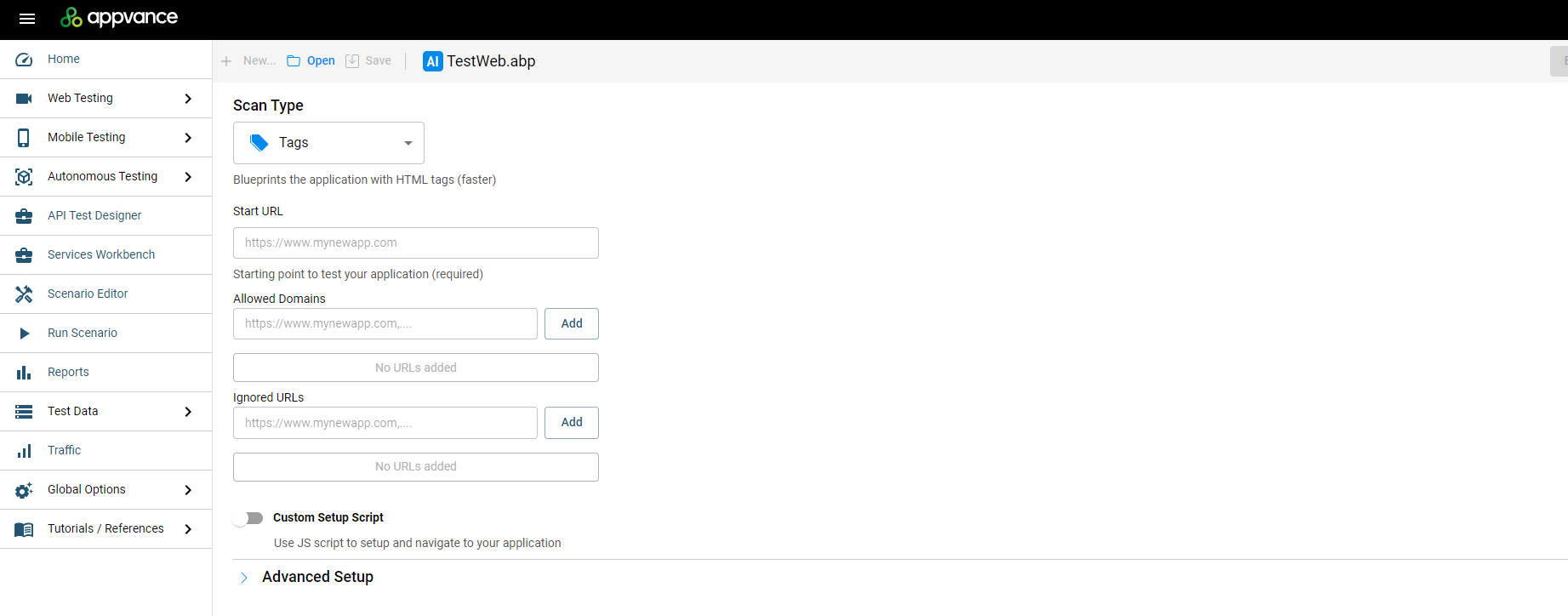
The AI Script Generation / Blueprint Designer UI introduced in AIQ 5.0.
The GENI process
- A business analyst writes step-by-step test cases in plain English — the same way manual testers document them.
- GENI’s transformer models understand the natural language, page layouts, and visual cues in those steps.
- The steps are compared against the AIQ Digital Twin — an offline, AI-built model of the application.
- A proprietary code generator produces executable test scripts — in bulk, hundreds of test cases at a time.
What is the AIQ Digital Twin?
The Digital Twin is created by AI Script Generation (AISG): AIQ’s AI explores the application like a user would,
discovers pages and states, and asks for input (for example via CSV data sets) to dig deeper. The result — previously called a
“Blueprint” — is saved as a .abp file. Because of GENI, this is no longer a mere map of the app: it is a
true Digital Twin.
Did you know? AISG itself is powered by some twenty underlying AI models that together generate actual test scripts after a single training session with a QA engineer.
Data privacy
- GENI models are private and fixed — they do not learn from your application or data.
- No data is shared between clients, and no PII is stored.
- All models run on a GPU-centric AI server, with on-prem and cloud deployment options.
- AISG self-healing ML learns each time a script runs, but only to build accessor data for your application.
Source: AIQ AI and Data Privacy (docs.appvance.net)
GENI Key Benefits
Per the official Appvance GENI press release (March 18, 2025), GENI delivers measurable value across the organization:
| Audience | Benefit |
|---|---|
| CIOs and CTOs | Accelerates AI-first digital transformation while significantly reducing end-to-end test time and eliminating manual testing. Material cost reductions with increased quality standards and more strategic allocation of technology investments. |
| Software development & QA | Optimizes resource allocation by redirecting teams toward higher-value activities and reducing dependency on third-party testing services. Broader application coverage within existing or reduced budgets — and 10x faster time to results, speeding up the SDLC. |
| Enterprises | Significant competitive advantage through streamlined deployment processes and accelerated development cycles. Ship new features with confidence — robust testing without sacrificing speed to market. |
| Services & solution providers | New horizons in AI-first QA offerings and reduced labor costs. Design advanced SQA services that deepen testing coverage while augmenting human capabilities. |
The zero-maintenance model
Traditional automation rots: the application changes, selectors break, and engineers spend their days repairing scripts. GENI Script Generation is built on the same technology as the AIQ Web Designer — fallback accessors and self-optimizing element selection — so scripts intelligently choose the best locator for every element.
- A small UI change (for example, a renamed button)? The script still works — accessors adapt automatically.
- A flow changed? Edit the English line in the test case and regenerate that one script.
- The whole application changed? Rewrite the test case in English and generate a brand-new script.
The result: no selector repair, no maintenance backlog. Regenerate instead of repair.
Why it matters
Roughly 70% of end-to-end testing is still manual, and about 85% of QA automation resources go to scripting and maintenance. GENI Script Generation attacks both numbers at once: it produces the scripts in bulk, and it removes the ongoing repair work that normally consumes the team.
The bottom line: faster releases, higher quality, and lasting competitive advantage — while eliminating the need for manual testers, scripting, and recorders.
Source: Appvance announces GENI (Mar 18, 2025) — press release · GENI Script Generation — Technical Overview
Last updated: September 10, 2026
GENI Pricing & Availability
GENI Script Generation is licensed per application, with coverage starting at as few as 10 applications. Both on-premises and cloud deployments are supported.
Availability
- GENI Script Generation is available in AIQ 5.3.6 (build 536) and later.
- Requires an active GENI license on the AIQ account. The licensed entry point signs you directly into the GENI UI.
- The GENI Transformation Factory (GTF) is available from AIQ release 5.3.1 onward, as a separate capability.
Deployment model
- GENI Script Generation is a hosted service managed by Appvance (on-prem installation is available as an additional add-on).
- To reach the application under test, the customer whitelists a single outbound IP address for the GENI service.
- Generated scripts are downloadable (Playwright / Java / JavaScript) and editable, for portability into any pipeline.
Pricing model
| Item | Details |
|---|---|
| Licensing | Per-application basis |
| Minimum | Coverage starting with as few as 10 applications |
| Deployment | On-premises and cloud |
| Speed | Converts English test cases to test scripts in bulk at 100 scripts per hour; authors and maintains scripts 400x faster than humans |
Admin & user management
- GENI Script Generation is enabled with a single license update to your controller.
- Appvance will request one user email address to create an ADMIN account for GENI.
- This ADMIN user can add and manage the users who are permitted to draw on the credits available to your account, and can grant or revoke user access as needed.
Credits are held in one shared pool of test cases for the entire organization. At this time, usage cannot be limited on a per-user basis, so it is important that the ADMIN monitors usage across your team.
Note: the GENI Transformation Factory (GTF) — a separate, related capability — is available after Release 5.3.1 of Appvance IQ. See the GENI Transformation Factory chapter.
Sources: Appvance announces GENI (Mar 18, 2025) — press release · GENI Script Generation — Technical Overview
Last updated: September 10, 2026
What GENI Can Generate
Overview
GENI Script Generation converts plain-text, step-by-step test cases into fully executable test scripts. No recording, no manual scripting. Describe the test the way a manual tester would document it, and GENI writes the automation.
Provide your test cases (in Excel or via a supported TMS), and GENI transforms them into ready-to-run scripts, generated in bulk.
GENI Script Generation produces:
- Executable test scripts (Playwright, Java/JavaScript, and Python scripts)
- Test scenarios (grouped scripts, runnable on demand or on a schedule)
- Execution reports and screenshots for every run
How to Provide Your Test Cases
You can bring test cases into GENI in two ways:
- Excel file — using the standard column format below
- TMS integration — TestRail is supported today, with additional integrations rolling out
Excel Format
Column | Required? | Purpose |
|---|---|---|
Step Description | Yes | What the tester does in this step |
Test Data | Yes | URLs, usernames, passwords, and other inputs used in the step |
Test Script Name | Yes, if more than one test case | Names the resulting script |
Expected Result | Optional | Your validations — leave blank if none |
Test Case ID / Name / Preconditions / Step Number | Optional | Metadata, auto-mapped when present |
Column mapping is auto-detected and can be adjusted manually. Once mapped, GENI shows how many test cases are ready to generate before you proceed.
Generating Scripts
- Upload your Excel file or connect your TMS.
- Review and confirm the column mapping.
- Confirm the count of ready test cases.
- Click Transform Test Scripts to start generation.
Each test case is processed independently and in parallel, so a batch of 100 takes about as long as a batch of 1.
Generation Status
Status | Meaning |
|---|---|
Pending | Queued, waiting for an available instance |
Running | Actively being translated into a script |
Failed | Could not be resolved. Re-run or adjust the test case |
Completed | Script generated and ready to execute |
Needs Input | GENI found something that needs your input |
Once complete, scripts appear in the Test Scripts area, where you can inspect the steps and execution history of any script.
Running Your Scripts
- Group scripts into scenarios to run them together, like a CI/CD pipeline.
- Run a scenario manually, or schedule it (daily, weekly, monthly, or custom cadence, in any time zone).
- Every execution captures a screenshot of each state visited, plus a screenshot of the failure point if a run fails.
- Download execution reports per scenario, export to the built-in dashboard, or use the built-in Allure Report.
Maintaining Your Scripts
GENI scripts are built to avoid the usual automation maintenance burden:
- Minor UI change (e.g., a renamed button): no action needed — accessors adapt automatically.
- A flow changed: edit the English step in the test case and regenerate that script.
- Major application change: rewrite the test case and generate a new script.
You edit the English description, not the code.
Access & Security Notes
- GENI Script Generation is a hosted service (on-prem available as an add-on).
- To reach your application under test, whitelist the single outbound IP address provided by Appvance.
- The LLM is used only during generation — execution is pure script playback with no AI inference and no data leaving for model calls.
- Generated scripts are yours: downloadable and editable Playwright (Java/JavaScript).
Getting Started
Bring a sample of your existing manual test cases in the standard Excel format, generate a pilot batch, and run the resulting scripts against your application.
GENI Transformation Factory
How GENI automates the entire QA artifact chain — generating and regenerating every artifact from requirements to test scripts, with MCP support for any LLM.
What is the GENI Transformation Factory?
The GENI Transformation Factory is Appvance’s intelligent document transformation engine that automates the entire QA artifact chain. Unlike traditional tools that create artifacts in isolation, GENI generates, transforms, and regenerates every QA artifact — both downstream and upstream — creating a living, bi-directional system of record.
In short: any QA artifact can now be used as input to generate any of the others, instantly. Test cases can become user stories, business requirements can become scripts, and scripts can regenerate their own documentation.
Even Shorter (GTF): the GENI Transformation Factory ingests documentation in Word (.docx) format and automatically generates Epics, Business Requirements, Product Requirements, and User Stories in a standardized Markdown (.MD) format. It also produces Test Data and Test Case suggestions, delivered as structured files (CSV and Excel) containing recommended test inputs, execution steps, and supporting validation data.
The QA artifact chain
QA has long relied on a chain of artifacts:
- Business requirements
- Epics
- User stories
- Gherkin scenarios
- Test case summaries
- Step-by-step test cases
- Executable test scripts
Historically, each artifact was created and maintained separately — often inconsistently — leading to coverage gaps, costly rewrites, and fragile connections between requirements and tests. The GENI Transformation Factory keeps everything synchronized.
Key numbers
85–93%
reduction in human labor vs creating artifacts from scratch (early trials)
7
QA artifact types in the chain
2-way
downstream & upstream generation
Built on proven foundations
The GENI Transformation Factory builds on Appvance’s patented Digital Twin technology and its proven AI Script Generation (AISG) and GENI engines — the same technology that converts English test cases into executable scripts.
The “Empty Canvas” feeling
One of the most complicated parts of QA testing is defining the starting point — much like an artist deciding on the first brushstroke of a new painting. GTF eliminates that challenge: the user only needs to create a document explaining the testing conditions.
Source: appvance.ai — GENI Transformation Factory · Appvance training unit 116 — “GENI Transformation Factory: An Introduction” (© 2026)
The QA Artifact Chain: Downstream & Upstream
The GENI Transformation Factory works in both directions along the QA artifact chain, keeping every artifact consistent no matter where the process begins.
↓ Downstream — Requirements to Execution
Input business requirements to generate epics, stories, scenarios, cases, and scripts. This is the classic flow: requirements flow down into executable tests.
↑ Upstream — Execution to Requirements
Input test cases or scripts to regenerate upstream artifacts — such as summaries, user stories, or business requirements. Perfect when documentation has fallen behind.
Key capabilities
Capability | What it does |
|---|---|
End-to-End Coverage | Seamless, bi-directional generation across the entire requirements hierarchy — every document, from high-level strategy to detailed test planning assets, stays connected, consistent, and up to date. Produces Excel outputs with suggested scripts, recommended steps, and relevant test data for review and refinement. |
Bi-Directional Transformation | Start with any artifact — business requirement, user story, test case, or script description — and instantly generate the corresponding outputs up or down the chain. |
Consistency | Eliminate costly rewrites by keeping every artifact synchronized across the lifecycle. |
Requirements-to-Execution | Ingest requirements (business, PRDs, marketing, epics) to automatically generate user stories, scenarios, suggested testing steps, test guides, and suggested test data — delivered in an Excel file with detailed information for review and refinement. |
Execution-to-Requirements | Use test cases or scripts to regenerate upstream artifacts such as summaries, user stories, or business requirements. |
Example use cases
- Documentation drift: requirements docs are out of date? Transform existing test cases back into user stories and business requirements.
- Fast delivery: business requirements flow downstream into scripts with no manual authoring in between.
- Audit-ready QA: scripts regenerate higher-level summaries — the QA chain always tells a consistent story.
Seamless consistency: every QA artifact stays synchronized across the chain, eliminating costly rewrites and misalignments between requirements and tests.
What this means for teams
- QA and development teams — eliminate manual creation and upkeep of artifacts; focus on strategy and innovation.
- Enterprises — release faster with higher quality, with all QA artifacts aligned.
- Service providers — deliver client-ready QA automation that adapts to any artifact state, with dramatically reduced labor costs.
Source: Appvance Unveils GENI Transformation Factory with MCP Support (Sep 30, 2025) · Appvance training unit 116 — “GENI Transformation Factory: An Introduction” (© 2026)
MCP Support & LLM Flexibility
The GENI Transformation Factory is built with Model Context Protocol (MCP) support — allowing enterprises to power their QA transformations with any compliant LLM: open-source, commercial, or homegrown.
What is MCP? The Model Context Protocol is described as a “universal translator” for AI. It standardizes how applications connect to AI models — so models can be swapped in and out without disruption.
Freedom of LLM choice
Enterprises have historically been locked into a single LLM vendor when adopting AI-first testing. With MCP support, Appvance clients can:
- Swap models in and out with no disruption to their QA pipeline.
- Choose models based on security, governance, or strategic priorities.
- Deploy with any compliant LLM — on-premises, in a private cloud, or through commercial providers.
Deployment options
| Option | Details |
|---|---|
| >On-premises | >Keep everything inside your own infrastructure — maximum control and compliance. |
| >Private cloud | >Run the Transformation Factory in your cloud tenant with your chosen LLM. |
| >Commercial providers | >Connect any MCP-compliant commercial LLM. |
Why MCP matters
- Future-proofs QA infrastructure — you are never locked to one AI vendor.
- CIO/CTO control — decide which models to deploy based on security, governance, or strategy.
- Enterprise compliance — align AI usage with organizational policies.
Source: Appvance Unveils GENI Transformation Factory with MCP Support (Sep 30, 2025)
GENI Transformation Factory: Launch & Availability
Appvance unveiled the GENI Transformation Factory on September 30, 2025, as a groundbreaking expansion of its AI platform that generates, transforms, and regenerates every QA artifact across the software development lifecycle.
Why it matters: QA has long relied on a chain of artifacts created and maintained separately — often inconsistently. The Transformation Factory turns that chain into a living, bi-directional system of record.
What was announced
- True AI automates the entire QA chain — generating and regenerating every artifact from requirements to test scripts.
- MCP support — enterprises can use any compliant LLM: open-source, commercial, or homegrown.
- Built on Appvance’s patented Digital Twin technology and its proven AI Script Generation (AISG) and GENI engines.
Availability & rollout
| Item | Details |
|---|---|
| Announcement date | September 30, 2025 |
| Availability | Available after Release 5.3.1 of Appvance IQ (per official Appvance training, © 2026) |
| Early access | Early-access program open for enterprises |
| Deployment | On-premises and cloud |
| LLM support | Any MCP-compliant LLM — on-prem, private cloud, or commercial providers |
Version note: the official Appvance training unit “GENI Transformation Factory: An Introduction” (© 2026) states GTF is available after Release 5.3.1 of Appvance IQ.
Early trials: the GENI Transformation Factory reduced human labor by 85–93% compared to creating or updating QA artifacts from scratch.
GENI base offering (from the March 2025 launch)
- Per-application licensing — pricing starts with coverage for as few as 10 applications.
- Deployable on-premises or in the cloud.
- Available to existing Appvance clients through 2025 — with 100,000+ applications preparing to use GENI at launch.
- New customers join the waitlist at appvance.ai/geni.
Sources: Appvance Unveils GENI Transformation Factory with MCP Support (Sep 30, 2025) · Appvance announces GENI (Mar 18, 2025) · Appvance training unit 116 — “GENI Transformation Factory: An Introduction” (© 2026)
Using the GENI Transformation Factory
This page walks through the GENI Transformation Factory (GTF) workflow, based on the official Appvance training unit “GENI Transformation Factory: An Introduction” (© 2026). GTF is available after Release 5.3.1 of Appvance IQ.
What you need: a document explaining the testing conditions — for example a BRD (Business Requirements Document) containing business objectives, a well-defined scope, functional and non-functional requirements, assumptions, and other required parameters.
Step 1 — Start with the source document
Create (or reuse) a Business Requirements Document (BRD). It should contain:
- Business objectives
- A well-defined scope
- Functional and non-functional requirements
- Assumptions and other required parameters
Step 2 — Navigate to the GENI Transformation Factory
In Appvance IQ, go to Autonomous Testing → GENI Transformation Factory.
Step 3 — Feed the BRD and start the process
Upload the BRD document and start the process. GTF takes it from there.
Step 4 — Generation settings
- In “Document Types”, select what will be generated.
- Name the output (optional, but helpful).
- Select “Next”.
Step 5 — Watch the process
The process keeps you updated on every step while the artifacts are generated.
Step 6 — Download the result
When the process finishes, you can download a .ZIP file that contains the objects you decided to create.
The generated files
| Output | Format |
|---|---|
| Epics | Markdown (.MD) |
| Business Requirements | Markdown (.MD) |
| Product Requirements | Markdown (.MD) |
| User Stories | Markdown (.MD) |
| Test Data & Test Case suggestions (recommended test inputs, execution steps, supporting validation data) | CSV and Excel |
Note: the contents of this unit will be expanded in upcoming Appvance training units.
Source: Appvance training unit 116 — “GENI Transformation Factory: An Introduction” (© 2026)
API Data Generation
What is API Data Generation?
API Data Generation automatically generates API test data and test scripts directly from OpenAPI specifications using generative AI. Announced on October 7, 2025, it is a new addition to the Appvance Data Production Library.
It removes one of the most time-consuming bottlenecks in modern QA: preparing realistic, valid and complete data for API testing in support of full contract testing. By using the OpenAPI specification as the blueprint, Appvance IQ creates both the executable test scripts and the data they require — without human intervention.
In short: point AIQ at an OpenAPI definition and get runnable API test scripts plus the test data they need — going from specification to validated API tests in minutes instead of weeks.
The problem it solves
API testing is mission-critical, yet it remains burdened by manual scripting and endless data preparation. Hand-building test data also tends to miss the cases that matter: boundary values, invalid inputs and edge conditions that real clients produce.
What it produces
- Executable API test scripts — generated from the OpenAPI definition and aligned with the specification.
- Synthetic test data — data sets generated to satisfy the input types, ranges and edge cases the API expects.
Key benefits
| Benefit | What it means |
|---|---|
| Automatic test script generation | Generative AI reads OpenAPI definitions and produces runnable API test scripts aligned with the specification. |
| Synthetic test data creation | Data sets are automatically generated to satisfy input types, ranges and edge cases, ensuring APIs are validated against real-world scenarios. |
| Coverage at scale | Thousands of API flows and data permutations are created in minutes, dramatically expanding regression coverage. |
| Faster feedback cycles | QA and DevOps teams can integrate the capability into CI/CD pipelines for continuous, automated API validation. |
Where it fits
This builds on Appvance's patented AI Script Generation and Digital Twin technologies, which already deliver up to 100X productivity improvements in test creation and maintenance for UI and end-to-end testing. With API data generation from OpenAPI specs, Appvance IQ provides the industry's only unified, AI-first testing platform that autonomously generates scripts and data across UI, API and end-to-end flows.
“Enterprises no longer have to waste time handcrafting API tests and data. The AI now does the heavy lifting — accurately, at scale, and without maintenance debt.” — Kevin Surace, CEO, Appvance
Availability
Available immediately as part of the Appvance Data Production Library for AIQ customers (announced October 7, 2025).
Sources
- Appvance press release, “Appvance Expands AIQ With Generative AI for API Test Data Creation” — PRNewswire, October 7, 2025.
- Appvance documentation — Data Production Libraries (DPL) concept pages, docs.appvance.net.
How API Data Generation Works
The OpenAPI specification is the blueprint. Instead of a human reading the spec and hand-writing both the requests and the data to feed them, the generative AI does both from the same source of truth.
The flow
- Start from the specification. The OpenAPI definition describes the endpoints, operations, parameters and schemas of the API under test.
- The AI reads the definitions. Generative AI parses the specification and derives the operations to exercise.
- Scripts are generated. AIQ produces runnable API test scripts aligned with the specification — no hand scripting.
- Data is generated to match. Data sets are created to satisfy the input types, ranges and edge cases defined by the spec, so each request is exercised with realistic, valid and complete data.
- Run, or wire it into CI/CD. The generated tests execute like any other AIQ test; the capability can be integrated into pipelines for continuous API validation.
- Scale the coverage. Because generation is automated, thousands of API flows and data permutations can be produced in minutes rather than assembled by hand.
Why the spec matters: using the OpenAPI definition as the blueprint keeps the generated scripts and the generated data tied to the contract — which is what makes contract testing possible at scale.
What you need
- An OpenAPI specification for the API under test.
- An Appvance IQ instance with access to the Data Production Library.
Sources
- Appvance press release, October 7, 2025 — feature description and benefits.
- Appvance documentation — API Test Designer and Data Production Library (DPL) pages.
The Data Production Library and API Data Generation
API Data Generation is delivered as an addition to the Appvance Data Production Library (DPL). The DPL is the part of Appvance IQ that produces the operational test data scripts consume, and this feature extends it to API testing driven by an OpenAPI specification.
Background: what a DPL is
A Data Production Library is a data production library generator. In Appvance IQ, a JavaScript DPL generates a CSV file containing JavaScript functions and methods. That file can either be evaluated at run time, or be generated already evaluated, and then used to data-drive scripts in:
- Test Designer
- Scenario Editor
- AI Blueprinting (now AI Script Generation / Digital Twin)
In the JavaScript DPL workflow you add columns and rows, enter values or pick from the available functions and methods, and save the result as a CSV — giving scripts a supply of generated operational data instead of hard-coded values.
How the new capability differs: the classic DPL is authored by hand for the data you need. API Data Generation derives both the scripts and the required data automatically from the OpenAPI contract, which is what lets it scale to thousands of flows.
Where to go next in this documentation set
- 2.11 - Operational Test Data with DPLs — the DPL mechanics.
- 2.5 - API Test Designer — API testing in AIQ.
- 8.1 - AIQ Rest APIs — the REST API reference.
Sources
- Appvance documentation — “JavaScript DPL” and “Using the DPLs”, docs.appvance.net.
- Appvance press release, October 7, 2025 — placement of the feature inside the Data Production Library.
AI Asserts
What is AI ASSERT?
AI ASSERT is Appvance's no-code validation capability that lets QA teams validate anything they can describe in natural language — without writing a line of code and without defining locators. Testers verify images, text, layouts, tables, animations, motion graphics and more through simple, human-like assertions.
Traditional UI assertions have always been rigid: they check static text or the presence of an element, and nothing more. AI ASSERT extends validation to rich, dynamic experiences — animations, medical visualizations, 3D models — by letting the tester simply tell the AI what to check.
In short: if you can describe the expected outcome in a sentence, AI ASSERT can verify it — against images, screen recordings, or live UI elements.
No Code. No Locators. Just Natural Language.
An assertion no longer has to be expressed as a technical condition. The requirement itself becomes the test:
| Area | Example assertion written in plain language |
|---|---|
| Medical | “The heart is beating” in a 3D cardiology visualization; “the lungs inflate” in a simulation. |
| E-commerce | “The product image spins 360 degrees”; “the color changes to blue when selected.” |
| Gaming | “The character jumps when the button is pressed”; “the treasure chest opens after the key is used.” |
| Smart home / IoT | “The door opens”; “the light turns red” in an IoT dashboard. |
| Education / Training | “The planet rotates” in a 3D learning module; “the screen shows a chemical reaction.” |
Key benefits
| Benefit | What it means |
|---|---|
| Natural language validation | Describe any expected outcome and let AI validate it automatically — no custom assertions. |
| Visual & motion-aware | Works across images, animations, videos and 3D models, not just text and element presence. |
| Cross-platform | Supports both web and mobile UI testing. |
| Frictionless | Eliminates custom assertions and scripting; validation becomes conversational. It is simple enough that virtually anyone can learn it in 5 minutes. |
How it fits into Appvance IQ
AI ASSERT builds on Appvance's patented AI Script Generation and Digital Twin technologies, which already deliver up to 100X productivity improvements in test creation and coverage. With AI ASSERT, Appvance IQ becomes the first platform capable of validating not only workflows and data, but also complex visual experiences at scale.
“User experience is the brand. With AI ASSERT, enterprises can now test and validate that their applications don’t just function — they perform.” — Kevin Surace, CEO, Appvance
Availability
AI ASSERT was announced on October 14, 2025 and is introduced in AIQ 5.3.0. It is available in Web Designer to start, with cross-platform support for web and mobile UI testing. See AI ASSERT Release History for the version-by-version detail.
Sources
- Appvance press release, “Appvance Expands AIQ With AI ASSERT for Next-Generation UI Testing” — PRNewswire, October 14, 2025.
- Appvance IQ (AIQ) 5.3.0 Release Notes — AI ASSERT feature description.
AI ASSERT Release History
AI ASSERT is tracked across the AIQ 5.3.x line. This page records what each release introduced or changed for the feature.
| Release | What changed for AI ASSERT |
|---|---|
| AIQ 5.3.0 | AI ASSERT introduced: a no-code validation feature that validates anything describable in natural language, with no code and no locators. Verifies images, text, layouts, tables, animations and motion graphics. Universal validation across UI elements, media and visuals; available in Web Designer to start; intended for QA, design and product teams. |
| AIQ 5.3.2 | FFMPEG integrated into AIQ (Controller and TestNode) to enhance media handling capabilities for AI Assert. |
| AIQ 5.3.5 | Stability work: resolved AI assertion failures, and AI assertion and SmartTag timeout issues. |
Reading this table: an entry means the release notes name AI ASSERT explicitly. Releases not listed made no AI ASSERT-specific change.
Related changes in the same releases
- 5.3.0 — AI Script Generation (AISG) improvements: “Blueprints” evolved into Digital Twins, with better coverage mapping, autosave controls and CI/CD log integration. Mobile & API testing enhancements: new Appium support, Perfecto Cloud integration, SOAP auto-suggestions and request body validation.
- 5.3.0 — Web Designer (Classic) and Mobile Designer (Classic) were officially retired. All future enhancements go to the new designers.
Sources
- Appvance IQ (AIQ) 5.3.0, 5.3.2 and 5.3.5 Release Notes (as published in this documentation set).
- Appvance press release, October 14, 2025.
AI ASSERT vs. Traditional Assertions
For more than 30 years, assertions in UI testing have been rigid and limited to static text or element presence. AI ASSERT changes the unit of validation from a technical locator to a described outcome.
| Aspect | Traditional assertions | AI ASSERT |
|---|---|---|
| How the check is expressed | Code plus a locator or accessor | One sentence in plain language |
| What can be validated | Static text, element presence, element attributes | Images, text, layouts, tables, animations, motion graphics, video, 3D models |
| Dynamic experiences | Not practical — animations and motion cannot be expressed as element presence | Validated directly by description |
| Who can author it | Automation engineers | QA, design and product teams |
| Setup effort | Custom assertion code per case | No code, no locators |
The trade-off in plain terms: a traditional assertion is precise and cheap but blind to anything visual; an AI assertion can describe almost anything a human can see, so it is suited to validating the experience rather than only the DOM.
When to use which
- Traditional assertions — exact string checks, field values, element existence, and anything where a hard equality test is the requirement.
- AI ASSERT — visual outcomes, motion, layout, rendered media, and requirements that come from the business in sentence form (“the door opens”, “the product image rotates”).
Sources
- Appvance press release, October 14, 2025 (including the statement by CEO Kevin Surace on the limits of traditional UI assertions).
- Appvance IQ (AIQ) 5.3.0 Release Notes.