# Android - Proxy Settings

1. On your Android device
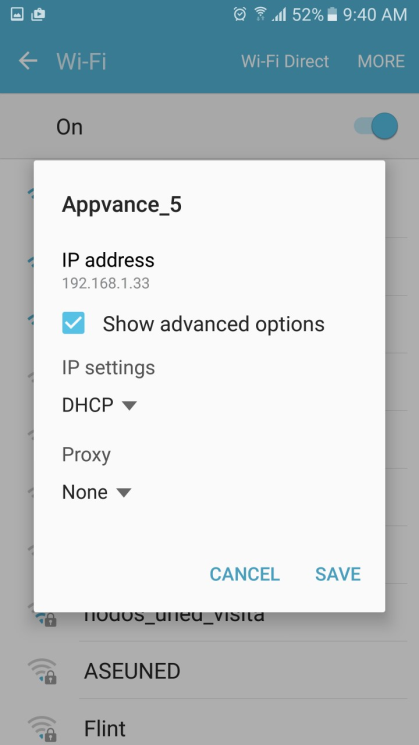
2. Select your network and click Manage Network settings. Check Show advanced options
    
     ![](https://docs.appvance.net/uploads/images/gallery/2026-07/scaled-1680-/1P1KN3h0UfNZgffB-6f6d268fd5a1.png)
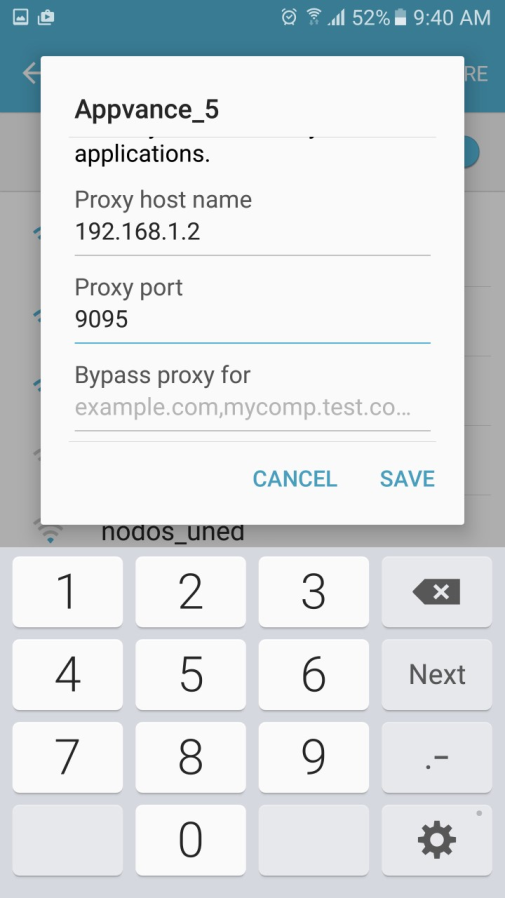
3. Type proxy host and port, it could be a local server
 
 ![](https://docs.appvance.net/uploads/images/gallery/2026-07/scaled-1680-/puV9K71GrHty5f4h-d379d0ac4456.png)<u>For Setting the Proxy in Android, using mobile data:</u>

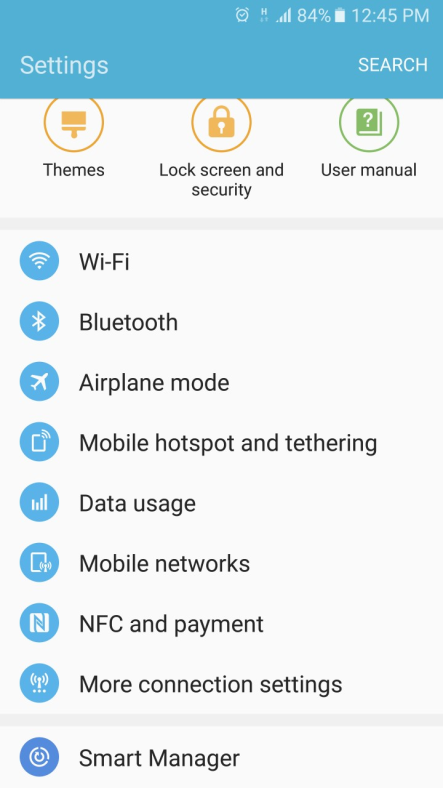
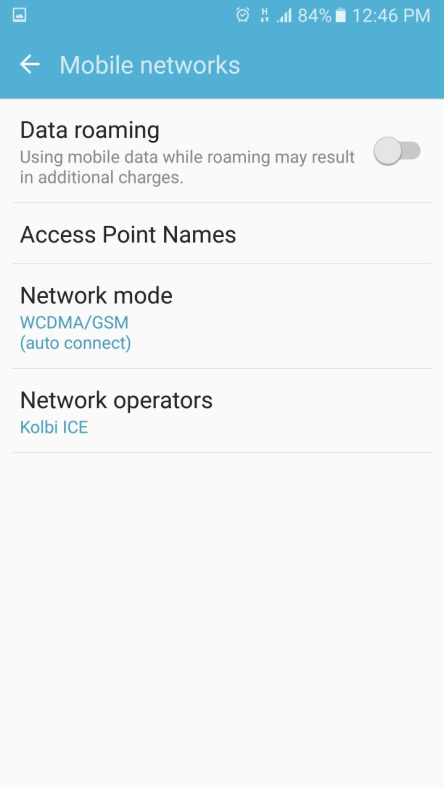
1. Go to settings, mobile networks
    
     ![](https://docs.appvance.net/uploads/images/gallery/2026-07/scaled-1680-/oM46SxtJ64dr4MGa-909329733fb7.png)
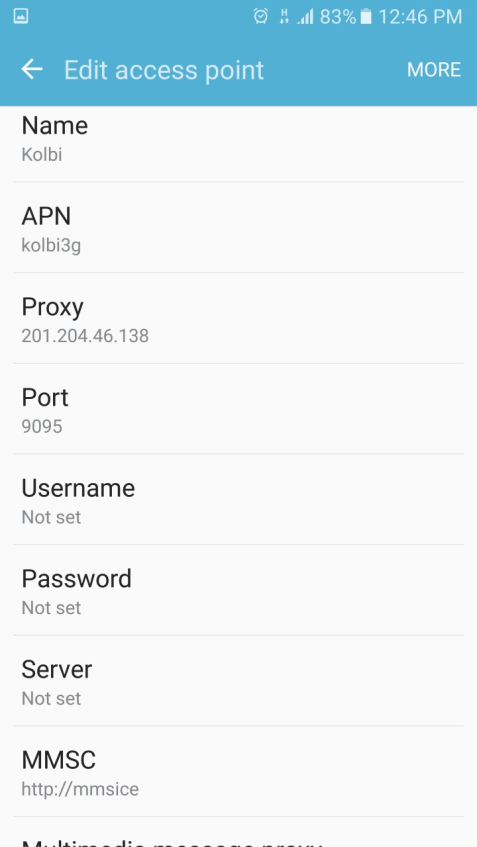
2. ![](https://docs.appvance.net/uploads/images/gallery/2026-07/scaled-1680-/BBAfOCjtUkbq5wPX-b691b786b9fb.png)Click Access Point Names and type Proxy host and Proxy port. The proxy server should be accessible worldwide
    
     ![](https://docs.appvance.net/uploads/images/gallery/2026-07/scaled-1680-/rrNGXbn81uft67ui-bdd079be768a.png)
 
<div id="bkmrk-last-updated%3A-june-2">---

Last updated: <span class="mc-variable General.NewDateTimeVariable variable">June 26, 2023</span>

If you have any feedback on this topic, please contact us at <documentation@appvance.ai>

</div>