# Admin Options
# Admin Options
Last updated: October 16, 2026
# Results
Appvance IQ uses a relational database (RDBMS) for its Repository. AIQ logs every test operation, test step, and monitored resource to the Repository. AIQ supports MYSQL and Oracle databases. It is required to configure the databases to store the results. The results page has the option to configure these databases in Appvance IQ.
## Configuring Database as Results Repository
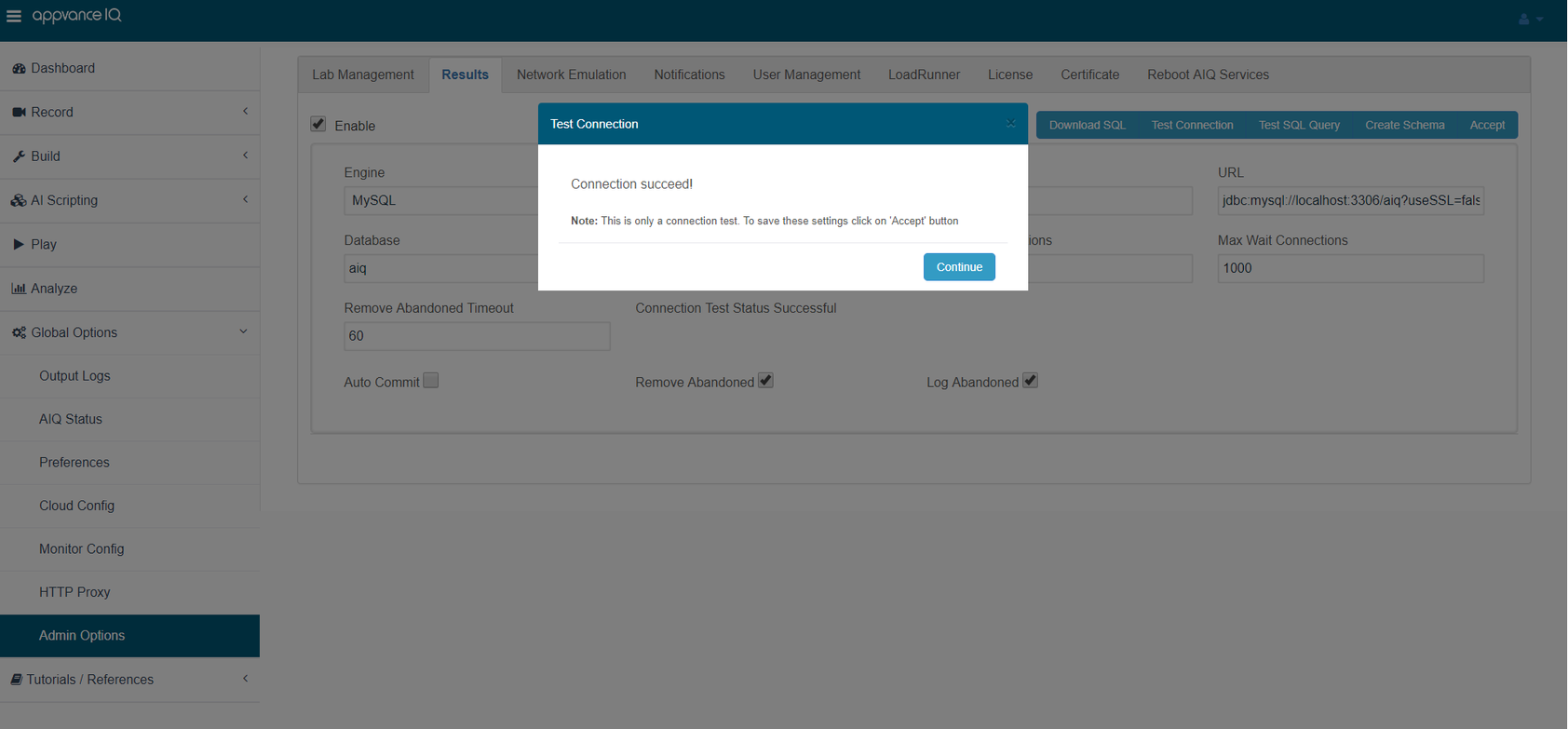
1. Start Appvance IQ and login to Appvance IQ as an Administrator
2. Select the Admin Options tab from the Global Options
3. Select the Results tab
4. Click Enable check-box for all the options to show
5. Select MySQL or Oracle under Engine depending on what database needs to be configured
6. Provide valid user names and passwords for the database
7. URL of MYSQL or Oracle by default would be 'jdbc:mysql://localhost:3306/aiq?useSSL=false' or 'jdbc:oracle:thin:@localhost:1521:aiq' respectively. When the database is installed and configured in the same instance as the controller machine, then localhost could be used but has to be changed to a different DNS depending on the database URL.
An AWS RDS instance Endpoint URL would look like this: [sqlserver.c7nn5t4czzya.us-west-2.rds.amazonaws.com](http://sqlserver.c7nn5t4czzya.us-west-2.rds.amazonaws.com)
8. Provide the valid name of the database
9. Click Accept to see the changes being saved successfully
10. All other fields can be left as default
11. Click 'Test Connection' to see the message Connection Succeed!
---
Last updated: October 16, 2026
# Network Emulation
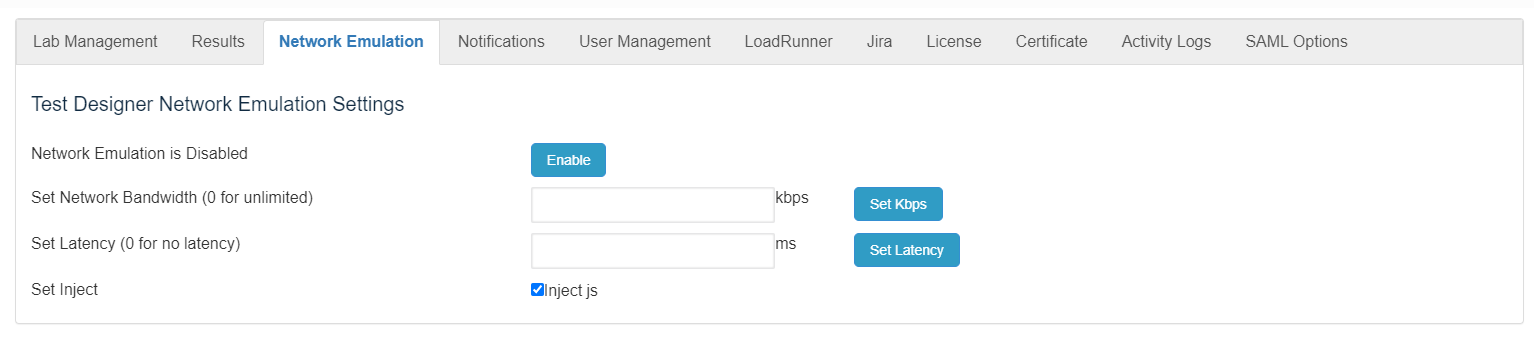
Use the **Network Emulation** page to enable or disable the use of network emulating for testing with AIQ. Test parameters such as bandwidth and latency can be configured from here.
Network emulation is a technique for testing the performance of real applications over a virtual network. This is different from network simulation where virtual models of traffic, network models, channels, and protocols are applied. The aim is to assess performance, predict the impact of change, or otherwise optimize technology decision-making.
From [Wikipedia article on Network Emulation](https://en.wikipedia.org/wiki/Network_emulation)
---
Last updated: October 16, 2026
# Notifications
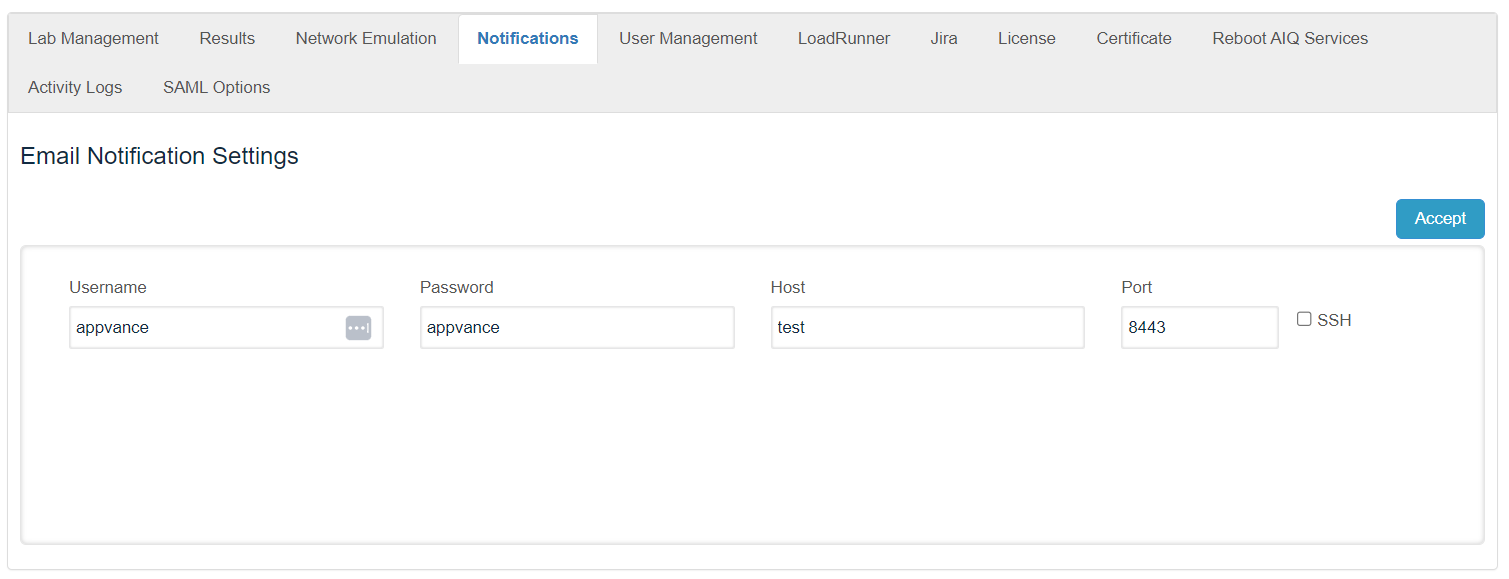
Use the **Notifications** page to determine which users receive notifications from the system.
---
Last updated: October 16, 2026
# Legacy LoadRunner Administration Settings
Use this page only when maintaining AIQ administration settings for environments that still execute LoadRunner assets.
## Validation workflow
1. Confirm the LoadRunner installation and license details with the tool owner.
2. Configure AIQ paths, node access, and environment settings needed for execution.
3. Run a controlled LoadRunner script and verify AIQ can collect the expected results.
---
Last updated: September 29, 2026
# Jira Integration Administration
Use the Jira administration screen to maintain your integration with Atlassian Jira.
1. From AIQ navigate to **Global Options** > **Admin Options**.
2. Select the **Jira** tab.
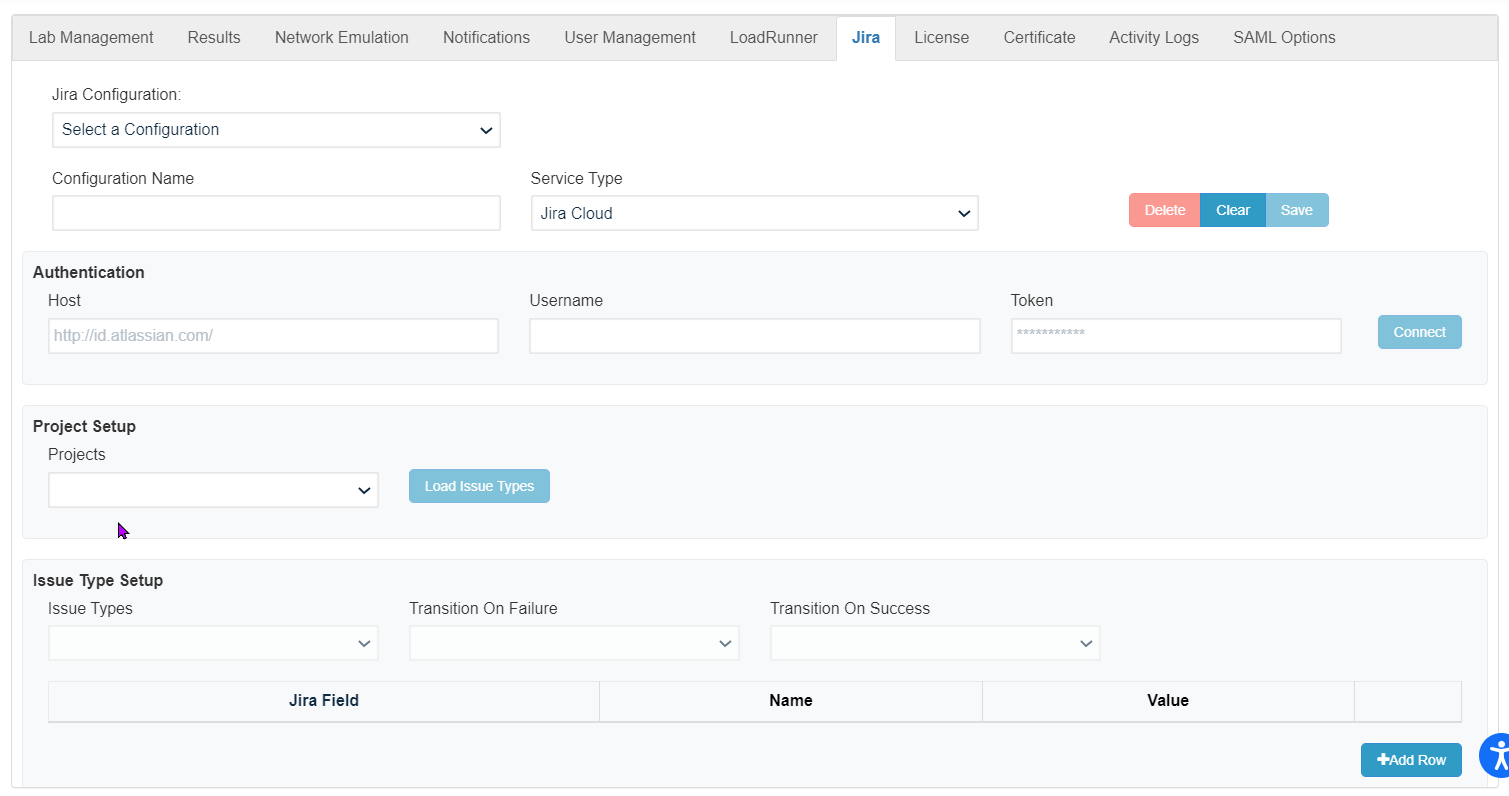
See [Integration with Atlassian Jira for information on configuring Jira.](https://docs.appvance.net/Content/AIQ/Integrations/AtlassianJira/Integration_with_Atlassian_Jira.htm)
---
Last updated: October 16, 2026
# License
Appvance delivers the free trial version of Appvance IQ with a simple commercial license with:
- 100 virtual user minutes for 15 days with 5 virtual users
- 5 virtual users in the cloud
- 5 virtual users in the grid
- 5 users per node
- 100 security requests
- 50 production monitors with no access to run any Appvance AI
- Access to Appvance support
- Access to resources such as:
- Appvance User Guide
- Training videos
- Confluence wiki and and Knowledge Bases
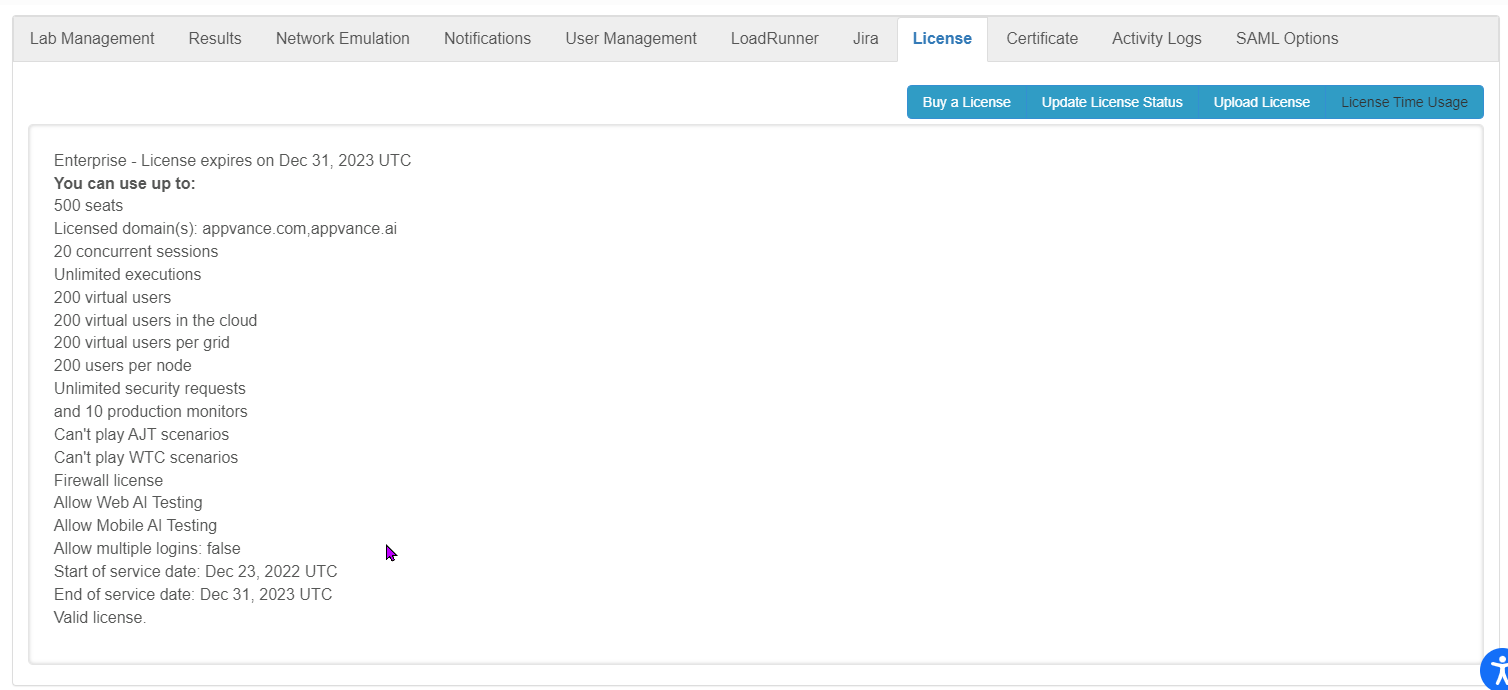
Accessing the Licenses page requires Administrator level access.
The following options are available from this page:
- **Buy a License** opens the [Appvance](https://appvance.ai/) website. From there you can contact Appvance Support to investigate licensing details.
- **Update License Status** can be used to refresh a license and update the status of the license.
- **Upload License** is used to upload the license file (.lic) provided by Appvance. Clicking **Upload License** will open up the File Manager to browse for the license file that needs to be uploaded.
- **License Time Usage** downloads a report (in csv format) with information on all the scenarios that have been run, including the date and the virtual user minutes spent on each of the scenarios and the scenario file used.
---
Last updated: October 16, 2026
# Certificate
Appvance IQ supports HTTPS and Secure Socket Layer (SSL) protocols. These protocols use the Java Cryptography Architecture to work with SSL certificates.
The AIQ protocol handler will throw an SSLHandshakeException when connecting to a server over SSL protocols when the server-side SSL certificate is unknown. AIQ, when accessing as a SAAS model, is required to update the certificate on the server machines.
### Configuring a Certificate
1. Login to AIQ as an Admin user.
2. Navigate to **Global Options** > **Admin Options** > **Certificate**.
3. Provide the valid domain or IP address of the controller instance and click **Update Certificate and Reboot**.
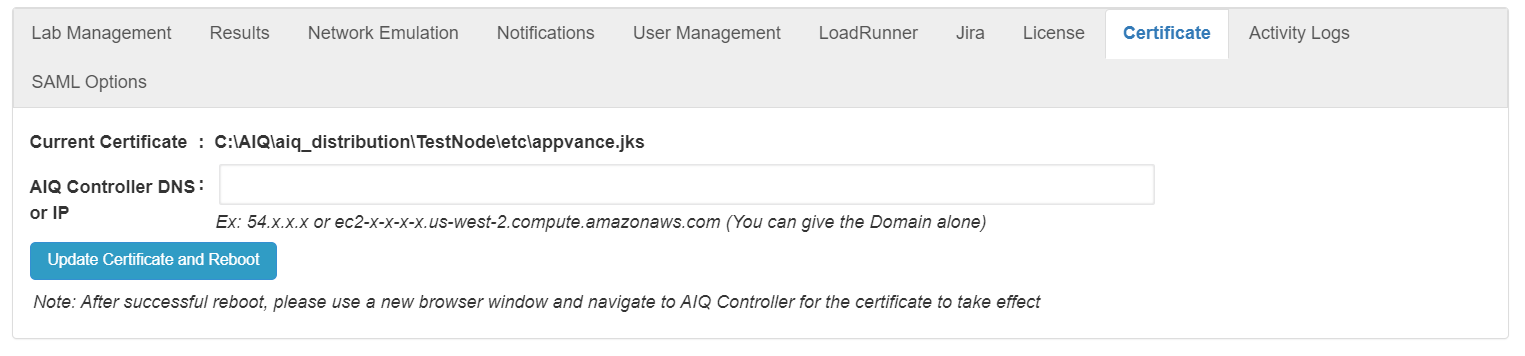
4. A new 'appvance.jks' certificate for the domain provided will be generated, and the controller instance will reboot.
5. After a successful reboot, please use a new browser window to navigate to the AIQ Controller for the certificate to take effect.
---
Last updated: July 07, 2023
If you have any feedback on this topic, please contact us at
# Reboot AIQ Services
Use the Reboot AIQ Services screen to restart the AIQ services as needed.
1. Login to AIQ as an administrator user.
2. Navigate to **Global Options** > **Admin Options** > **Reboot AIQ Services**.

3. Click **Reboot AIQ Services**.
---
Last updated: October 16, 2026
# Activity Logs
Use the **Activity Logs** screen to view AIQ system logs. From here you can see activity by role, user, date and the log message.
1. Login to AIQ as a user with administrator access.
2. Navigate to **Global Options** > **Admin Options** > **Activity Logs**.
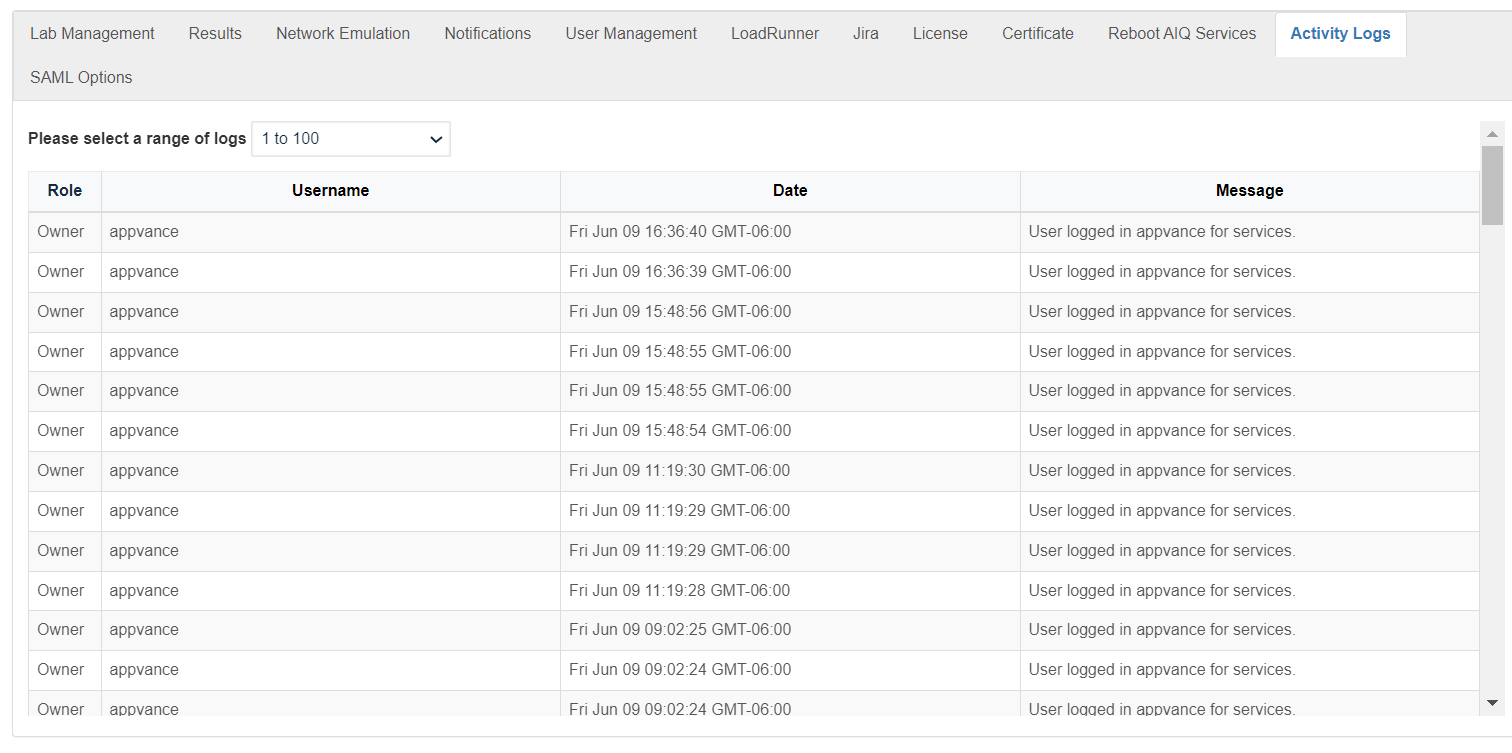
- You can select a range of activity logs. The oldest logs are in the lowest range of numbers. The most recent logs are in the highest range of numbers.
- You can sort the activity logs by:
- Role
- User Name
- Date
- Message
---
Last updated: October 16, 2026
# SAML Options
SAML (Security Assertion Markup Language) enables you to access multiple web applications using one set of login credentials. This is also known as SSO (Single Sign-On).
Appvance AIQ supports SAML 2.0 protocol SSO. Appvance behaves as an application or service provider in a SAML SSO architecture.
It has been tested against SAML identity providers, including Okta ([>http://okta.com](http://okta.com) ) and Auth0 ([>https://auth0.com/](https://auth0.com/) ) and Akamai ([>https://www.akamai.com/](https://www.akamai.com/)).
Full SAMLv2 specs can be found here [>http://saml.xml.org/saml-specifications](http://saml.xml.org/saml-specifications)
Security overview of SAMLv2: [>http://docs.oasis-open.org/security/saml/Post2.0/sstc-saml-tech-overview-2.0.html](http://docs.oasis-open.org/security/saml/Post2.0/sstc-saml-tech-overview-2.0.html)
## Configuring SSO
When using SSO the standard login still applies. Only the appvance owner user can enable SSO.
1. Login to AIQ as an administrator user.
2. Navigate to **Global Options** > **Admin Options** > **SAML Options**.
3. There you can define the SAML configuration
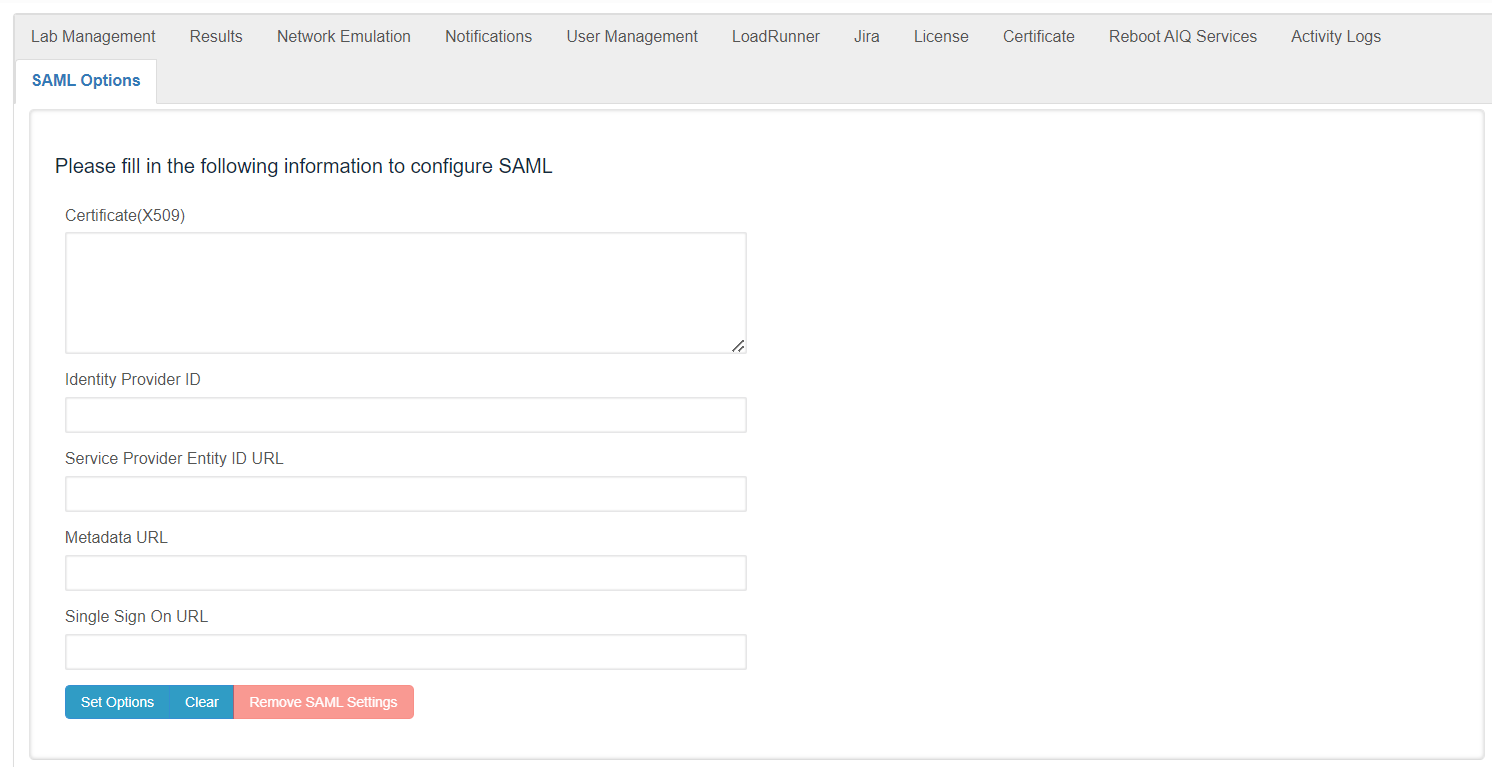
4. Every field is required. Following are the specs for each field. Configure the following fields:
- **Certificate (X.509)** - This is the certificate of SAML usually they have the next format
`-----BEGIN CERTIFICATE----- ... -----END CERTIFICATE-----`
- **Identity Provider ID** - An Identity Provider is a federation partner that vouches for the identity of a user. The Identity Provider authenticates the user and provides an authentication token (that is, information that verifies the authenticity of the user)
- **Service Provider Entity ID URL** - This is a service name configured in the SAML IDP. This is very important as SAML is a security environment, Appvance needs to have knowledge of the IDP endpoint but also IDP needs to be aware of SAML existence.
Appvance uses the Service Provider Entity ID URL (also called audience restrictions) as the consumer URL.
- **Metadata URL** - Some SAML IDP provides some configuration requirements, usually in a metadata URL. IF the IDP does not provide this field, you can use Single Sign-On URL
- **Single Sign-On URL** - This is the URL the user will be redirected to if they choose to
5. Upon setting the values, the welcome page SSO button will become enabled. By default, it is disabled.
6. The SSO user's role is always “User”. They will start with the string “sso.” and the username provided by the SAML IDP service.
## Configuring your the Identity Provider
You will need to provide the following URL to the Identity Provider that points to your AIQ controller server (app service provider):
`https://:8443/AppvanceServer/saml`
---
Last updated: October 16, 2026