
Install Java GraalVM 11 for AIQ
Recommended guidance
Install Java or GraalVM 11 only when the AIQ release being deployed explicitly requires it. Current environments should always be checked against the active AIQ system requirements before changing runtimes.
Before installation
- Confirm AIQ version, operating system, CPU architecture, and supported runtime build.
- Download from an approved source and verify the package when possible.
- Plan installation path, environment variables, service account access, and rollback.
- Back up existing runtime configuration before replacing it.
Validation workflow
NavigateConfirm the runtime version from the account that starts AIQ.- Restart AIQ services after approved configuration changes.
- Review startup logs for path, permission, or runtime errors.
- Run Scenario Editor and Service Suite smoke tests before returning the environment to
https://github.com/graalvm/graalvm-ce-builds/releases/tag/vm-21.3.0 LocateMacOS (amd64)and clicklink/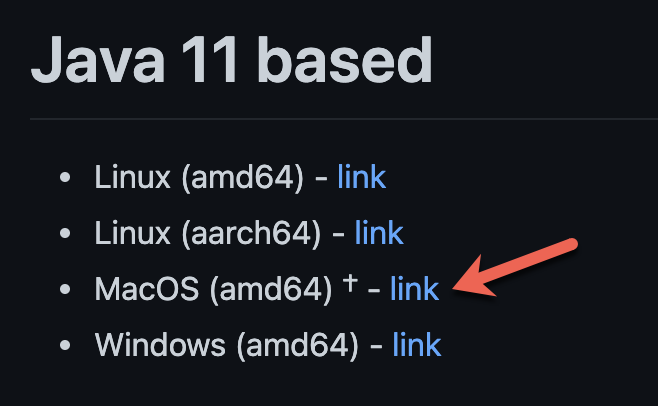
OpenTerminaland change directory toDownloads.Syntax:cd $HOME/DownloadsUnzip the archive. Note that<version>represents the graalvm version (ex: 21.3.0).Syntax:tar -xzf graalvm-ce-java11-darwin-amd64-<version>.tar.gzExample:tar -xzf graalvm-ce-java11-darwin-amd64-21.3.0.tar.gzRemove the quarantine attribute. Enter password when you are prompted.Syntax:sudo xattr -r -d com.apple.quarantine graalvm-ce-java11-<version>/Example:sudo xattr -r -d com.apple.quarantine graalvm-ce-java11-21.3.0/Move the directory package toJavaVirtualMachines.Syntax:sudo mv graalvm-ce-java11-<version>/ /Library/Java/JavaVirtualMachinesExample:sudo mv graalvm-ce-java11-21.3.0/ /Library/Java/JavaVirtualMachinesVerify the move was successful. You may now have more than one version listed.Syntax:/usr/libexec/java_home -V
Next step: Configure Java
Last updated: JulyOctober 31,7, 20242026
If you have any feedback on this topic, please contact us at documentation@appvance.ai