
Installing and Configuring MySQL 8 Database (Windows)
Install
Installing andMySQL Configureis not required on for Test Node instances.
MySQL Server Requirements
Since MySQL 8 foris AIQrequires onmore Windowsresources than MySQL version 5.7, is is necessary to assign a bigger instance type. Following are the minimum and recommended resource configurations.
UseDo not use MySQL 8.1 as it has some changes not yet supported.
Minimum
- vCPU - 4
- Memory (GB) - 16
- Network Performance (Gbps) - 1
Recommended
Performance or load testing requires a stronger database as there are performance related processes executed by store procedures. For this guidecase this is a recommended setup:
- vCPU - 8
- Memory (GB) - 32
- Network Performance (Gbps) - Up to 5
Recommended MySQL Parameters
Setup the MySQL parameters (my.cnf or my.ini) with the below values.
If you are creating a AWS RDS, do not run the MySQLAppvance.sql script until you have created and applied the parameter group with below settings, otherwise you will get the following error:
"ERROR 1419 (HY000): You don't have the SUPER privilege and binary logging is enabled (you might want to use the less safe log_bin_trust_function_creators variable)"
After applying this settings you need to stop and start the RDS instance so this parameters options take effect.
Parameter Name | Description | Suggested Value | AWS RDS Only |
|---|---|---|---|
bulk_insert_buffer_size | This variable limits the size of the cache tree in bytes per thread. Setting it to 0 disables this optimization. The default value is 8MB, we are suggesting 512MB for massive transactional load.
| 536870912 | No |
connect_timeout | The number of seconds that the mysqld server waits for a connect packet before responding with
| 10 | No |
max_allowed_packet | The maximum size of one packet or any generated/intermediate string/media, or any parameter sent by the
| 419430400 | No |
max_connections | The maximum permitted number of simultaneous client connections, 500 connections would be more than enough even for the more demanding environments (our smoke test RDS reached a maximum of 150 connections by the time this has been written), this parameter is a TOTAL global connections watermark.
| 500 (Do not apply for RDS instances!) | No |
max_user_connections | The maximum number of simultaneous connections permitted to any given MySQL user account. A value of 0 (the default) means “no limit”, but this behavior would be inconvenient since in the case of an external factor that affects the RDS connections; such that they'll increase without an error until the mysqld service hangs up, a value of 200 is recommended
| 200 | No |
myisam_use_mmap | It’s a switch to use memory mapping for reading and writing
| 1 | No |
read_buffer_size | Each thread that does a sequential scan for a This option is also used in the following context for all storage engines:
A lot of sub-queries and not natural relations queries are performed against different and nested tables, so it’s needed to set an important amount of cache memory for this purpose 524288 (512MB) | 524288 | Yes |
wait_timeout | This is really important, MySQL 8 Set this parameter to 300seconds as the
| 1080 | Yes |
validate-password | If |
|
|
log_bin_trust_function_creators |
| 1 (stop and start RDS for this to take effect)
| Yes
|
It is recommended that you install MySQL on a dedicatedseparate server machine such as an Amazon RDS.
You must have an AWS account. First create the parameter group and then create the database hostso oryou instancecan specify the new parameter group when possible.creating the database.
Create AIQ Parameter Group
You will need to create a parameter group for AIQ mysql database before creating the actual database. Refer to the correct values in the Parameter Group info above.
- In Amazon RDS, select Parameter Group.

PlanEnterstorage,thebackupdetailslocation,forretention,the parameter group. Click Create.
- Click Edit Parameters to configure the parameters. See Recommended MySQL Parameters for the list of parameters and
recoveryvalues. - Click
requirements.Save Changes.
Creating RDS MySQL Database
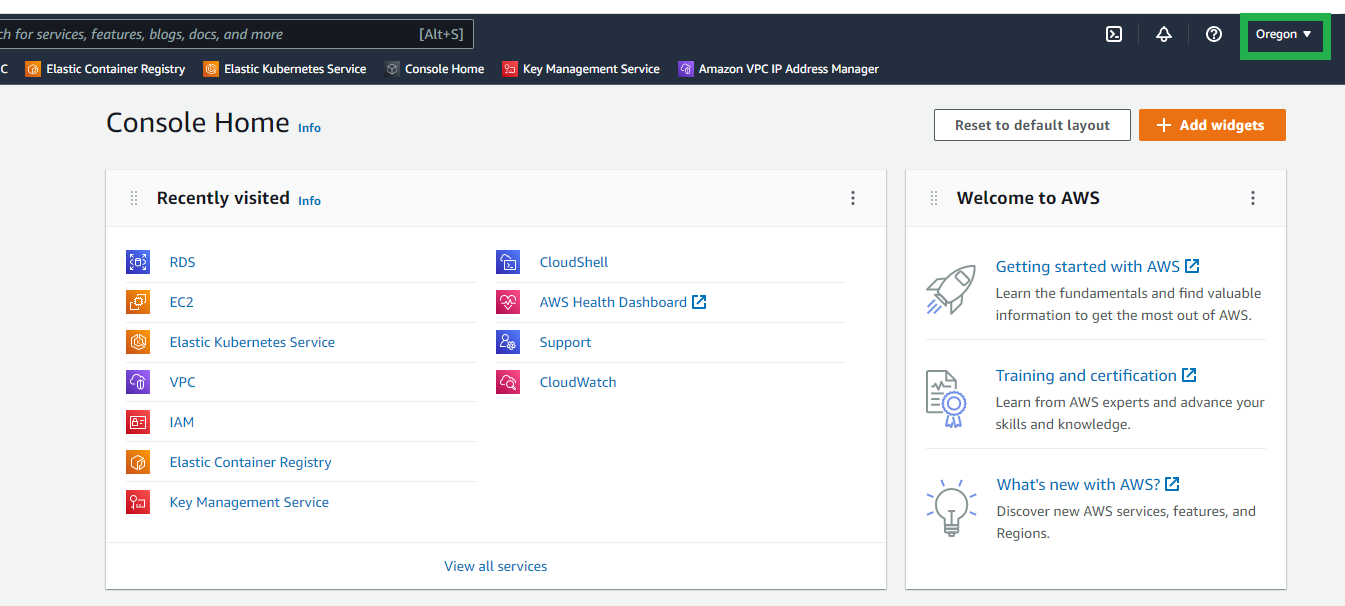
- On the Console Home page, select the region in which you need the database.
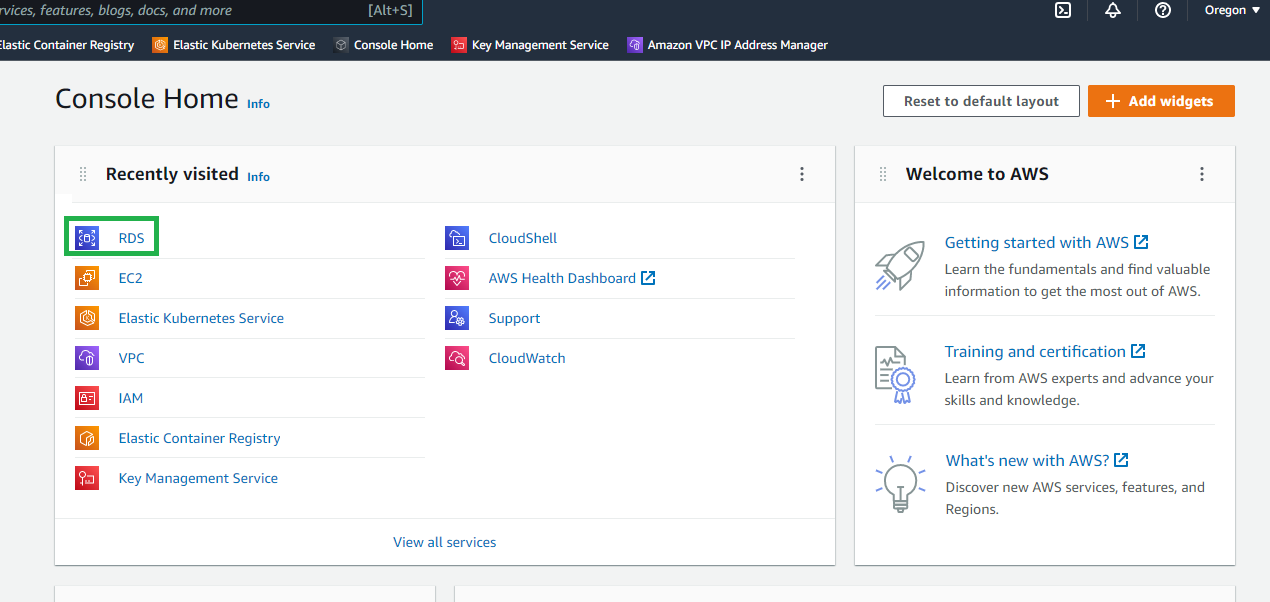
- Select RDS.
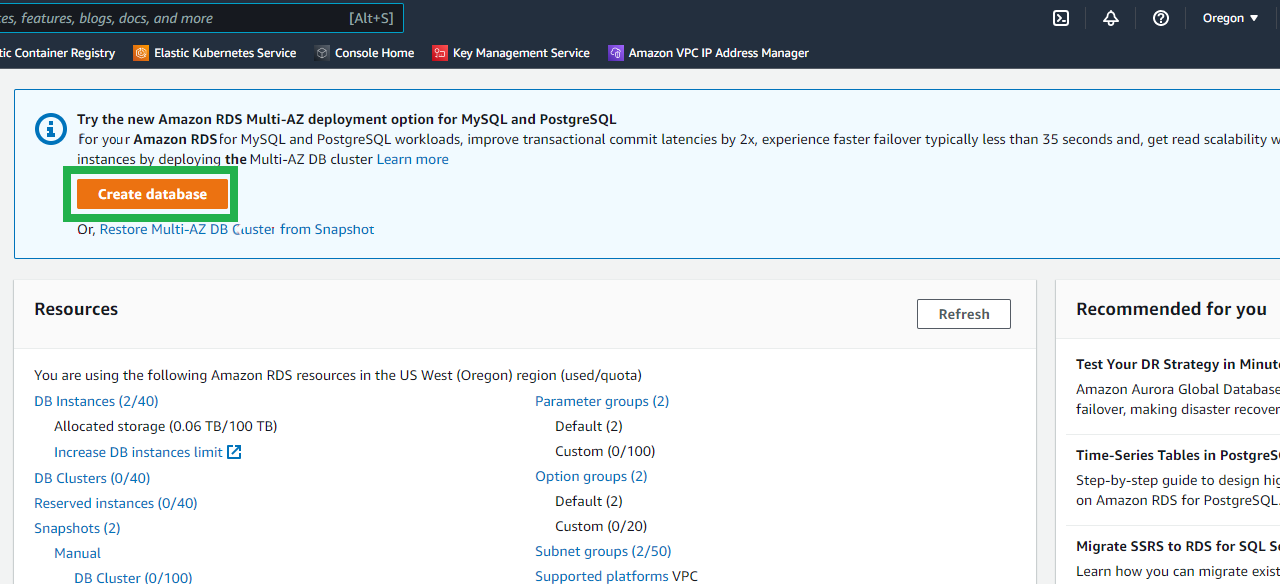
- Click Create Database.
- Select Standard Create and MySQL.
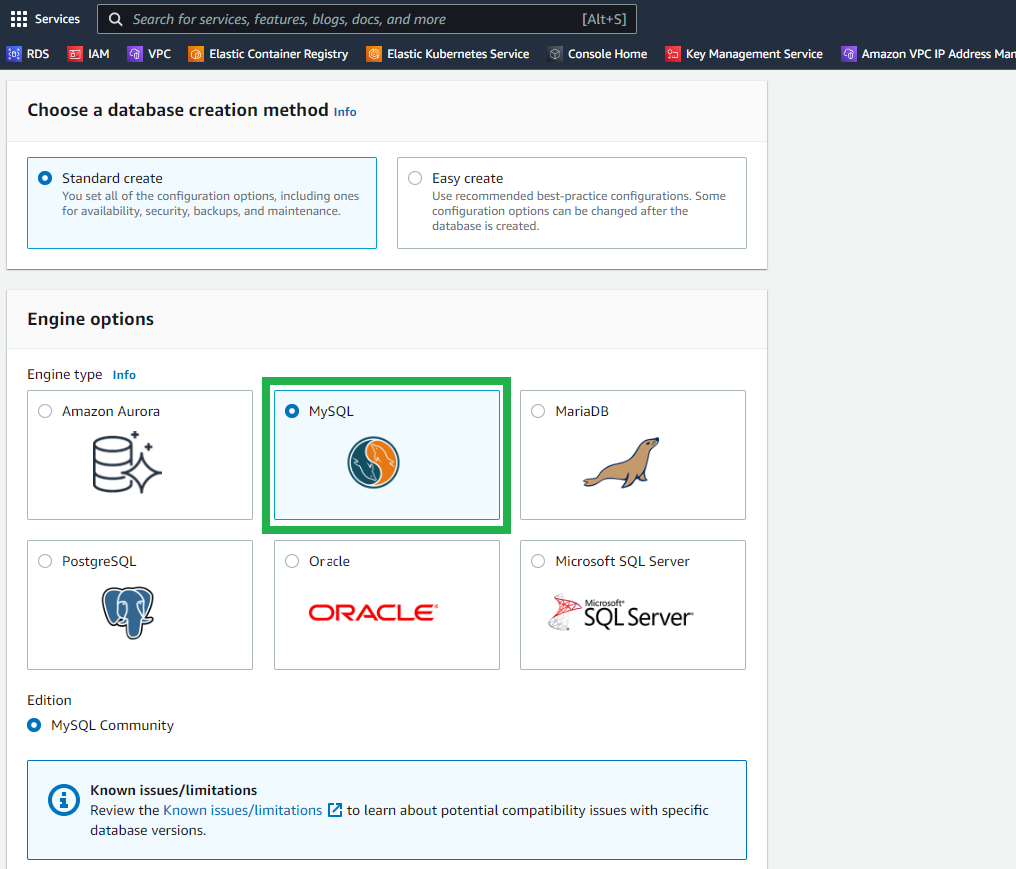
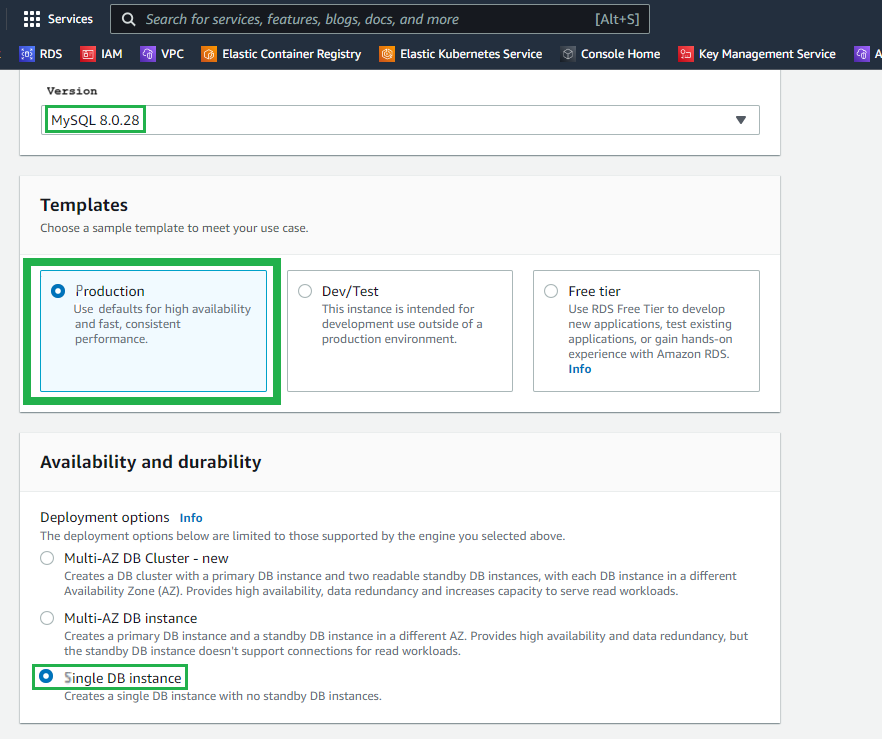
- Select MySQL version 8, Production, and Single DB Instance.
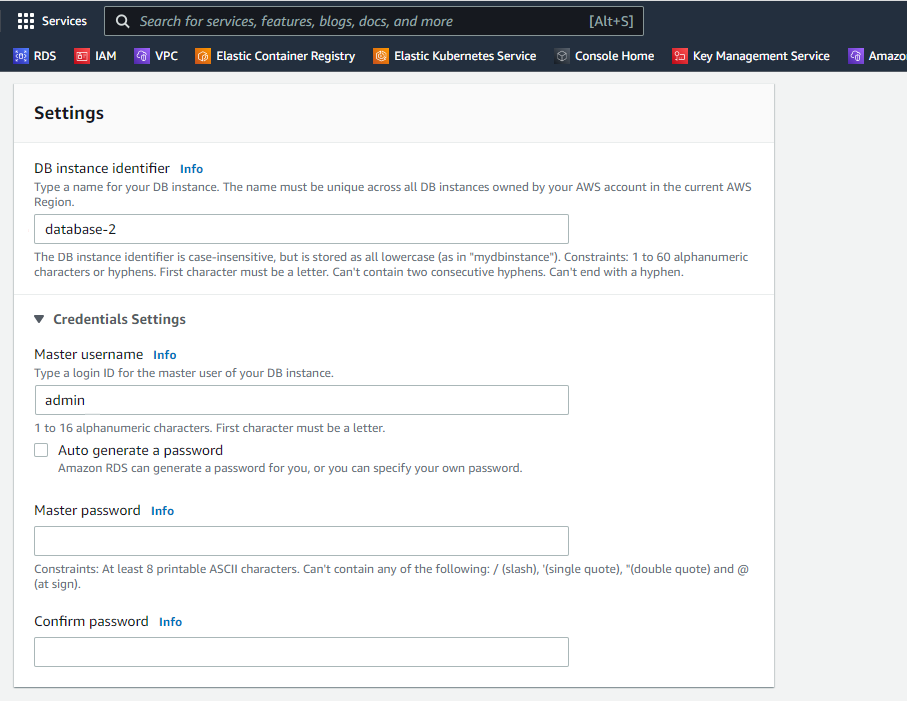
- Enter your credentials.
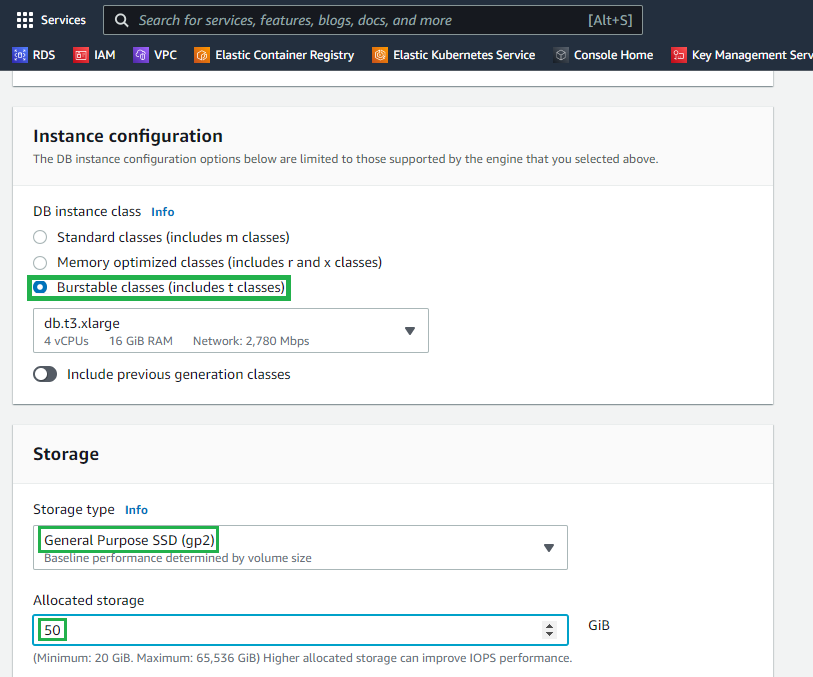
- Select the DB Instance class, the Storage Type, and the size of the Allocated Storage.
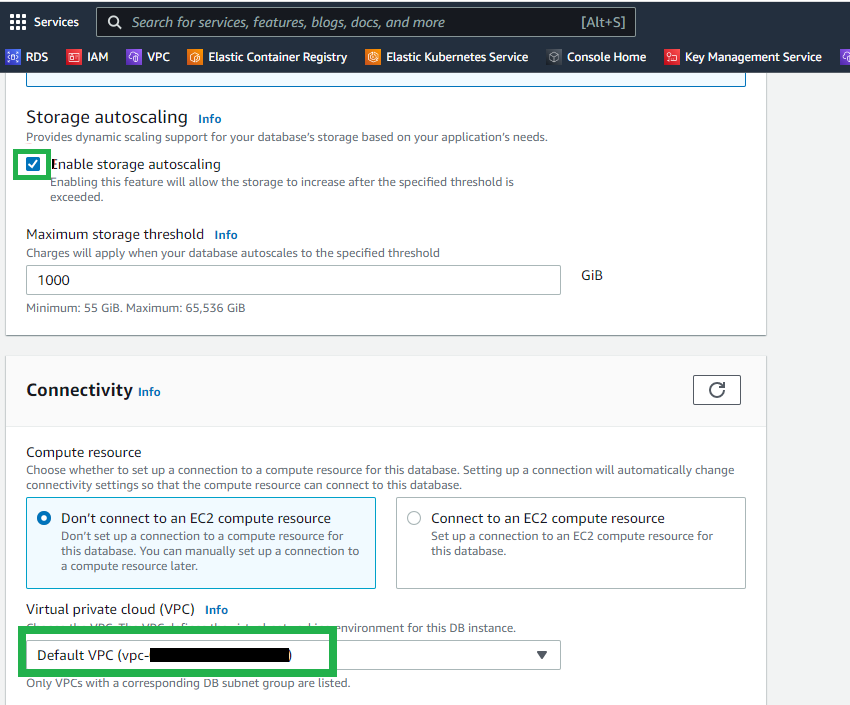
- Select Enable storage autoscaling and the VPC.
- Choose the DB Subnet group, Public Access setting and VPC Security Group.
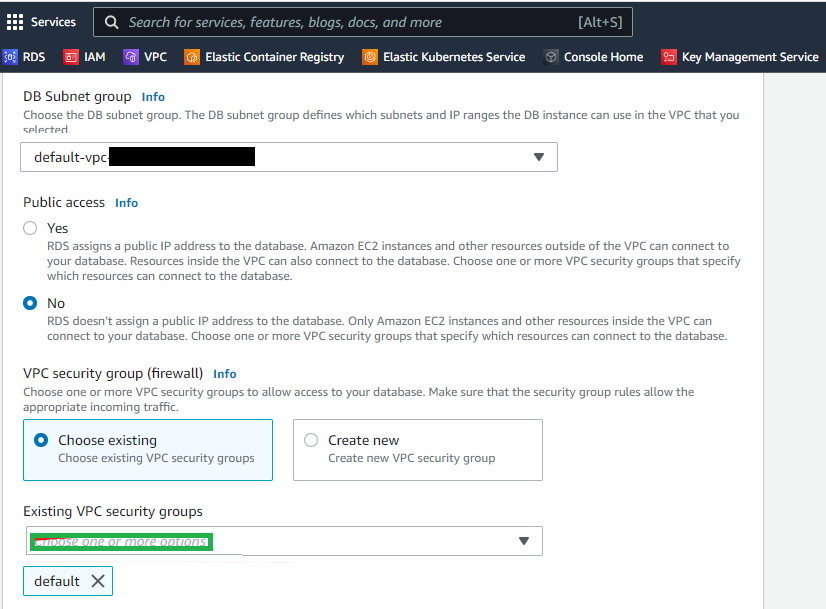
- Choose your Database authentication method.
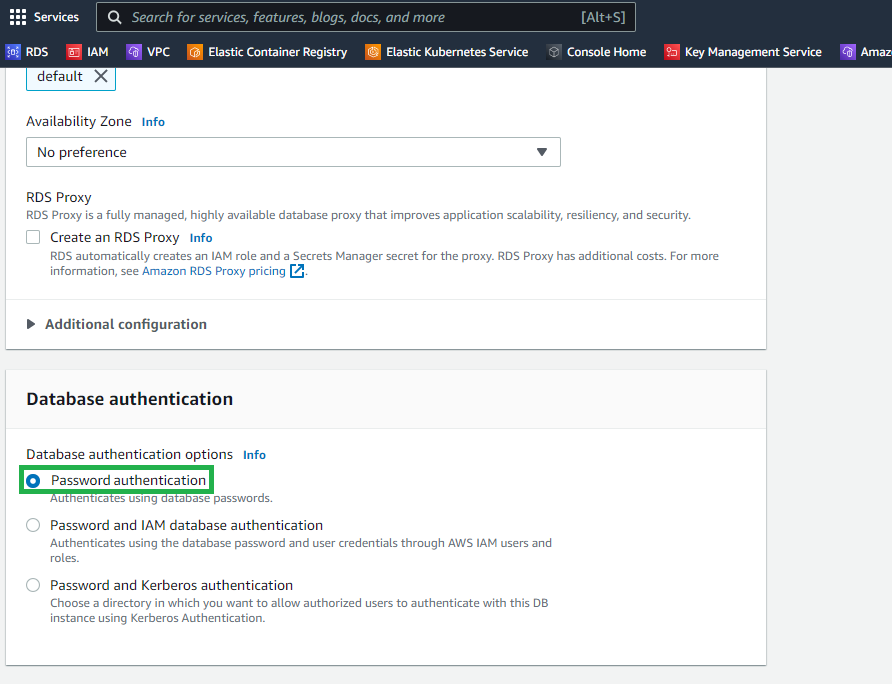
- Select your monitoring preferences.
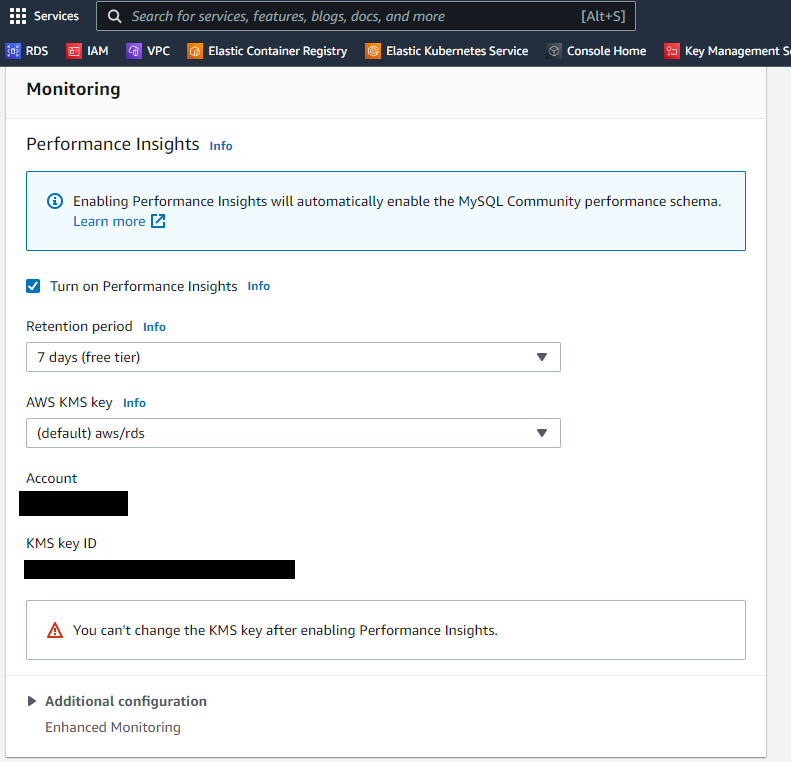
- Verify the settings are correct and click Create Database.
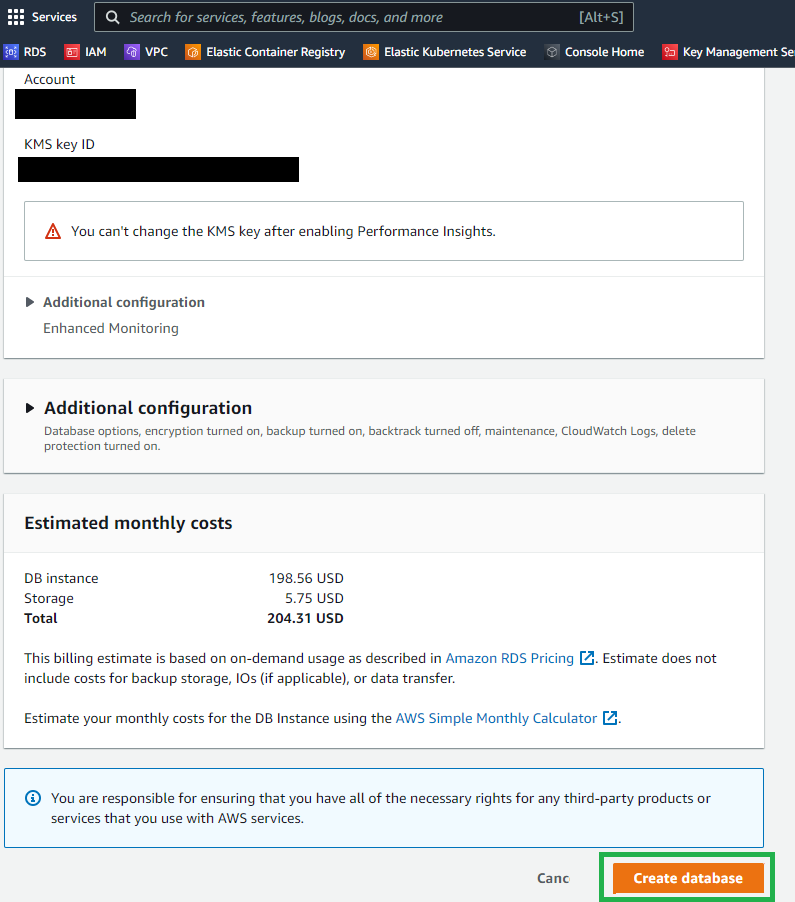
- Create
serviceaandnewdatabaseparameteraccountsgroupwithforonlyAIQ MySQL databases. - After creating the
permissions required by AIQ.database.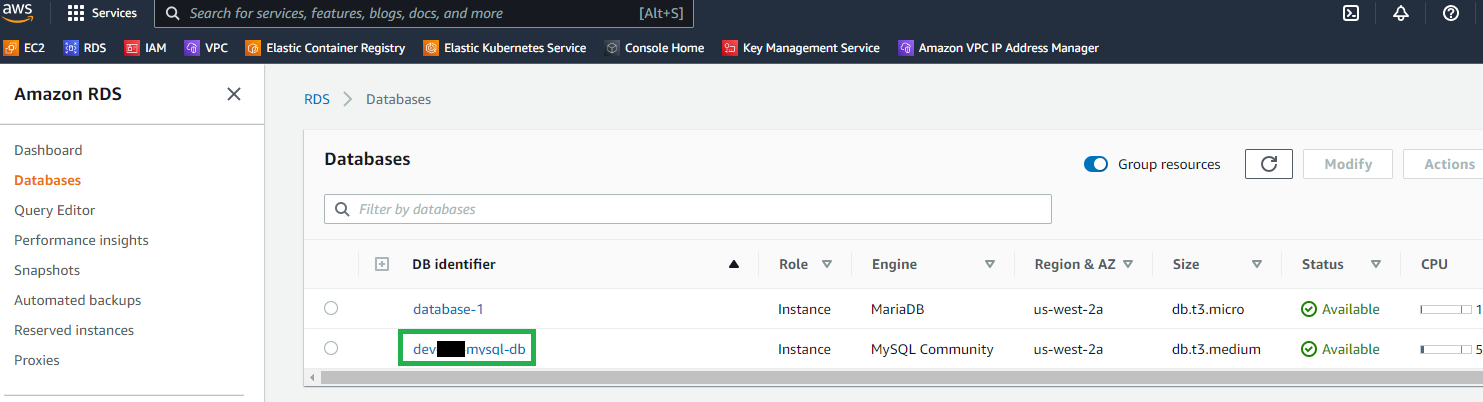
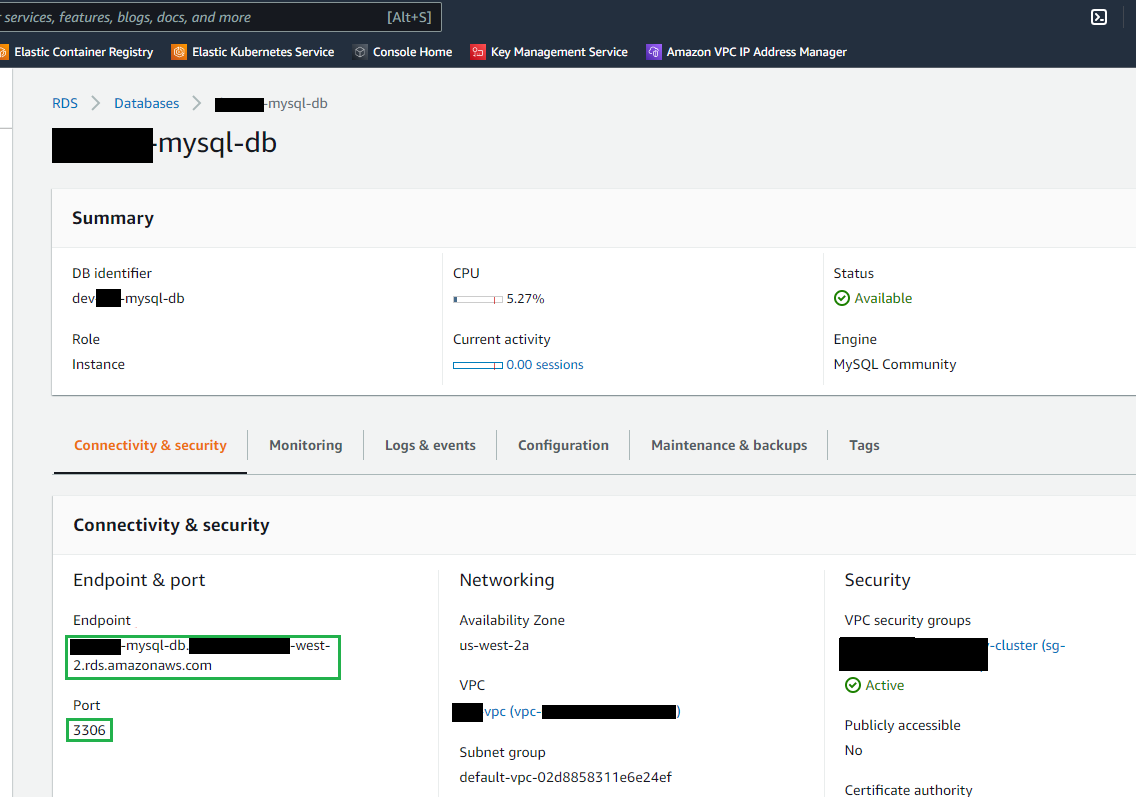
DocumentCheckport,connectionhostname,toschema,theaccount, and maintenance-window details.database.
Validation workflow
- Install the MySQL
8client.
Syntax example:mysql -h <example-endpoint-db.rds.amazonaws.com> -P 3306 -u <user_name> -p <push enter> - Run the
MySQLInitial.sqlscript using theapprovedadmin/rootWindowsuser. - Log
installerout andconfigurationlogprofile. Applyback into therequiredmysqlcharacterclientset,buttimeusingzone,thenetworking,aiq/aiq user, then execute the following statement:
After you have installed and serviceconfigured settings.
Maintenance note: Back up the database before upgrades, configuration changes, or cleanup operations.Service
Last updated: October 8,02, 20262024
If you have any feedback on this topic, please contact us at documentation@appvance.ai