
Installing and Configuring MySQL 8 Database (Windows)
Installing MySQL is not required on for Test Node instances.
MySQLOnly Serverthe Requirements
AIQ controller needs a results database.SinceAIQ stores results in a MySQL 8 database. There are two supported ways to provide it: a local MySQL server on the Windows controller host, which is requireswhat this page covers, or Amazon RDS for MySQL, which is the recommended shape for production — see MySQL 8.x Database on AWS RDS (8.0 and 8.4).
Server requirements
MySQL 8 needs more resources than MySQL version5.7 5.7,did, isso is necessary to assign a bigger instance type. Following aresize the minimumhost for the database and recommendednot resourceonly configurations.
the controller. Do not use MySQL 8.1 as— it has somecontains changes AIQ does not yetsupport. Use 8.4 LTS for new installations; 8.0.x remains supported.
| Minimum | Recommended
(performance | |
|---|---|---|
| vCPU | 4 | 8 |
| Memory (GB) | 16 | 32 |
| Network | 1 | Up
|
Performance orand load testing requiresneed athe strongerlarger shape because report generation runs its heavy work inside the stored procedures, on the database as there are performance related processes executed by store procedures. For this case this is a recommended setup:host.
vCPU - 8Memory (GB) - 32Network Performance (Gbps) - Up to 5
Recommended MySQL Parameters
parametersSet
Setupthese values in my.ini on the controller host and restart the MySQL parametersservice. (my.cnfOn a self-hosted server you set the memory values directly instead of using the RDS formulas.
MyISAM matters more than InnoDB here. AIQ keeps its report tables on MyISAM, so key_buffer_size is what keeps report queries off the disk. Production indexes total roughly 757 MB.
| Parameter | Suggested value | Notes |
|---|---|---|
| key_buffer_size | 2147483648 | 2 GB — MyISAM index cache |
| myisam_use_mmap | 1 | Memory-maps the data files |
| myisam_sort_buffer_size | 268435456 | 256 MB for bulk inserts and repairs |
| myisam_max_sort_file_size | 2147483648 | 2 GB maximum sort file |
| tmp_table_size | 2147483648 | 2 GB — report temp tables stay in memory |
| max_heap_table_size | 2147483648 | Must match tmp_table_size |
| innodb_buffer_pool_size | 4294967296 | 4 GB, or |
| innodb_log_buffer_size | 134217728 | 1 % of host memory |
| innodb_flush_log_at_trx_commit | 2 | Faster commits, small durability trade-off |
| innodb_io_capacity / _max | 2000 / 4000 | SSD storage |
| max_connections | 500 | Global connection ceiling on a dedicated host |
| max_user_connections | 200 | Per-user ceiling |
| wait_timeout / interactive_timeout | 1080 | Sleeping connections accumulate otherwise (AIQ-6619) |
| connect_timeout | 10 | Handshake timeout |
| max_allowed_packet | 1073741824 | 1 GB — large result sets and BLOBs |
| bulk_insert_buffer_size | 536870912 | 512 MB for heavy transactional load |
| read_buffer_size | 2097152 | 2 MB per sequential MyISAM scan |
| read_rnd_buffer_size | 2097152 | 2 MB for sorted reads |
| sort_buffer_size | 8388608 | 8 MB per sorting thread |
| join_buffer_size | 4194304 | 4 MB per join without an index |
| table_open_cache | 4000 | Open table descriptors |
| table_definition_cache | 2000 | Cached table definitions |
| thread_cache_size | 100 | Threads kept for reuse |
| log_bin_trust_function_creators | 1 | Required — the |
| validate_password | OFF | Leave ON if policy requires it, then match it in every password |
| slow_query_log / long_query_time | 1 / 5 | Optional — queries slower than 5 seconds |
No query cache. MySQL 8 removed query_cache_size and query_cache_type. If you are creatingporting a AWS5.7 RDS,my.ini, dodelete those lines or the service will not runstart.
Install the MySQLAppvance.sql script until you have createddatabase and appliedschema
- Install MySQL 8.4 (or 8.0.x) server on the
parametercontrollergrouphost,withusingbelowasettings,serviceotherwiseaccountyouthatwillsurvivesgetreboots. - Stop the
followingservice,error:"ERROR 1419 (HY000): You don't haveset theSUPERparametersprivilegeaboveandinbinary logging is enabled (you might want to use the less safe log_bin_trust_function_creators variable)"After applying this settings you need to stopmy.ini, and starttheitRDSagain. - Connect
instanceassorootthisandparametersrunoptionsMySQLInitial.sqltake—effect.itParameter NameDescriptionSuggested ValueAWS RDS Onlybulk_insert_buffer_sizeThis variable limitscreates thesize of the cache tree in bytes per thread. Setting it to 0 disables this optimization. The default value is 8MB, we are suggesting 512MB for massive transactional load.536870912Noconnect_timeoutThe number of seconds that themysqldserver waits for a connect packet before responding withBad handshake. The default value is handle by AWS dynamically but we are suggesting 10 secs even more depending if there is latency between controller and test nodesschema and theRDS.aiq
10Nomax_allowed_packetThedatabasemaximumuser. - Run
sizeMySQLAppvance.sqlofasonethatpacketaiqoruserany—generated/intermediateitstring/media, or any parameter sent bycreates themysql_stmt_send_long_data()CtablesAPIandfunction.storedNoprocedures. - Reconnect
valueandby default, 400MB is suggested.
419430400
No
max_connections
The maximum permitted number of simultaneous client connections, 500 connections would be more than enough even forconfirm the morevalues demandingtook environmentseffect (our smoke test RDS reached a maximum of 150 connections bywith the timeverification thisqueries hasbelow.
Both beenscripts written),work thisunchanged parameteron is a TOTAL global connections watermark.
500 (Do not apply for RDS instances!)
No
max_user_connections
The maximum number of simultaneous connections permitted to any given MySQL user account. A value of 8.0 (the default) means “no limit”, but this behavior would be inconvenient since in the case of an external factor that affects the RDS connections; such that they'll increase without an error until the mysqld service hangs up, a value of 200 is recommended
200
No
myisam_use_mmap
It’s a switch to use memory mapping for reading and writing MyISAM tables, by default the value is 0 but must be 1.
1
No
read_buffer_size
Each thread that does a sequential scan for a MyISAM table allocates a buffer of this size (in bytes) for each table it scans.8.4. If you do manynot sequentialhave scans,them, request them from your Appvance account team.
mysql -u root -p
SOURCE /path/to/MySQLInitial.sql;
SOURCE /path/to/MySQLAppvance.sql;
Verify before you mightcontinue
SELECT wantVERSION();
SHOW toTABLES;
SHOW increasePROCEDURE thisSTATUS WHERE Db = 'aiq';
SHOW VARIABLES LIKE 'max_allowed_packet';
SHOW VARIABLES LIKE 'wait_timeout';
max_allowed_packet must read 1073741824 and wait_timeout must read 1080. If either shows a default value, whichthe defaultsparameter tofile 131072. The value of this variable should be a multiple of 4KB. If it is set to a value that iswas not apicked multipleup of— 4KB, its value is rounded down to the nearest multiple of 4KB.
This option is also used in the following context for all storage engines:
For caching the indexes in a temporary file (not a temporary table), when sorting rows forORDER BY.For bulk insert into partitions.For caching results of nested queries.
A lot of sub-queries and not natural relations queries are performed against different and nested tables, so it’s needed to set an important amount of cache memory for this purpose 524288 (512MB)
524288
Yes
wait_timeout
This is really important, MySQL 8 kernel works totally different than 5.7 and it’s very sensitive to latency letting all the un-closed connections sleep for a lot of time before closing them by default causing a lot of accumulated connections using resources even when they are not in use anymore.
Set this parameter to 300seconds as the maximum time to wait before destroying the connection
1080 (AIQ-6619)
Yes
validate-password
If password validation doesn’t need to performed just set this parameter to OFF, if it is needed let it remains as default (ON) just set passwords according to MySQL 8 security policies.
log_bin_trust_function_creators
1 (stop and start RDS for this to take effect)
Yes
It is recommendedcheck that you install MySQL on a separate server machine such as an Amazon RDS.
You must have an AWS account. First create the parameter group and then create the database so you can specify the new parameter group when creating the database.
Create AIQ Parameter Group
You will need to create a parameter group for AIQ mysql database before creating the actual database. Refer to the correct values in the Parameter Group info above.
In Amazon RDS, selectParameter Group.
Enter the details for the parameter group. ClickCreate.
ClickEdit Parametersto configure the parameters. SeeRecommended MySQL Parametersfor the list of parameters and values.ClickSave Changes.
Creating RDS MySQL Database
On the Console Home page, select the region in which you need the database.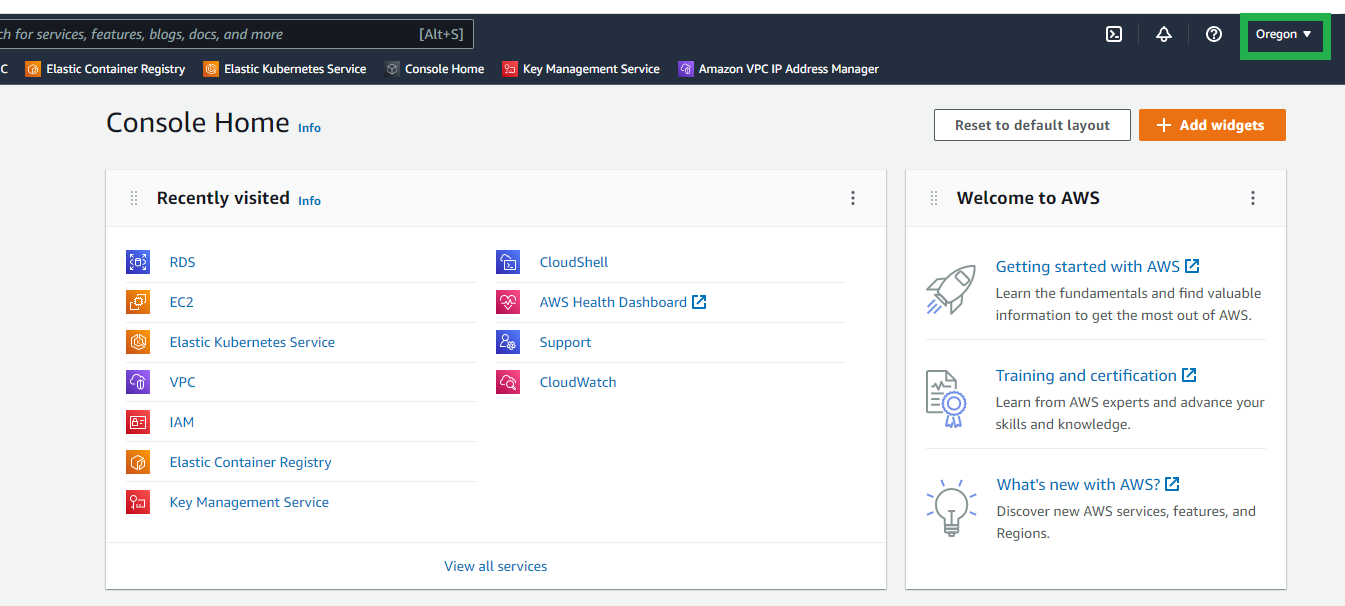
SelectRDS.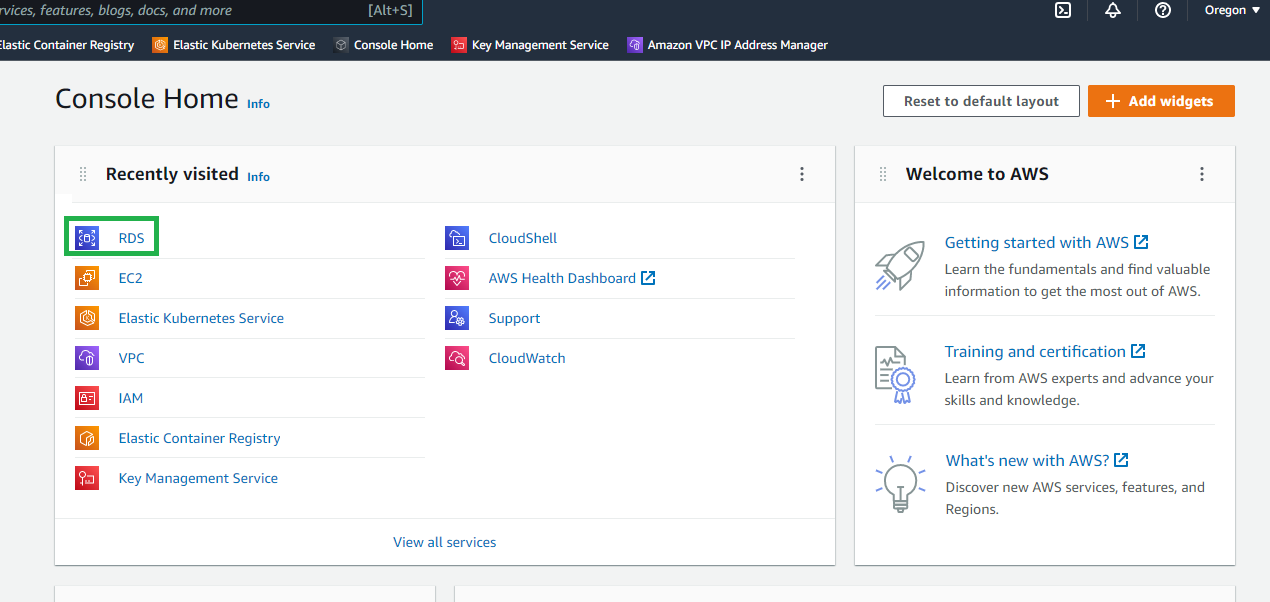
ClickCreate Database.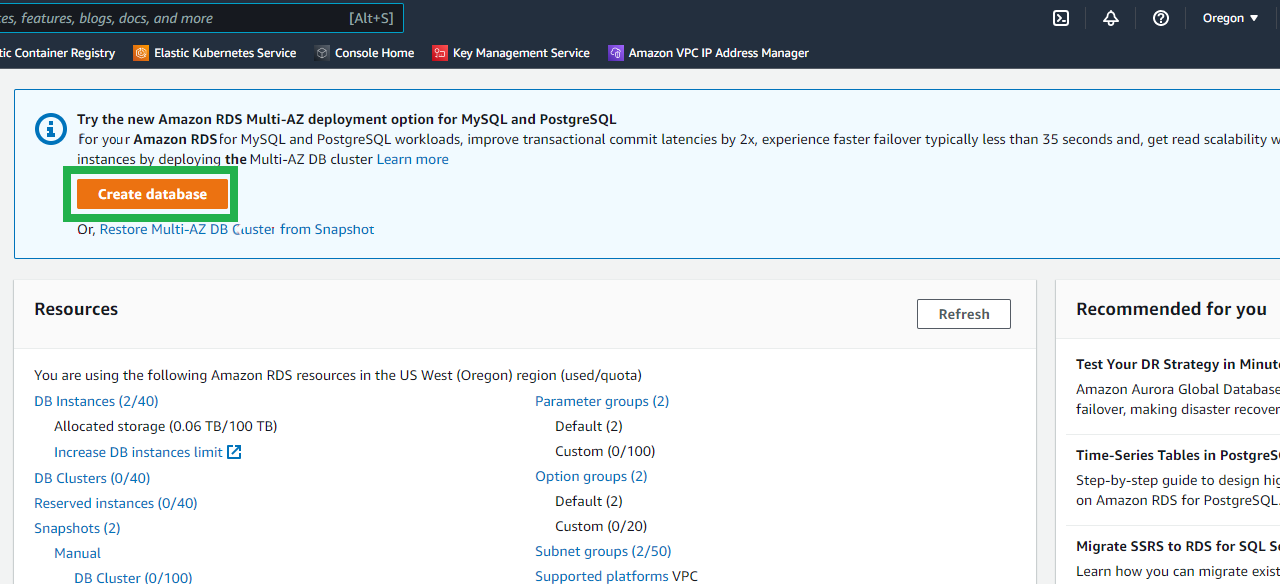
SelectStandard CreateandMySQL.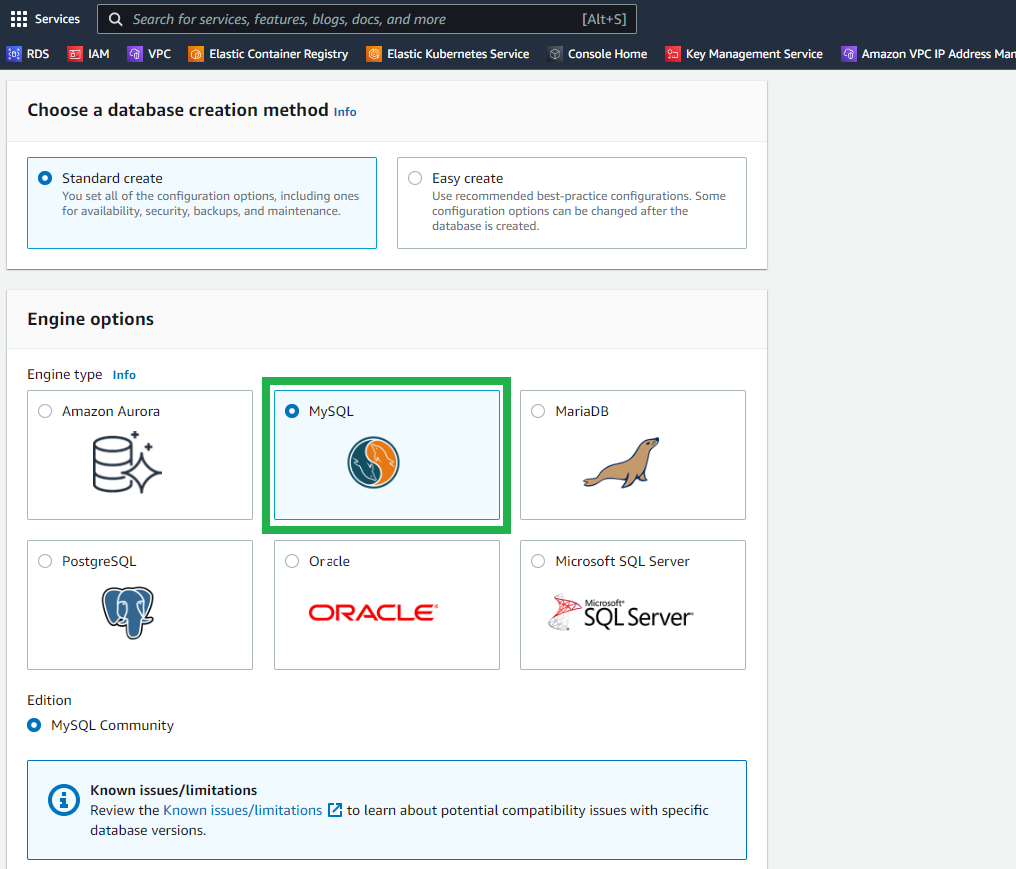
Select MySQL version 8,Production, andSingle DB Instance.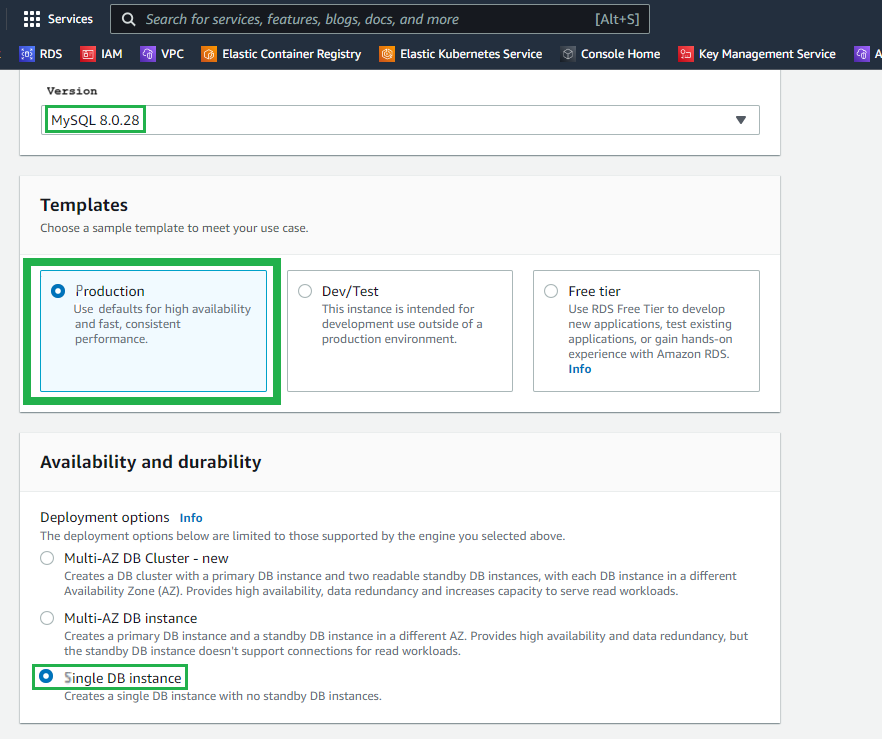
Enter your credentials.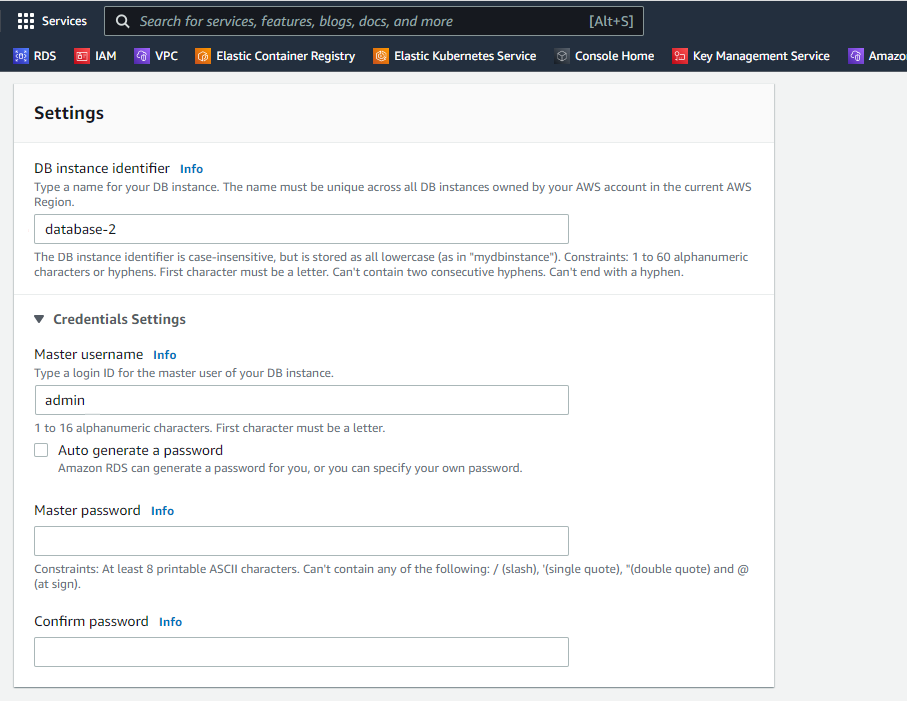
Selectedited theDB Instance classmy.ini,theStorageserviceType,actuallyandreads,thethensizerestartofit.When
theAllocated Storage.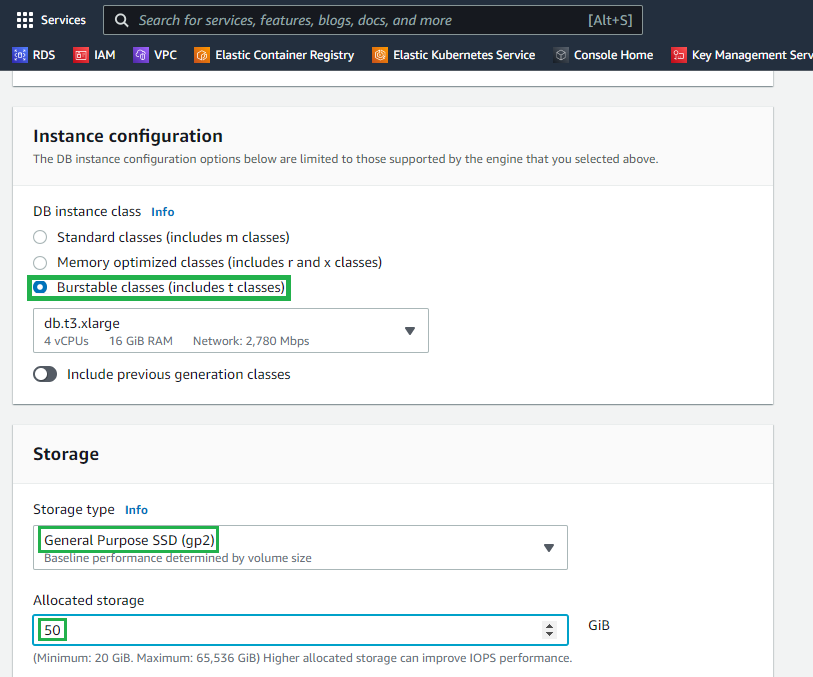
SelectEnable storage autoscalingand the VPC.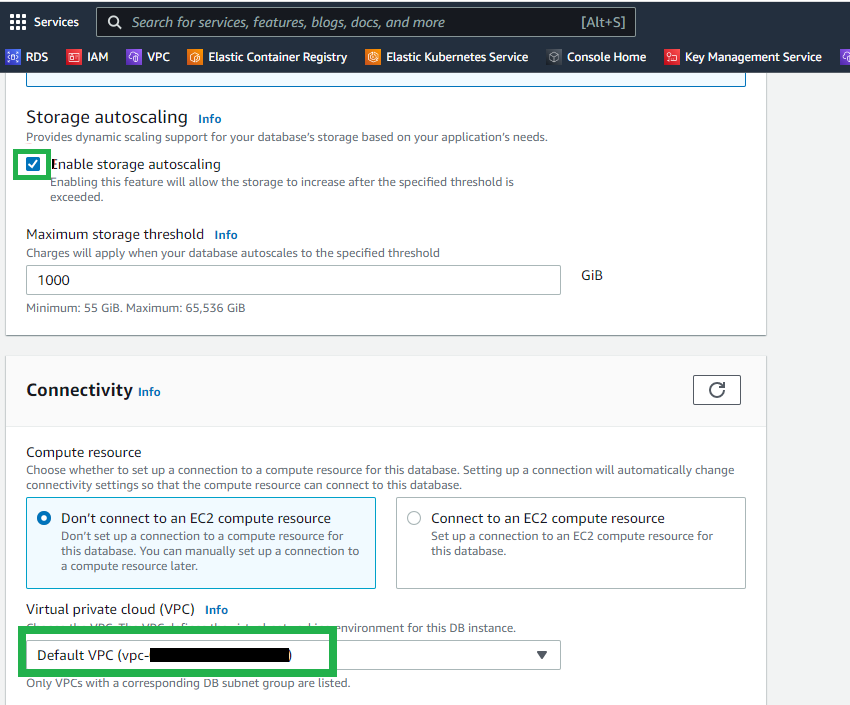
Choose theDB Subnet group,Public Accesssetting andVPC Security Group.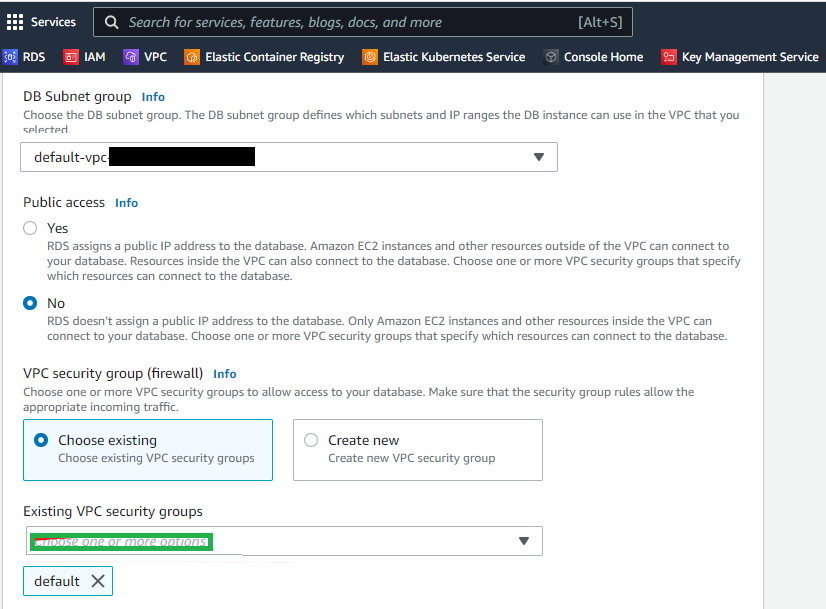
Choose yourDatabase authenticationmethod.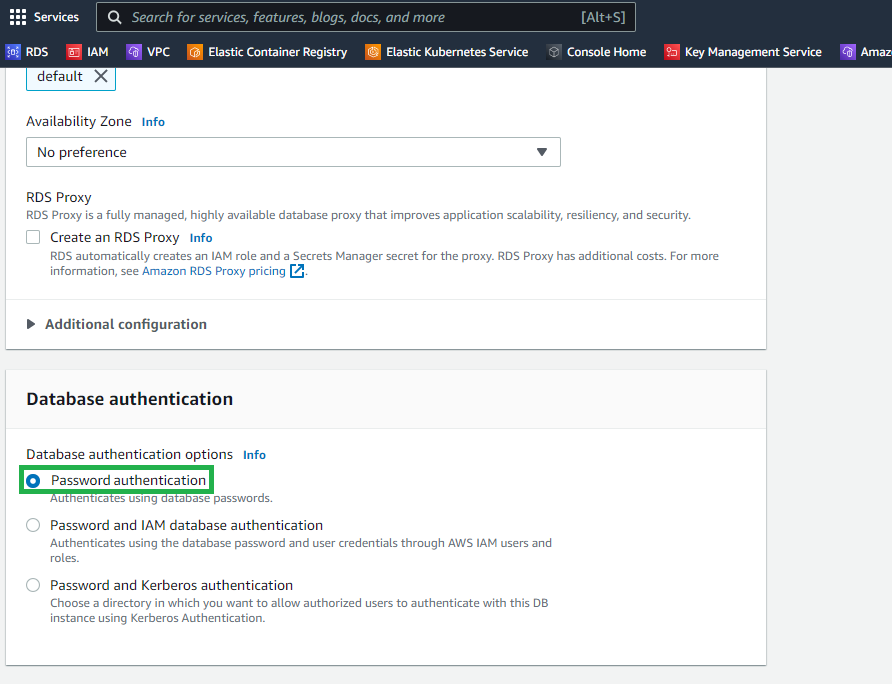
Select your monitoring preferences.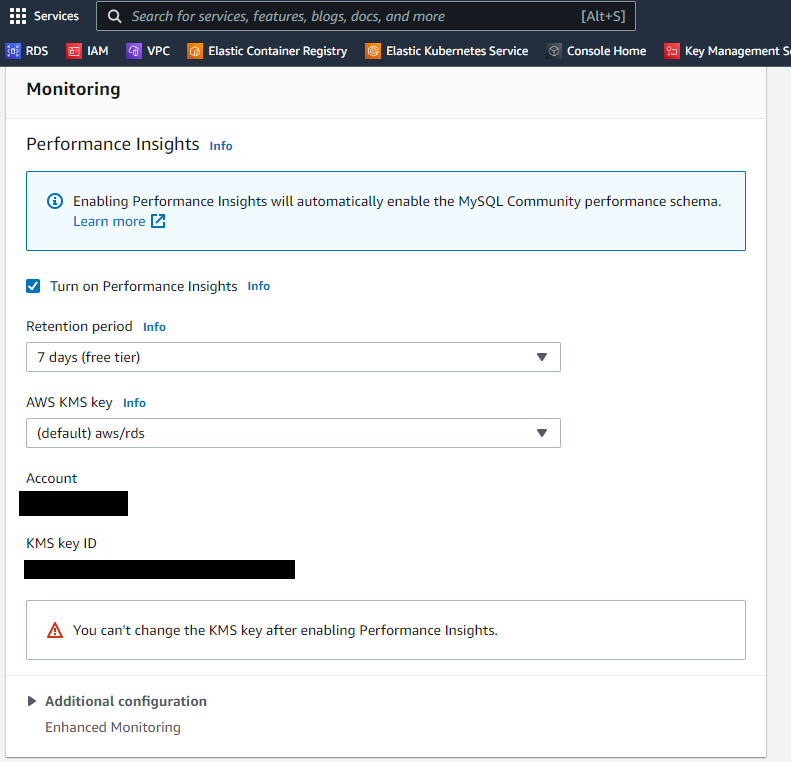
Verify the settingsyou arecorrectdoneContinue
andwithclickCreate Database.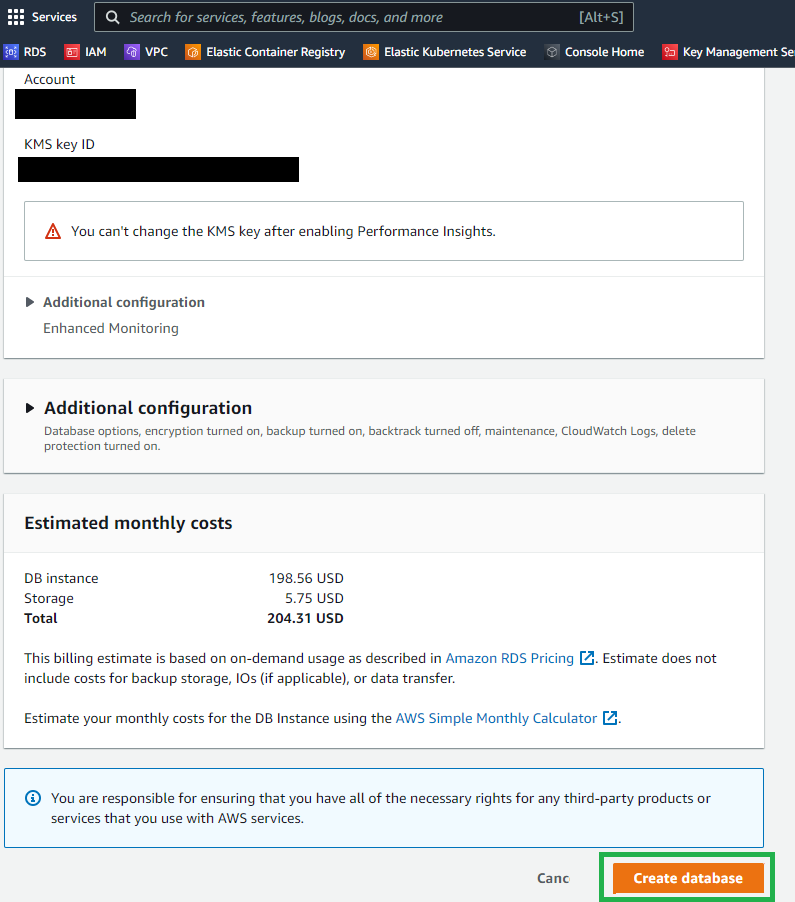
Create a new parameter group forRunning AIQMySQL databases.After creating the database.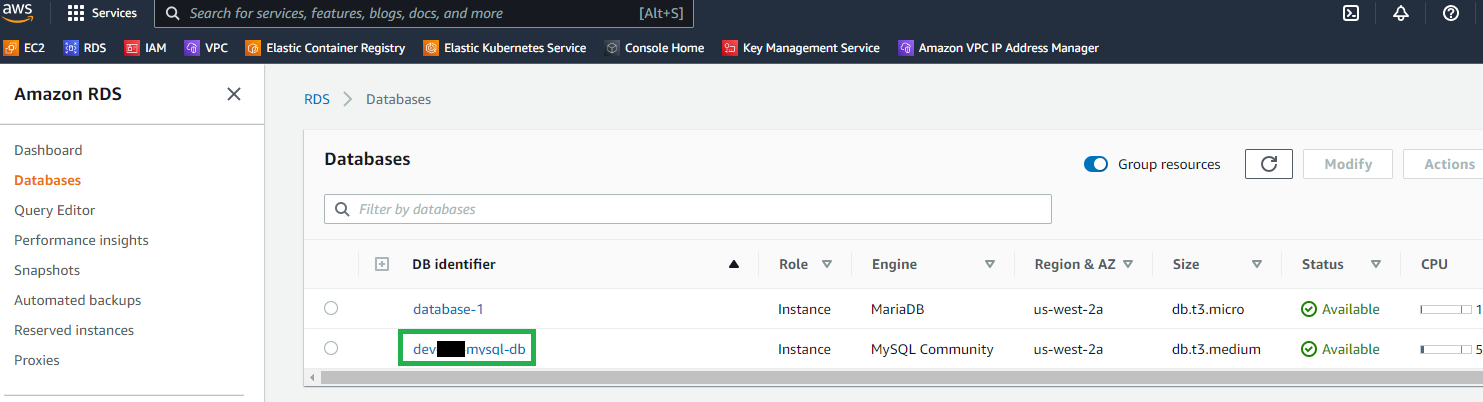
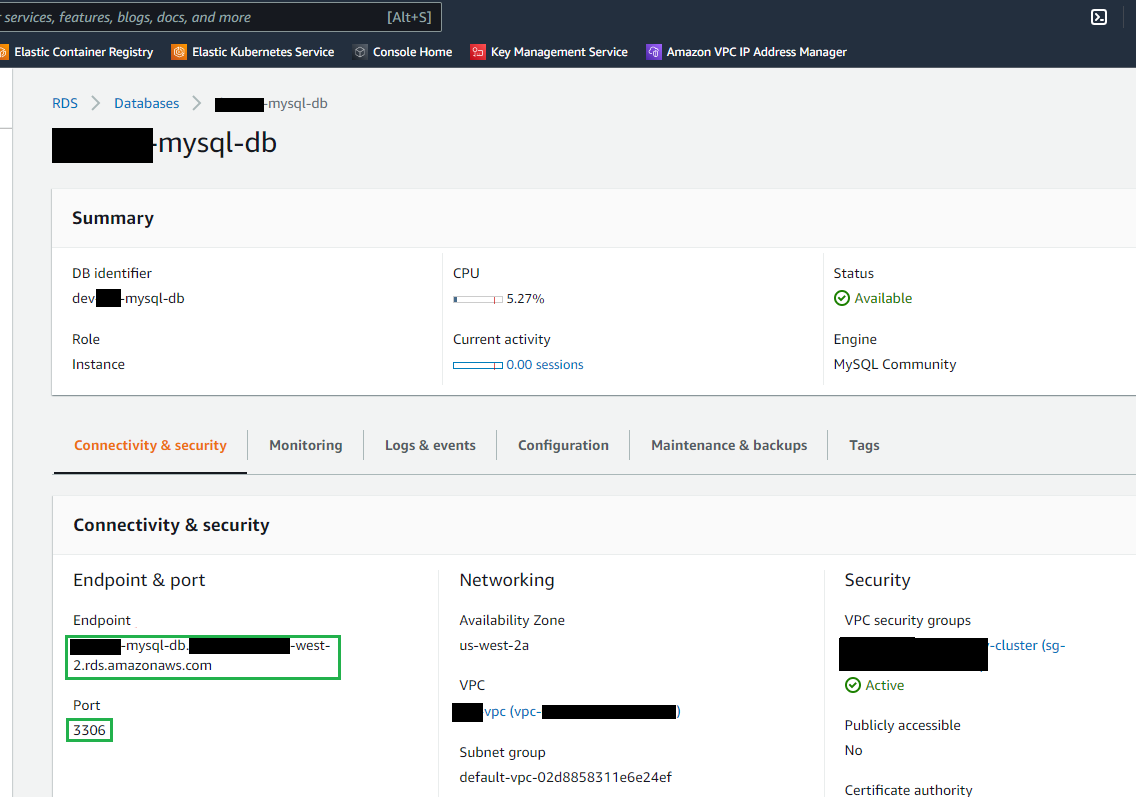
Check connection to the database.Install the MySQL client.Syntax example:mysql -h <example-endpoint-db.rds.amazonaws.com> -P 3306 -u <user_name> -p <push enter>Run theMySQLInitial.sqlscript using the admin/root user.Log out and log back into the mysql client but using the aiq/aiq user, then execute the following statement:
After you have installed and configured MySQL, proceed to the next step: Runing Appvance IQ on Windows as a Service
Last updated: October 02, 2024
If you haveare anydeploying feedbackthe database on AWS instead of locally, use MySQL 8.x Database on AWS RDS (8.0 and 8.4) — the parameter group, instance sizing and troubleshooting there replace the my.ini section of this topic,page.
Last pleaseupdated contactNovember us2026. atApplies documentation@appvance.aito MySQL 8.0.x and 8.4.x on Windows.