
Arrange Applications for Reliable AIQ Desktop Testing
Arrange Applications for Reliable AIQ Desktop Testing
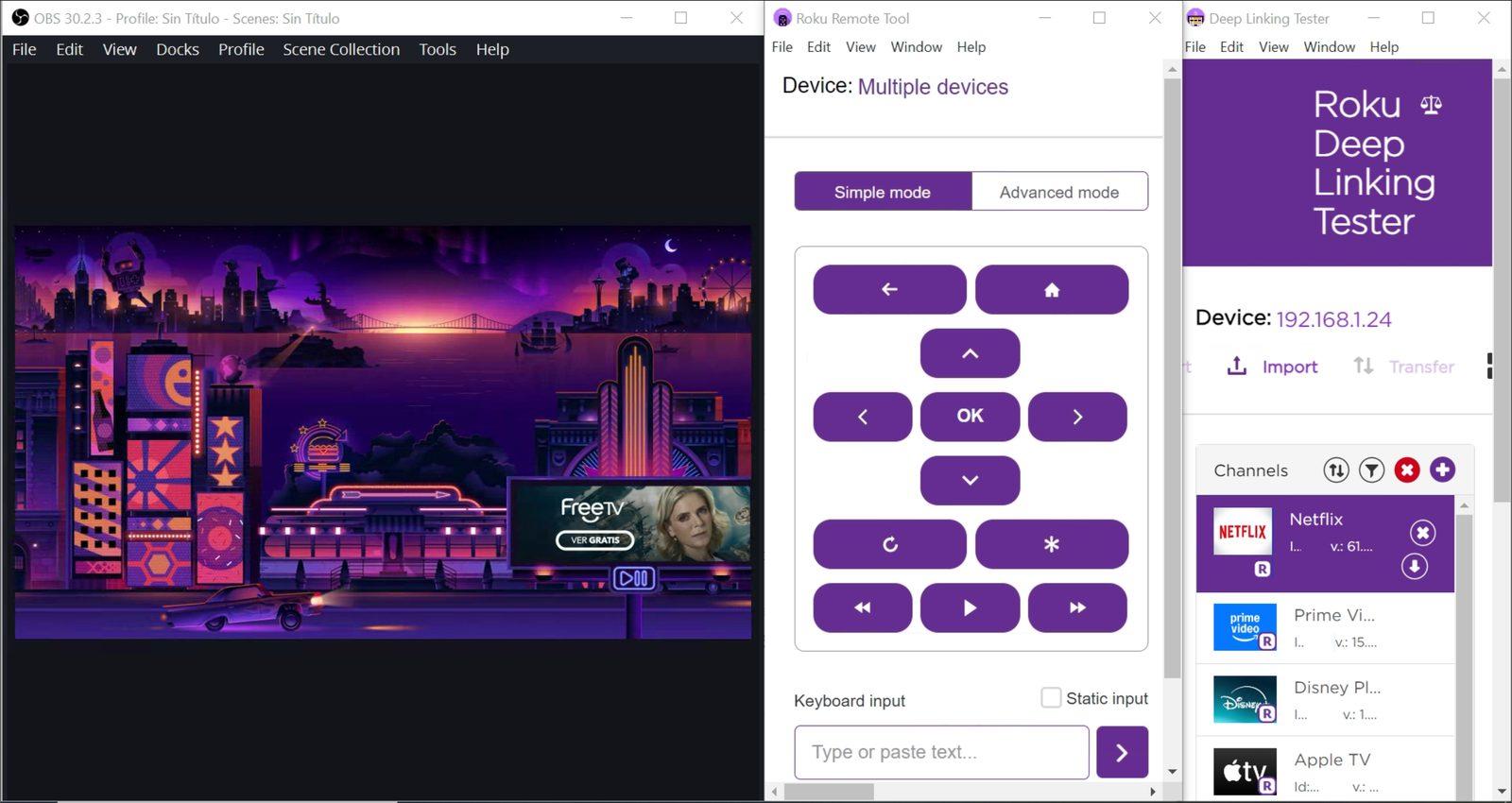
MakeArrange suredesktop toapplications arrangeconsistently OBS,before Rokuan RemoteAIQ Tooldesktop test runs. Predictable window placement helps reduce failures caused by hidden controls, overlapping windows, or unexpected screen resolution changes.
Recommended setup
- Use a dedicated test machine or session for desktop automation.
- Set the display resolution and scaling before recording or running tests.
- Open only the
RokuapplicationsDeeprequiredLinkingbyTesterthewindowsscenario. - Place the application under test in a
similarknownlayoutposition and avoid overlapping windows. - Disable pop-ups, notifications, and screen savers that can cover the application.
Validation workflow
- Start from a clean desktop session.
- Open the required application and arrange it as
shownexpected. - Run
below.a short smoke test that validates the first interaction and a key screen state. - Capture a screenshot if the arrangement is part of the support procedure.
Last updated: October 01,8, 20242026
If you have any feedback on this topic, please contact us at documentation@appvance.ai