
Configure Scriptless Test Deployment
Appvance
Configure IQ uses aScriptless Test Scenario to define the orchestration instructions for a test. A Test Scenario defines the locations of the TestNodes to operate a test. Use the Appvance Scenario Builder to create and update a Test Scenario.
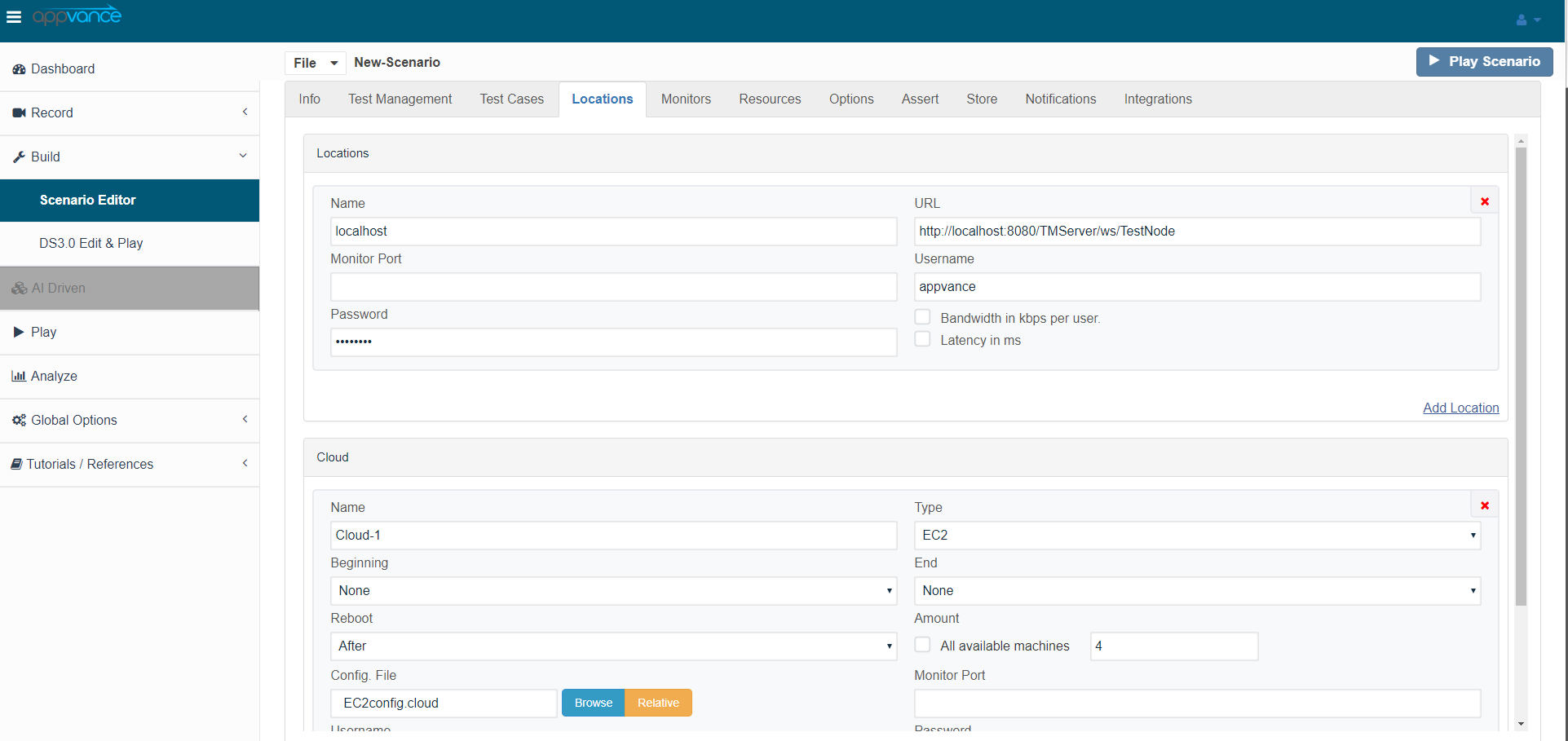
Deployment
Use thescriptless Locationstest tabdeployment configuration to prepare Scenario Editor tests for execution in the Appvanceintended ScenarioAIQ Builderenvironment. toKeep determinedeployment settings aligned with the target environment, Test Node capacity, browser support, and test data strategy.
Before deployment
- Confirm the target environment, browser or device requirements, and Test Node availability.
- Validate test data and credentials using approved secure configuration methods.
- Review scenario waits, locators, and validations for maintainability.
- Run a focused validation execution before adding the test
deploymenttolocation.aInlargerthesuite.
Deployment screenshot,notes
- Document
willenvironment-specificrun the test on the locally installed TestNode as well as on the EC2 instances that are configured from the EC2.cloud file which initiates 20 instancessettings andrunsavoidthehard-codingtest.them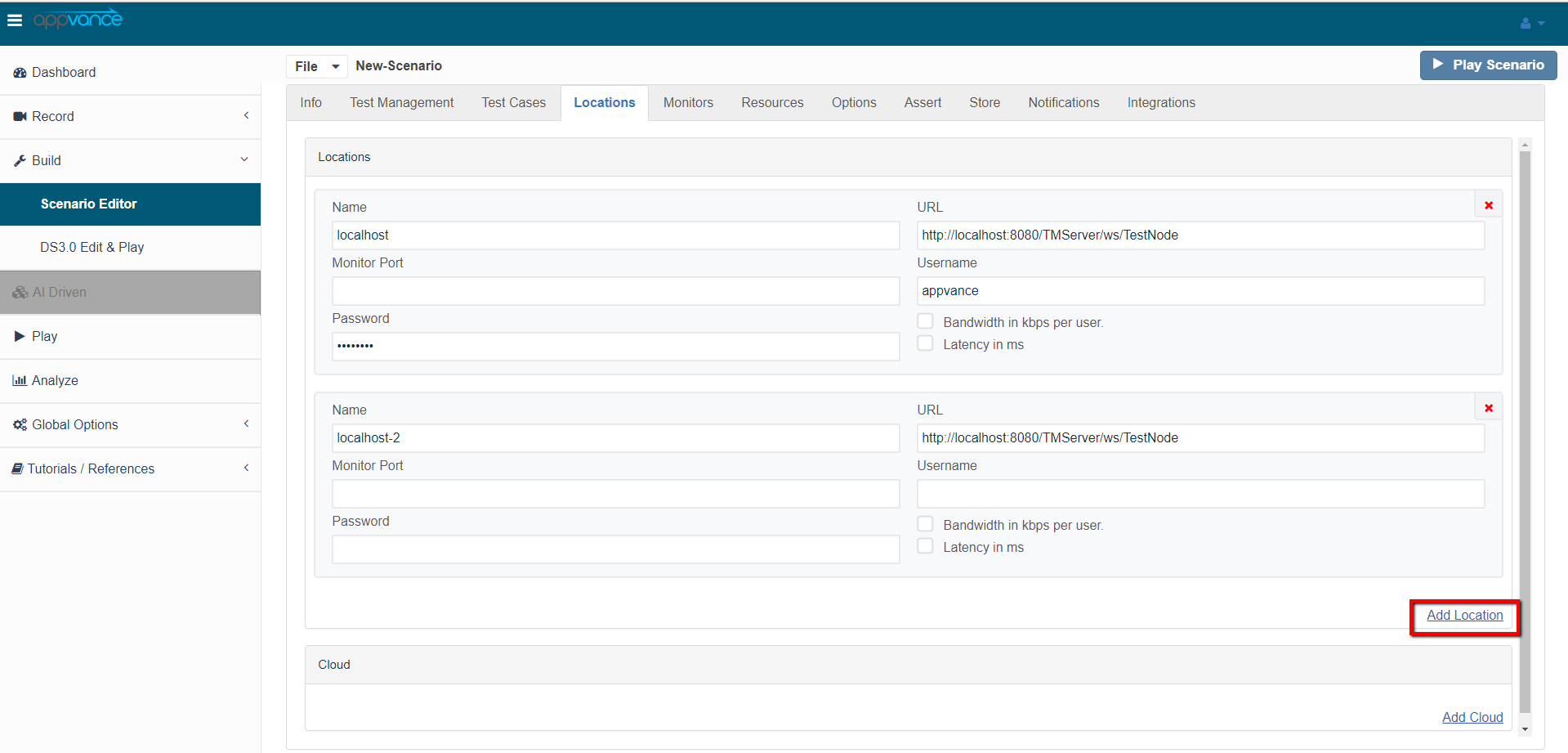
Clicksteps. - Keep
AddreusableTest Location to identify multiple TestNodesdata inyourDPLsQAorlab.approvedIndatathesources. - Review
above example, AIQ runs the test on 2 TestNodes in your QA lab and 1 locally installed TestNode.AIQ Cloud Testing extends this notation to define a Cloud Testing environment. For example, the following shows a TestScenario that runs locally and in the Amazon EC2 environment.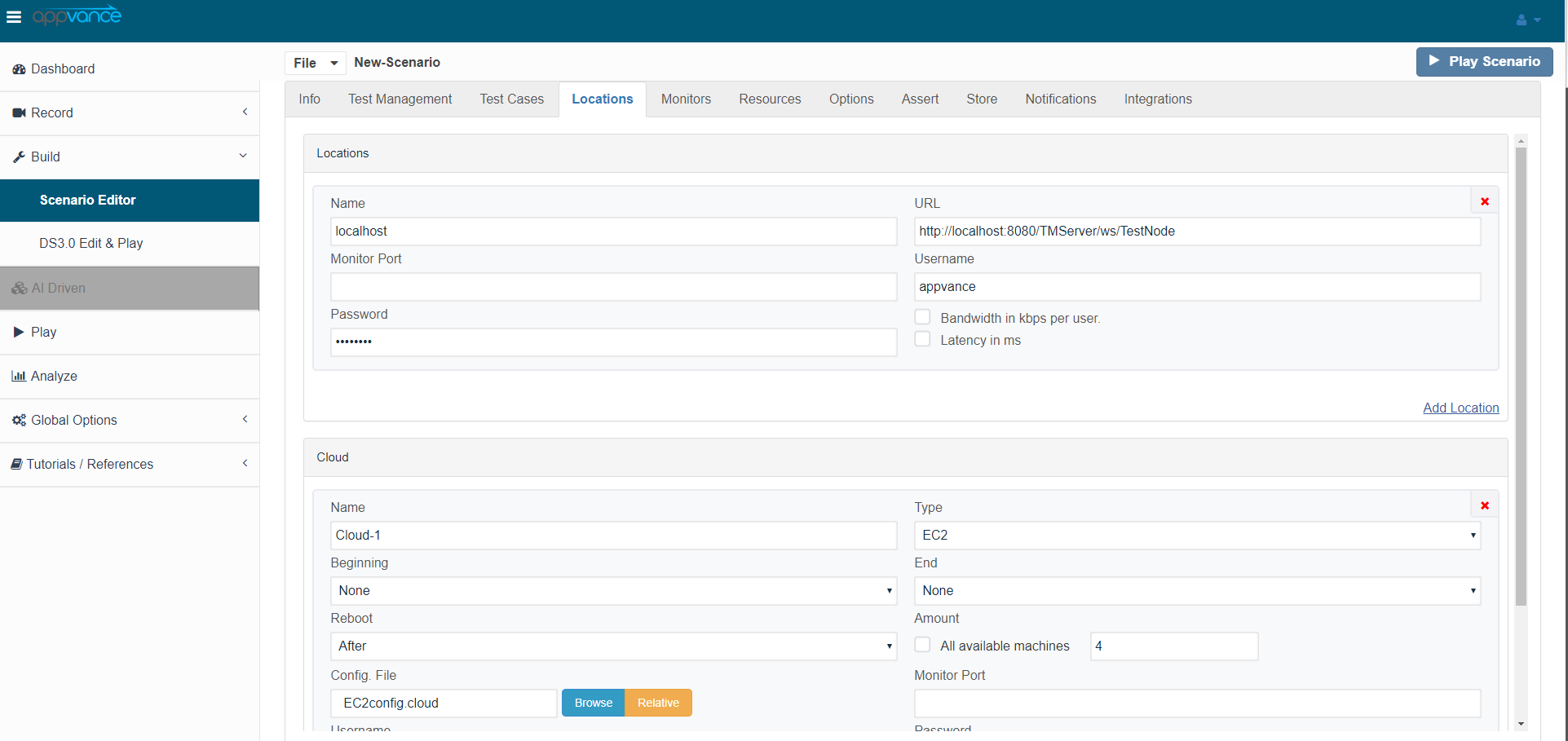
scheduled or suite execution.In the above example, AIQ deploys and operates your test on a local TestNode, on 20 Amazon EC2 machine instances in the Eastern United States (Regions can be chosen from Amazon EC2 Console from your AWS Account). Each Cloud definition in the TestScenario controls how the TestNodes are started and termination/reboot optionsoutput after thetestfirstfinishes.
Appvance IQ stores Cloud and Grid test deployment information in a configuration file. Create as many configuration files as you need. Use the AIQ Tools drop-down menu, EC2 Configuration utility to create and edit Cloud Configuration files. Use the Grid Configuration utility for Grid deployment settings. Configuration files tell AIQ the security access keys, machine instance file, and other details for AIQ to deploy your test.
Last updated: JuneSeptember 26,18, 20232026
If you have any feedback on this topic, please contact us at documentation@appvance.ai