
Running SoapUI Scripts as a Functional Test
Recommended
SoapUI guidancesupport was removed in release 5.2.0 of AIQ.
RunAppvance IQ is a platform that supports to run SoapUI scripts. Here are the steps that we need to follow to run the SoapUI scripts asfrom functionalAppvance testsIQ.
From whenthe Appvance IQ Home screen and click Build a Scenario or open the Scenario Editor from the navigation tree.
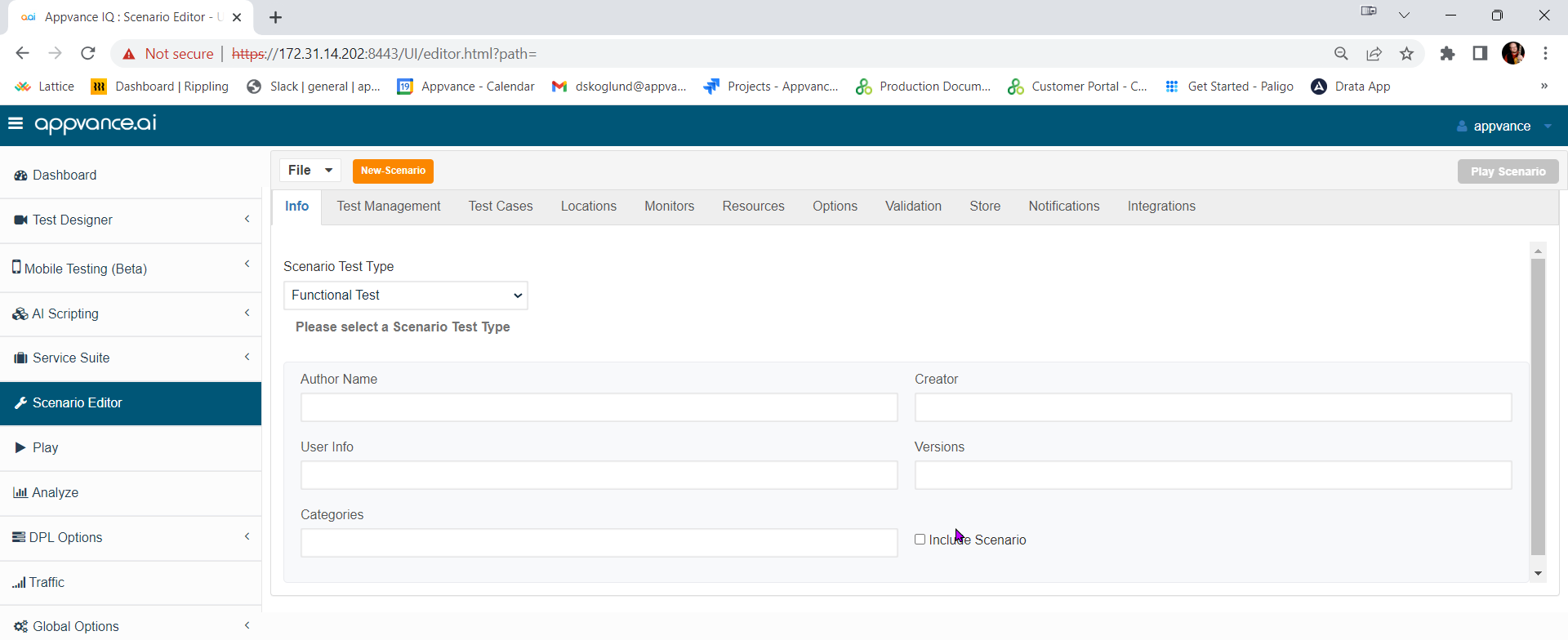
Click File > New to create a new scenario.
Select Functional Test from the Scenario Test Type dropdown.
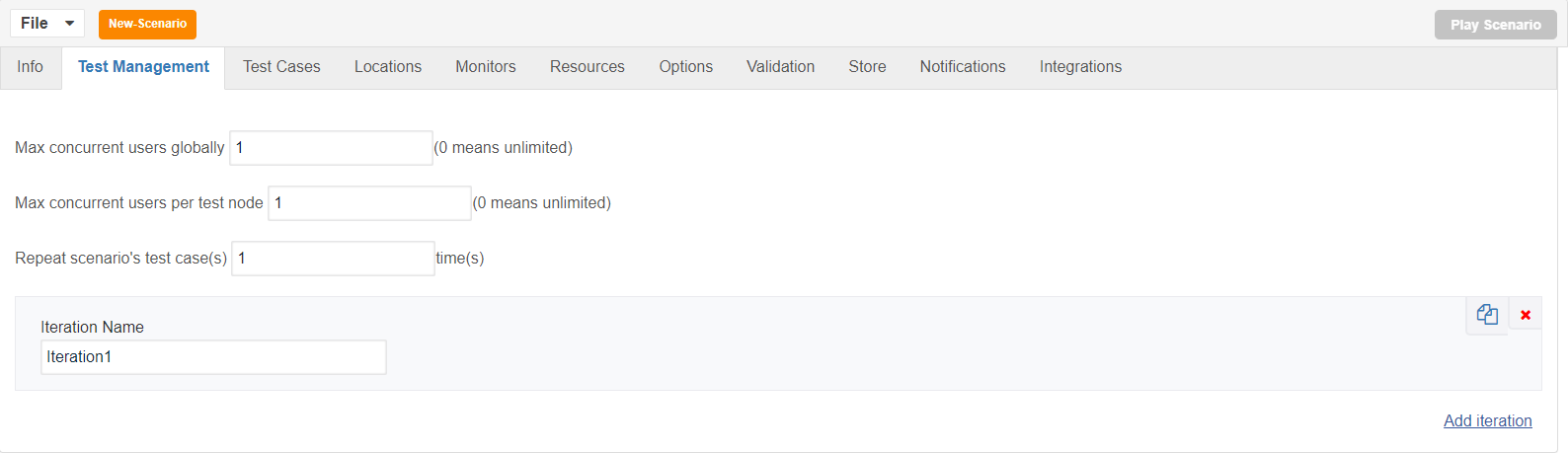
Click the Test Management tab and check: "Repeat scenario's test cases 1 time".
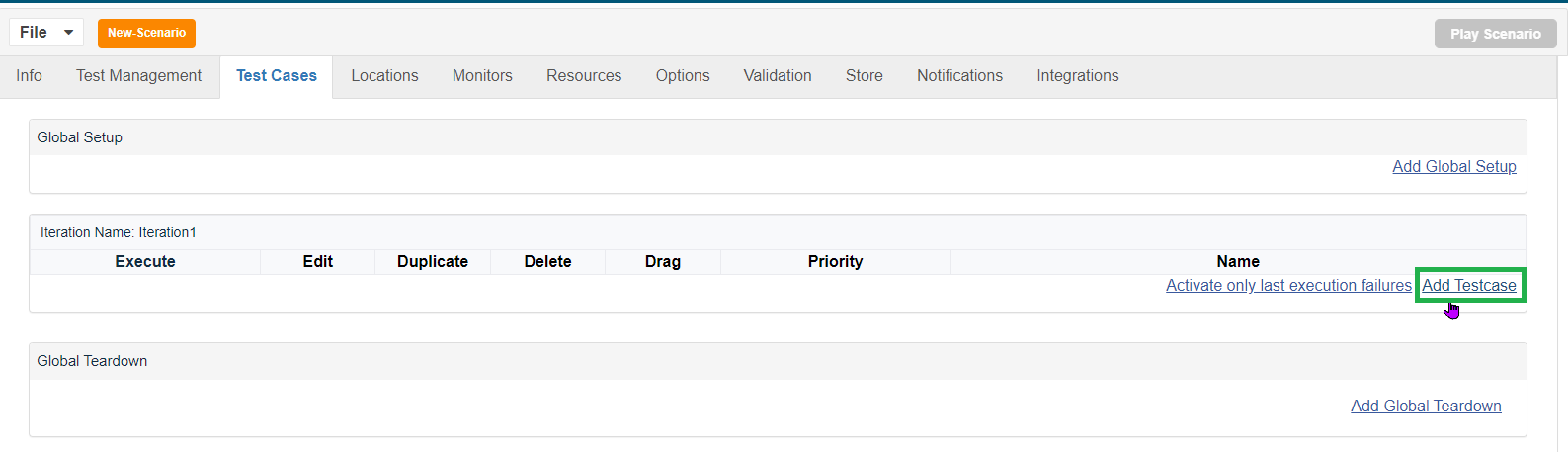
Click Test Cases tab and click the link for Add test case execution.
Enter Test case name and Script name.
Select SoapUI assetfrom remainsScript partType dropdown.
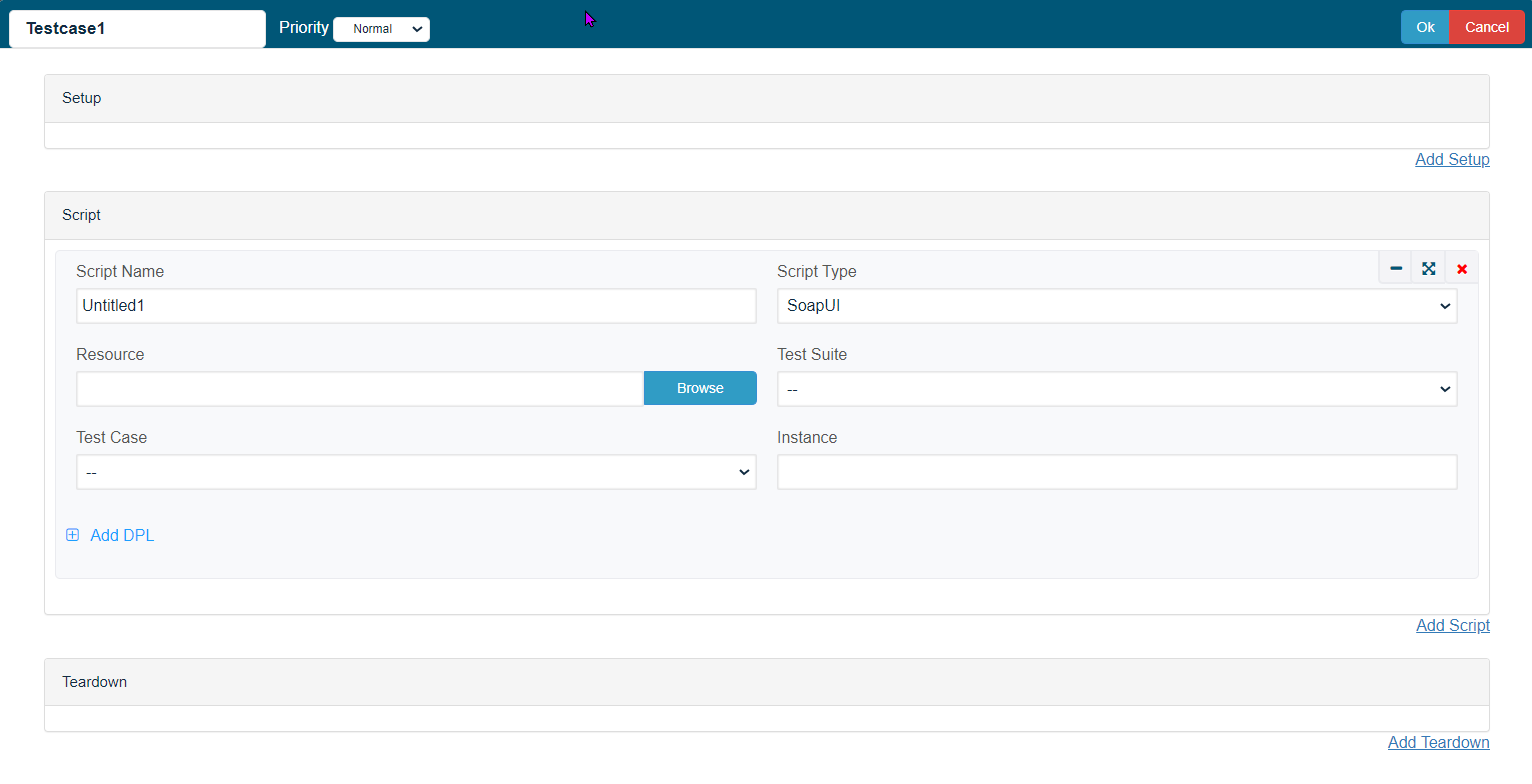
Click Browse and browse the Soap UI file and then the Test Suite and then the Test Case.
Save the test case.
Click Locations tab.
Enter Name: localhost and URL: http://localhost:8080/TMServer/ws/TestNode
Navigate to Resources and make sure SoapUI bundle with version 5.2.1 added by default.
Also make sure the resources are added with Name, Type and the correct path of the customerxml workflow.file.
Navigate to Options and make sure that Enable logging, Safe logs on Failure are selected.
Click check box Custom Database Credentials (Database Logging) and make the following settings:
- Database Type: MySQL
- Driver: com.mysql.jdbc.Driver
- URL: jdbc:mysql://localhost:3306/utp?useSSL=false
- Default Schema: utp
- Username: utp
- Password: utp
Click File->Save to save new API automation, evaluate whether Service Suite can replace or simplify the legacy SoapUI dependency.scenario.
Before
ConfirmClick
SoapUIPlayversion, script location, dependencies, environment, and credentials.Use safe placeholders or approved secret storage for endpoints and tokens.Validate network, proxy, certificate, and firewall accessScenario from theAIQtophost.navigation bar.
Controller window will open in a new tab which displays the tests running and will display the pass/fail criteriastatus of the tests upon the test completion.
Left part shows the steps and expectedthe artifacts.
Validationin workflow
milliseconds Runand right side shows theSoapUItestscriptrunoutsidestatusAIQunderfirstOutput tab.
On the Transactions tab we can find the request/response and an error tab to confirmdrill itdown isfurther.
Click smallClick AIQhere functional test wrapper.
Last updated: OctoberJuly 6,25, 20262024
If you have any feedback on this topic, please contact us at documentation@appvance.ai