
Working with HAR scripts
In this lesson you will learn how to use HAR scripts to load test a web application.
About HAR
HAR, which stands for HTTP Archive Format, is an archive file derived through interactions within a web browser. The file contains protocol-level GET and POST request logging, as well as performance information and web page load times.
Why HAR
HAR files are quick and simple to produce. When used with Appvance IQ, HAR files provide detailed performance data and load testing capabilities.
How to Generate HAR File
HAR Exercise
The Scenario Test Type is Load Test in Info tab.
Select Test Management.
Select Test Cases.
Enter a name for the test case in theTest Case Namebox
Enter a name for the script in theScript Namebox
Click theScript Typebox and selectHAR
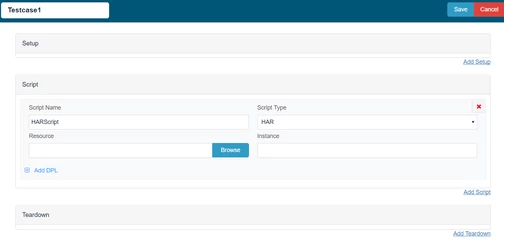
5. ClickBrowse(to the right of the Resource box)
The Open window appears
Iteration1 contains one Test Case, Spree HAR, where the number of Users and Executions to run are specified.
The Script Type is set to HAR, and the test case Resource points to the spreeHAR.har file located in the HAR_example directory.
All resources related to the Scenario are summarized, including the test case specified in Test Cases.
Additional reports listed reveal more information about the scenario executed.
How to convert DS file to HAR:
Last updated: August 03, 2023
If you have any feedback on this topic, please contact us at documentation@appvance.ai