
the-blueprint-dashboard
The Blueprint Dashboard
The Blueprint Overview (or Blueprint Dashboard) shows what the AI found while the Blueprint is running or after it has run. From here you interpret the results of an AISG execution.
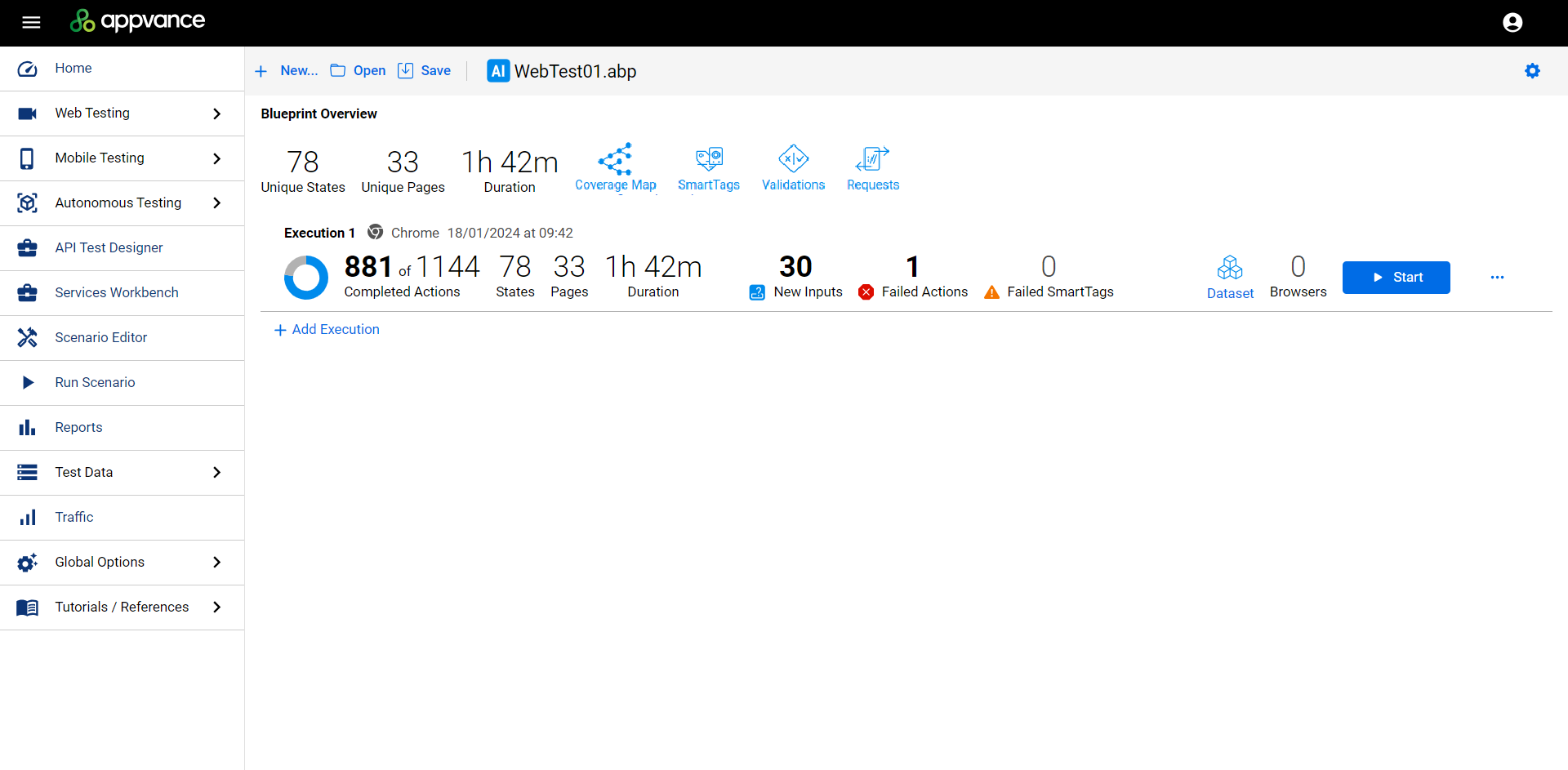
The Blueprint Dashboard in AIQ 5.x.
Note: because AISG runs in headless mode, you no longer watch browsers navigate the application in real time (as you could before AIQ 5.0). Results are reviewed on this dashboard instead.
Blueprint Overview
A summary of all executions of the blueprint:
- Unique States — number of unique page states discovered across all executions (total application coverage).
- Unique Pages — number of unique pages discovered across all executions.
- Duration — total runtime of all blueprint executions.
Execution Details
A summary of a particular execution:
- Completed Actions — actions performed by the blueprint.
- States / Pages — page states and pages discovered in this execution.
- Duration — runtime of this execution.
Dashboard controls
| Control | Function |
|---|---|
| >Coverage Map | >Launches the Coverage Map — visualizes the paths the AI can take through the application. |
| >SmartTags / Validations | >Visible only if your blueprint uses SmartTags or Validations. |
| >Requests | >All requests made by the blueprint. |
| >Failed Actions / Failed SmartTags | >Details of failures per execution — including the pages where they occurred. |
| >New Inputs | >Opens the Pages information of the execution (replaces “Inputs Found”). |
| >Dataset | >Add execution data (CSV data sets) from the dashboard — even after the run. |
| >Browsers | >Number of browsers running the blueprint (set in Add Execution). |
| >Add Execution | >Adds a blueprint execution — at least one is required per blueprint. |
| >Configuration | >View configuration settings. Information only — configurations cannot be modified after execution. |
Additional options
- Rerun failed actions — retest failed actions (useful if you forgot to add a data set).
- Export Template — export the blueprint as a reusable Blueprint Template (
.abpt). - Download failed actions / all actions as DS or JS — export scripts for further analysis or reuse.