
Reduce MySQL Results Database Storage Usage
Reduce MySQL Results Database Storage Usage
ThereUse arethis severalprocedure steps that you can take to reducewhen the size of the MySQLAIQ results database is consuming excessive storage. Treat database cleanup as a controlled maintenance task because deleting execution data can permanently remove historical evidence and free up storage:reports.
Before making changes
- Confirm the affected MySQL instance, schema, and available disk space.
- Create
Configurationa verified backup or snapshot before deleting or archiving results. - Confirm the retention window with the customer or project owner.
- Prefer supported AIQ cleanup, archival, or retention settings
inbefore using direct database changes.
Recommended cleanup workflow
- Identify the
ScenariolargestEditorresult
Delete old executions data fromand the database
Use a cloud provided MySQL service with autoscaling
Recreate Database tables
Scenario Editor Configuration Settings
Here are some configuration settings for AIQ scenariosrange that you can change to reduce the amount of data stored per each scenario execution.
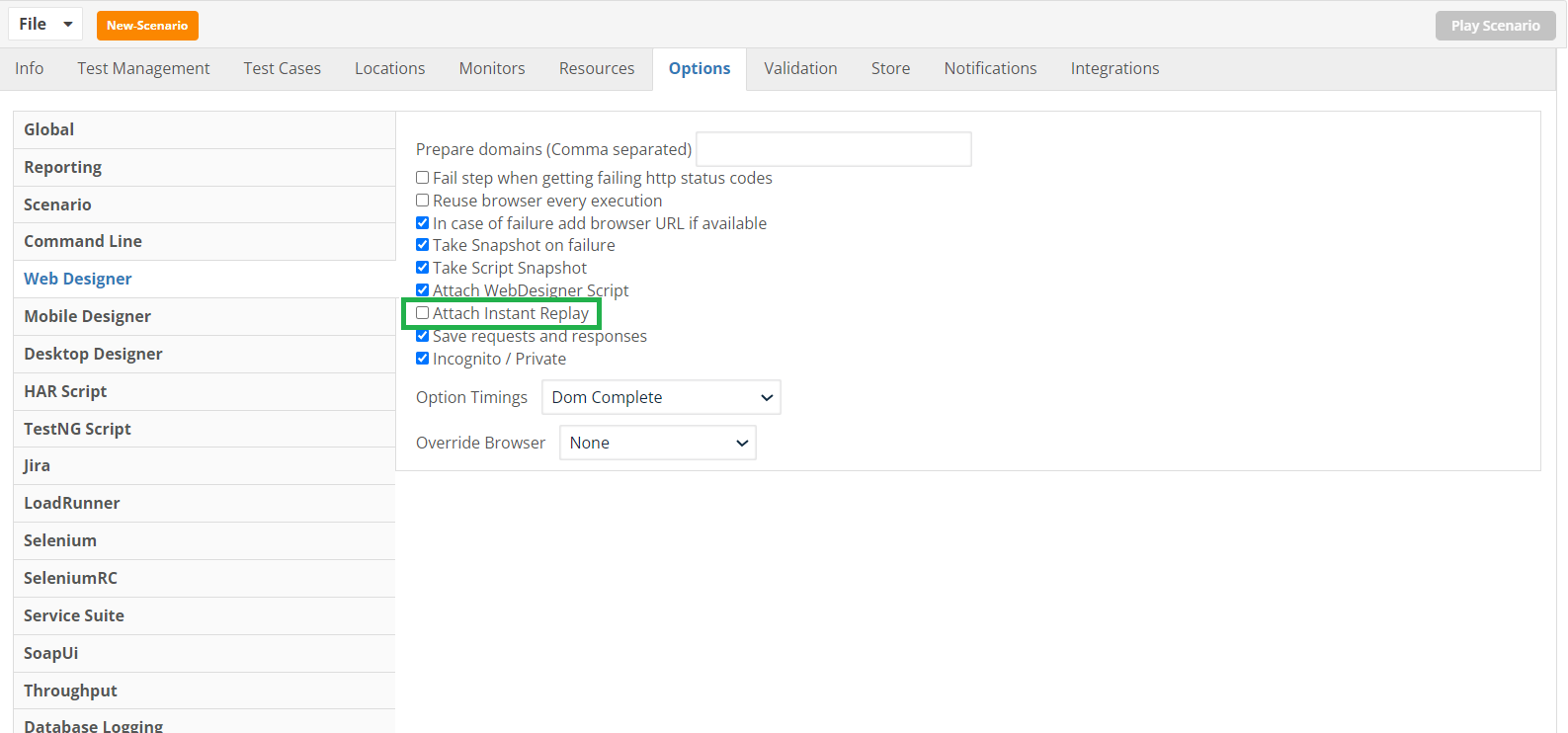
Do not save Instant Replay files
Instant Replay files are .zip files which contain all the payloads and responses of the HTTP traffic that happened during the scenario execution. These files can be somewhatarchived large.or Considerremoved.
Warning: Do not savingrun thesebroad filesdelete tostatements thewithout databasean toapproved savebackup space.and an exact retention target.
Navigate to Scenario Editor > Options > Web Designer and uncheck the Attach Instant Replay option.
Open WebDesignerOptions_AttachInstantReplay.png
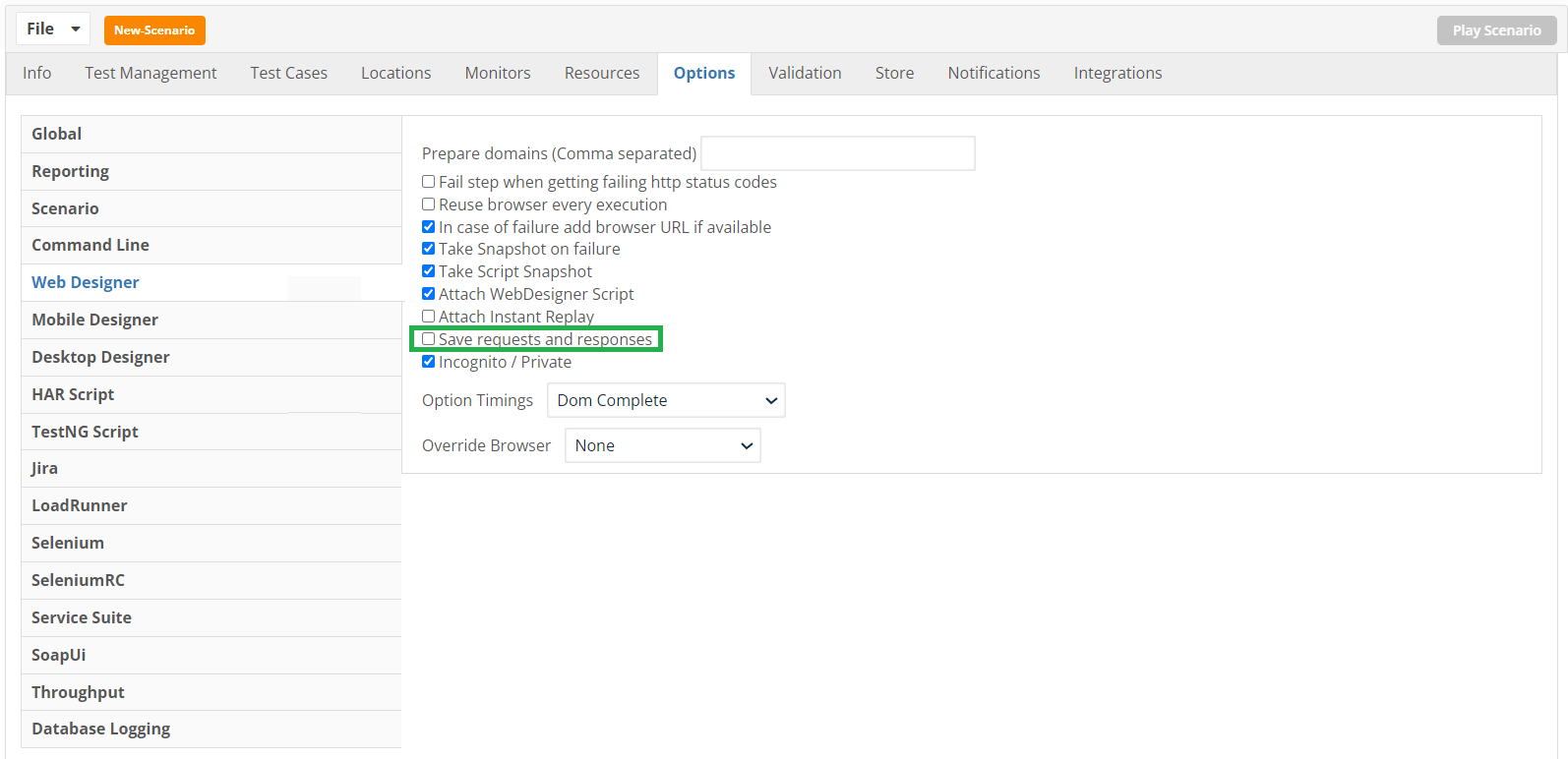
Disable saving data of HTTP requests and responses
Web designer scripts, along with the step information all HTTP requests and response data is stored in the database when details are logged. You can disable saving this information.
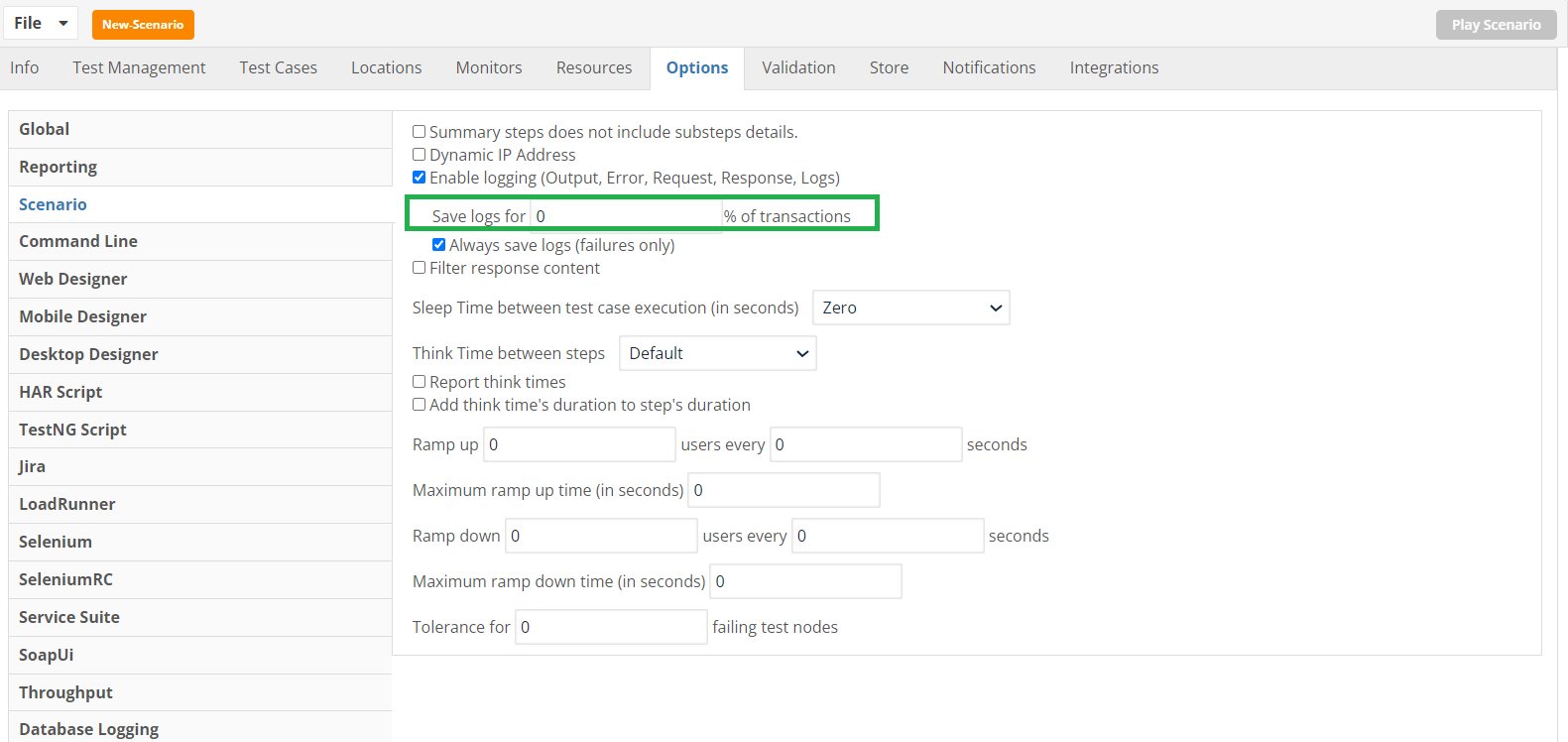
Set details logs to 0% if running a performance/load scenario
If you are running a performance or load test, you can set the Details logs to 0%. This setting will not impact the summary reports like the Iteration Summary Report, however you will not get functional details of each execution.
Delete old executions data from the database
Run the batch script that deletes all data from the database. See Removing Executions from the Database for instructions on how to delete all data from database previous to some date.
Use a cloud provided MySQL service with autoscaling
The recommended configuration is to use an AWS RDS instance with MySQL 8.0.30+ version, with enabled auto scaling so it can grow its allocated space once the free space is getting small.
See Setting up MYSQL RDS Instance from AWS for more information.
Recreate Database Tables
If you are not interested in persisting previous results, you can connect to the database using MySQL workbench and delete all the AIQ schema tables by executing the following SQL statement: DROP DATABASE aiq;
Then, open and run the MySQLAppvance.sql script to recreate AIQ empty tables:
Select File > Open SQL Query.
Browse to <AIQ dir>/TestNode/webapps/AppvanceServer/WEB-INF/classes/database, select MySQLAppvances.sql and click Open.
Select Query > Execute.
Troubleshooting
Error Code: 1419. You do not have the SUPER privilege and binary logging is enabled
If you get the above error while running the AppvanceMySQL.sql script on AWS RDS, make sure that the RDS parameter group has the value 1 (ON) for the log_bin_trust_function_creators parameter. The RDS database MUST be rebooted for parameter changes to take effect.
Last updated: SeptemberOctober 23,8, 20242026
If you have any feedback on this topic, please contact us at documentation@appvance.ai