
Reduce Size and Free Up Storage in MySQL Results Database
Reduce
There are several steps that you can take to reduce the size of the MySQL Resultsresults Databasedatabase Storageand Usagefree up storage:
Configuration settings in the Scenario Editor
Delete old executions data from the database
Use a cloud provided MySQL service with autoscaling
Recreate Database tables
Scenario Editor Configuration Settings
Here are some configuration settings for AIQ scenarios that you can change to reduce the amount of data stored per each scenario execution.
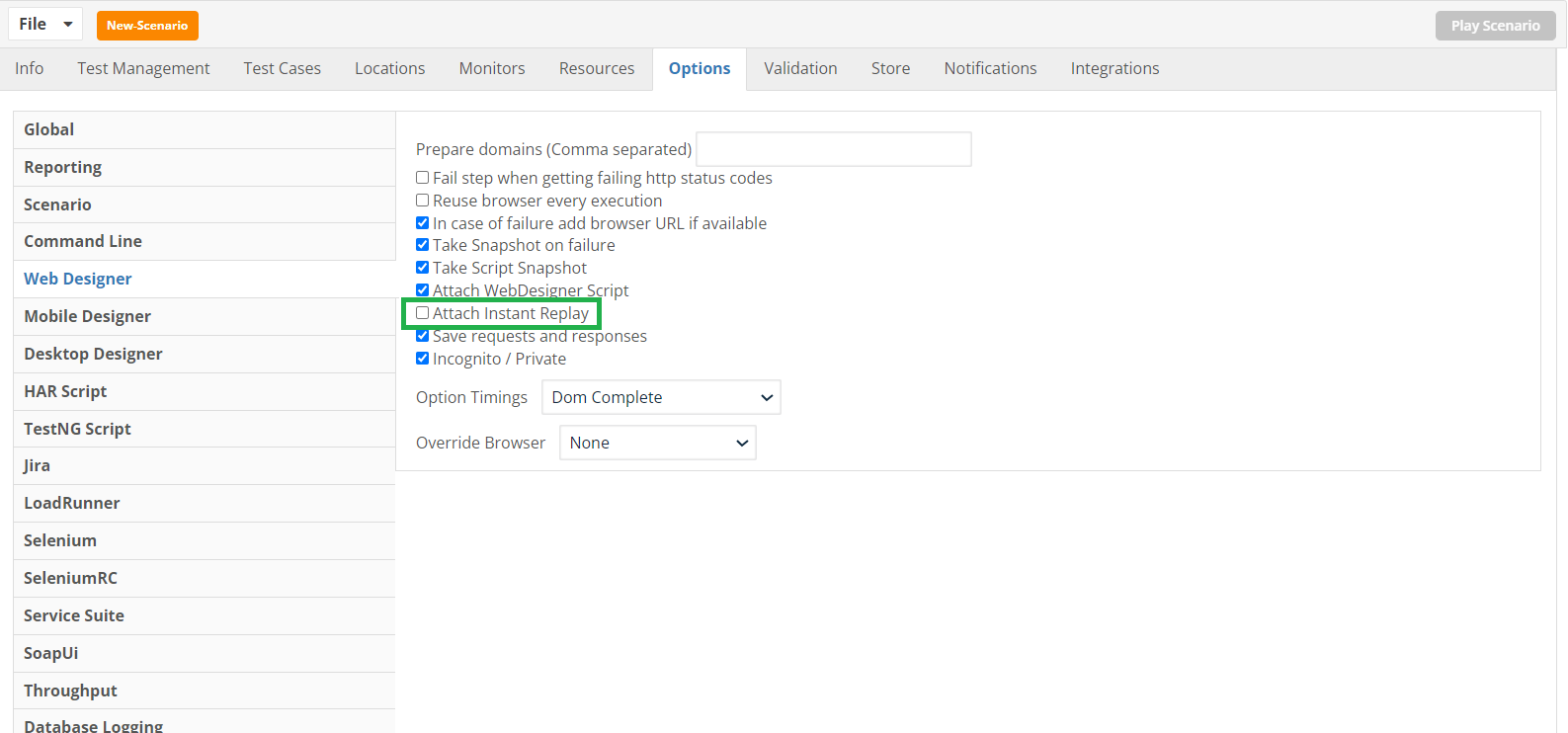
Do not save Instant Replay files
Instant Replay files are .zip files which contain all the payloads and responses of the HTTP traffic that happened during the scenario execution. These files can be somewhat large. Consider not saving these files to the database to save space.
Open WebDesignerOptions_AttachInstantReplay.png
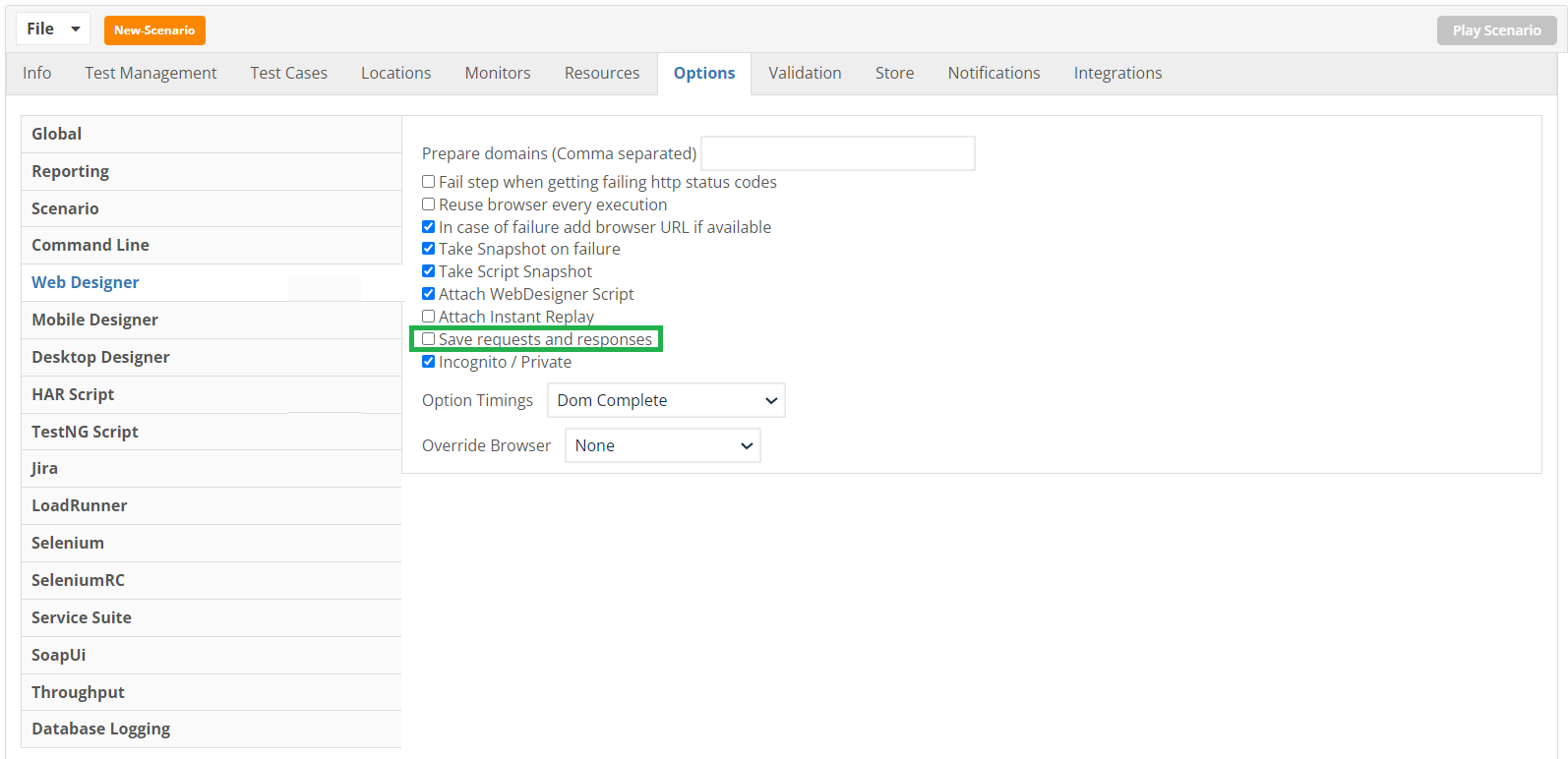
Disable saving data of HTTP requests and responses
Web designer scripts, along with the step information all HTTP requests and response data is stored in the database when details are logged. You can disable saving this procedureinformation.
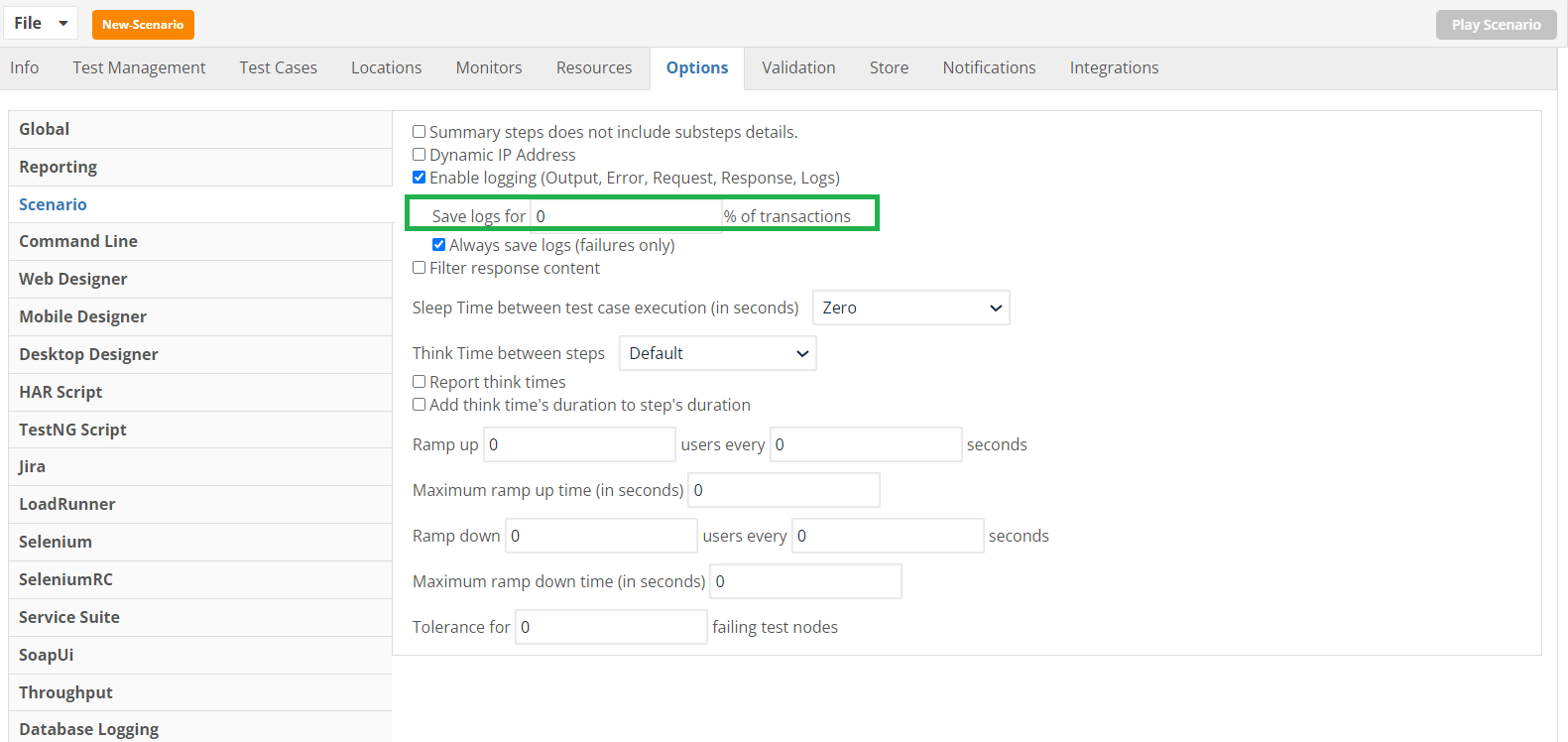
Set details logs to 0% if running a performance/load scenario
If you are running a performance or load test, you can set the Details logs to 0%. This setting will not impact the summary reports like the Iteration Summary Report, however you will not get functional details of each execution.
Delete old executions data from the database
Run the batch script that deletes all data from the database. See Removing Executions from the Database for instructions on how to delete all data from database previous to some date.
Use a cloud provided MySQL service with autoscaling
The recommended configuration is to use an AWS RDS instance with MySQL 8.0.30+ version, with enabled auto scaling so it can grow its allocated space once the free space is getting small.
See Setting up MYSQL RDS Instance from AWS for more information.
Recreate Database Tables
If you are not interested in persisting previous results, you can connect to the database using MySQL workbench and delete all the AIQ resultsschema tables by executing the following SQL statement: DROP DATABASE aiq;
Then, open and run the MySQLAppvance.sql script to recreate AIQ empty tables:
Select File > Open SQL Query.
Browse to <AIQ dir>/TestNode/webapps/AppvanceServer/WEB-INF/classes/database, select MySQLAppvances.sql and click Open.
Select Query > Execute.
Troubleshooting
Error Code: 1419. You do not have the SUPER privilege and binary logging is enabled
If you get the above error while running the AppvanceMySQL.sql script on AWS RDS, make sure that the RDS parameter group has the value 1 (ON) for the log_bin_trust_function_creators parameter. The RDS database is consuming excessive storage. Treat database cleanup as a controlled maintenance task because deleting execution data can permanently remove historical evidence and reports.
Before making changes
Confirm the affected MySQL instance, schema, and available disk space.Create a verified backup or snapshot before deleting or archiving results.Confirm the retention window with the customer or project owner.Prefer supported AIQ cleanup, archival, or retention settings before using direct database changes.
Recommended cleanup workflow
Identify the largest result tables and the date range that canMUST bearchivedrebootedorforremoved.Exportparameteranychangesreportstoortakeevidenceeffect.thatmust be retained.Run cleanup in a maintenance window with AIQ services stopped or quiesced if required by the procedure.Optimize or analyze tables only after the cleanup approach has been validated.Restart services and verify that recent executions, reports, and login flows still work.
Warning: Do not run broad delete statements without an approved backup and an exact retention target.
Last updated: OctoberSeptember 8,23, 20262024
If you have any feedback on this topic, please contact us at documentation@appvance.ai