
Use Hash DPL Data in Scenario Editor Tests
Last reviewed: September 30, 2026
Use this article when a Scenario Editor test needs key-value style test data supplied through a Hash DPL.
What changed in this article
- Replaced terse Hash DPL
canwordingbewithcreatedScenarioinEditor-focusedAppvancedataIQguidance. - Clarified
bywhenusinga Hash DPL is appropriate: lookup tables, keyed records, expected values, and reusable test configuration. - Added validation checks for key uniqueness, missing keys, data refresh, sensitive values, and deterministic replay.
Validation workflow
- Define the key field and confirm every required test case has a matching value.
- Reference the Hash DPL
InterfacefromundertheDPLScenariooptions,Editorwhichtestcanandbevalidateusedbothtoa matching-key and a missing-key case. - Keep sensitive values out of plain test data
driveorscriptsmaskinthemTestbeforedesigner,loggingJS Edit & Play, Scenario Editor, and others. - results.
LoginReview tonote: AIQThis asupdate a user or Admin
Click DPL Options in the left menu
Clickkeeps Hash DPL afterguidance expandingpractical thewithout DPLturning Options
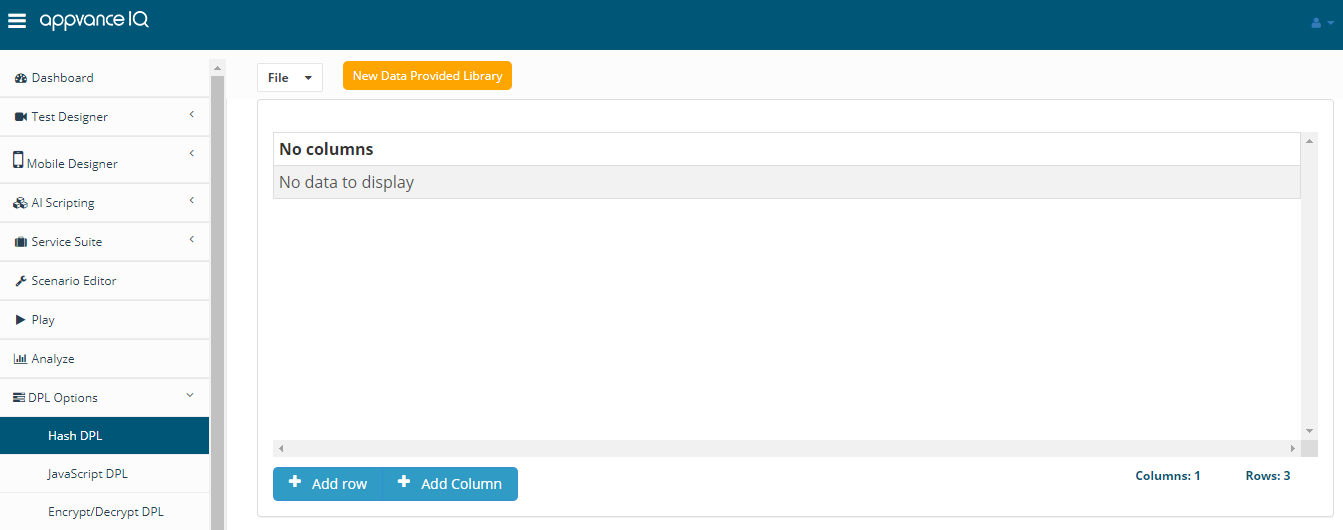
Click Add Column to createinto a newgeneric columndata-storage page.
Provide a valid name
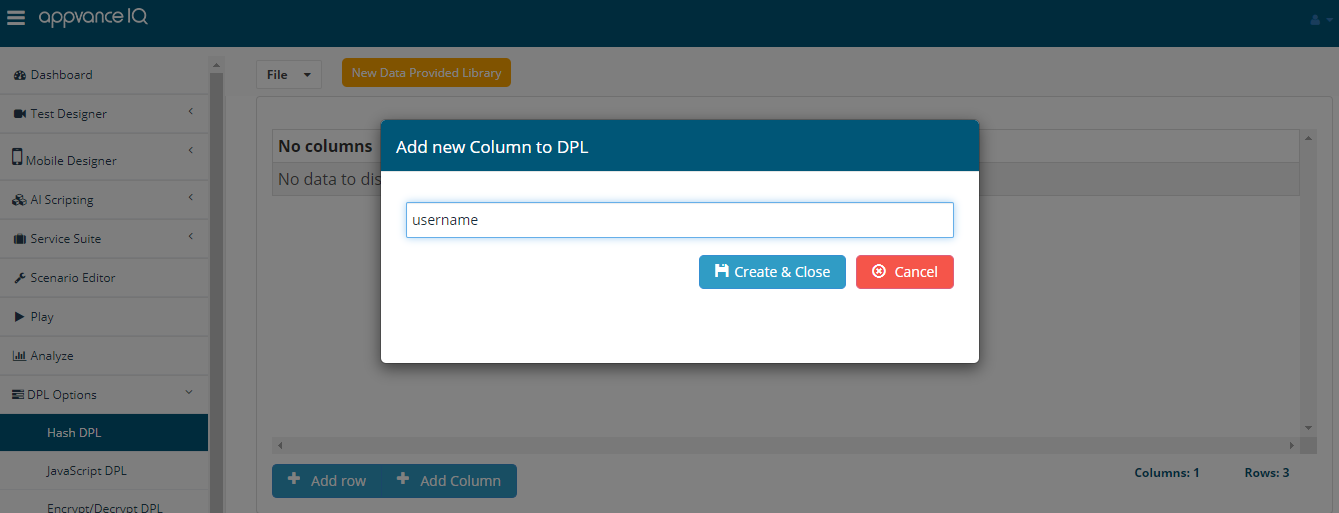
Click Create and Close
Similarly, multiple columns can be added as desired
Note: Invalid columns names are - Spaces are not allowed, Empty values are not allowed, Special characters are not allowed.
Click Add Row to add multiple rows
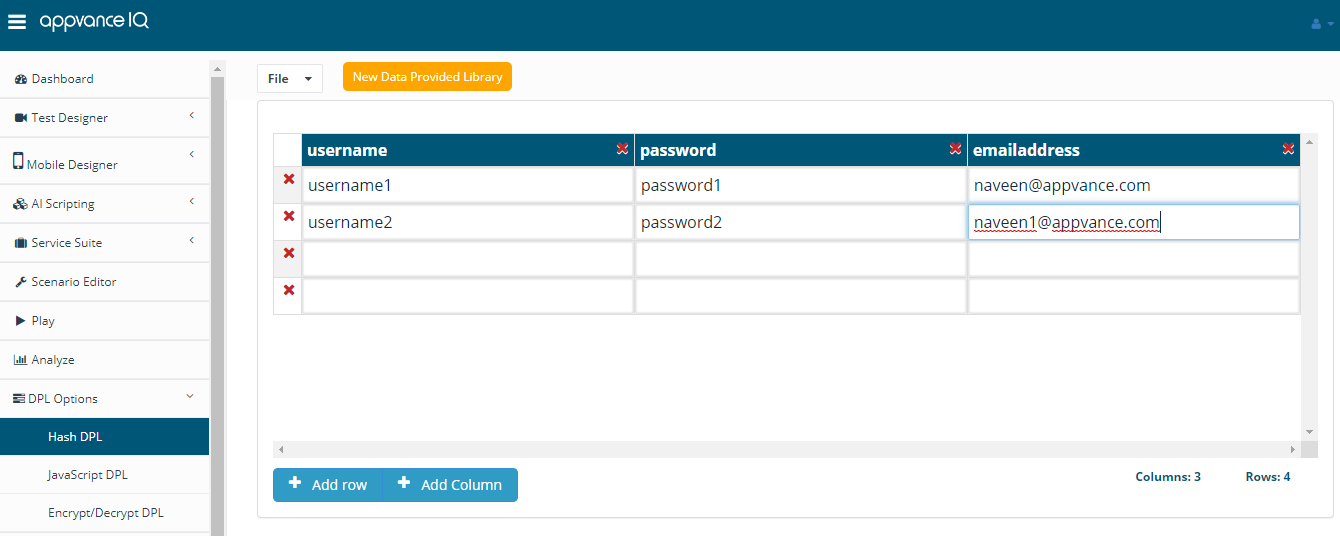
Click File > Save to Save the file with a valid file name, which can be used in Test Designer or others
Click delete rows/columns to delete the rows or columns
Right Click any cell to remove the entire column or the entire row
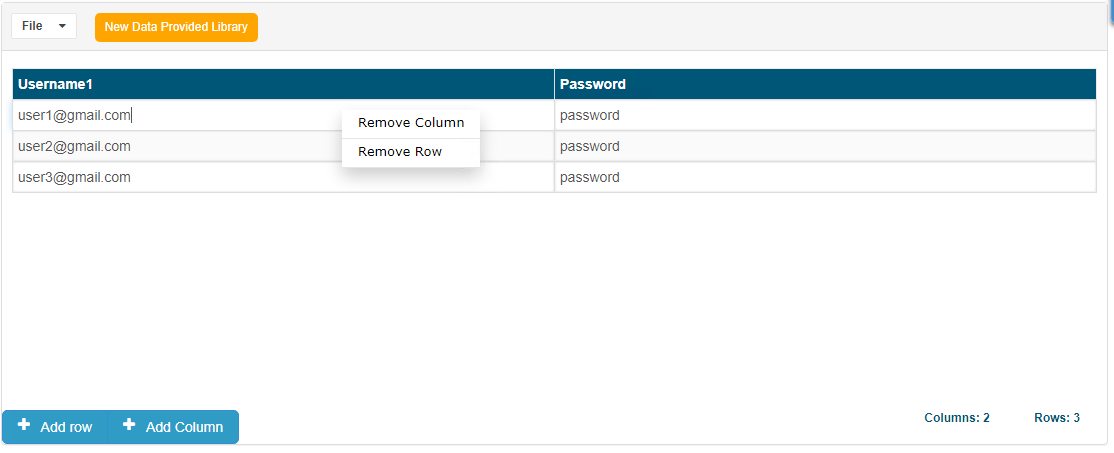
The column name field is editable, in case the names of columns are renamed, can be renamed just by editing those cells.
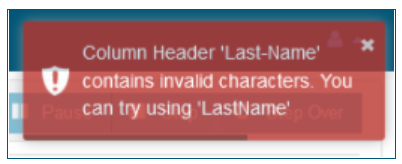
Note - Column names with special characters like - (hyphen) would not be allowed, there would be a warning message displayed and also a suggestion to try without the special character.
Last updated: AugustSeptember 14,30, 20232026
If you have any feedback on this topic, please contact us at documentation@appvance.ai.