
Use Scenario-Wide DPL Data
TheLast reviewed: September 30, 2026
Use this article when a Scenario wideEditor test needs one DPL worksdata similarlysource toavailable across multiple steps or actions in the 'UniqueDPL'same that will use existing unique service code to handle the data, and similar to the 'TheLocker' that it can provide objects and share them between different scripts. But it has the advantage that its contents will be available among different test cases and different nodes. So it is not user-dependent.scenario.
This
What DPL would be a scenario provided DPL that will always be available within the Scenario, across users and test cases, as well as across Iterations.
DPL can store or retrieve serialized objects. The data storedchanged in this warehousearticle
should be disk-based as
- Normalized the
data can grow large.The DPL System consists of 2 classes Scenario Wide DPL which is the actual DPL but also a clienttitle andtheexplained'ScenarioWideDPLService 'which is the actual service holding the data.Scenarioscenario-wide DPLhasscopetwoinactionscurrent'getNextData'Scenario Editor terms. - Added guidance for choosing scenario-wide DPLs versus step-specific data when values must be reused across the run.
- Added checks for row selection, iteration behavior, missing values, concurrency, and
'getCurrentData'. The first script will use 'getNextData', while the subsequent scripts will use 'getCurrentData', if they want to sharesensitive dataamonghandling.
Validation Inworkflow
- Choose
nextscenario-widescreenshotDPLyouonlywillwhenseemultipledatastepsshared among a HAR script and a Javascript.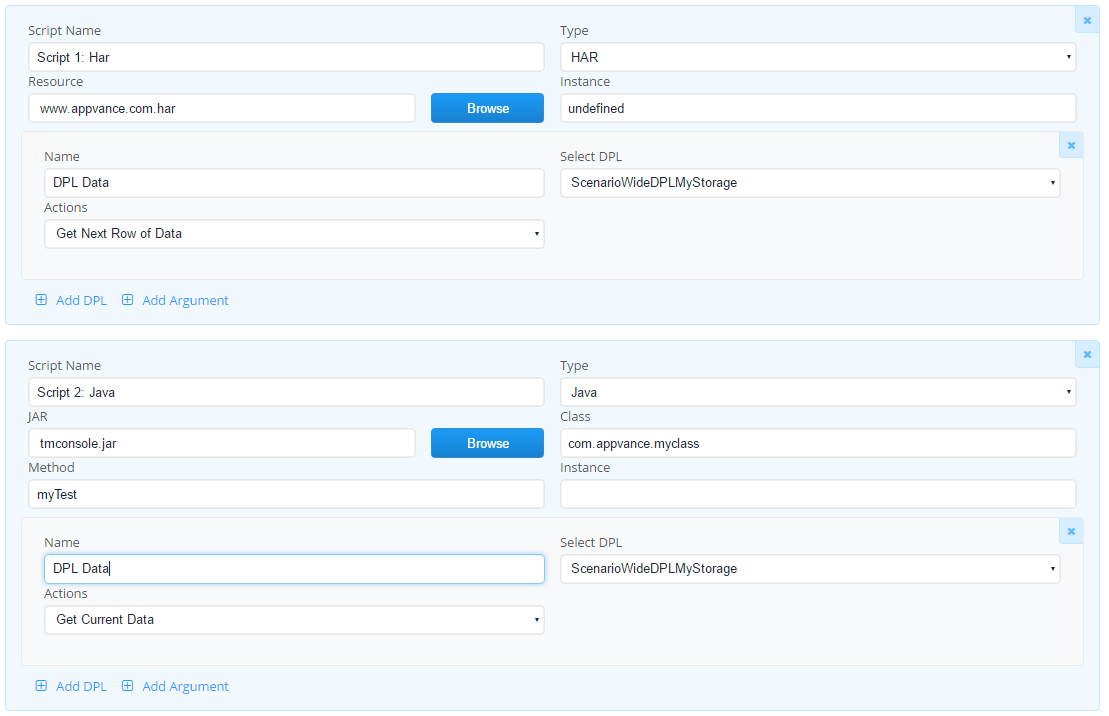
In this example whatever data goes to the HAR,need the same datawillcontext. - Validate
berowsentselectiontoandtheiterationJavabehaviormethod.with a small run before scaling. - Confirm logs and reports expose enough row context for debugging without exposing sensitive values.
UseReview case:note:
Apage usernow willdifferentiates likeshared to have a way where he can add several rows ofscenario data usingfrom aone-off set of nodes (likely during a setup), and then use them using a possibly different set of nodes (during an iteration).
The user will start Appvance is a hostname called AppvaneHost, in port 8080. For the setup user will use the tool.jar and using the class ScenarioWideDPL and the method ‘put’, will add the desired rows.
A call will be similar to
ScenarioWideDPL swdpl = new ScenarioWideDPL();
swdpl.setup("URL","Storage Name",false);
URL: Instance running Appvance (required). This machine will run the service that will control the delivery of unique data among test nodes and users.
Storage name: the name of the storage.
NOTE: Two DPLs with the same URL and different storage names will not share any data, Two DPLs with the same URL and same storage will share the samestep data.
False – Print Scenario Wide DPL access – Set to true or false. Print Scenario Wide DPL access: Indicates if the server should print every time a new row has been added or removed. This message will be printed in Options-> Local Output logs.
Example: swdpl.setup("http://AppvanceHost:8080","MyStorage",false);
During testing user will use the scenario builder to pass data to the test cases, in order to pass the data user will first define the DPL in resources
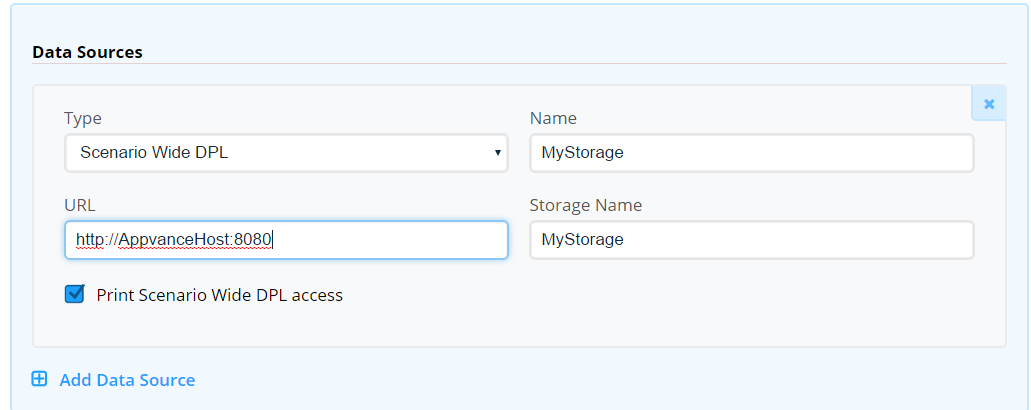
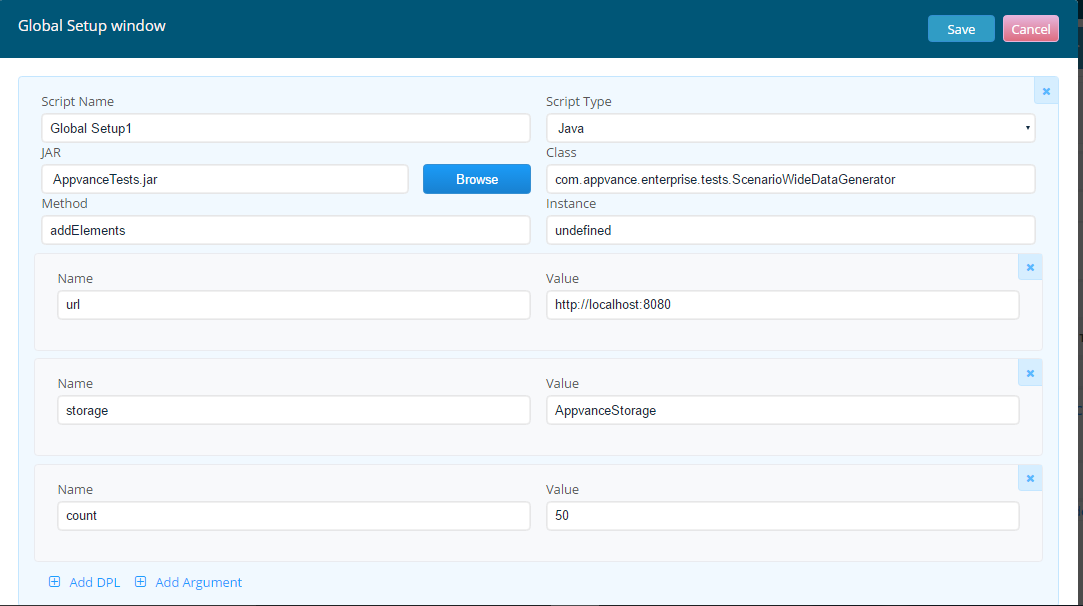
Users can add Global set up using Java (or TestNG) script type to store data in Storage and pass it back to 'getNextData' method.
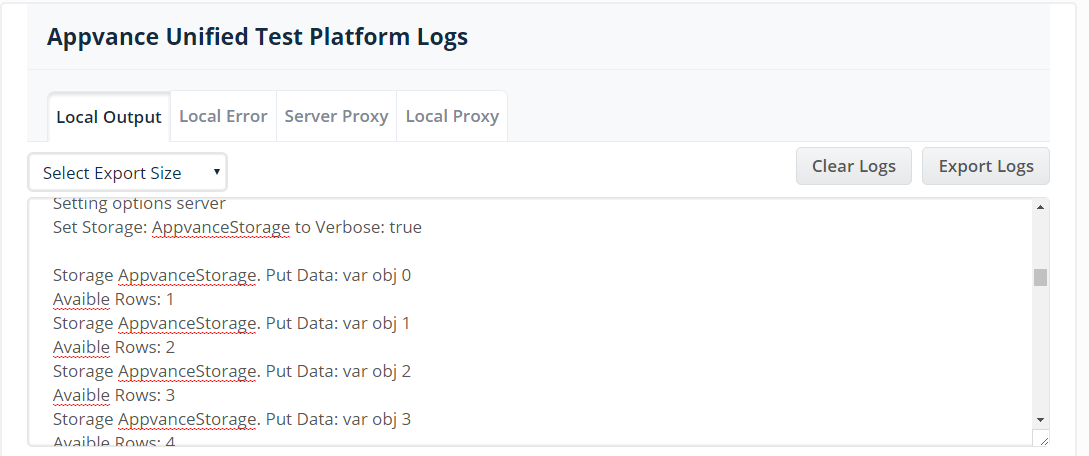
If the show storage activity is checked, in the console it will show when a new row is being added or used.
Last updated: September 01,30, 20232026
If you have any feedback on this topic, please contact us at documentation@appvance.ai.