
Extract and Validate PDF Content
Extract and Validate PDF Content
FromUse AppvancePDF IQcontent itextraction when a Scenario Editor test needs to confirm that a generated PDF contains expected text or values. This is possiblemost touseful readfor ainvoices, pdfstatements, documentconfirmations, reports, and isother possibledocuments toproduced assertby the application under test.
Recommended workflow
- Generate or download the PDF during the test run.
- Extract the relevant text from the PDF output.
- Validate only the stable business values needed for
athestringtest objective. - Record enough evidence in the
wholeexecutiondocumentoutputortoyoudiagnosecanfailures.
Good mentionpractices
- Avoid
forvalidatingcontentfullondocuments when aspecificsmallpageset of fields proves thedocument.behavior. - Normalize
Allwhitespace,fromdates,ScenarioandBuilderdynamicAssertions.valuesThebeforebelowcomparisonexamplewhenshowsneeded. - Keep
anexpectedexamplevalues in approved test data sources instead ofhowhard-codingthisthemcanintobemultipleachieved.A simple java file was created which browses the pdf document and a jar file was created out of the java file.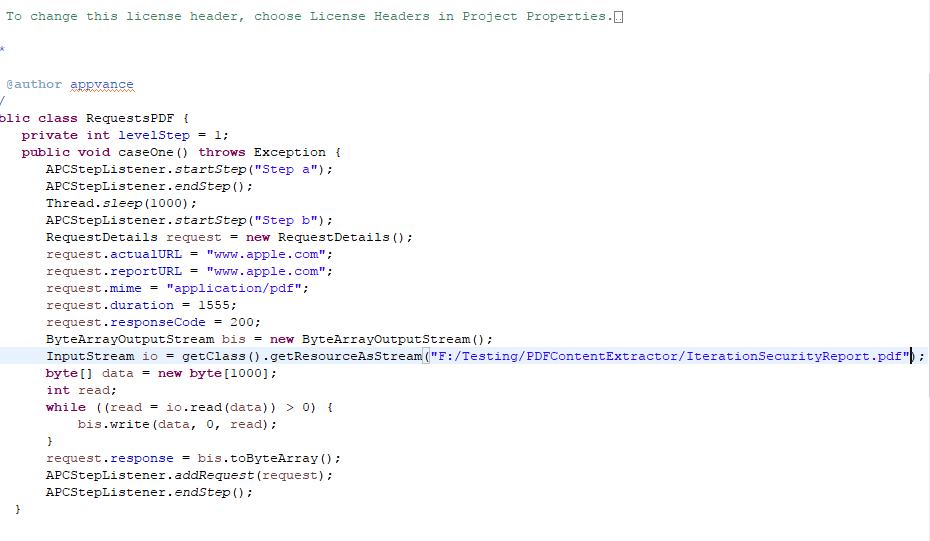
Go to Scenario Builder and create a functional scenario with the script type being 'Java' and provide the Class and the method name as desired and browse the jar file.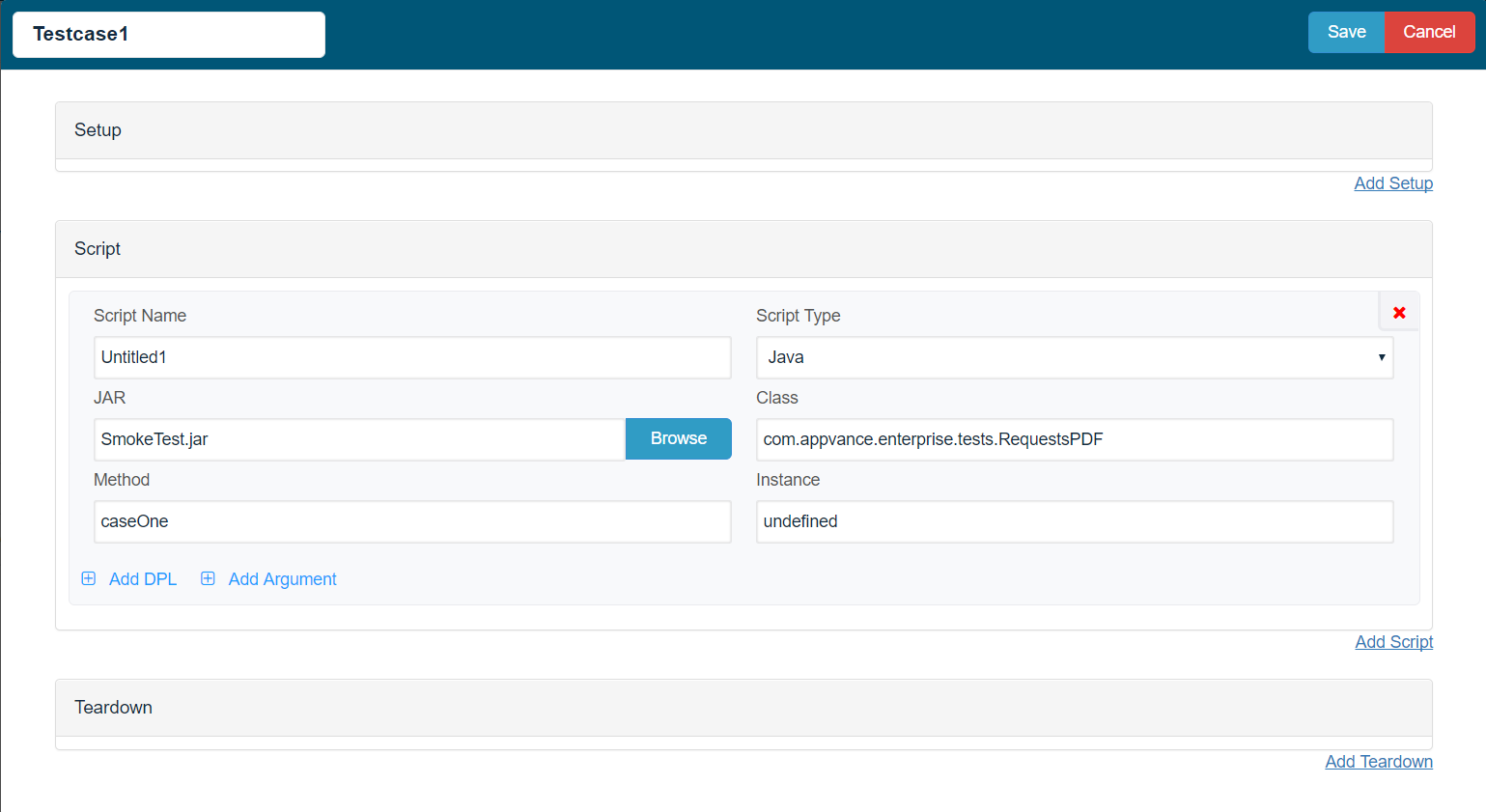
Save the scenario and Play the scenario.Once the scenario is played back successfully, go to the Validation Suite tab and select the required assertions from the drop-down available.You can choose the test-case, from the drop-down and also choose the step / RequestAnd provide the expected Value (Expected text that we are looking for from the PDF), Format can be chosen as PDF and the target can be a Page number
A regular expression
or the full document itself.
Once those entries and made, from the Scenario Builder, refresh the scenario to have those assertions added. Check the below screenshots for reference.
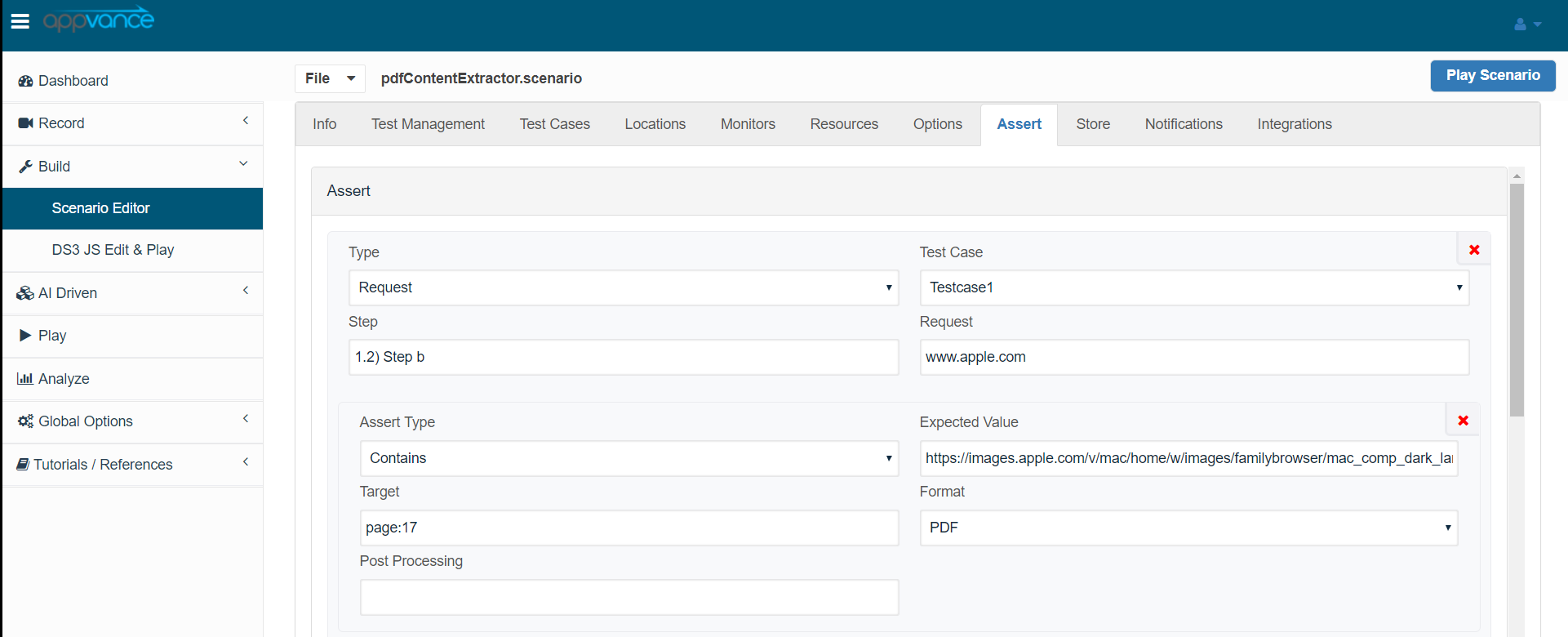
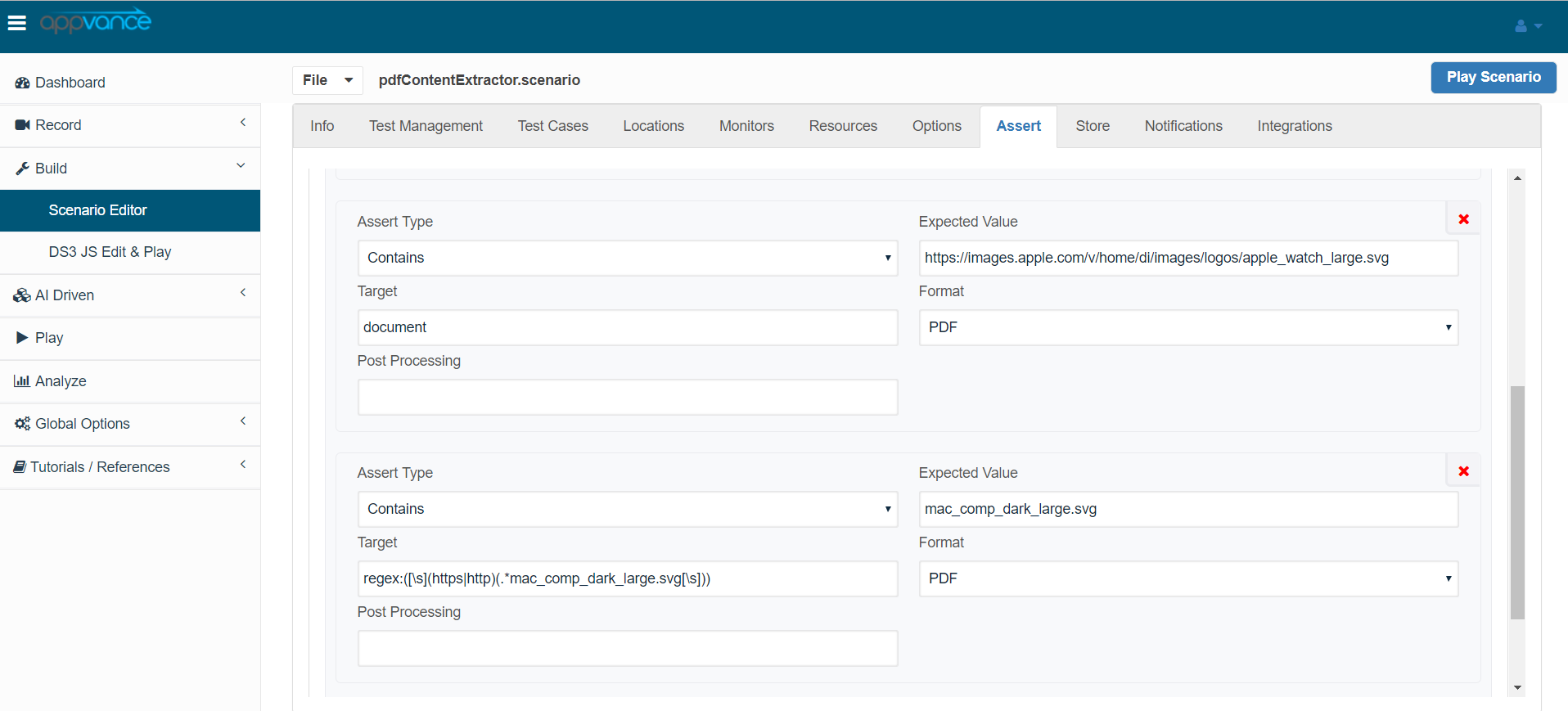
Save the scenario again and playback the scenario to check the results of the pdf validations.
Last updated: JuneSeptember 26,18, 20232026
If you have any feedback on this topic, please contact us at documentation@appvance.ai