
Fallback Accessors for Mobile Testing
Recommended
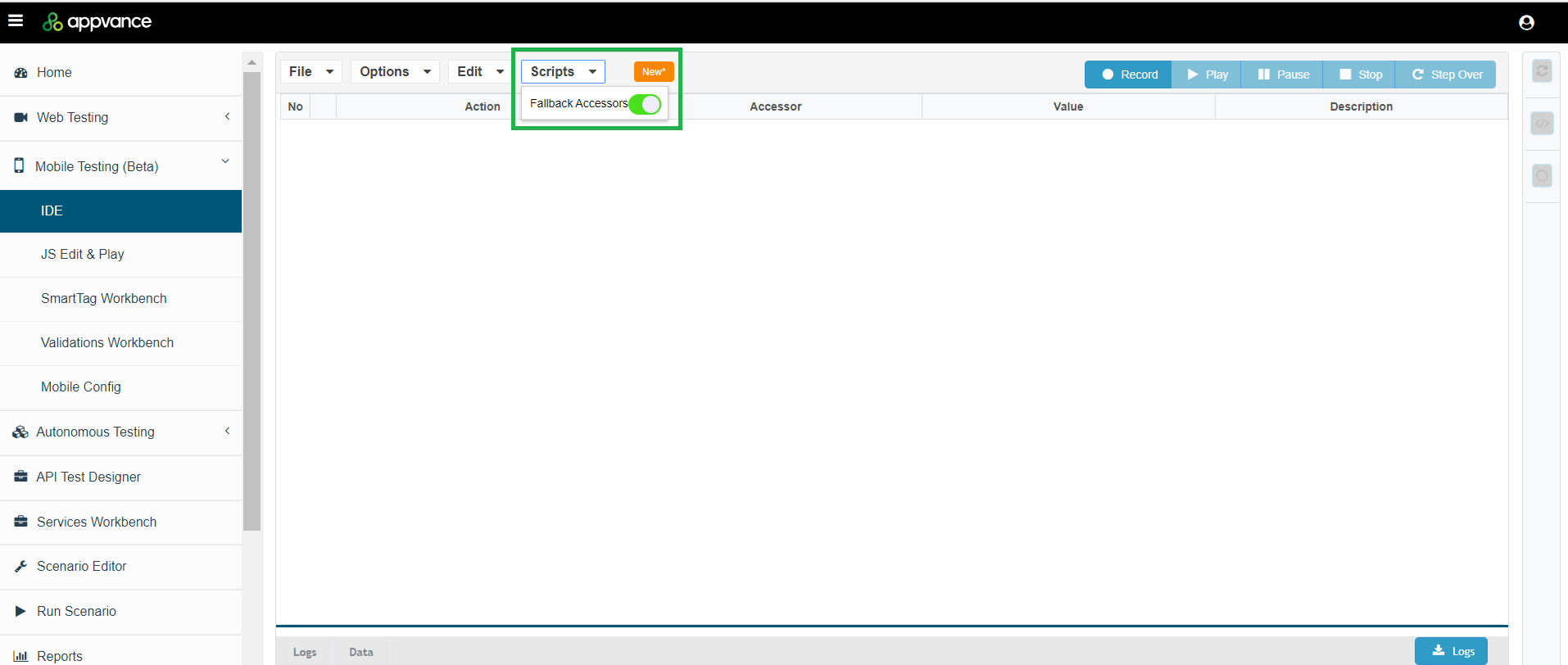
The guidanceFallback Accessor option was been added for playback in the Mobile Testing IDE in the 4.9.5 release of AIQ.
You can enable the Fallback accessorsAccessors helpoption mobileso teststhat AIQ keeps test running if an accessor fails or has changed, by automatically choosing other available accessors.
If Fallback Accessors are enabled, AIQ will try one time for each accessor. If an accessor fails then it will scroll down and again try again each accessor one time and scroll until it reaches the end of the page or reaches maximum number scrolls.
The scrolling logic will scroll up to ten times, depending on what it locates. If it is not locating elements, it will stop before it reaches ten. If it is locating elements, it will continue tountil identifyten.
If Fallback Accessors disabled, playback will function as it currently does. Tests may fail if an accessor fails or has changed.
Enabling Fallback Accessors
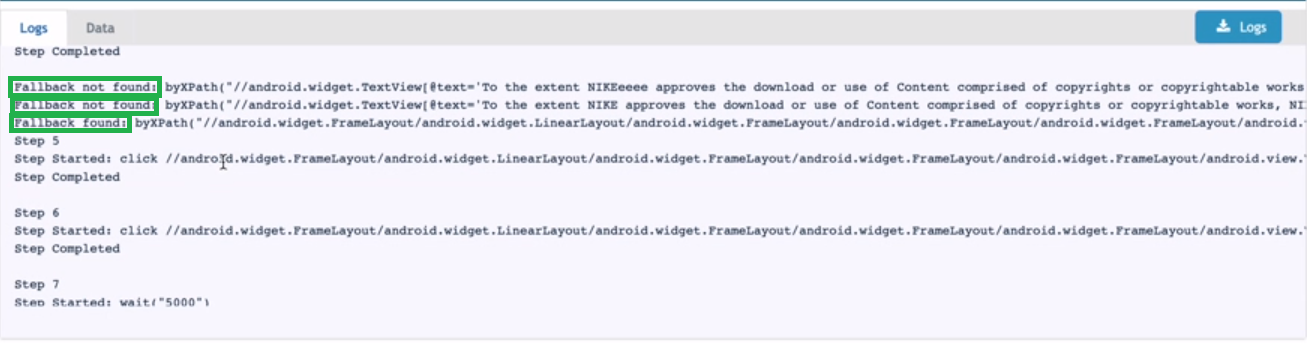
Playback Log
The playback log will indicate when a fallback shouldaccessor is not located and when a fallback accessor is located.
About Visual Accessors and Fallback
An accessor is a string that when evaluate finds a browser object.
Every accessor has a fallback attribute which mean they will be used as fallback if the global fallback option is enabled.
Image accessor are a byImg JS string in the AIQ engine.
Target is the main accessor, the first element, and only visible in the script UI target is always fallback enabled.
Other accessors are called fallback targets and could be used for fallback only if their fallback attribute is enabled.
An accessor matches a browser object if, when evaluated it finds the same intendedbrowser element,object. not merely a similar visible control.
When
Mobile frameworks generate dynamic IDs or slightly different element trees.Android and iOS expose different locator attributes for the same user action.Responsive layouts or device sizes affect element position.Self-healing requires a controlled alternative locator.
Validation
Confirm the primary and fallback accessors identify the same business control.Test on the target device types, orientations, and OS versions.Prefer accessibility labels, stable resource IDs, and meaningful text over coordinates.Document why the fallback exists and when it should be reviewed.
Last updated: OctoberApril 6,11, 20262024
If you have any feedback on this topic, please contact us at documentation@appvance.ai