
Mobile Designer - New User Interface Overview
Legacy
A referencenew Mobil Designer interface was added in the 5.2.0 release of AIQ. It aligns perfectly with modern editor capabilities offering a more flexible and intuitive user experience that makes testing tasks easier and more efficient. The new Mobile Designer user interface is similar to the new Web Designer user interface that was introduced in AIQ release 5.0.0.
ThisSee pagean describesintroductory avideo showing the new Mobile Designer interface thatin shoulduse.
be
To legacyaccess unlessthe aMobile customerDesigner, from AIQ navigate to Home > Mobile Testing > Mobile Designer.
This is stillan maintainingexample olderof assets.the Current guidance should use AIQ mobile testing and Scenario Editor terminology.
Use this page for
Migration context from oldernew Mobile Designerassets.Understandinginterface.historicalUI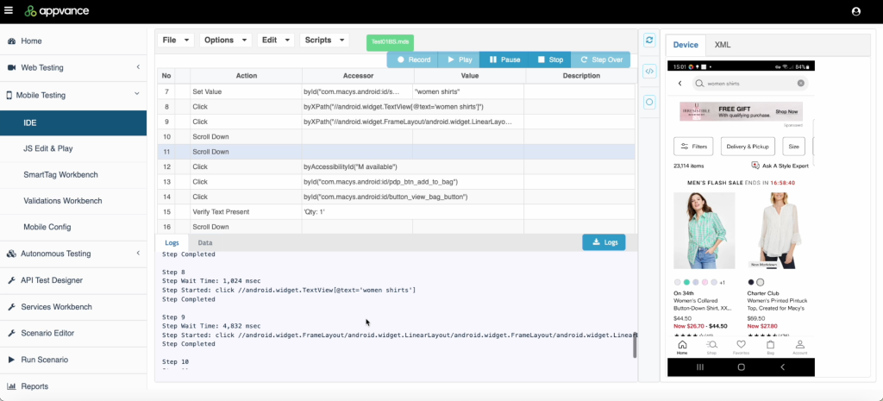
labelsOverview of Mobile Designer Controls and Icons
Icon / Control Function
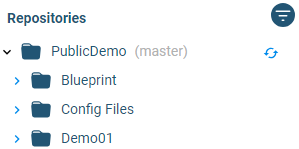
Repository pane. Displays the contents of your repository. You can sort and filter using various controls.

Repository / Quick Access toggle. Switches the File Manager pane between the repository and quick access views.

Filter. Allows you to filter the items displayed in the File Manager.

Sort by Name / Sort by Type. Sorts the contents of the File Manager pane by name or
screenshots.by type.
Refresh Repository. Refreshes the display of the File Manager pane.

Editing controls menu.
- Save
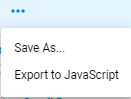
Additional save and export options menu. Lets you

File Manager toggle. Shows/hides the File Manager pane.

Console toggle. Shows/hides the Console

Mobile Device selection control. Controlled by the mobile documentation.configuration that you created for your test.
See Mobile Configuration for more information.

Test controls.
Current
Useactive
Open Test Options menu. See Mobile Designer Test Options Details for more information.

Menu bar for interacting with a Mobile
TestingConfigurationandfile.ScenarioEditor
articlesYou can:
- Select a configuration file
See Mobile Configuration for newmore work.Moveinformation.
Last updated: OctoberSeptember 7,18, 20262024
If you have any feedback on this topic, please contact us at documentation@appvance.ai