
Mobile Record From Here
LastThe reviewed:Record Septemberfrom 22,Here 2026
Useis thisavailable article when beginning a mobile recording workflow for AIQ mobile testing.
Recommended guidance
Confirmin themobile device, app, and network are ready before recording.Keep recordings focused on a single business workflow.Clean up recorded steps before turning them into maintainable tests.
Validation workflow
Prepare the device or simulator and verify AIQ can communicate with it.Launch the application under test and start the recording from the supported AIQ mobile workflow.Perform the target user journey slowly and consistently.Stop recording and remove noise or duplicate steps.Replay a small validation before adding assertions or data.
Note: Mobile recordingDesigner. Record From Here is a startingdebugging point.option Reviewthat you can use to add more steps to existing test scripts.
This option was added in the AIQ 4.9.3 release. Previously, this option was only available in the Web Designer IDE.
To use the Record from Here option:
Open a test script.
Select a step within the script.
Right-click and stabilizeselect Record From Here.
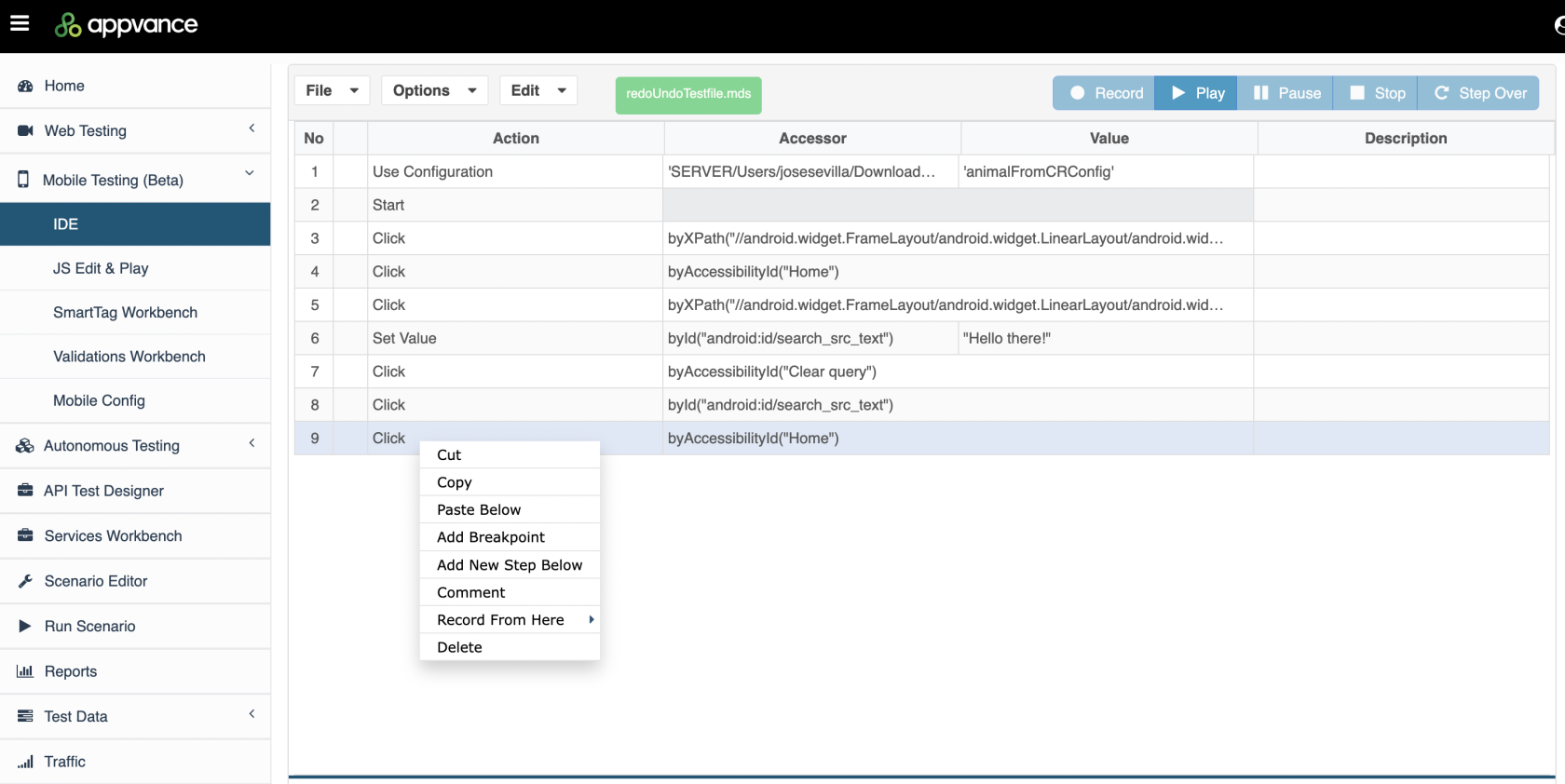
Select the generatedbrowser. scenario
The it.script will playback up to this point, and you will be able to continue to record adding additional steps into your scripts.
Last updated: SeptemberJuly 22,17, 20262023
If you have any feedback on this topic, please contact us at documentation@appvance.ai.