
Mobile Testing Configurations
These are the three supported configurations for testing mobile apps with AIQ.
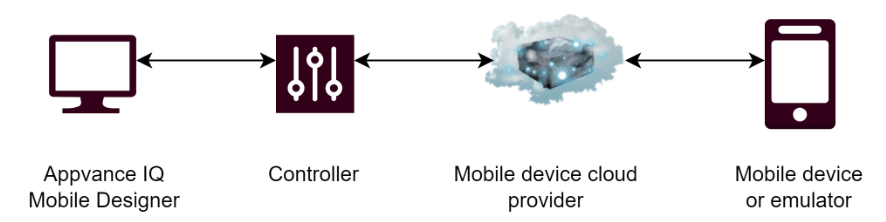
AIQ and Mobile Devices in the Cloud
-
User connects their local session to the AIQ instance in the cloud.
-
AIQ cloud instance is connected to a mobile cloud provider.
-
Mobile cloud provider facilitates a connection to either an emulator or real device.
-
User is only required to connect to their AIQ EC2 instance using a web browser.
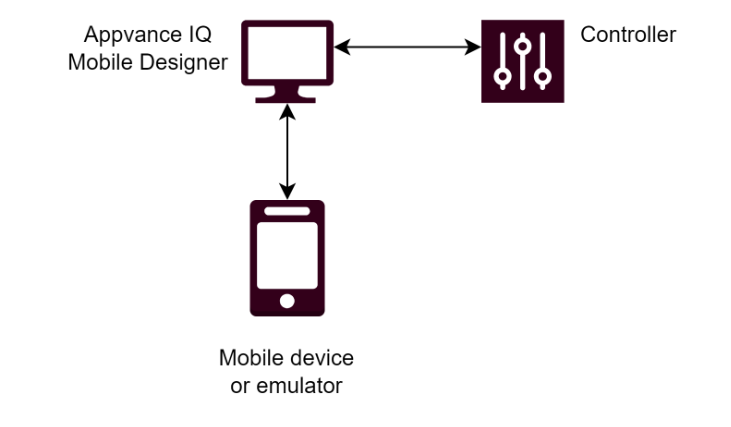
AIQ in the Cloud with Local Mobile Devices
-
User connects to AIQ in the cloud.
-
User has local mobile devices and emulators.
-
Local computer acts as a relay for the mobile data between the local session and the cloud.
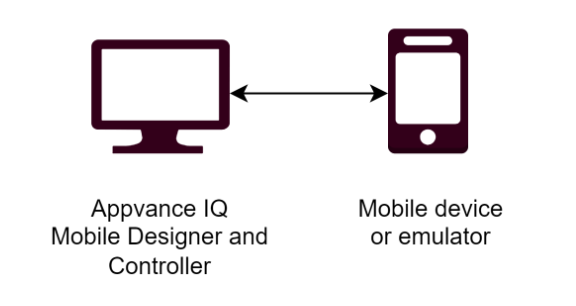
Everything on the Local Machine
-
User installs and configures AIQ on their local machine.
-
Local machine has mobile devices connected or running as emulators.
-
Everything runs on the local computer.
Last updated: April 11, 2024
If you have any feedback on this topic, please contact us at documentation@appvance.ai