
Drag
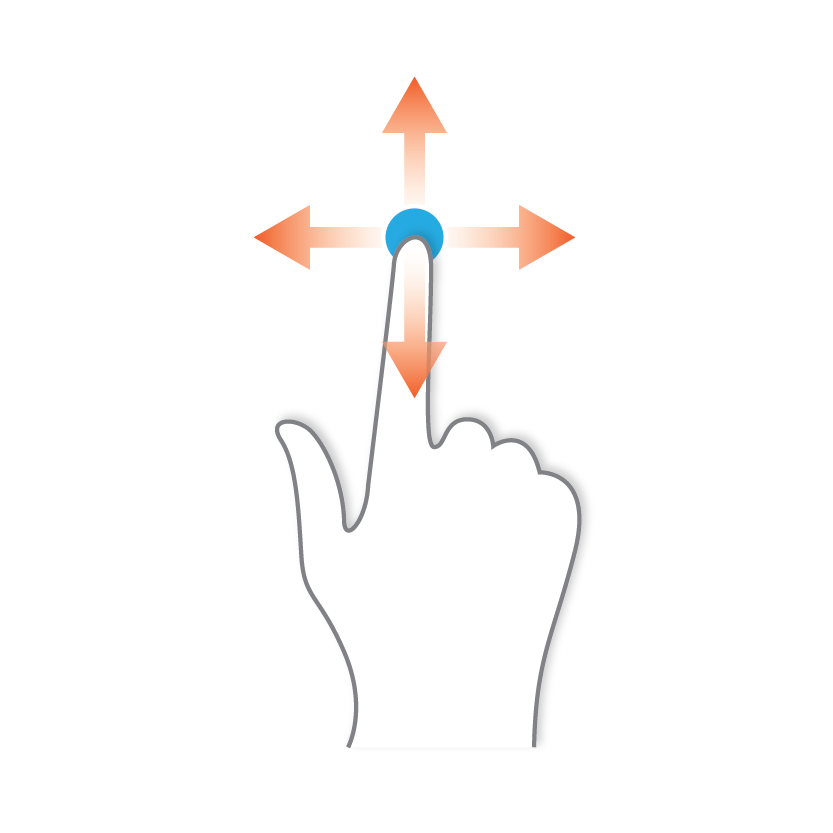
You can perform Drag functions. These function mirrors users performing the pinch and zoom gestures. The following example shows this function in Google Maps.
This was added in the AIQ 5.0.0 release.
-
In the Device tab, select a point.
-
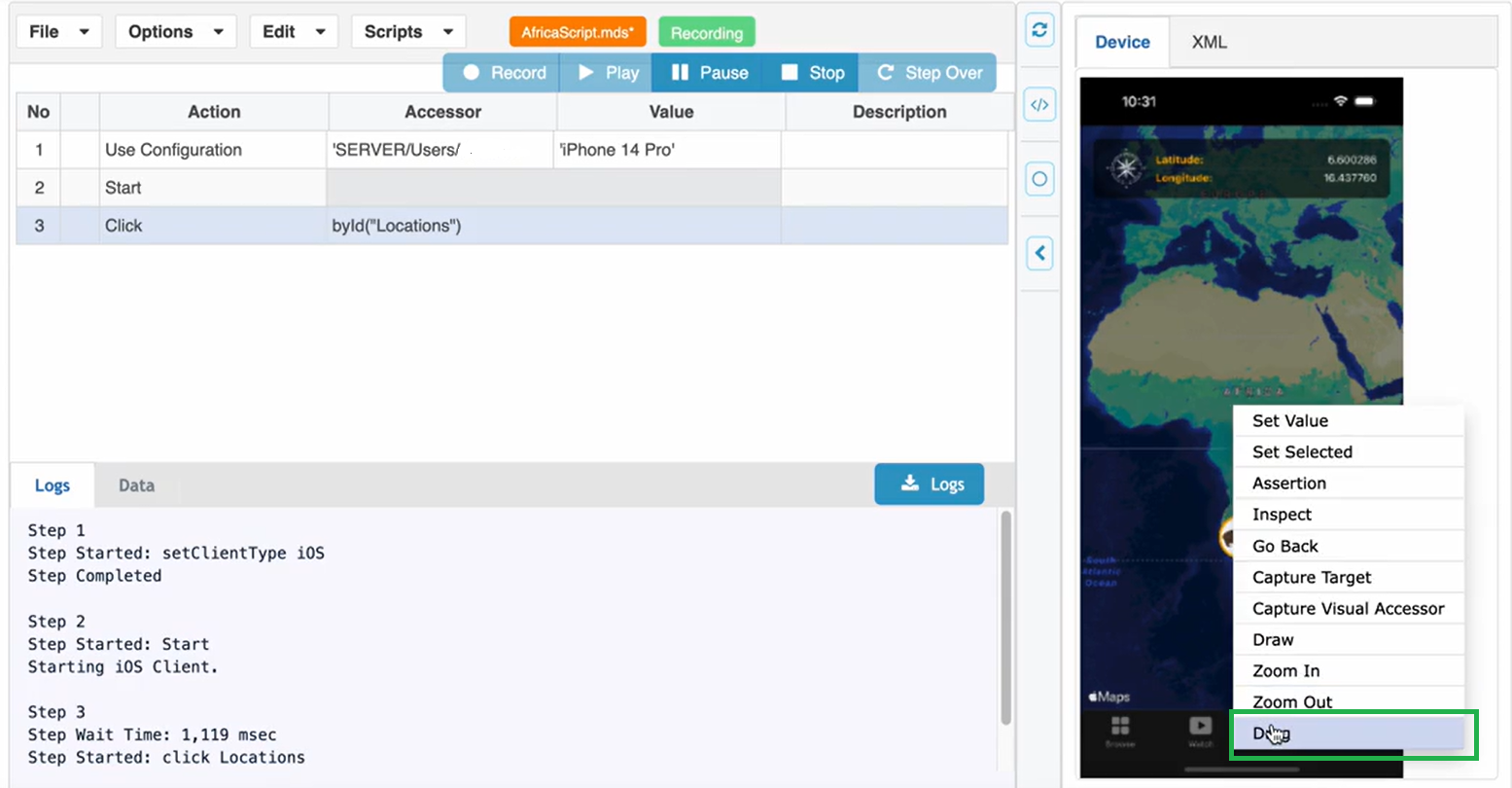
Right click and select Drag.
-
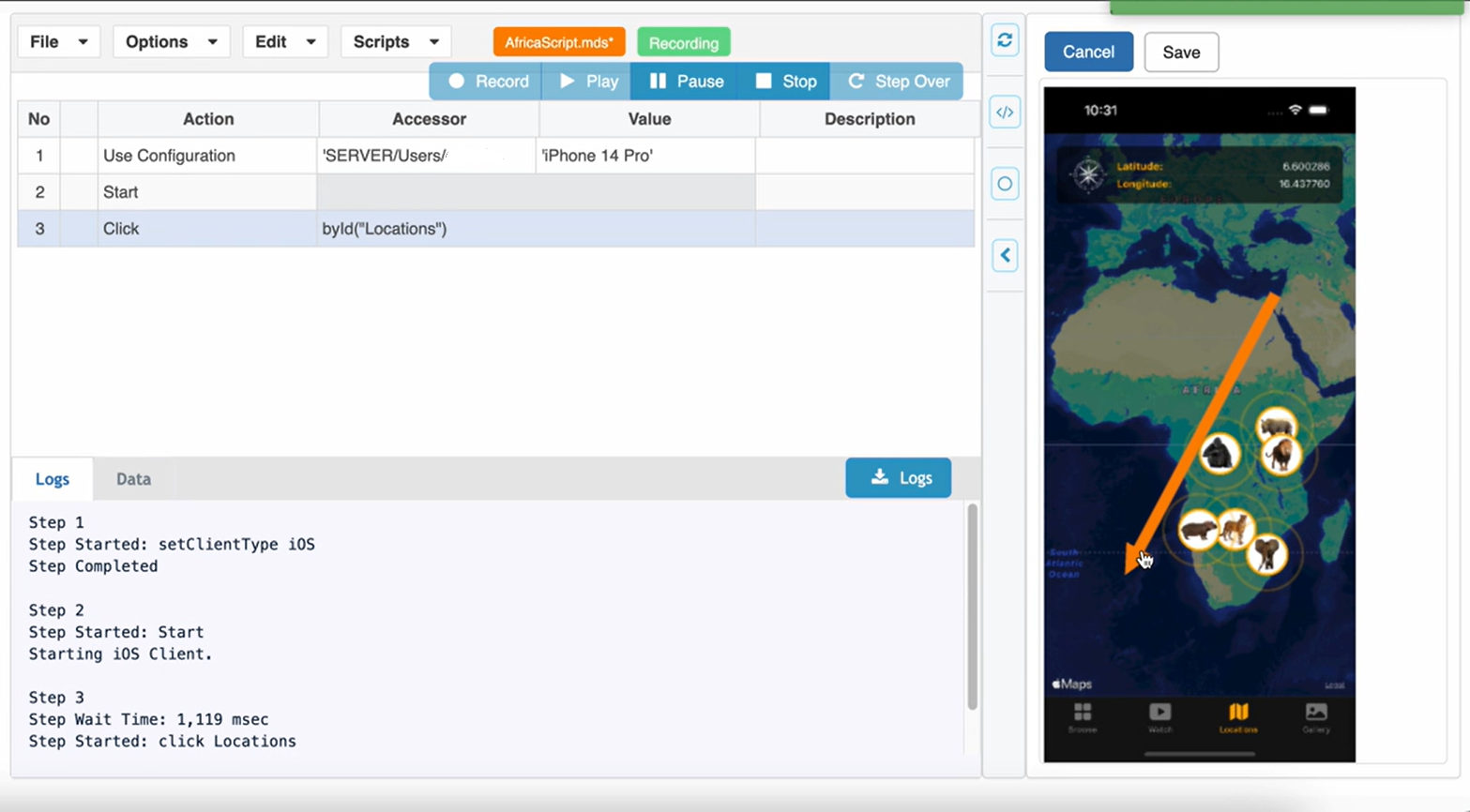
Draw the drag arrow and click Save.
-
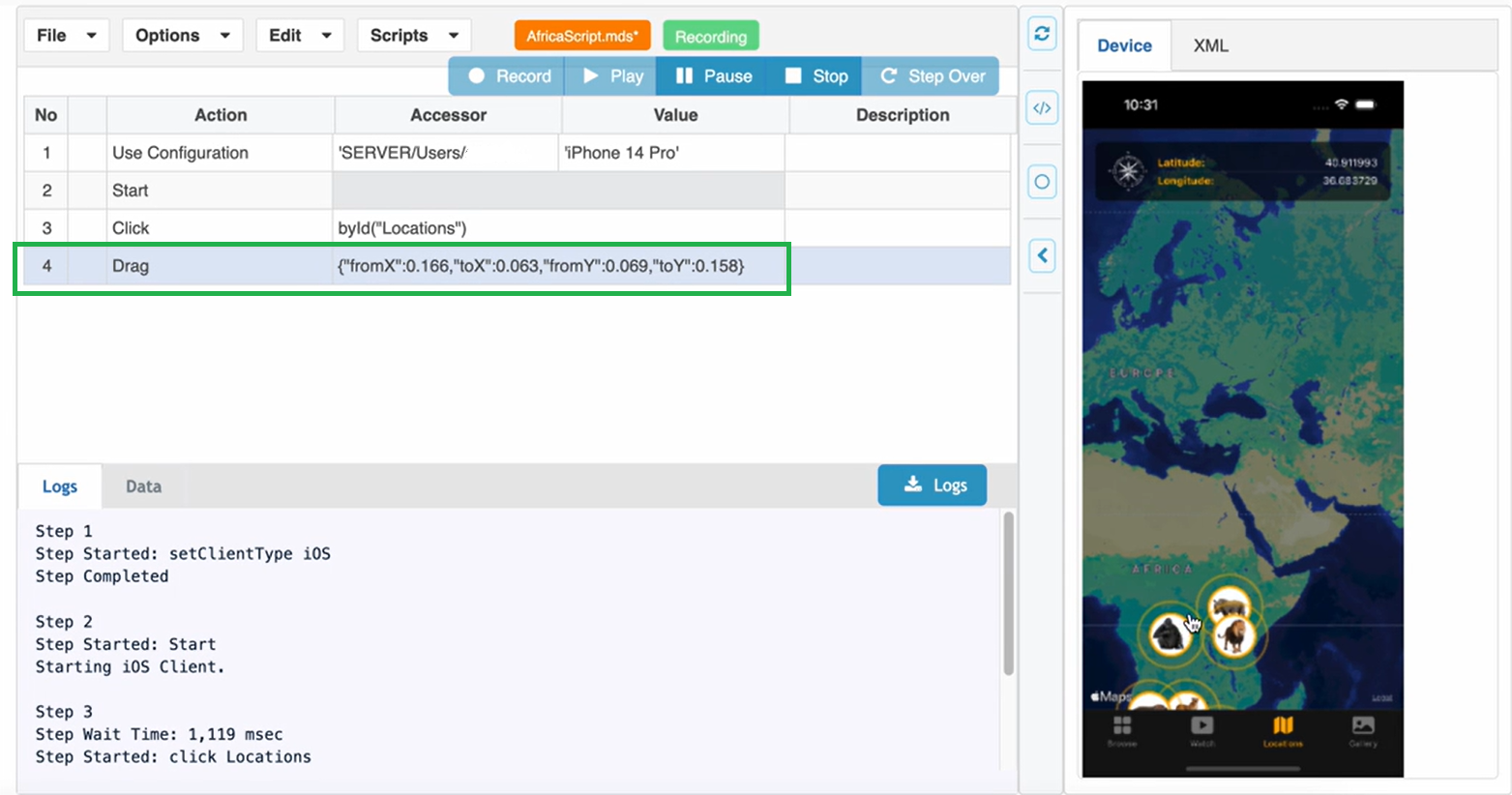
The Drag action is performed and recorded.
Last updated: January 30, 2024
If you have any feedback on this topic, please contact us at documentation@appvance.ai