
Image Injection
Use
The Set Camera Image Injectionfunction inallows AIQyou Mobileto Testingset
Image injection lets a mobile test provide a controlledan image to be used when triggering the applicationcamera underduring a test. For example, you could use this to inject a QR code into your test script.
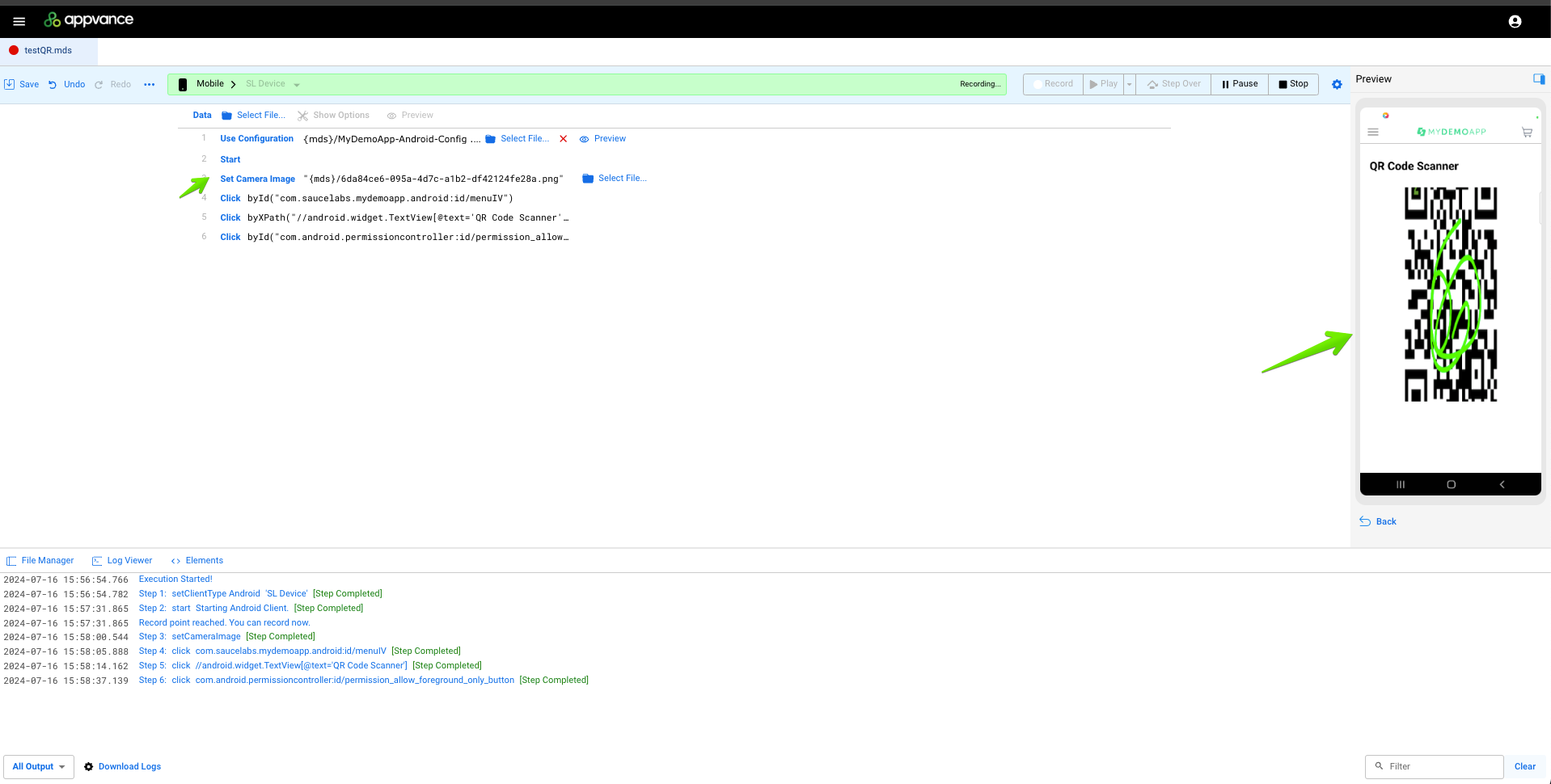
Compatibility Summary
Service
iOS
Android
Requirements
Device
Simulator
Device
Simulator
On Premises
Not supported
Not supported
Not supported
Supported
Update emulator settings.
Sauce Labs
Supported
Not supported
Supported
Not supported
Add capability: sauceLabsImageInjectionEnabled: true
BrowserStack
Supported
Not supported
Supported
Not supported
Add capability: enableCameraImageInjection: true
LambdaTest
Supported
Not supported
Supported
Not supported
Add capability: enableImageInjection: true
On-Premises
Available for Android emulators only when running AIQ locally.
When running AIQ on an EC2 we don’t have access to JAVA_HOME environmental variable nor the local file system, hence we can’t override the emulator settings.
Android Emulator Setup
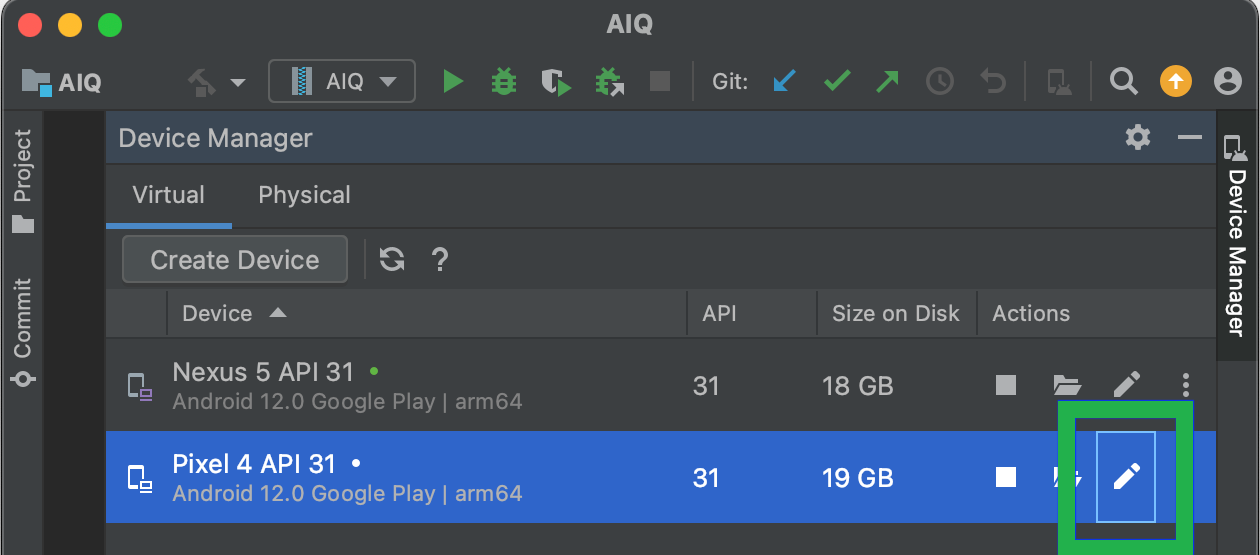
From Android Studio open the Device Manager.
Click the Edit button for the emulator that you want to use.
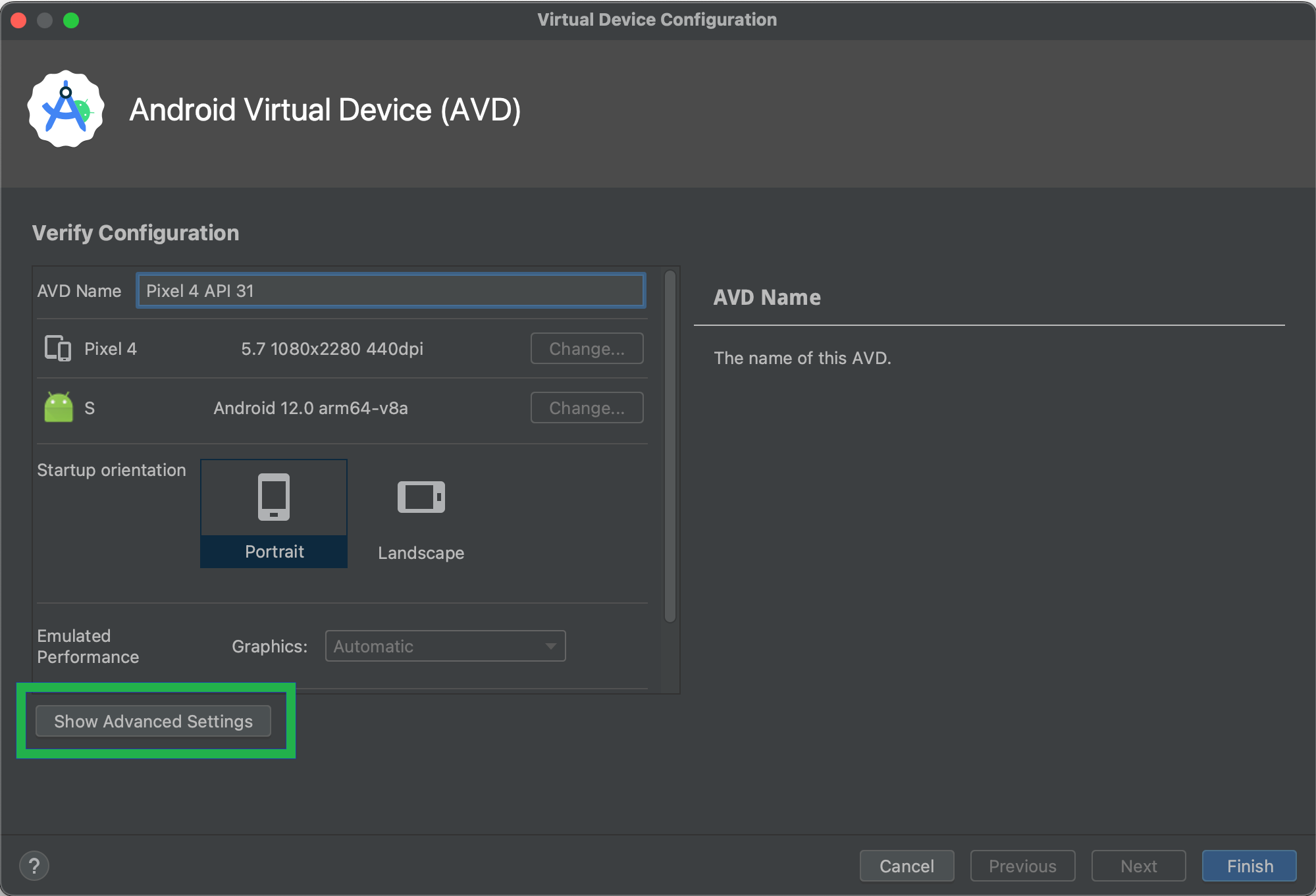
In the Virtual Device Configuration window, click Show Advanced Settings.
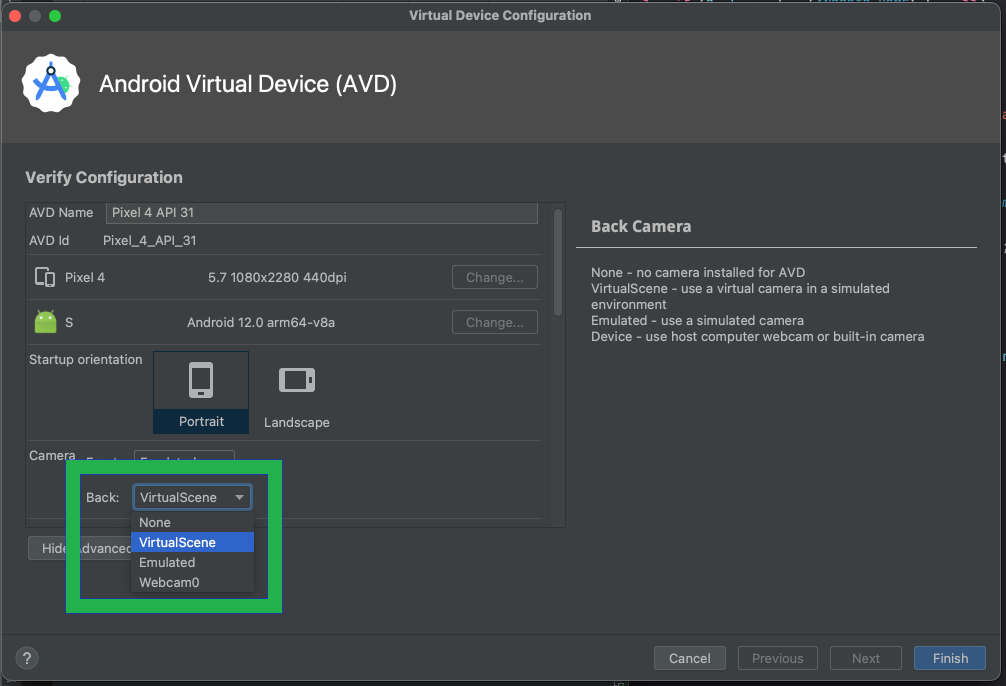
In the Camera section select VirtualScene from the drop down.
Click Finish.
Sauce Labs
Available for Android and iOS physical devices only. There’s support for native apps only.
The config file’s capabilities need to include the following field:
"sauceLabsImageInjectionEnabled": "true"
Sauce Labs' App Config
Login into your Sauce Labs account.
Go to App Management.
Click the Settings button for the app you want to use.
Turn the Image Injection switch on.
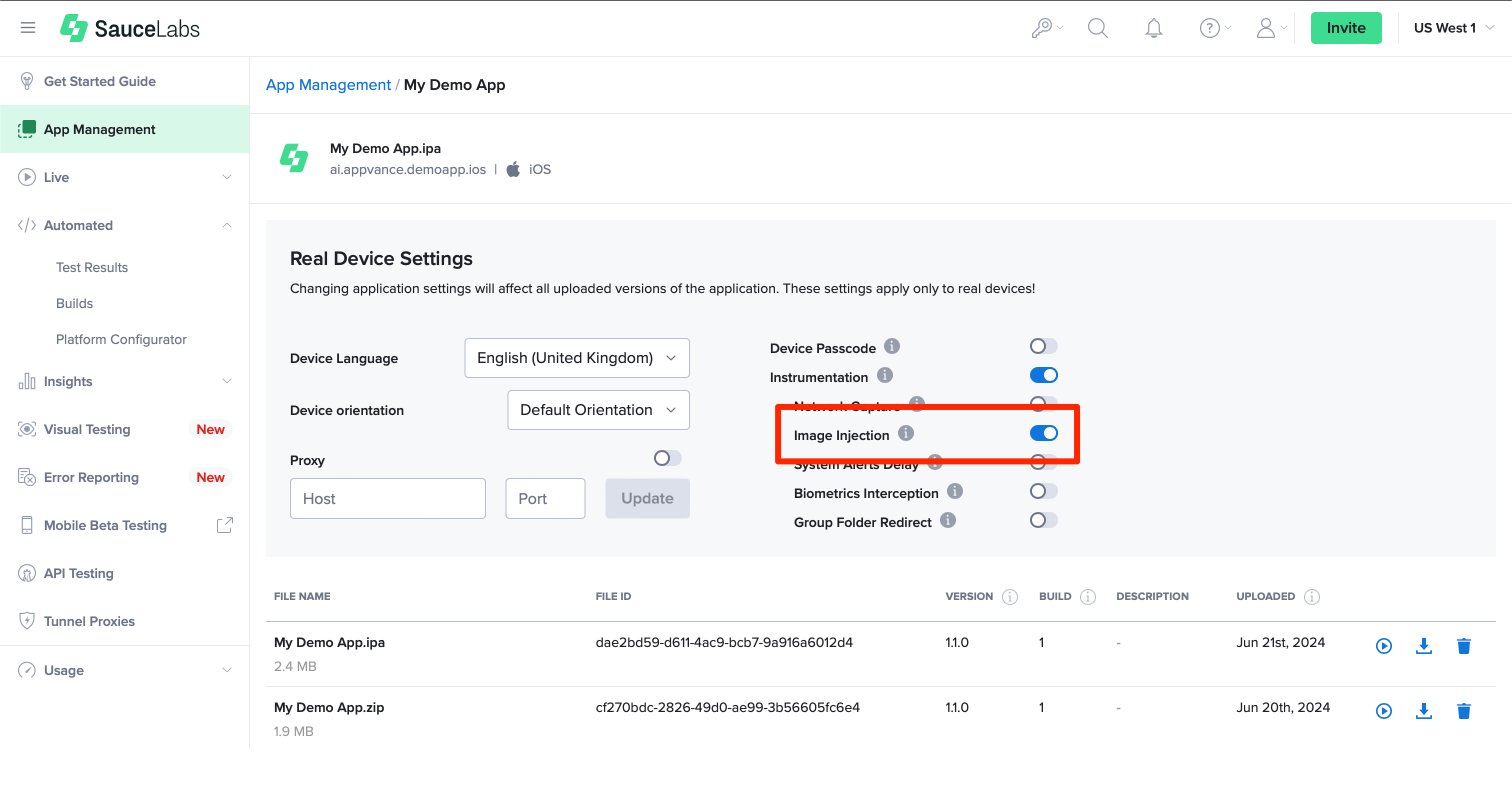
Supported APIs
Android System Camera
For Android devices, there are multiple ways to capture an image, as described in the Android Camera API developer documentation. AIQ supports the following:
ACTION_IMAGE_CAPTURE Opens the system camera and notifies the calling app when the scenarioimage needsis repeatabletaken.
camera2 visual-inputAPI: behavior.Everything Useis controlled test imagesconfigured and avoidhandled customer-sensitivefrom content.within the app.
When
cameraX: Leverages the capabilities of camera2, but uses a simpler, use case-based approach that is lifecycle-aware.
Camera API (deprecated): partially supported. As with camera2, everything is handled in the app itself. QR Code readers often use Camera#setPreviewCallback. We pass the injected image to usethis imagemethod, injection
Testing flows that askbut theuser to upload or capture an image.Validating OCR, barcode, QR code, document, or visual-recognition behavior.Replacing manual camera interaction with a repeatable test input.Confirming how the application handles valid, invalid, or edge-case image files.
Validation workflow
Select a small setrest ofapprovedthistestdeprecatedimagesAPIwithisknownnotexpectedsupported.results.ConfigureUItheElementsmobilewillenvironmentnotsolikelythe application receivesdisplay the injected image.
iOS System Camera
For iOS devices, the camera can be configured with different outputs. AIQ supports the following:
AVCapturePhotoOutput: for capturing still images. The results are received via the AVCapturePhotoCaptureDelegateand the method captureOutput:didFinishProcessingPhoto:error: The other methods in this delegate are either deprecated or handle live photos, which we don't support.
AVCaptureVideoDataOutput: for capturing video frames and processing them. The frames are received via AVCaptureVideoDataOutputSampleBufferDelegate and the method captureOutput:didOutputSampleBuffer:fromConnection:.
AVCaptureMetadataOutputfor reading QR-Codes. The QR Codes are passed to the app via captureOutput:didOutputMetadataObjects:fromConnection:. We are detecting the AVMetadataMachineReadableCodeObject and QR Codes are part of that.
Sauce Labs documentation is available here.
BrowserStack
The config file’s capabilities need to include the following field:
"browserstack.enableCameraImageInjection": "true"
Supported APIs
Camera image injection is supported for the screen,following uploadedCamera file,APIs. extractedCheck text,with oryour downstreamapp record.
OS
OS version
Supported APIs
iOS
iOS 13 and above
didFinishPickingMediaWithInfo API of UIImagePickerController iOS SDK class for capturing an image. For more details, please check Apple documentation.
AVCapturePhoto iOS SDK class for receiving captured photos from AVCapturePhotoOutput API. For more details, please check Apple Documentation.
jpegStillImageNSDataRepresentation of AVCaptureStillImageOutput iOS SDK class. For more details, please check Apple documentation.
Android
Android 6 and above
android.hardware.camera.PreviewCallback API for API level 1-20
android.hardware.camera2.CameraManager, android.hardware.camera2.CameraDevice, android.hardware.camera2.CameraCharacteristics, android.hardware.camera2.CameraCaptureSession, android.hardware.camera2.CaptureRequest, android.media.ImageReader APIs for API level >=21
Camera Intent API
Browser Stack full documentation here.
LambdaTest
The config file’s capabilities need to include the requiredfollowing devicefield:
"enableImageInjection": "true"
LambdaTest App Setup
1. Login to your LambdaTest account.
2. Go to App Testing under Real Devices.
3. Hover the Settings icon and review evidence.
Data-safety note: Do not inject real customer documents, IDs, or private images unlesstoggle the customerImage hasInjection explicitlyswitch approvedon.
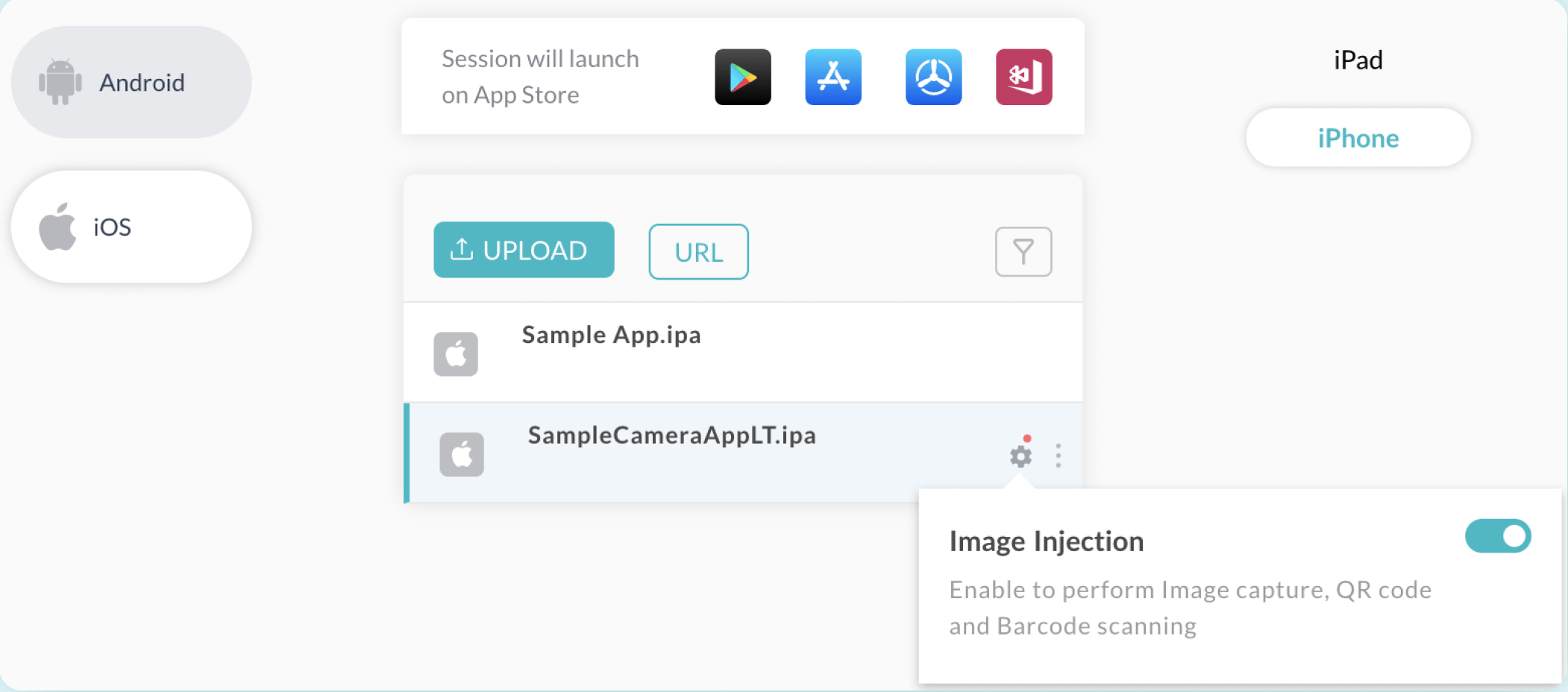
Supported APIs
Below given is the list of Camera APIs which are supported by LambdaTest Image Injection tool. Please ensure that testyour data.app uses these APIs only to enable Image Injection.
OS
Devices
Supported APIs
iOS
iOS 13 and higher
didFinishPickingMediaWithInfo API of UIImagePickerController iOS SDK class for capturing an image. For details, please check Apple documentation.
AVCapturePhoto iOS SDK class for receiving captured photos from AVCapturePhotoOutput API. For details, please check Apple Documentation.
Android
Android 9 and higher
CameraX API is used. For details, please check CameraX Documentation
Camera API is used. For details, please check this link.
Camera2 API is used. For details, please check this link.
ACTION_IMAGE_CAPTURE is standard Intent action that can be sent to have the camera application capture an image and return it. For details please check this link.
LambdaTest full documentation here.
Last updated: October 8,01, 20262024
If you have any feedback on this topic, please contact us at documentation@appvance.ai