
Use Pinch Zoom Gestures in Mobile Tests
YouUse canthis performarticle when a mobile test needs to zoom in or zoom out using a pinch gesture in a supported mobile workflow.
What changed in this article
- Renamed the page to describe pinch zoom gestures instead of a vague “Zoom In and Zoom
OutOut”functions.title. - Added
Thesechecksfunctionformirrorsgestureuserscenterperformingpoint, scale amount, device orientation, app zoom support, browser viewport, and visual verification. - Added guidance to avoid relying on zoom gestures when a direct locator or application control is more stable.
Validation workflow
- Confirm the application supports pinch zoom and
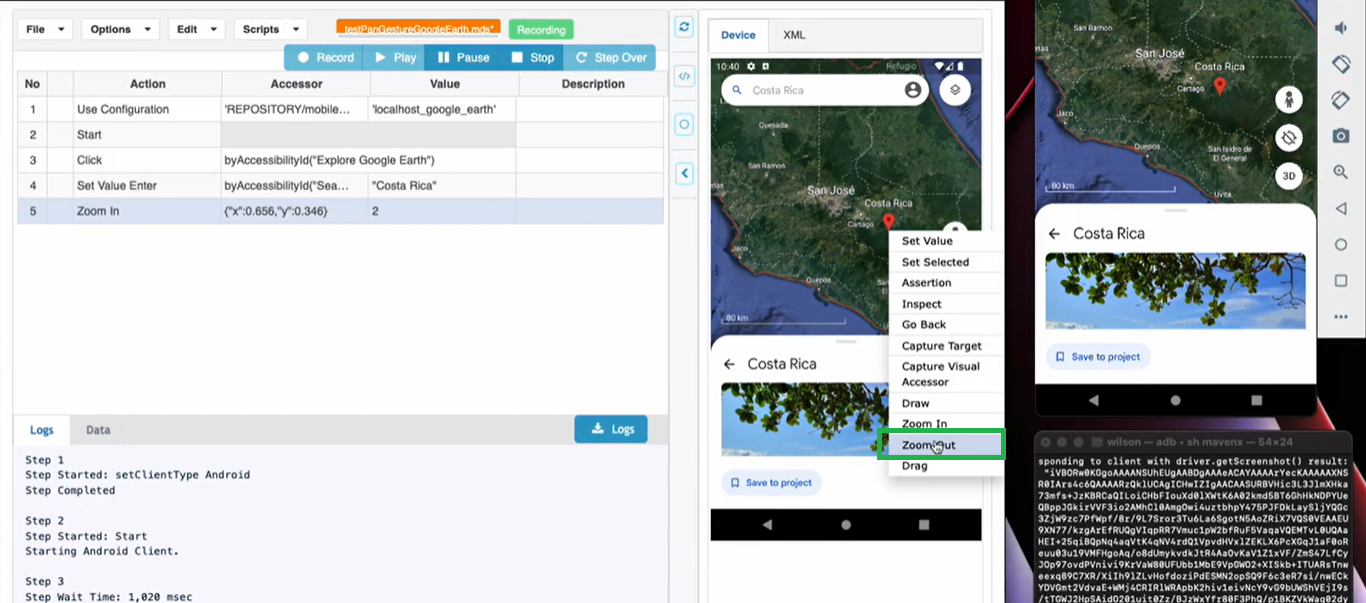
zoom gestures. The following example shows this function in Google Maps.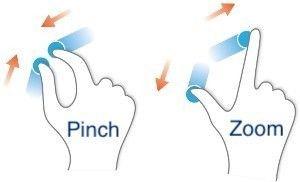
This was added indefine theAIQexpected5.0.0zoomrelease.Zoom In
InRun the Devicegesture tab,on selectthe atarget region.
Right clickprofile and selectcapture Zoomevidence In.
and 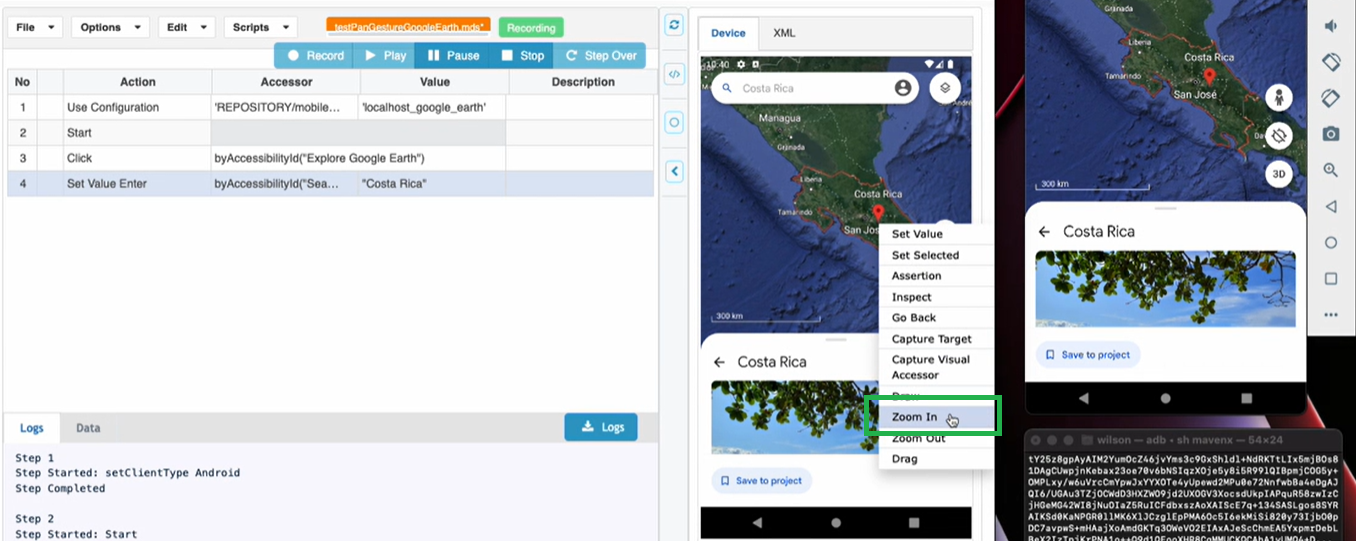
Adjustthat the slidernext asstep neededuses andstable clicklocators Zoomor In.
evidence 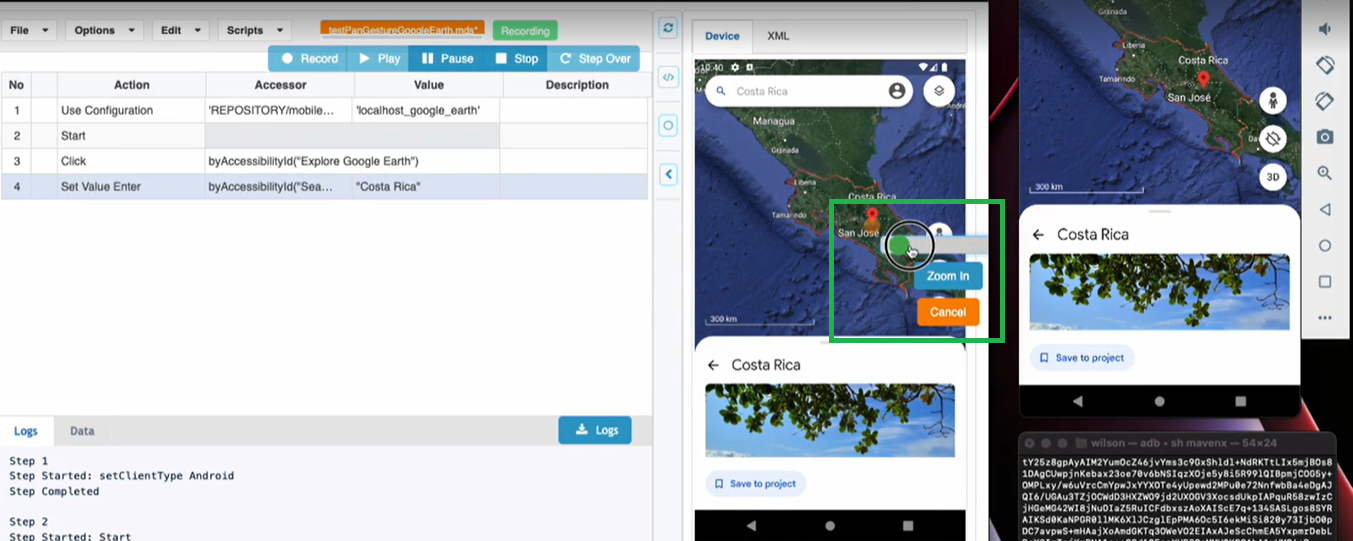
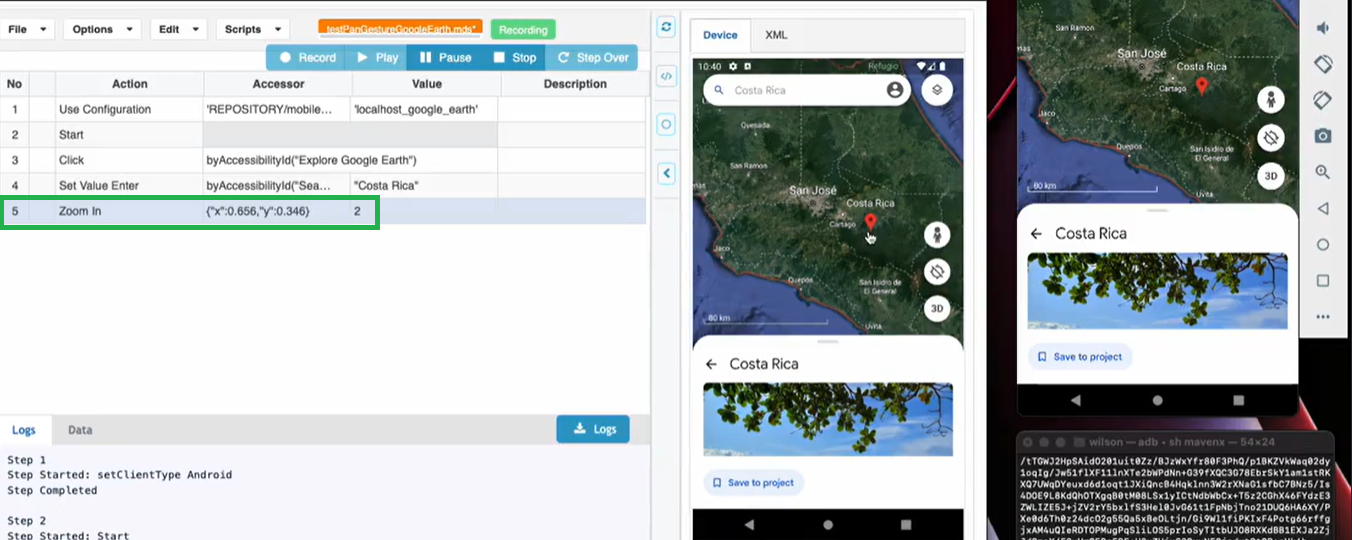
The Zoom In action is performed and recorded.
Zoom Out
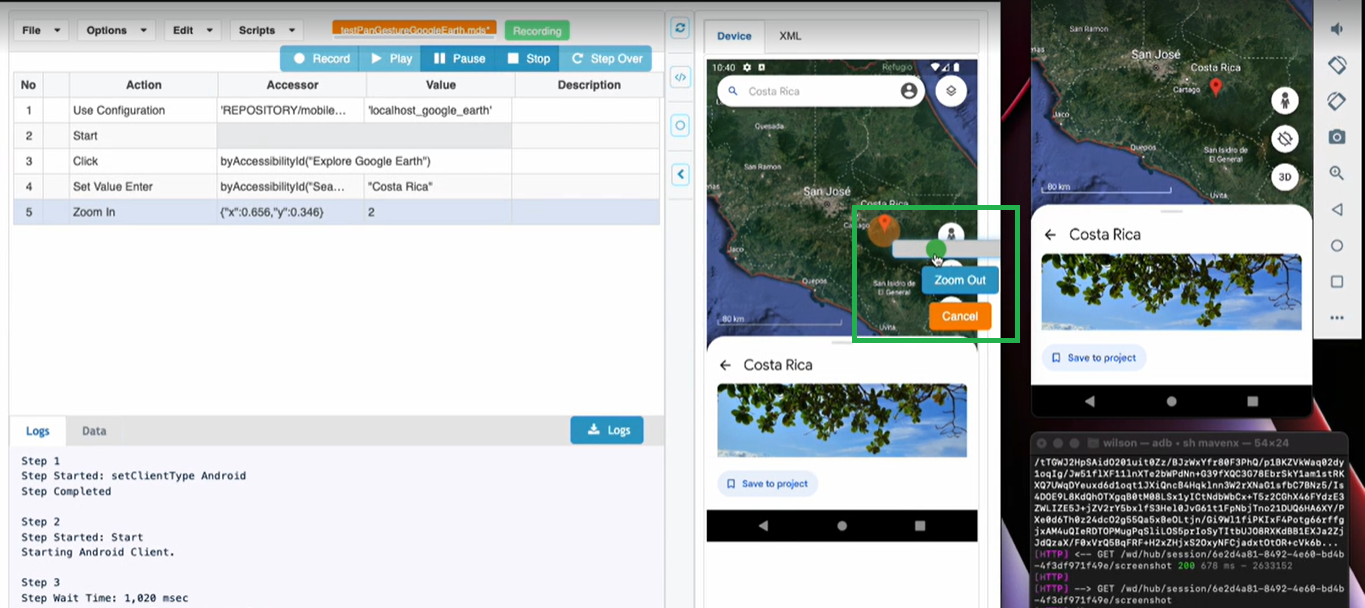
Inat the Devicenew tab,zoom select a region.
RightReview clicknote: andThis selectpage Zoomnow Out.focuses on repeatable mobile zoom behavior.
Adjust the slider as needed and click Zoom Out.
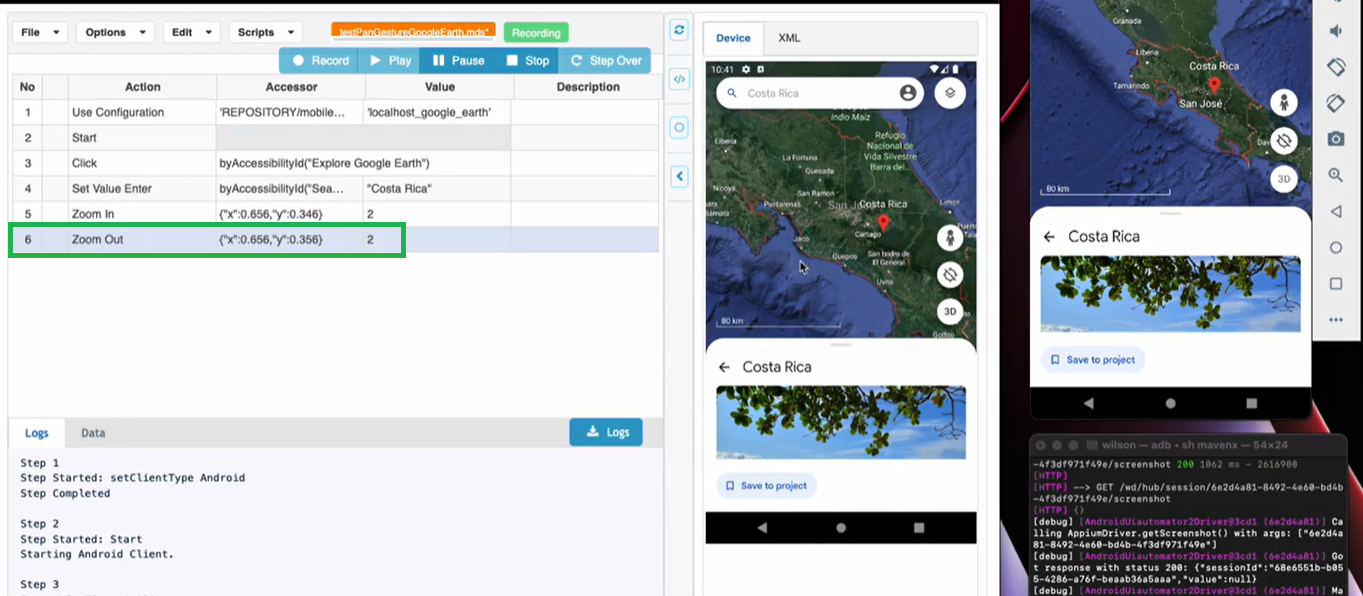
The Zoom Out action is performed and recorded.
Last updated: JanuaryOctober 30,5, 20242026
If you have any feedback on this topic, please contact us at documentation@appvance.ai.