
Creating a Desktop Test
Creating a Desktop Test
Here are the basic steps for creating a new desktop test file in the Desktop Designer.
Prerequisite: A desktop configuration file must be created before you create the test file. See Desktop Designer Configuration for more information.
In AIQ navigate to Desktop Testing > Desktop Designer.
Click Create New in the and select Desktop Test. You can also click Create New Desktop Test in the main portion of the screen.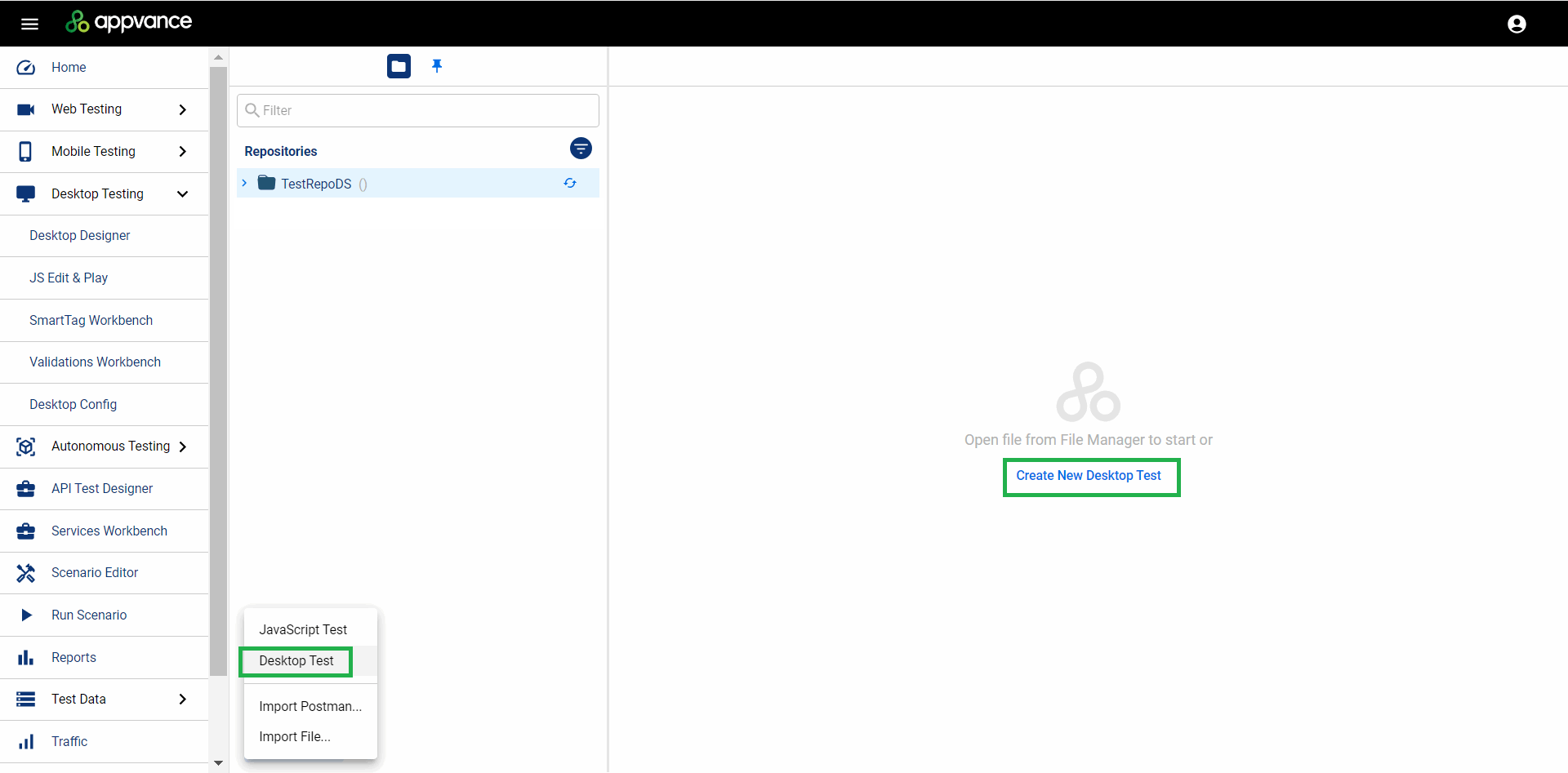
Name the test file.
On the Config line, click Select File to add a desktop testing configuration to your test. This needs to be a preexisting file. See Desktop Designer Configuration for more information.
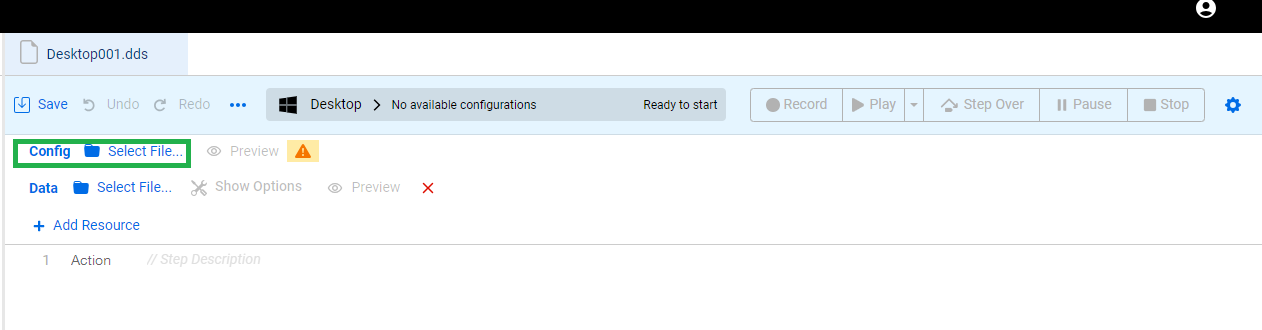
Browse to the location of your configuration file in your repository and click Open. Configuration files are .json files.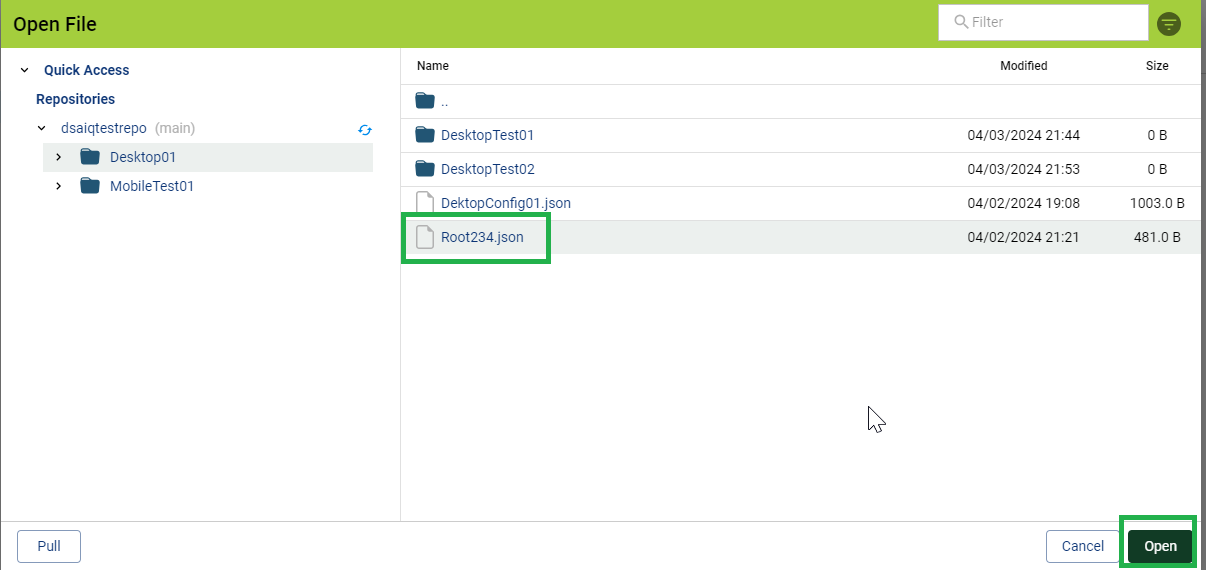
You can click Preview to verify the details of the configuration file.
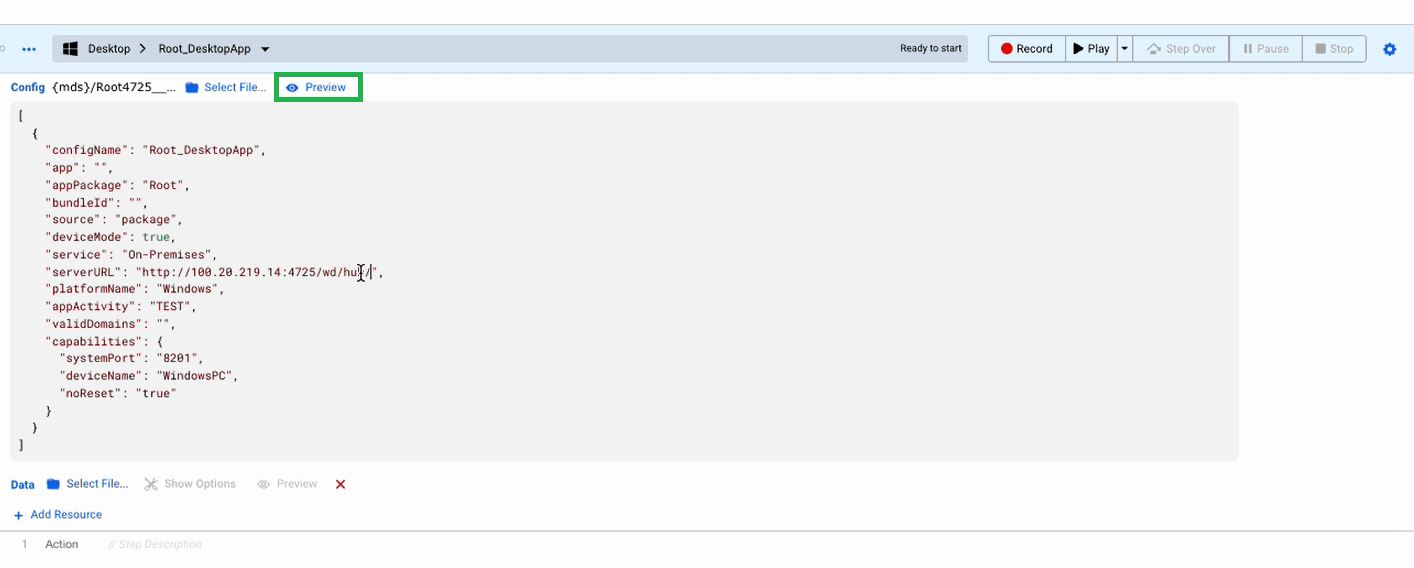
You can now begin recording your test. Click Record to begin.
See href="/books/desktop-designer/page/desktop-designer-example-kindle-desktop-app"Desktop Designer Example - Kindle Desktop App for an example desktop test.
Last updated: September 25, 2024
If you have any feedback on this topic, please contact us at documentation@appvance.ai