
API Testing Building Blocks in Service Suite
API Testing Building Blocks in Service Suite
TheseService Suite API tests are built from reusable pieces that define the availablerequest, authentication, data inputs, validations, and follow-up actions. Keeping these blocks small and explicit makes API scenarios easier to debug and reuse.
Core building blocks
- Request definition: Method, URL, headers, query parameters, and body.
- Authentication: API
testing.keys, Importtokens,REST
Import REST

REST = REpresentational State Transfer
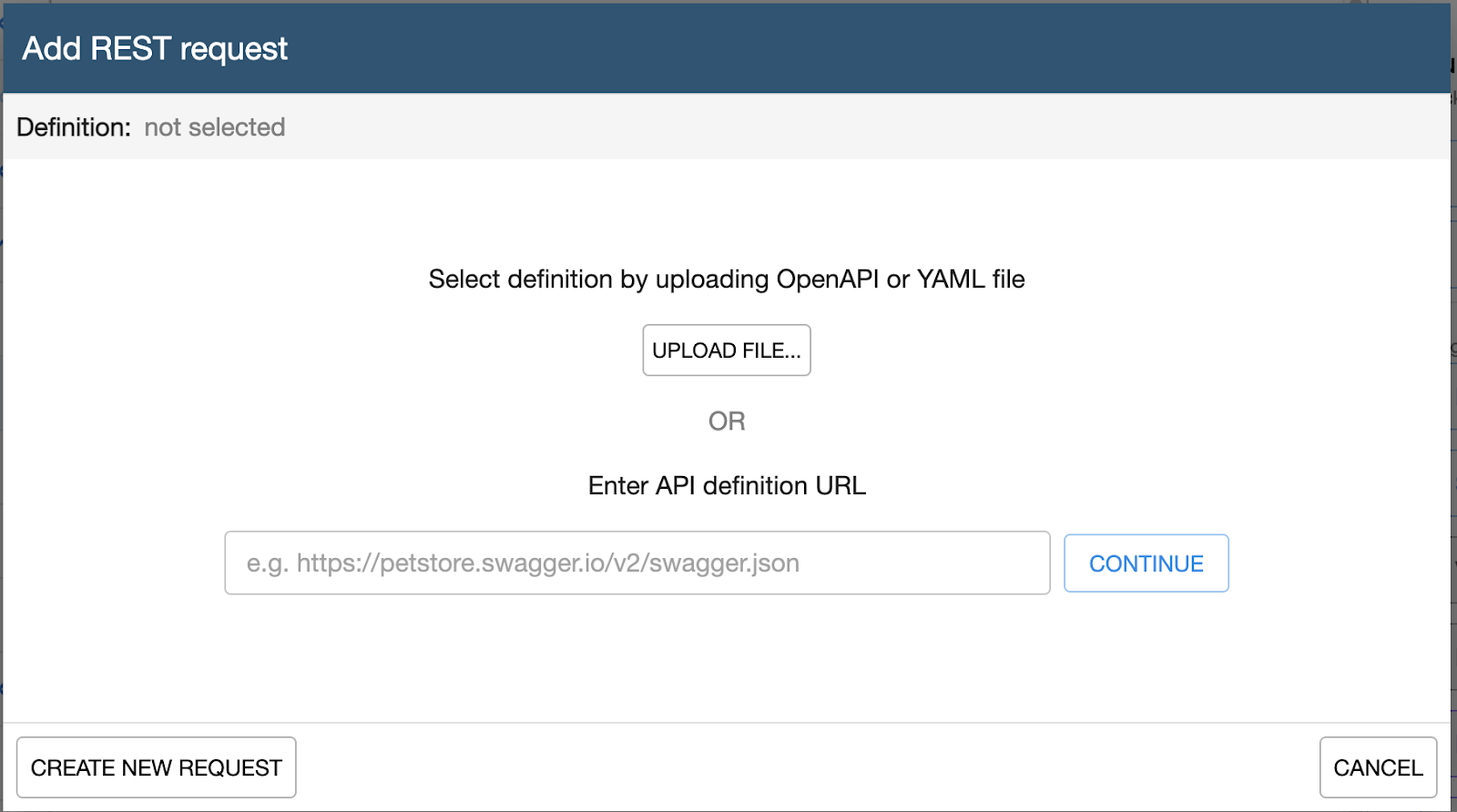
This block allows the user to perform a REST import, the interface will look like this:
Actions
GET
POST
PUT
DELETE
Authentication
No authentication
Basic Authentication
Bearer Token
OAuth 2.0 Client Credentials
Import SOAP

SOAP = Simple Object Access Protocol
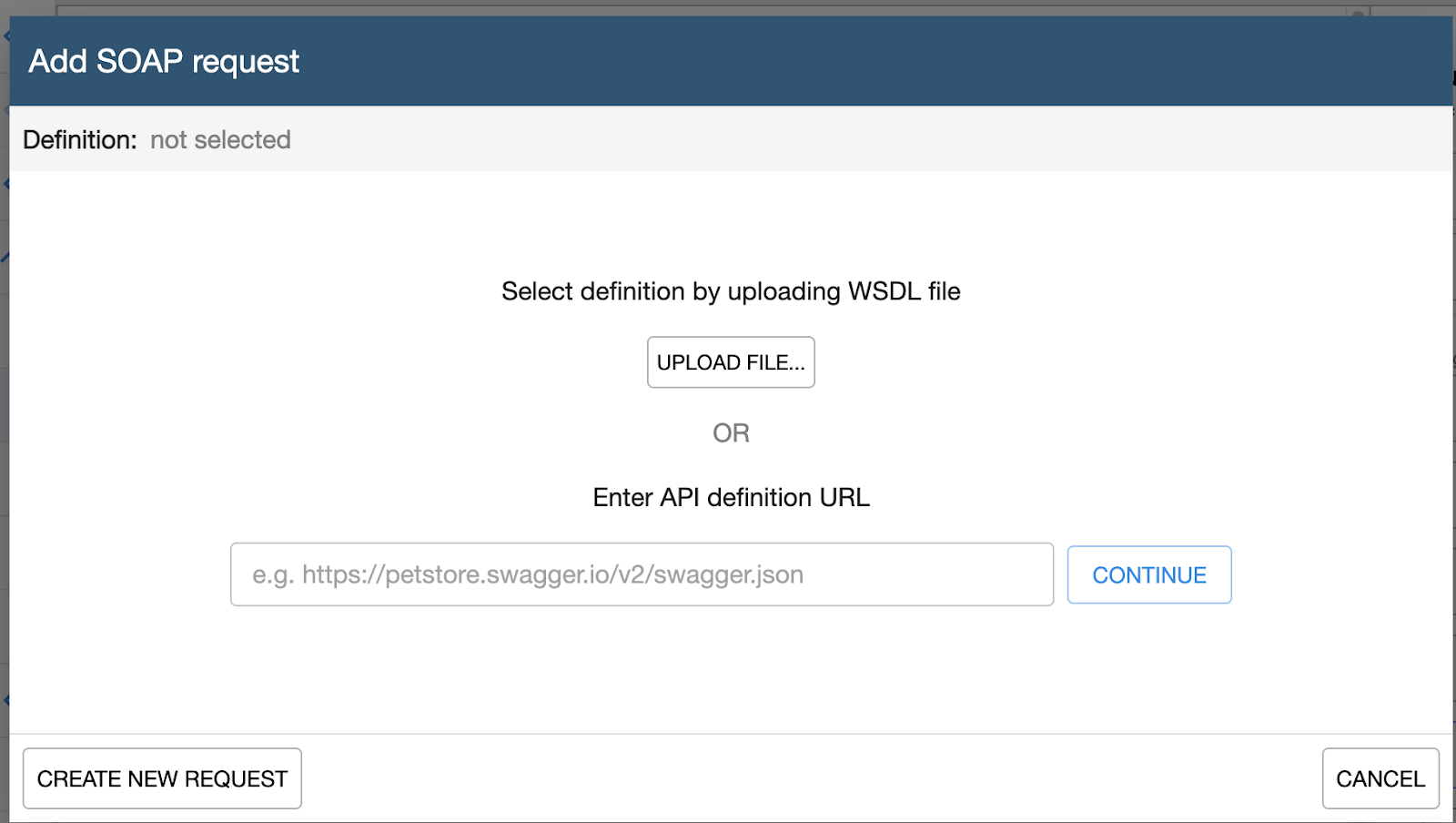
This Block allows the user to perform a SOAP import, the interface will look like this:
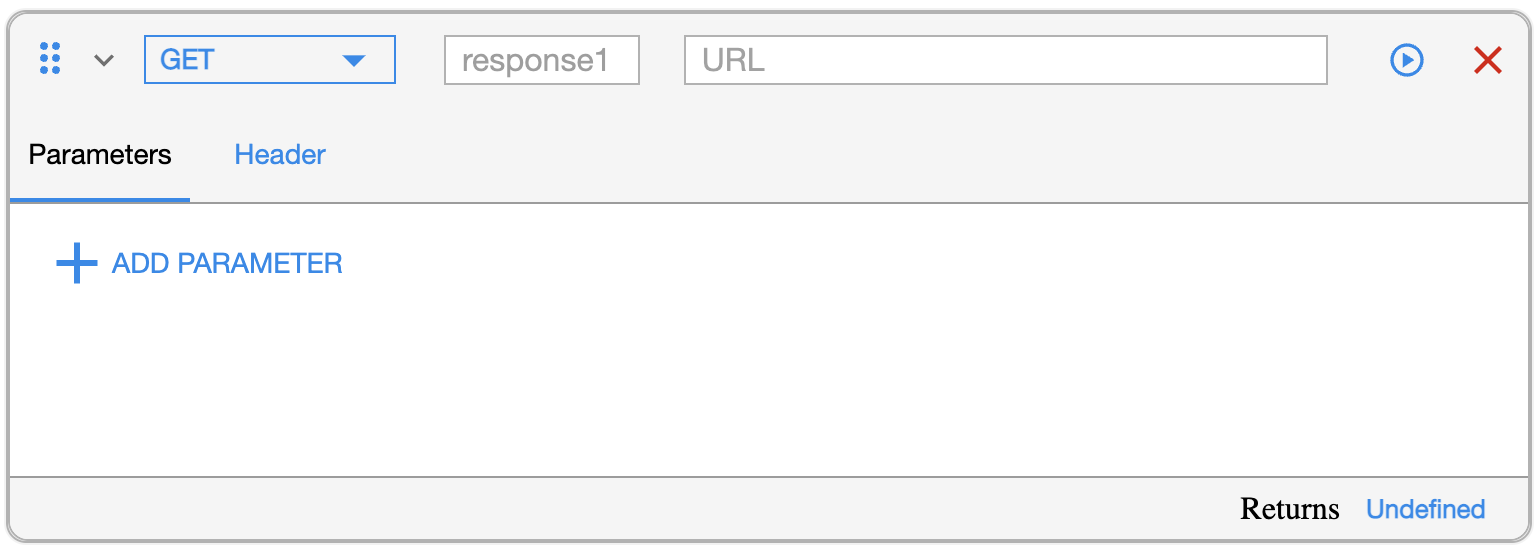
REST Request

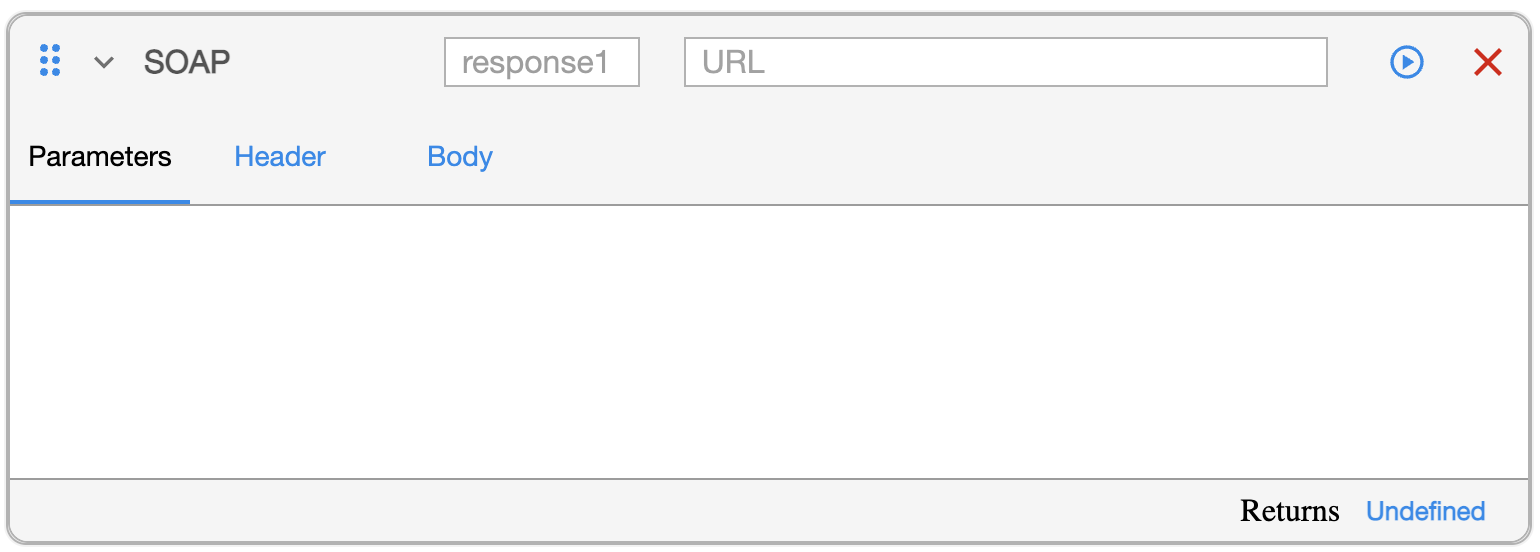
You must drag this block into the workspace.
SOAP Request
REST = REpresentational State Transfer
SOAP = Simple Object Access Protocol

Validation

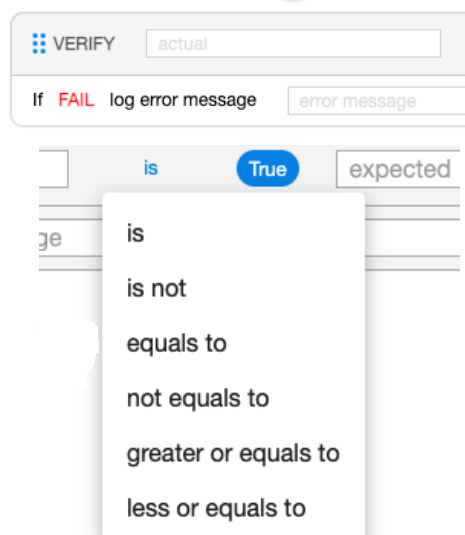
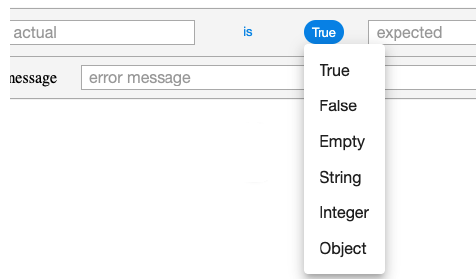
The VALIDATION block is used to verify that the output corresponds to what is expected.

The components of the VALIDATION block are:
An expressionflows, or valueenvironment-specific tocredentials validate
AnCapture operator
A datatype
Validation parameter 1:
Validation parameter 2:
For Each

The FOR EACH block allows you to perform loops (similar to “Do While”). FOR EACH can be nested.
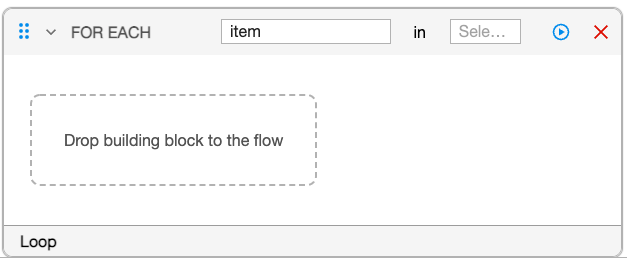
Parameters:
Item
Select Object contains the object returned by the REST or SOAP request.
Condition

The CONDITION block functions as a decision point (IF / THEN / ELSE).
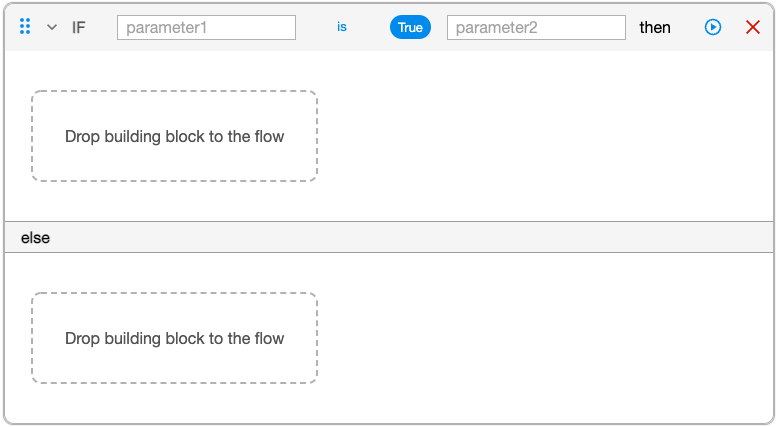
Parameters:
Expression or variable to be evaluated. Normally this comes from the REST REQUEST block.
Comparison operator
An expression to compare to
Data File

The DATA FILE block can be used when you are required to get any parameters needed for your test from DPL/Text file.
This block will help the user to readand values from aone fileresponse (CSVso formatlater steps can reuse them.
Recommended practice
Start with a single working request, add authentication, then layer assertions and useextraction. them as dynamic parameters inAfter the REQUESTflow BLOCKS
stable, 
Parameters:
File name
SQL

The SQL block allows you to retrieve data from a database in order to be used as parameters. This block will helps the user to read values from a RDB and provide
them as parameters for REQUEST BLOCKS
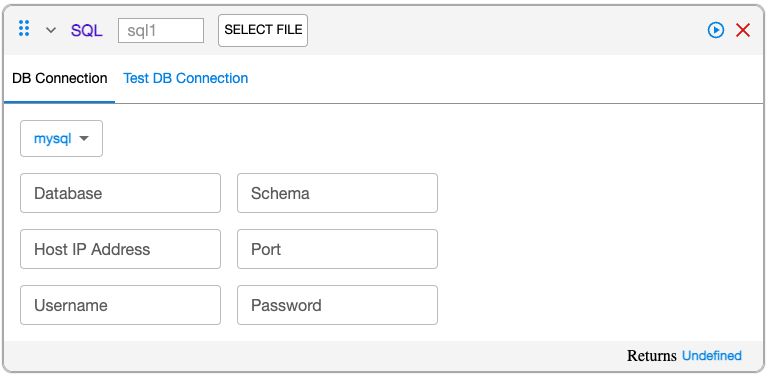
Depending on the particular needs of the testing, there will be 3 options:
No Data: You have to provide the parameters and the values for the URL
SQL: The data will come from a SQL file
CSV:parameterize the data will be coming from the CSV file DPL.
Proxy
You can configure proxy information as part of your API testing.
This building block was added in the 5.0.0 release of AIQ.
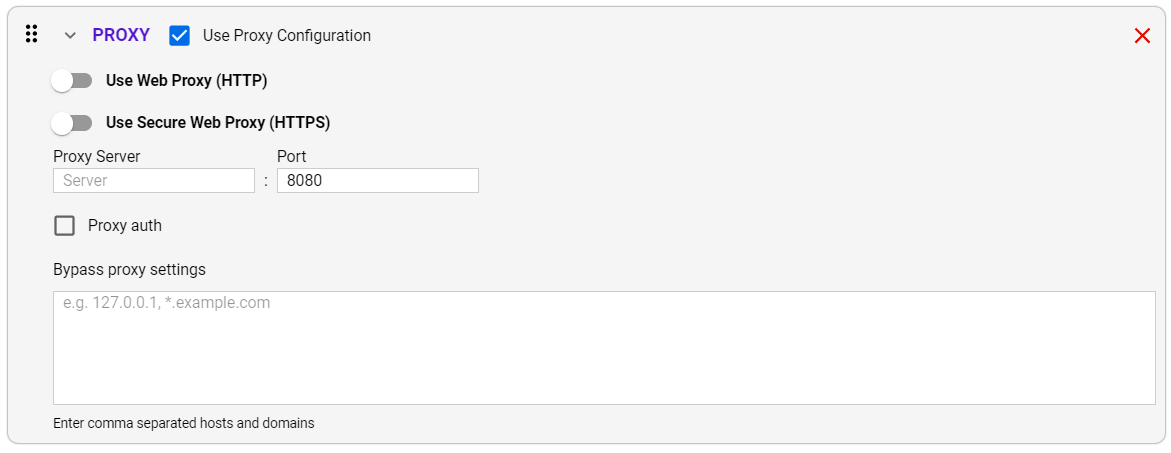
Use Web Proxy (HTTP)
Use Secure Web Proxy (HTTPS)
Proxy Server
Port
Proxy Auth
Bypass Proxy Settings
OCR Block
You canand add ancleanup Opticalsteps Characterfor Recognitionrecords (OCR)created blockduring to yourthe test.
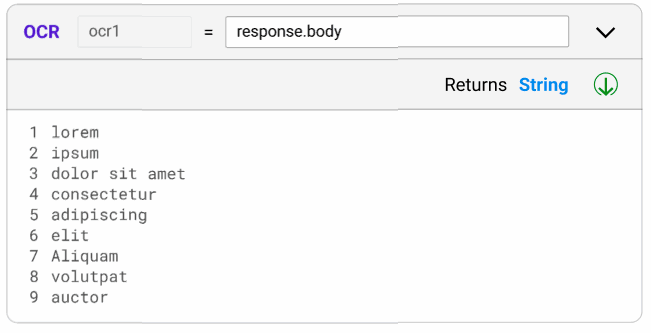
Default name: ocr1
Has one input, accepts body from previous responses
When it is empty is shows the hint “Image”
Returns string of characters, recognized text separated by a newline character
This was added in the 5.2.0 release of AIQ.
Global Parameters
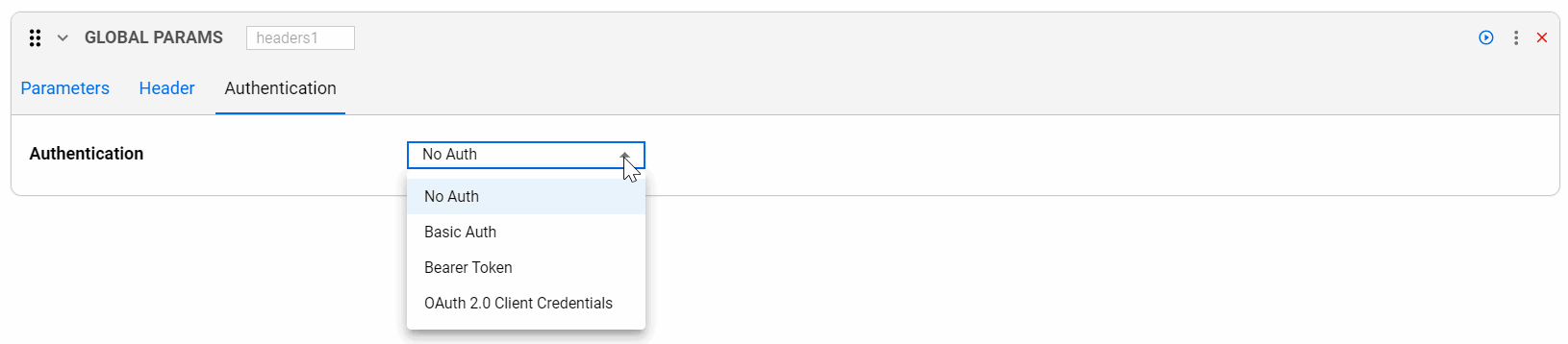
This is used as a Global Header. In each block you can add one or more headers that will be added to each subsequent request blocks.

This was added in the 5.2.0 release of AIQ.
Include
You can include files with your API test.

This was added in the 5.2.0 release of AIQ.
Locker
You now have the option to store the values of the results in a locker. This can be extremely useful if you are creating scripts in one of the AIQ Designers or Services Workbench, to allow you to store the data in the locker and reuse it in any script.

Whiteboard
Parameter
Key
Value
This was added in the 5.2.0 release of AIQ.
JavaScript
Allow you to include JavaScript in your API test.

This was added in the 5.2.0 release of AIQ.
Last updated: SeptemberOctober 23,8, 20242026
If you have any feedback on this topic, please contact us at documentation@appvance.ai