
Monitor Active Virtual Users
Monitor Active Virtual Users
The active virtual user's tab shows theActive virtual users that are currently active for a given iteration, here you can validateshow the number of users gettingcurrently startedexecuting by AIQ to runduring a test caserun. execution.Use Bythis clickingview oneto ofconfirm that load is ramping as expected and that execution capacity matches the listtest entriesdesign.
What canto getcheck
- The active user
detailedcountinformationfollowssuchtheasconfiguredstackramp-uptrace,and ramp-down behavior. - Unexpected drops are reviewed against errors, test-node capacity, and environment health.
- The test reaches the expected steady-state load before results are interpreted.
Troubleshooting
- Review Test Node health and available capacity.
- Check output
log,for startup, data, or authentication failures. - Compare active users with throughput and error
log.rate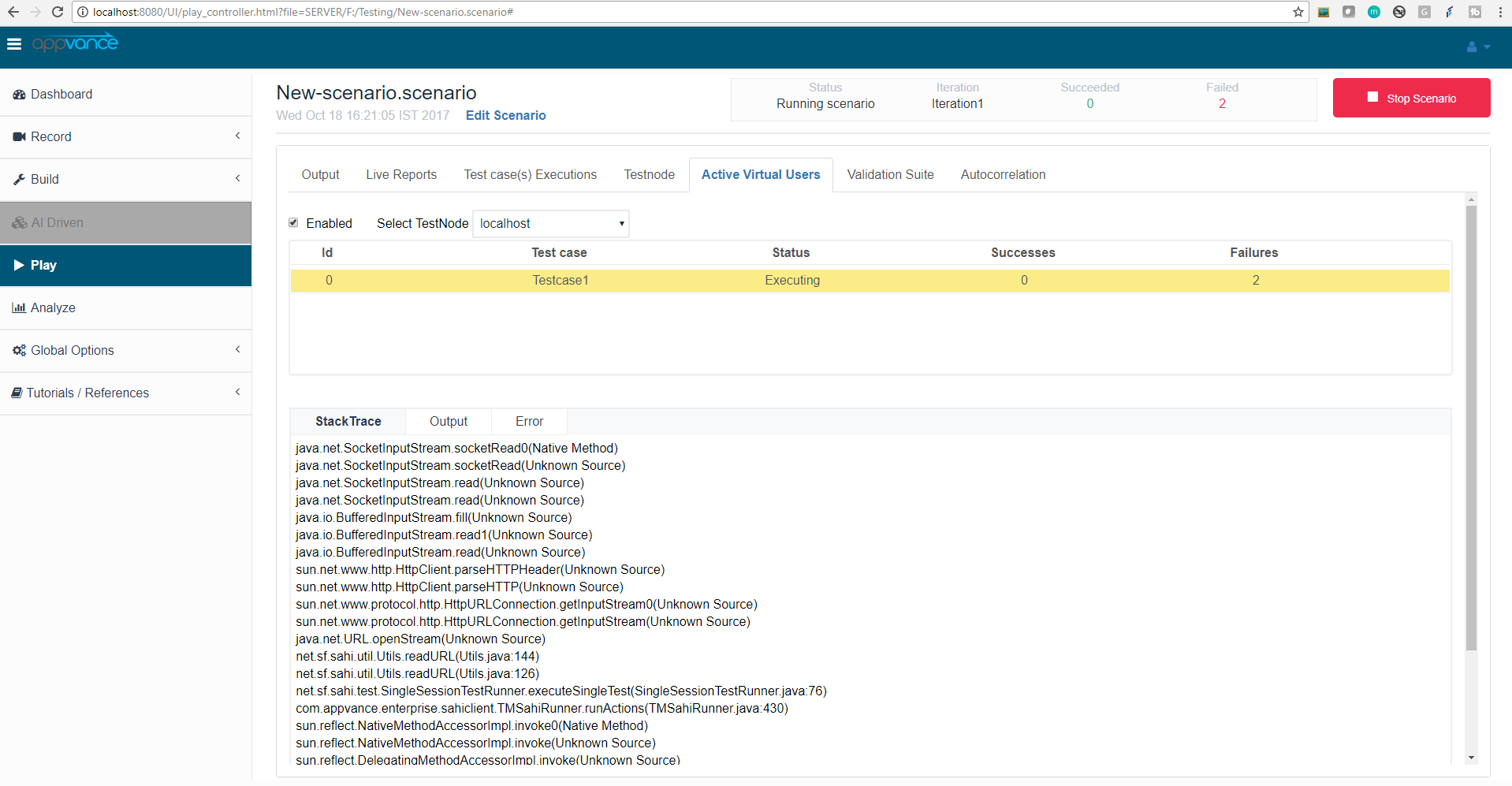
The Active virtual users tab auto-refreshes every few seconds, so users checking this option will always get the latest updates of the run.
Last updated: JuneSeptember 26,18, 20232026
If you have any feedback on this topic, please contact us at documentation@appvance.ai