
Monitor Test Nodes
The
Monitor Test NodeNodes
Test Nodes provide execution capacity for AIQ runs. Monitor them before and during execution to confirm that the planned load can run reliably.
What to check
- The required Test Nodes are online and assigned to the correct environment.
- CPU, memory, browser, and driver capacity are appropriate for the planned run.
- Network access to the application under test is
useful to get the configured test node's console output log and console error log, user can filter by test node by selecting the desired test nodeavailable from thegivenexecutionlist.host. - Node-side
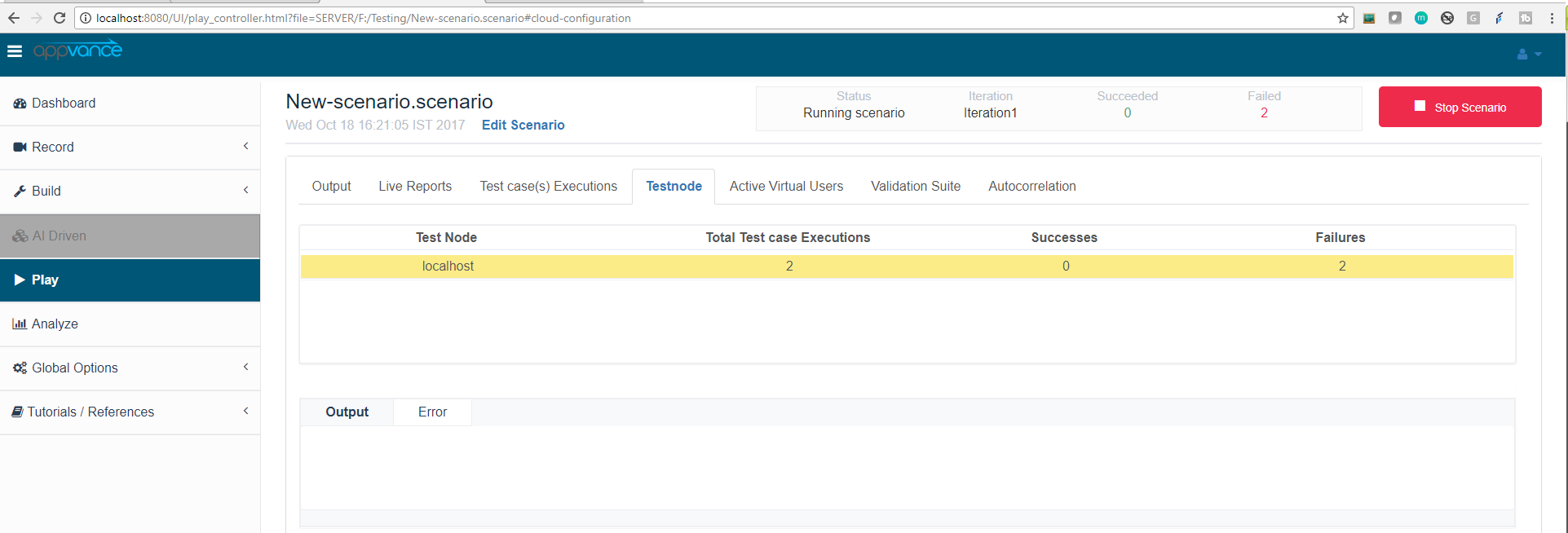 do
do
not show browser startup, driver, or resource errors.Troubleshooting
- Reduce load and run a validation test if node capacity is uncertain.
- Review node logs for startup or connectivity errors.
- Confirm browser and driver versions match the supported AIQ release guidance.
Last updated:
JuneSeptember26,18,20232026If you have any feedback on this topic, please contact us atdocumentation@appvance.ai