
Output
Review
This tab provides the user with the live scenario execution output. This tab is a very important part of the Live Controller section, here’s where you’ll find out what is happening in the back-end and what actions are being executed, if there’s a critical error setting up the scenario or during the execution, you will see the error getting displayed here as well as the ramping process messages.
You will also notice the Execution OutputID
Executionwhich Outputcan providesbe run-level details, errors, and evidence collected during a test. Use itused to understandget whetherdata aof failurethe cameexecution from the scenario, test data, environment, or application under test.database.
What
It will have details about all the nodes that are loaded, in case of connecting to reviewAmazon
Errorcloud services, it will display all the details about the instances launched and their statuses, all the execution, and iteration details shall be displayed in this tab.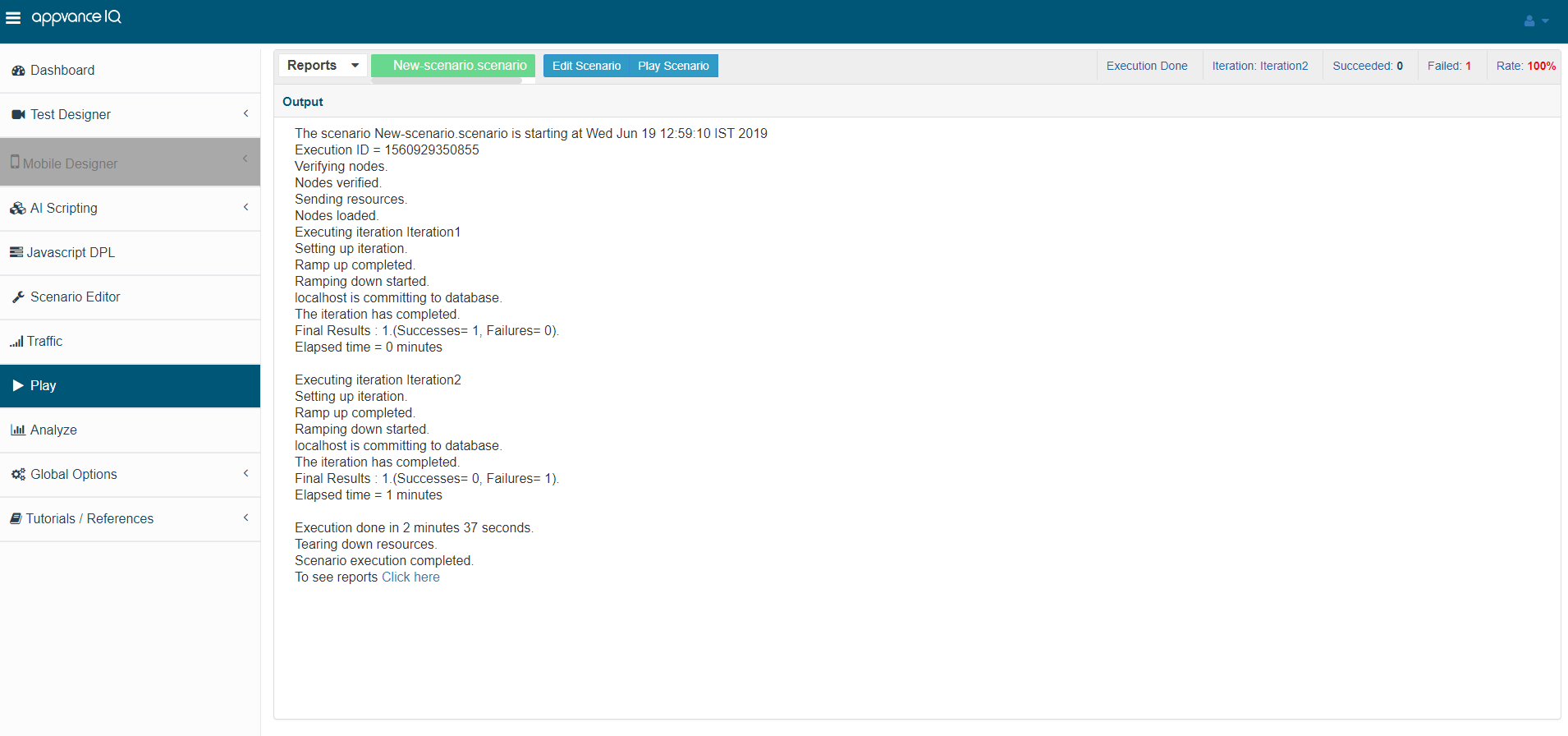
You will also notice the Succeeded, Failed transactions along with Failure Rates in Red on the top right corner of the output page.
The output will also show error and warning messages
andlikestacktraces-
tiedWhen there is a problem connecting to
failedastepsTestorNoderequests.machine
The orstatus responseof detailscloud capturedinstances, duringstarting, execution.stopping, terminating, etc.
When thata pointscenario is configured to slowuse pages, services, or environment issues.
Goodlink practices
to StartJIRA with thefirstticketmeaningfulnumberfailure,
When a scenario is configured to use a so and so browser and if that browser is not everyavailable, downstream symptom.
Last updated: SeptemberJune 18,26, 20262023
If you have any feedback on this topic, please contact us at documentation@appvance.ai