
Live Reports
This section will provide you with live reports data depending on the two major test types: functional test and performance/load test. UI will change depending on these two major test types as follows:
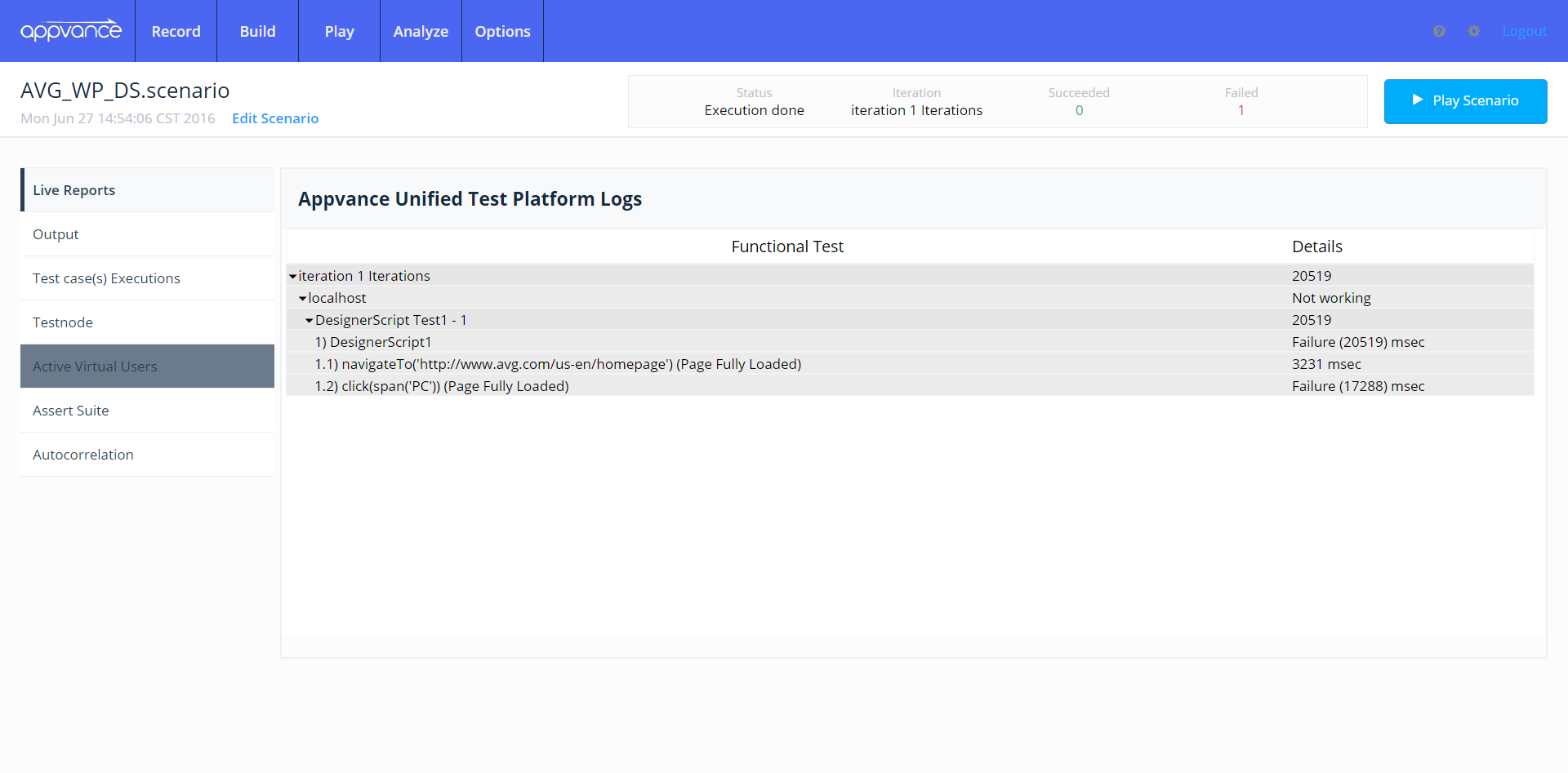
A. Functional Test: Whenever you’re running a functional test, the Live Reports tab will display the functional tree report, meaning that you’ll be able to see the full transactions tree (test cases with their respective steps and requests). This way you can verify the functional execution transactions tree with information such as to request size metrics and steps timing.
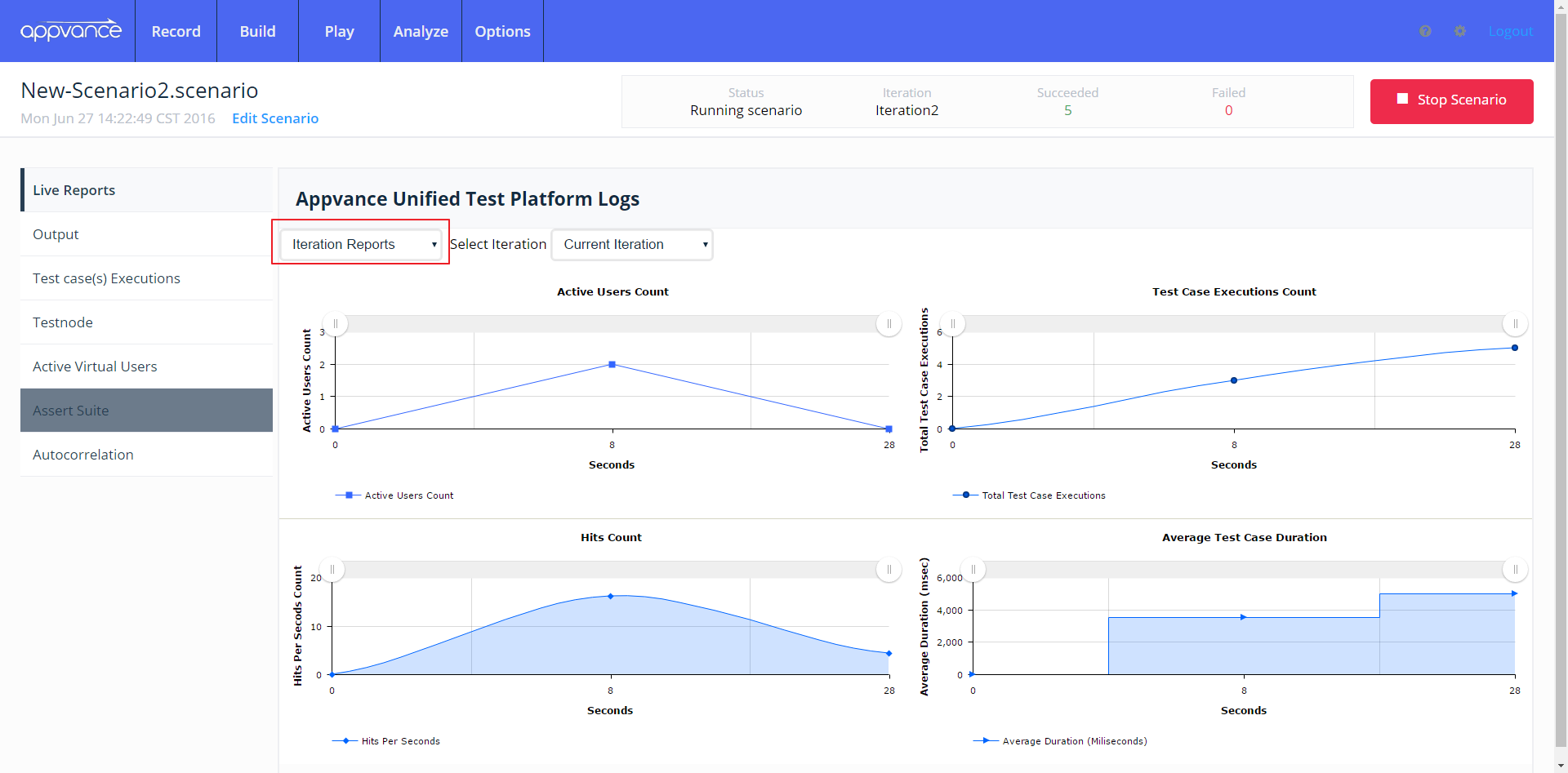
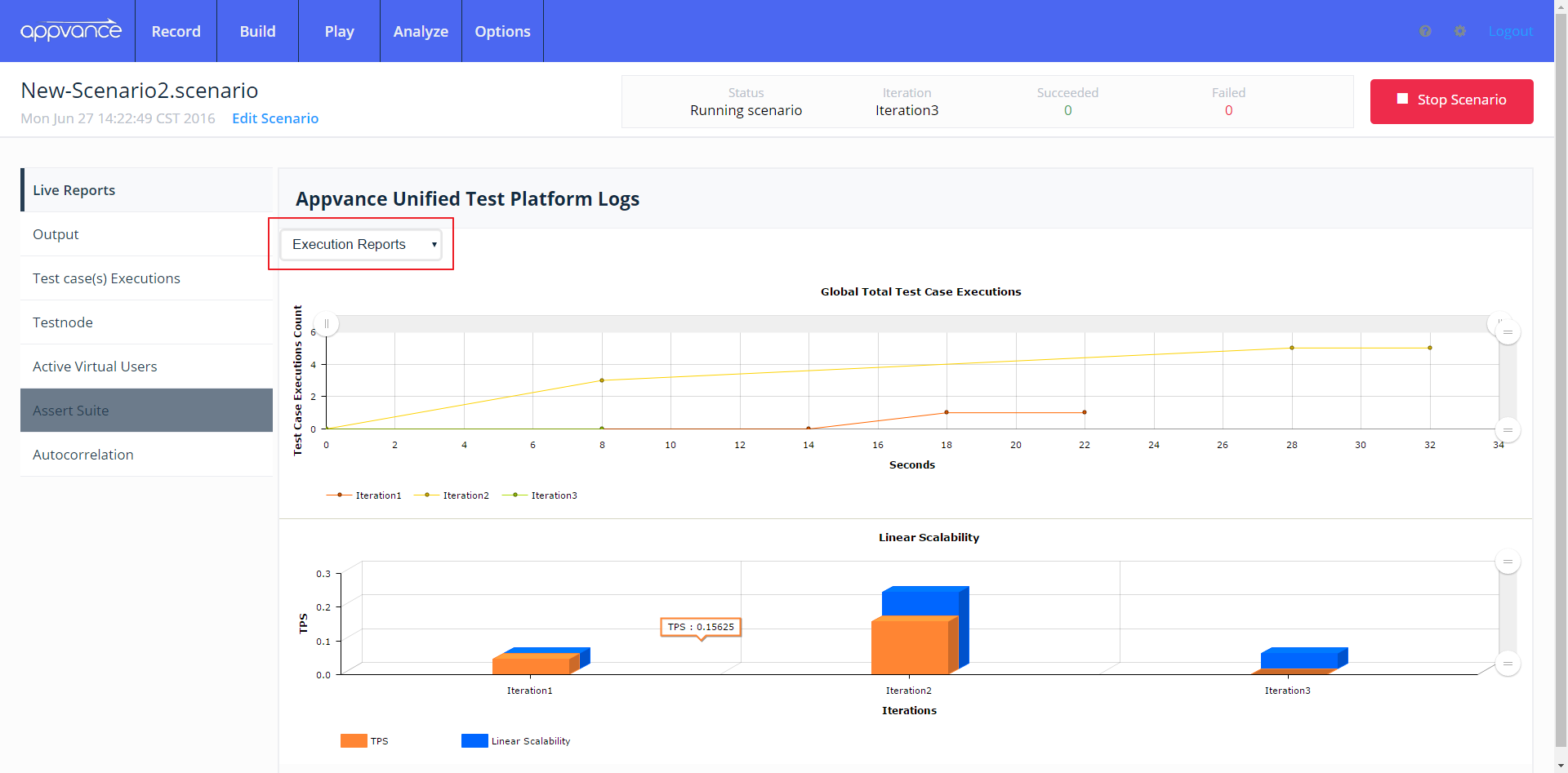
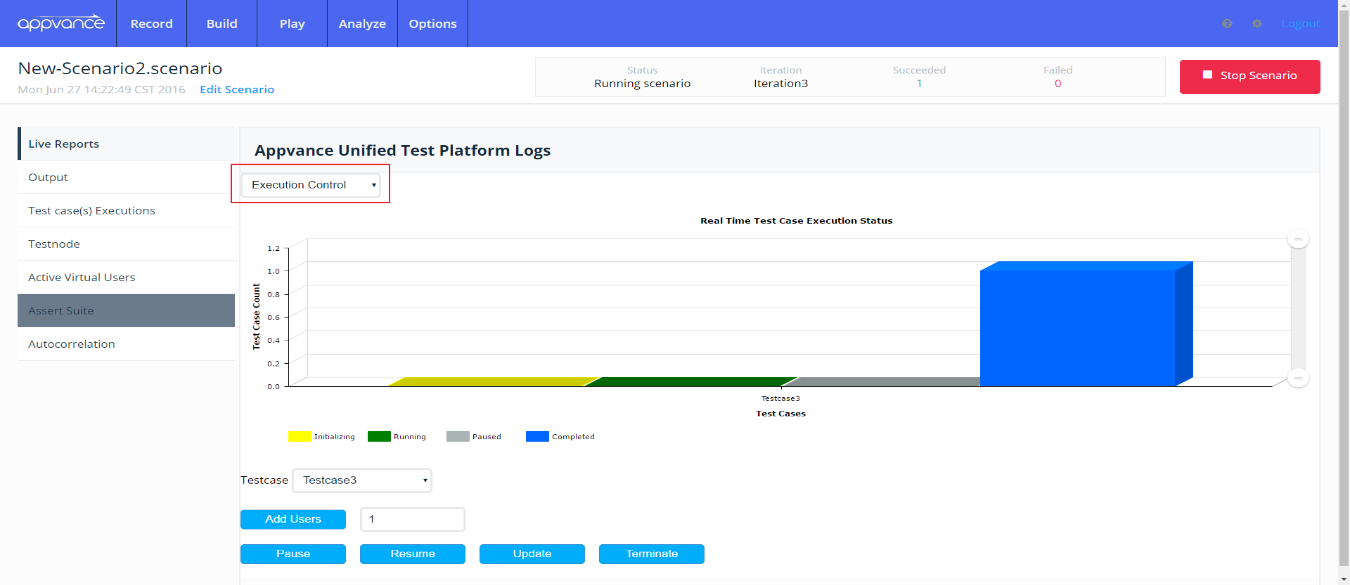
B. Performance/Load Test: Live Reports is smart enough to determine the test type and display live charting data whenever a load or performance test is being executed. This charting data is displayed to the user as visual graphs that provide live results data with useful information for these test types such as the active users count, test case executions count, and average test case duration. When you’re running this kind of test, Live Report will provide you with three inner sections used to plot execution data and handle live execution control, this last section allows you to add more virtual users to the current transaction, and it also allows to pause/resume, terminate and update the current transaction. These inner sections are available from the drop-down menu located at the top-left of the “Live Reports” panel.
Last updated: June 26, 2023
If you have any feedback on this topic, please contact us at documentation@appvance.ai