
Review Test Case Executions
Review Test Case Executions
Use Test Case Executions tabto listsreview the availableresult transactionsof finished,individual scenarios within a run. This view helps identify which scenarios passed, failed, or require maintenance after execution.
Use this isview to
- Find the
rightfailedplacescenario or step that caused a run tolookfail. - Compare
forresultstestacrosscaserepeatedfallingexecutions. - Review
reasons,evidencestacksuchtraces,as output, screenshots, andoutput.timingThisdetails. - Confirm
tab provides the functionality to downloadwhether arequest-response content with no format (user must know the request format to open the content, guide yourself by the request extension. Example: .jpg, .js, .css, etc.) from theRequest & Responsetab. There’s an extra tab namedSnapshot, this tab is only useful for scenarios using Appvance Designer Script-based test cases, in Scenario Builder you can choose the option ofTaking snapshot on failure, this will take a browser screen-shot when thefailure isdetected.causedThisbysectiontestallowsdata,youapplication behavior, or environment instability.
Recommended workflow
- Filter to
getfailed or incomplete executions first. - Open the earliest meaningful failure.
- Review output and related evidence before editing the scenario.
- Re-run a
rangesmallof the most recent 5, 10, 20, 40, and 100 test case executions, by clicking one of the listed entries, the tabs below this table will be populated with the selected test casevalidation executiondetails.after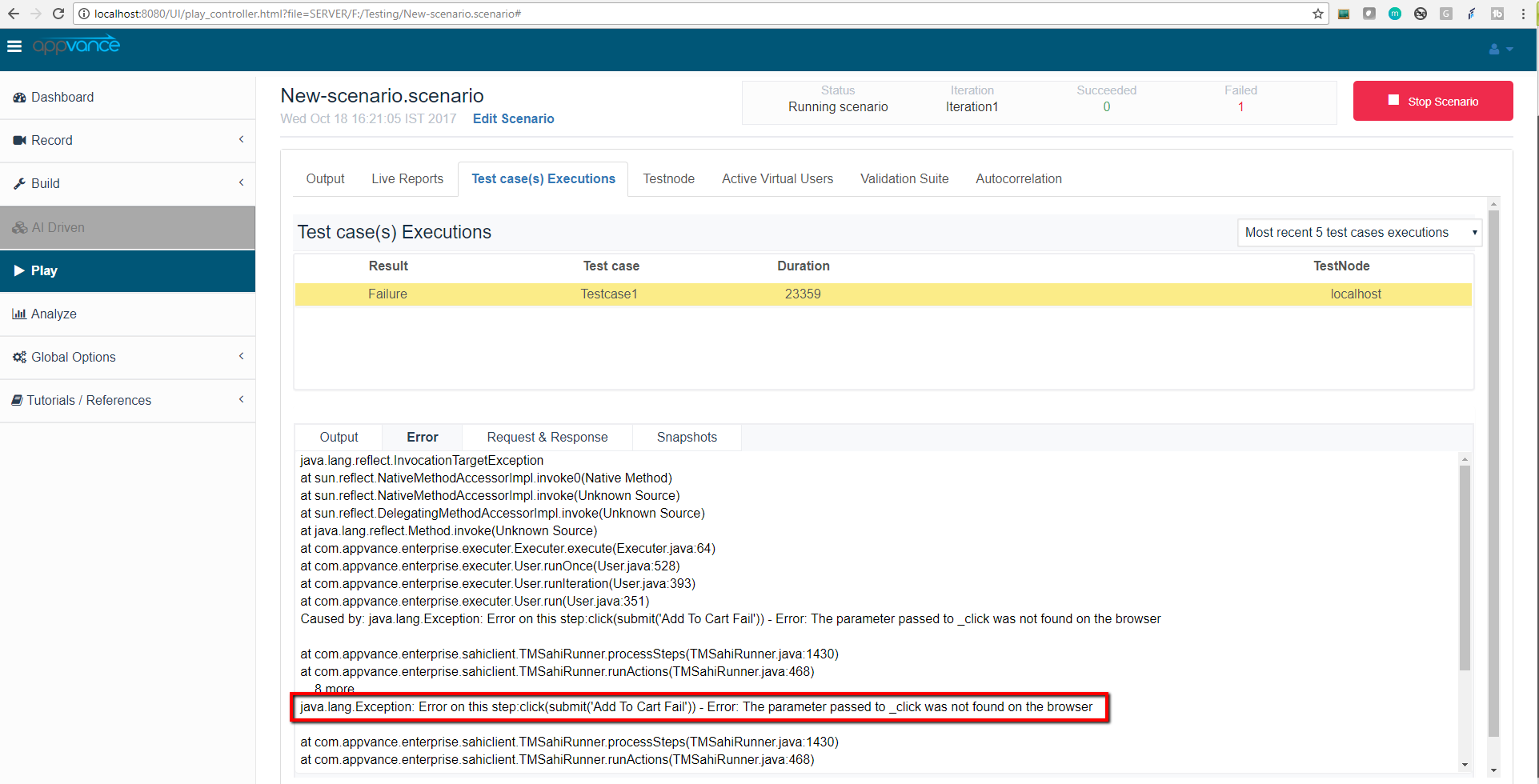
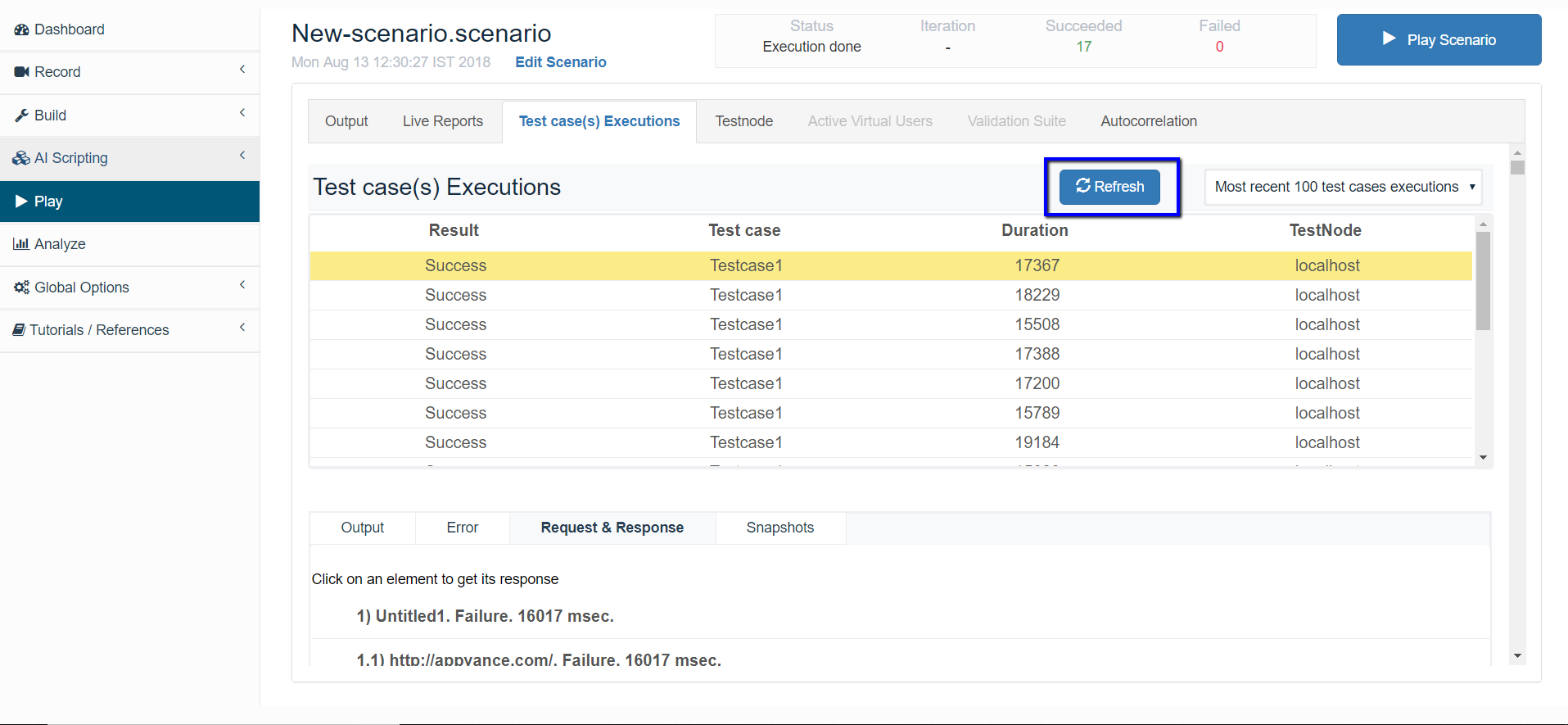
Use the Refresh button next to the Most recent x test case executions drop-down to refresh the new entries / new executions.
Last updated: JuneSeptember 26,18, 20232026
If you have any feedback on this topic, please contact us at documentation@appvance.ai