
Finding and Solving the Failures
Unified Test Platform features 3 ways to understand test use cases that fail and why:
-
The controller window shows the most recent test use cases as a set of transactions in the right panels, including the request/response data and error messages.
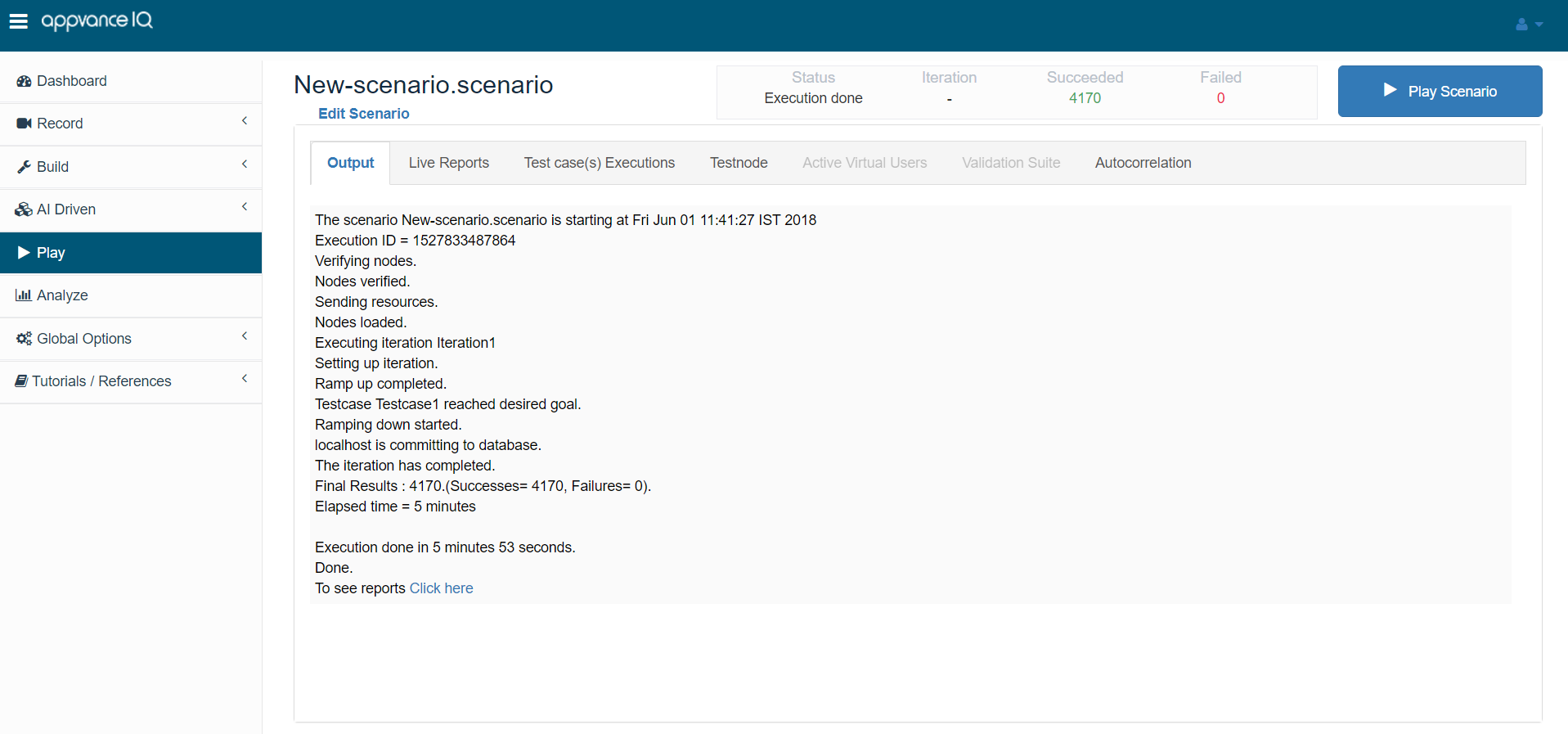
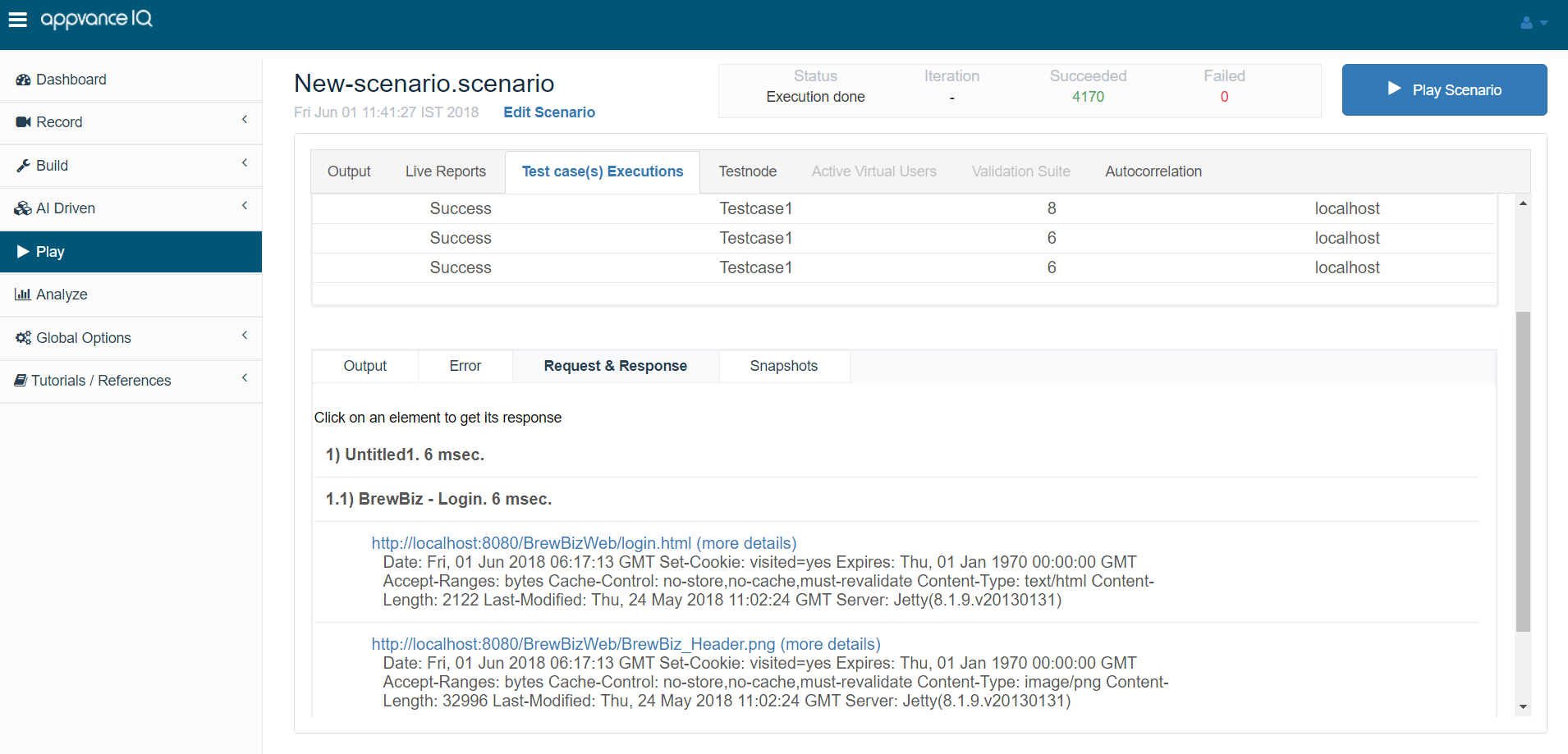
As AIQ operates the test, the middle tab Transactions tab shows the most recent transaction details. Click a row in the Transactions list to view the details: Output message, error failure (exception) message, request and response values, and any custom user log messages. Click the Error tab to see a stack trace message from the test use case.
Click the Response tab to see the response received from the server.
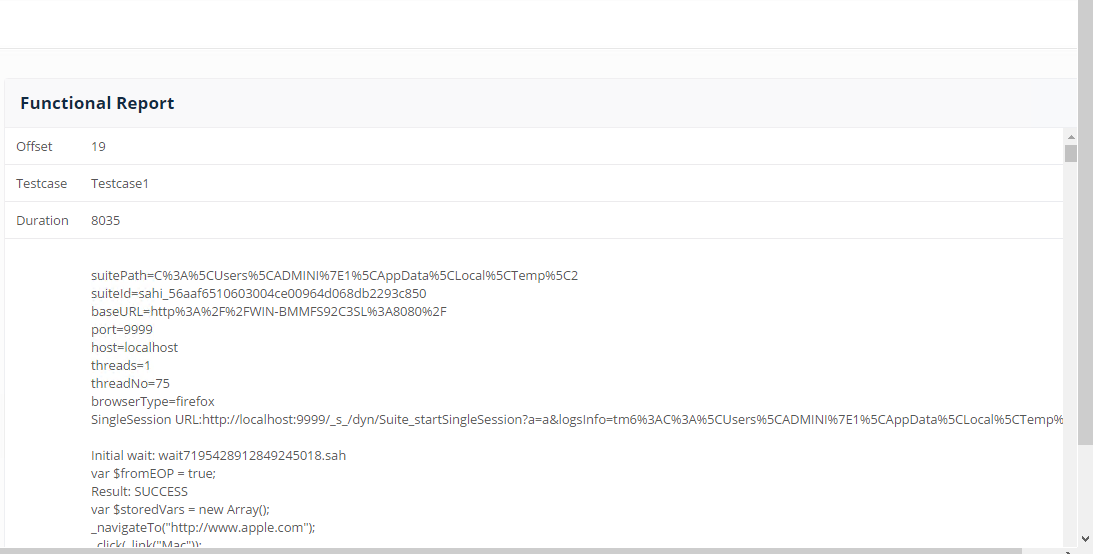
For functional tests, the Results Analysis Reports show a Functional Status chart, including the request/response values, failure (exception) message, and timings.
-
After AIQ operates a functional test use the Analyze button from the Home Screen to view the details of the functional test. Choose the execution of the functional test from the list and then click the Functional Report command. This report shows the output message, error failure (exception) message, request and response values, and any custom user log messages.
-
For load and performance tests the Results Analysis Reports show a Test Case Execution chart. Each test use case appears with a green triangle shape for success and a Red triangle for failure. Click the shape to learn the details of the test use case, including request/response values, failure (exception) message, and timings.
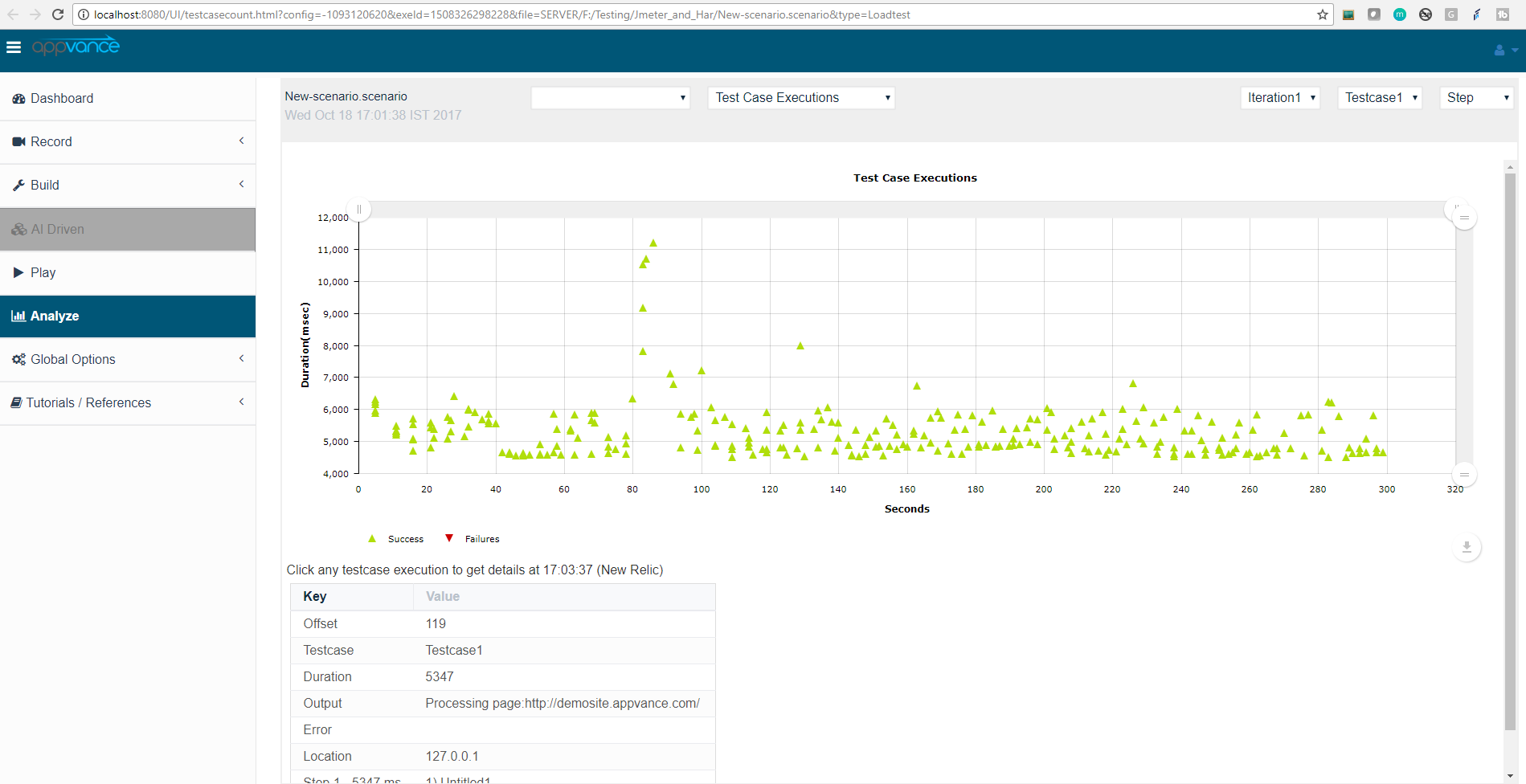
After AIQ operates a load and performance test use the Analyze button from the Start Screen to view the test details. Choose the execution of the load and performance test from the list and then click the Transaction Distribution command. Click one of the transactions to view the output message, error failure (exception) message, request and response values, and any custom user log messages.
Last updated: June 26, 2023
If you have any feedback on this topic, please contact us at documentation@appvance.ai