
WSDL/SOAP Calls in Service Suite
Recommended guidance
SoapUIUse supportService wasSuite removedfor WSDL/SOAP calls when the tested system still exposes SOAP services or when a legacy integration requires SOAP validation. Keep the documentation focused on request structure, endpoint configuration, authentication, assertions, and evidence.
What to configure
- WSDL location, SOAP endpoint, operation, namespaces, and request body.
- Headers, authentication, certificates, proxy settings, and timeout behavior.
- Expected response status, SOAP fault handling, and response assertions.
- DPL or environment values used in
releaserequest5.2.0payloads.
Validation AIQ.workflow
- Validate
YouthefirstWSDLneedand operation outside the main regression suite first. - Run a
workingknown-goodWSDL server, like the Appvance Server back end in http://SERVER:8080/TMServer/ws/TestNode?wsdl=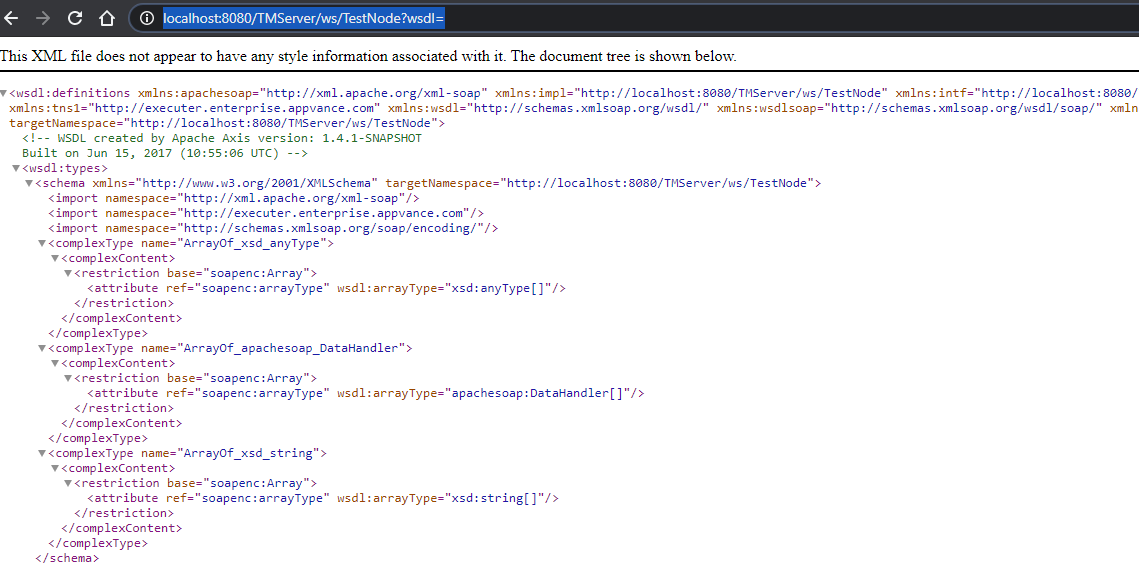
From there you could create manuallya post body data, or using a third-party tools like soapUI, you could see the post’s body, as we only need the body to create the post-call.(SoapUI can be downloaded fromhttps://www.soapui.org/)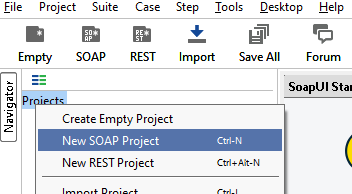
A new Soap Project will show a screen to enter the URL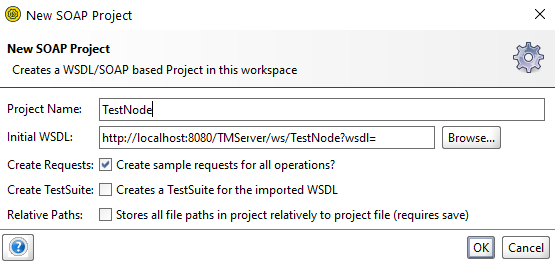
The above will create a projectrequest withancontrolledechodata. - Add
method.assertionsWeforcanbothopentransportitsuccess andextractbusinesstheresponseXMLvalues. - Mask
sectioncredentials,to be used as the POST body data:<soapenv:Envelope xmlns:xsi="http://www.w3.org/2001/XMLSchema-instance" xmlns:xsd="http://www.w3.org/2001/XMLSchema" xmlns:soapenv="http://schemas.xmlsoap.org/soap/envelope/" xmlns:tms="http://tmserver.enterprise.appvance.com"><soapenv:Header/><soapenv:Body><tms:echo soapenv:encodingStyle="http://schemas.xmlsoap.org/soap/encoding/"><echo xsi:type="xsd:string">?</echo></tms:echo></soapenv:Body></soapenv:Envelope>
evidence.Notice the “?”, this will be our variable. We should replace “?“ in the <echo xsi:type="xsd:string">?</echo> line with a variable name like “ECHO1” so we can later replace that for the intended parameter. For this example, we will replace “?” with “ECHO1”tokens, andsavesensitivethepayloadXMLvaluesasbeforeasharing“requests.echo.xml” file next to our “main.js”.
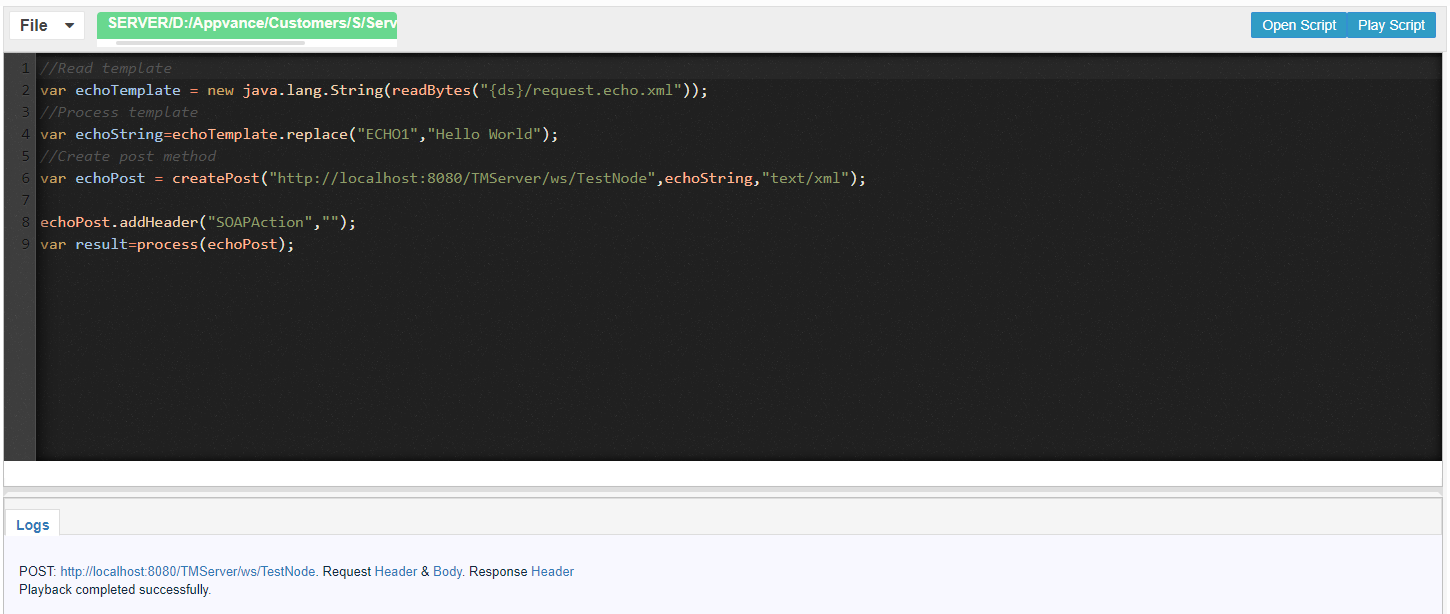
//Read template
var echoTemplate = new java.lang.String(readBytes("{ds}/request.echo.xml"));
//Process template for desired method
var echoString=echoTemplate.replace("ECHO1","Hello World");
//Create post method
var echoPost = createPost("http://localhost:8080/TMServer/ws/TestNode",echoString,"text/xml");
echoPost.addHeader("SOAPAction","");
var result=process(echoPost);
The “SOAPAction” HTTP request header field can be used to indicate the intent of the SOAP HTTP request. The value is a URI identifying the intent. SOAP places no restrictions on the format or specificity of the URI or that it is resolvable. An HTTP client MUST use this header field when issuing a SOAP HTTP Request. The header field value of the empty string ("") means that the intent of the SOAP message is provided by the HTTP Request-URI. No value means that there is no indication of the intent of the message. You can read more about it in https://www.w3.org/TR/2000/NOTE-SOAP-20000508/#_Toc478383528
NTLM Service Authentication
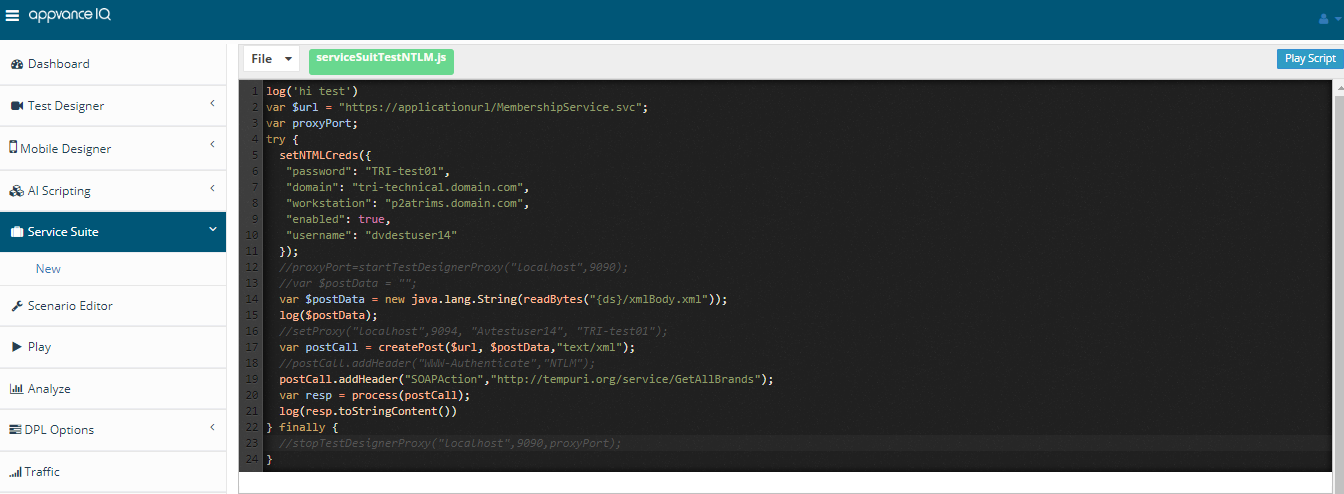
When working with services that have NTLM authentication used normally for C# services, there is some additional configuration that needs to be taken into consideration. One of the requirements to consume this type of service will be to provide the credentials configured in the IIS for the available users to log in to the server. The system administrator will provide the domain and workstation where the services reside, similarly, it should provide the username and the password. Once you have the credentials information you will need to proceed to introduce this in the script which has the service call as the following example;
Last updated: JulyOctober 25,7, 20242026
If you have any feedback on this topic, please contact us at documentation@appvance.ai