
WSDL/SOAP Call-in Service Suite
Recommended
SoapUI guidancesupport was removed in release 5.2.0 of AIQ.
UseYou first need a working WSDL server, like the Appvance Server back end in http://SERVER:8080/TMServer/ws/TestNode?wsdl=
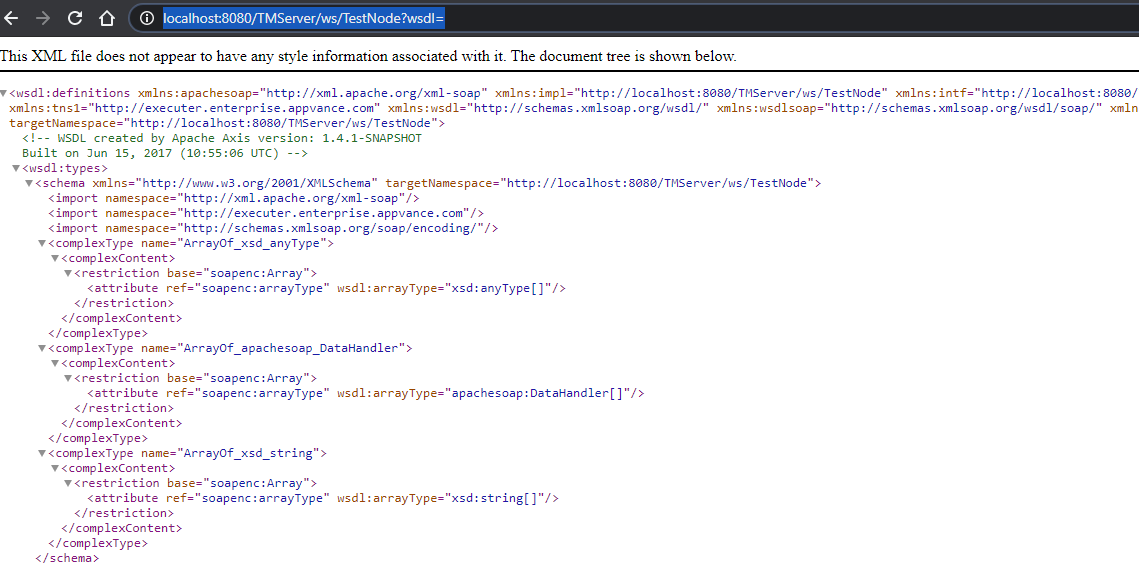
From there you could create manually a post body data, or using a third-party tools like soapUI, you could see the post’s body, as we only need the body to create the post-call.
(SoapUI can be downloaded from https://www.soapui.org/ )
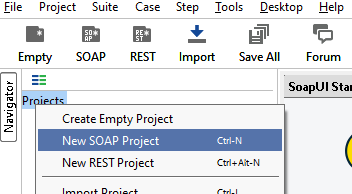
A new Soap Project will show a screen to enter the URL
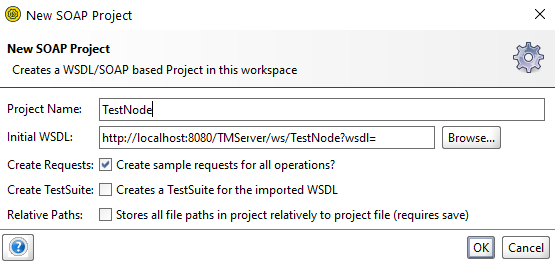
The above will create a project with an echo method. We can open it and extract the XML section to be used as the POST body data:
<soapenv:Envelope xmlns:xsi="http://www.w3.org/2001/XMLSchema-instance" xmlns:xsd="http://www.w3.org/2001/XMLSchema " xmlns:soapenv="http://schemas.xmlsoap.org/soap/envelope/" xmlns:tms="http://tmserver.enterprise.appvance.com">
<soapenv:Header/>
<soapenv:Body>
<tms:echo soapenv:encodingStyle="http://schemas.xmlsoap.org/soap/encoding/">
<echo xsi:type="xsd:string">?</echo>
</tms:echo>
</soapenv:Body>
</soapenv:Envelope>
Notice the “?”, this will be our variable. We should replace “?“ in the <echo xsi:type="xsd:string">?</echo> line with a variable name like “ECHO1” so we can later replace that for the intended parameter. For this example, we will replace “?” with “ECHO1” and save the XML as a “requests.echo.xml” file next to our “main.js”.
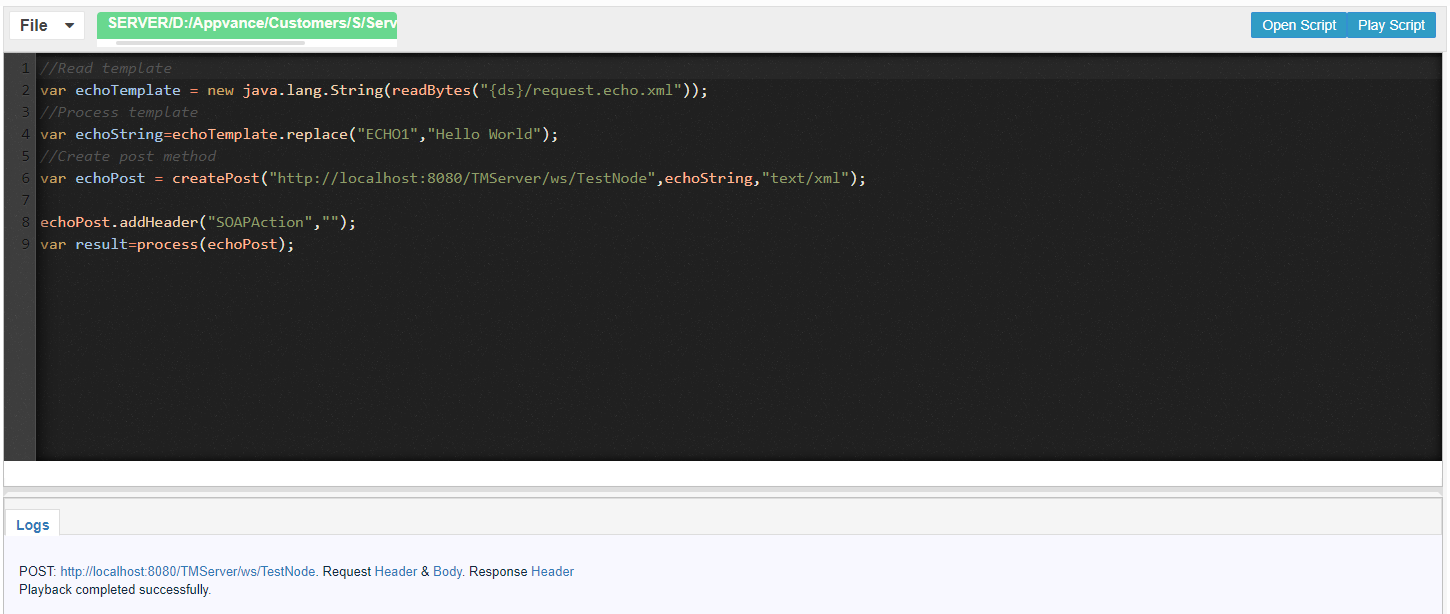
//Read template
var echoTemplate = new java.lang.String(readBytes("{ds}/request.echo.xml"));
//Process template for desired method
var echoString=echoTemplate.replace("ECHO1","Hello World");
//Create post method
var echoPost = createPost("http://localhost:8080/TMServer/ws/TestNode",echoString,"text/xml");
echoPost.addHeader("SOAPAction","");
var result=process(echoPost);
The “SOAPAction” HTTP request header field can be used to indicate the intent of the SOAP HTTP request. The value is a URI identifying the intent. SOAP places no restrictions on the format or specificity of the URI or that it is resolvable. An HTTP client MUST use this header field when issuing a SOAP HTTP Request. The header field value of the empty string ("") means that the intent of the SOAP message is provided by the HTTP Request-URI. No value means that there is no indication of the intent of the message. You can read more about it in https://www.w3.org/TR/2000/NOTE-SOAP-20000508/#_Toc478383528
NTLM Service SuiteAuthentication
When working with services that have NTLM authentication used normally for WSDL/SOAPC# callsservices, whenthere is some additional configuration that needs to be taken into consideration. One of the testedrequirements to consume this type of service will be to provide the credentials configured in the IIS for the available users to log in to the server. The system stilladministrator exposeswill SOAPprovide the domain and workstation where the services orreside, whensimilarly, ait legacyshould integration requires SOAP validation. Keepprovide the documentation focused on request structure, endpoint configuration, authentication, assertions,username and evidence.
Whatpassword. Once you have the credentials information you will need to configure
proceed WSDLtolocation,introduceSOAP endpoint, operation, namespaces, and request body.Headers, authentication, certificates, proxy settings, and timeout behavior.Expected response status, SOAP fault handling, and response assertions.DPL or environment values usedthis inrequestthepayloads.
Validationwhich workflow
Validatehas theWSDLserviceandcalloperation outsideas themainfollowingregressionexample;suite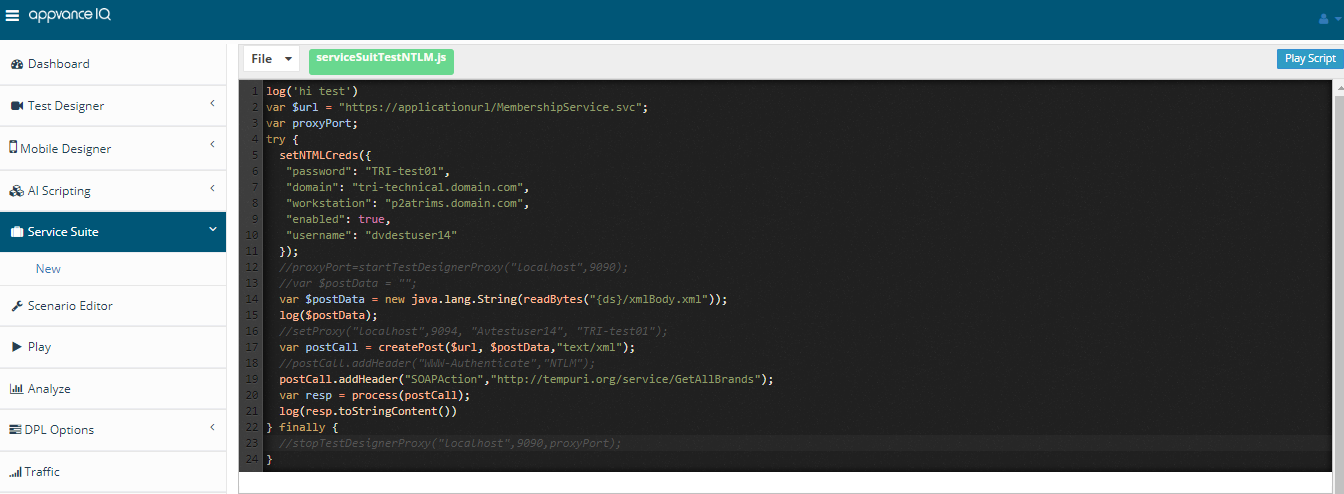
first.Runa known-good request with controlled data.Add assertions for both transport success and business response values.Mask credentials, tokens, and sensitive payload values before sharing evidence.
Last updated: OctoberJuly 7,25, 20262024
If you have any feedback on this topic, please contact us at documentation@appvance.ai