
Application Performance Monitoring Integrations in AIQ
Last reviewed: September 24, 2026
Use the APM Integrationthis page as the entry point for AIQ integrations with APM tools such as AppDynamics, Dynatrace, New Relic, and Datadog.
What changed in this article
- Use APM integrations to correlate AIQ execution windows with application health, transaction timing, and infrastructure signals.
- Confirm the exact APM product, application name, time zone, and metric scope before connecting a test run to monitoring data.
- Keep provider-specific setup
integrationsinbetweenthe dedicated integration article instead of duplicating controller URLs, tokens, or screenshots here.
Validation workflow
- Choose the APM provider used by the customer environment.
- Validate that the AIQ test window and
varioustheapplication performanceAPM monitoring(APM)windowsystems.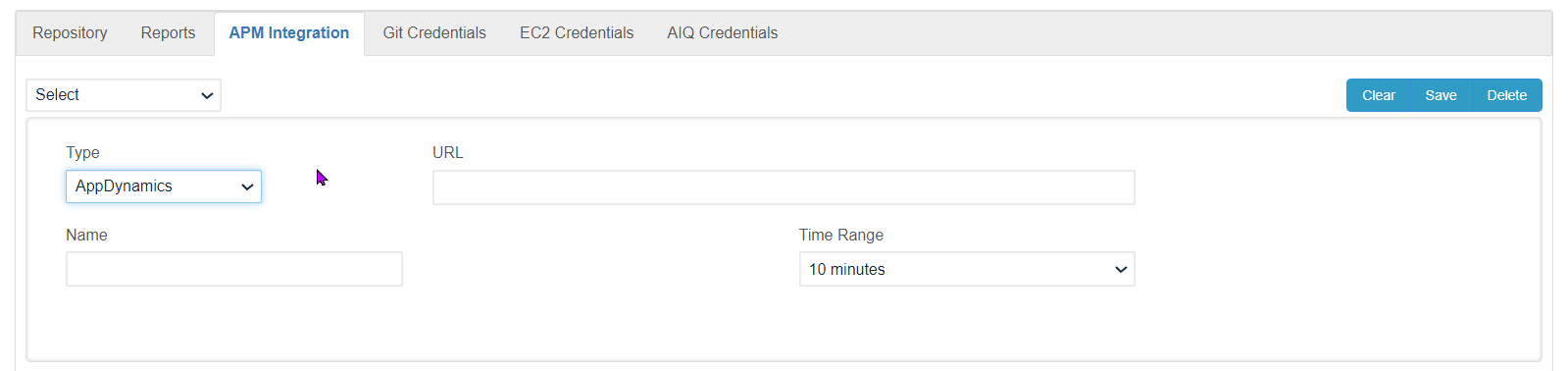
Seeuse thefollowingsamesectionstimeforzoneinformationandonnamingeachconvention. - Open
availabletheAPMprovider-specificintegration.article - entering credentials or connector details.
IntegrationReview withnote: AppDynamicsThis (APM)overview
Integrationa withshort Dynatracelink (APM)list
Integrationpage; withit now separates AppDynamics, Dynatrace, New RelicRelic, (APM)
Integration withand Datadog (APM)setup paths.
Last updated: JulySeptember 18,24, 20232026
If you have any feedback on this topic, please contact us at documentation@appvance.ai.