
Configure an SFTP Repository in AIQ
Configure an SFTP Repository in AIQ
You can configureConfigure an SFTP repository to save yourwhen AIQ files.needs to exchange files with a controlled external location. Use secure credentials, least-privilege access, and a clear folder structure for test assets and outputs.
This
Configuration optionchecklist
As of the 5.3.0 release of AIQ this option will no longer be supported.
Once you have created
- Confirm the SFTP
repositoryhost,onport,ausername,server,authenticationyoumethod,canandconfiguretargetAIQfolder. - Use
toSSHconnectkeys or secured credentials according to theSFTPcustomerrepository.security Navigate toGlobal Options>Preferences>Repository.
Select SFTP inGrant the TypeAIQ dropdown.
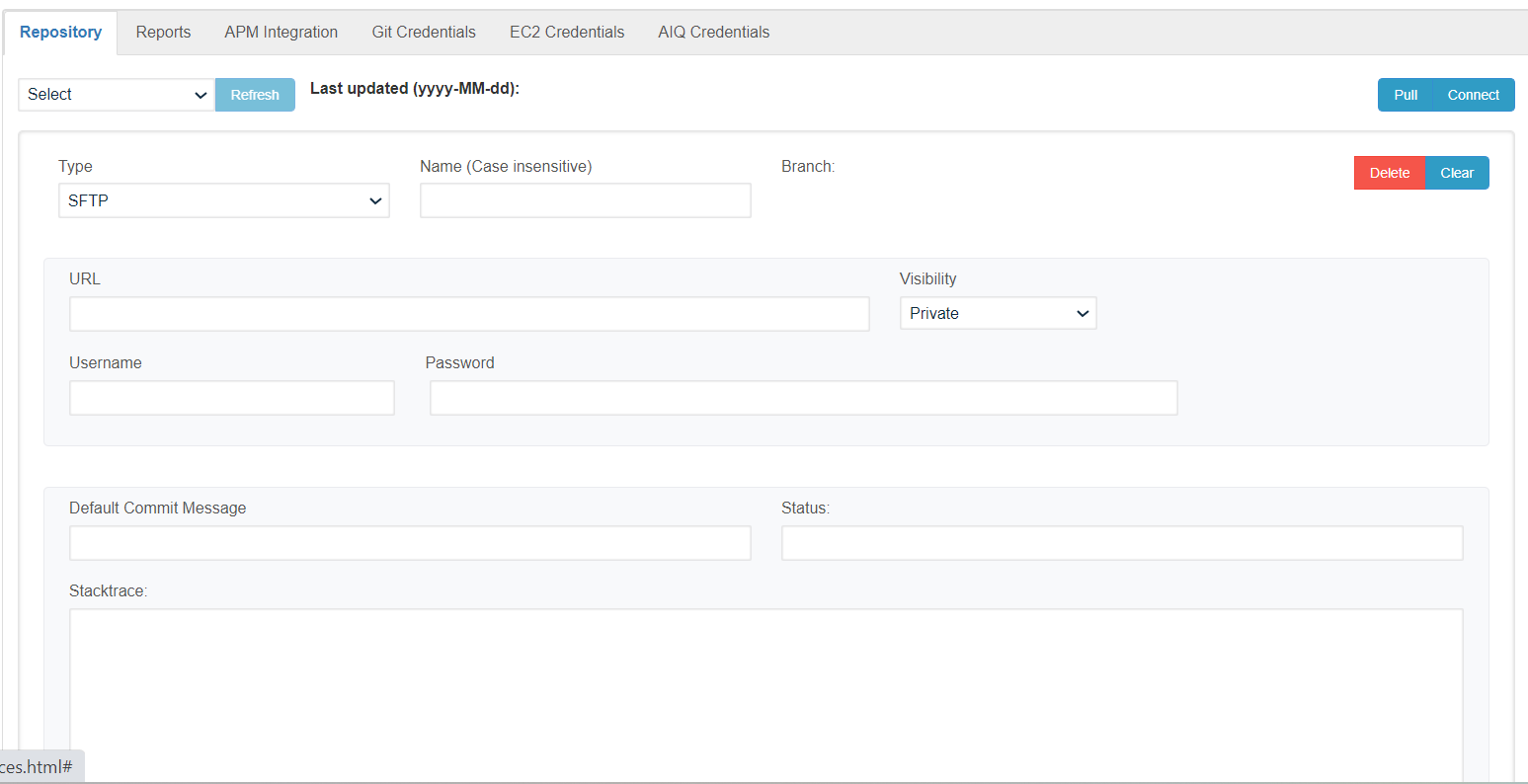
Configureonly the necessaryfolder fields.permissions Theserequired areby the minimum required fields.
workflow.User Name
Separate input, output, archive, and error folders when the process requires them.Password
naming, retention, and cleanup expectations.EntryDocumentPointfileURL
Validation workflow
- Test connectivity from the AIQ environment or node that will access the repository.
- Upload and download a small non-sensitive test file.
- Run the AIQ workflow that reads or writes the repository.
- Review logs for authentication, permission, path, or timeout errors.
Last updated: October 21,8, 20242026
If you have any feedback on this topic, please contact us at documentation@appvance.ai