
Creating a SVN Repository
Fill in All the fields, Name of the Repository, can be any name that should be unique, a new configuration with the same name will override any previous configuration
Select Type to be SVN. Provide a valid User-name and Password. Provide the entry point URL and click Accept button for the repository to be configured successfully
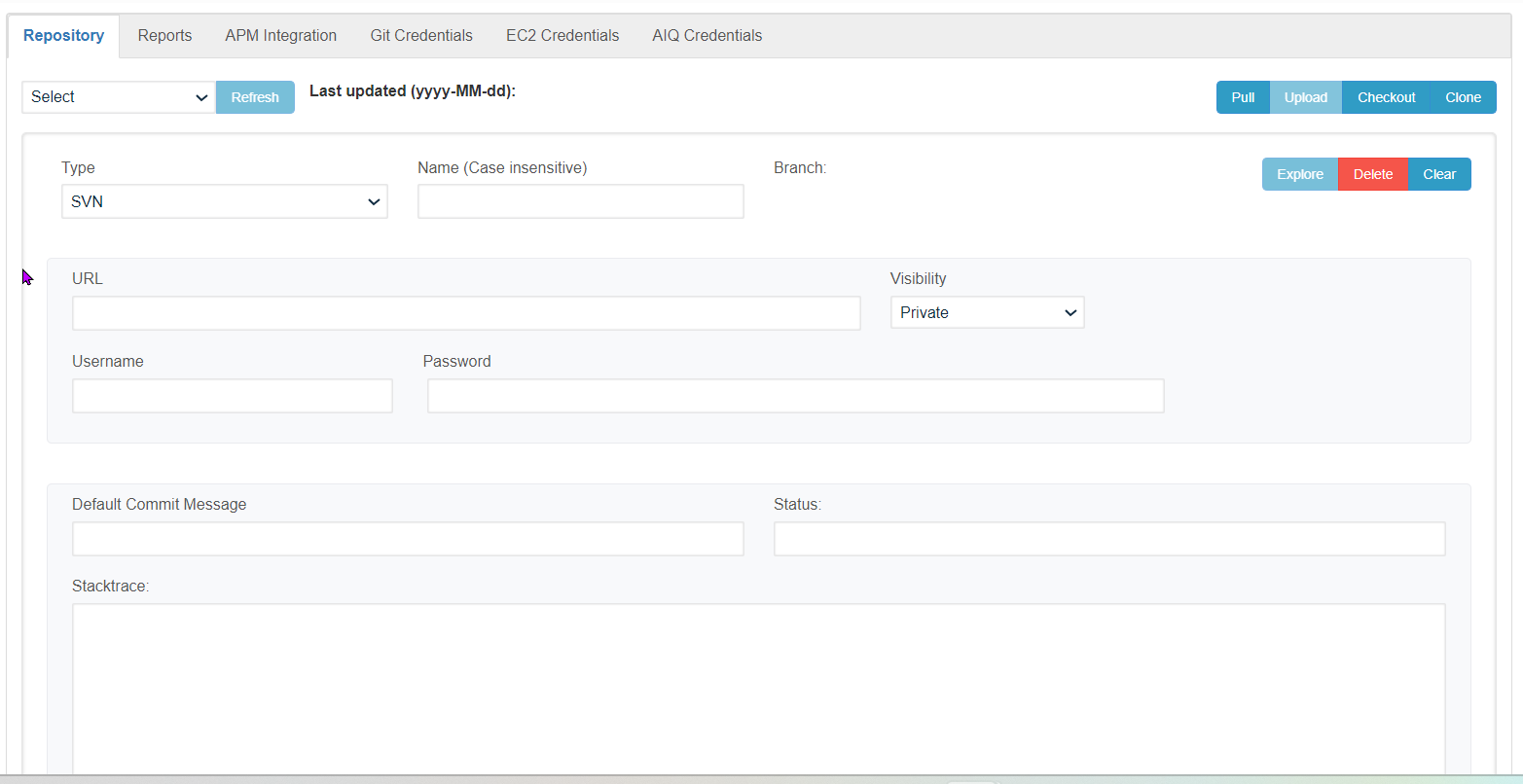
Similarly, any number of Repositories can be created, all the created repositories shall be displayed under the 'Select Repository' drop-down
Clicking on the Clear button will clear the current repository information that was made in the UI and to delete any repository user has to select the Repository from the drop-down and click the 'Delete' button
Last updated: July 17, 2023
If you have any feedback on this topic, please contact us at documentation@appvance.ai