
Legacy SVN Repository Configuration
<p><strong>Last
reviewed:</strong> September 24, 2026</p>Fill<p>This inarticle Allis retained as a legacy reference for teams that still maintain SVN-backed AIQ assets.</p>
<h2>Recommended guidance</h2>
<ul><li>Use Git-based repository workflows where available for current AIQ projects.</li><li>Keep SVN access limited to environments that still depend on historical repositories.</li><li>Store repository credentials securely and rotate them according to your organization policy.</li></ul>
<h2>Validation workflow</h2>
<ol><li>Verify that the fields,project Namestill ofrequires theSVN Repository,before canconfiguring beit.</li><li>Create anyor name that should be unique, a new configuration with the same name will override any previous configuration
Select Type to be SVN. Provide a valid User-name and Password. Provide the entry point URL and click Accept button forvalidate the repository topath beand configureduser successfullypermissions outside AIQ.</li><li>Connect the repository from AIQ and run a small save or sync test.</li></ol>
<div 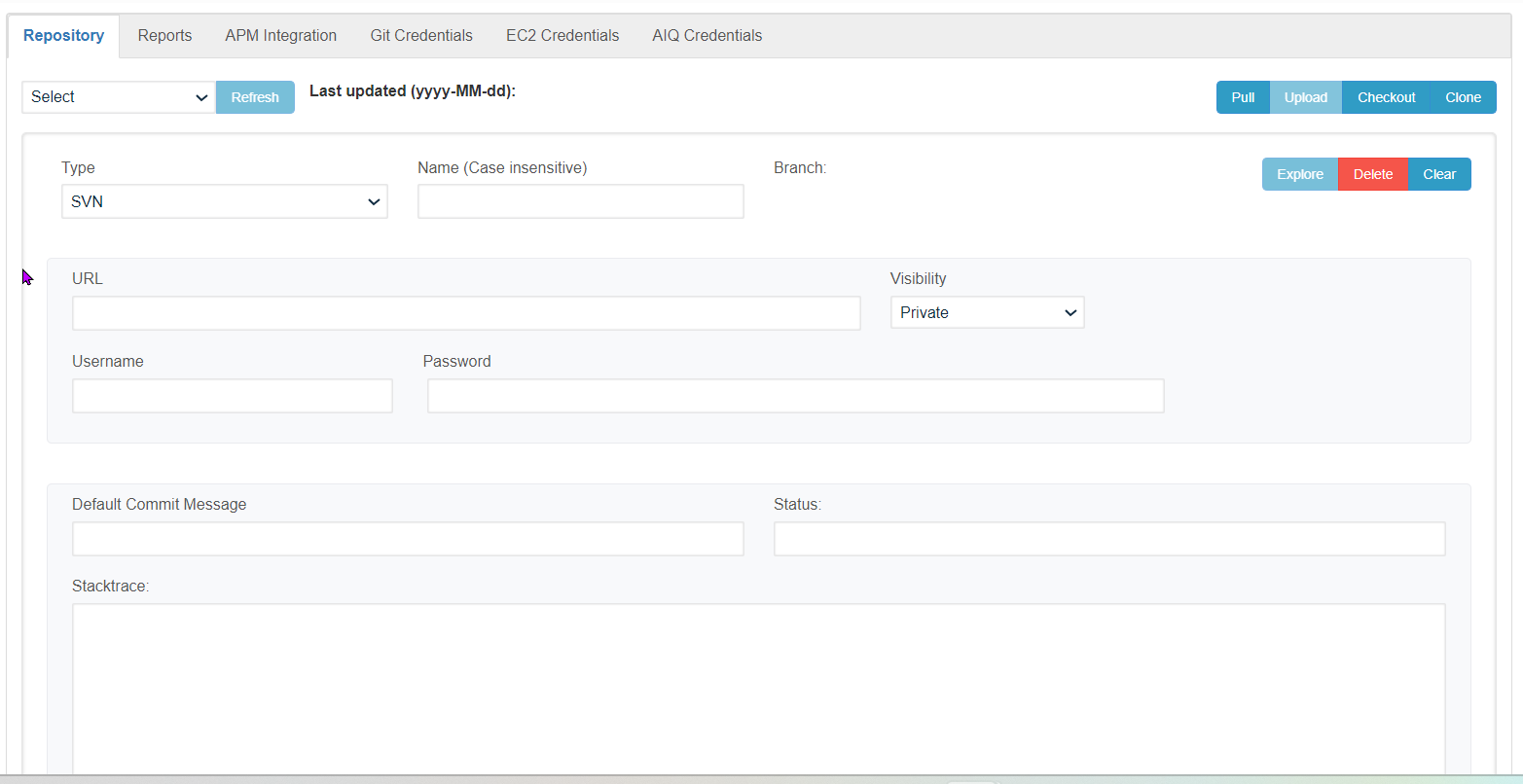
Similarly,legacy anyguidance. numberDo ofnot Repositoriesuse canit be created, allas the created repositories shall be displayed under the 'Select Repository' drop-down
Clicking on the Clear button will clear the currentdefault repository informationrecommendation thatfor wasnew madeAIQ in the UI and to delete any repository user has to select the Repository from the drop-down and click the 'Delete' buttonimplementations.</p></div>
<hr>
<p>Last updated: JulySeptember 17,24, 20232026</p>
<p>If you have any feedback on this topic, please contact us<a at href="mailto:documentation@appvance.ai">documentation@appvance.ai</a>.</p>