
GIT Credentials
Use this screen to specify your GIT credentials.
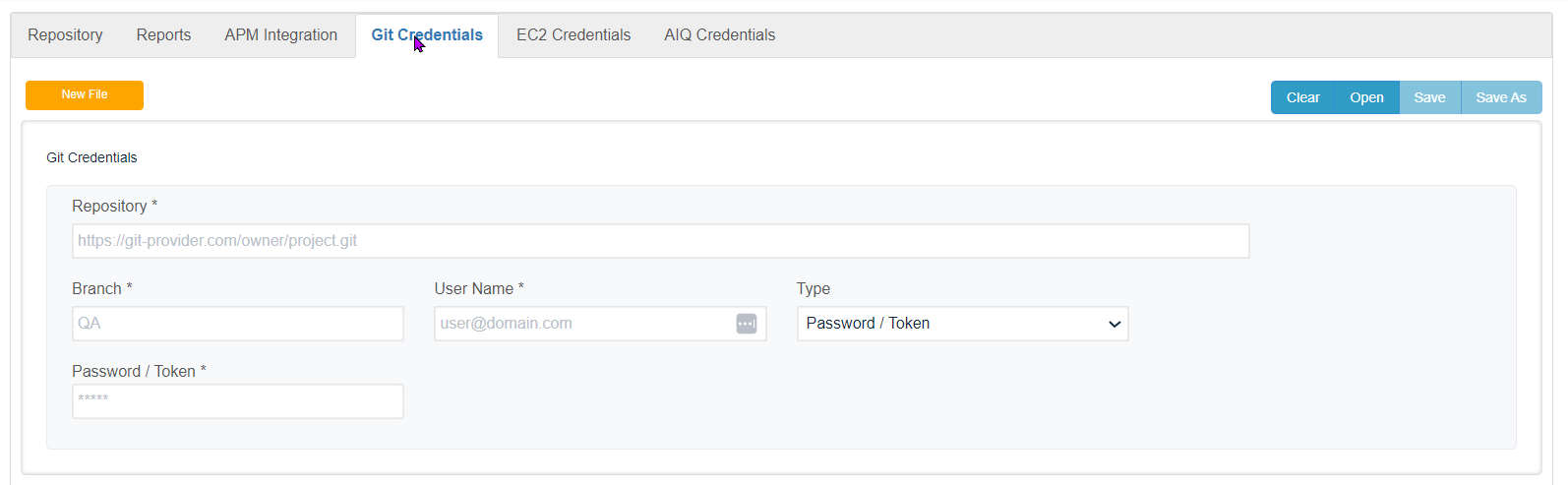
Credentials:
-
Repository : Enter the URL to your repository, for example:
https://gitlab.com/CompanyABC/myRepository.git -
Branch : Specify the branch that you will be working with in your repositiory.
-
User Name : The user name for your GIT account. This is not your AIQ login.
-
Type : Select your authentication type.
-
Password / Token
-
SSH Key (If your account uses two-factor authentication to provide the access token instead of a password)
-
-
Password / Token : Enter your password, token, or SSH key.
Last updated: March 21, 2024
If you have any feedback on this topic, please contact us at documentation@appvance.ai