
Grid Configuration
LastAIQ reviewed:Grid Septembertechnology 24,deploys 2026tests to a grid of TestNodes. These may be TestNodes installed in a rack of computers in your QA lab, in a partner's data center, and in the unused desktop computers of your office after hours.
AIQ Grid executiontechnology letsis ideal for automating test operations from a Continuous Integration environment. The CI platform starts an IQ test and IQ automatically provisions and deploys tests to the available TestNodes in your own Grid or in a Cloud Testing environment.
AIQ Grid works well in team development organizations. With Grid technology-enabled multiple AIQ distributeusers scenarioto runsrun acrosstheir test on the first available nodesTestNodes.
Use the environmentOptions is sized and connected correctly.
Recommended guidance
Align grid capacity with expected browser, API, or performance-test concurrency.Confirm node reachability, browser versions, driver compatibility, and firewall rules before a production run.Monitor node health during execution so failed nodes do not distort results.
Validation workflow
Validate each grid nodelink from theAIQStartcontroller.RunScreenaandsmallNavigatescenariotoagainstCloud Configuration. Provide the details of all the required fields like the Grid Machine Name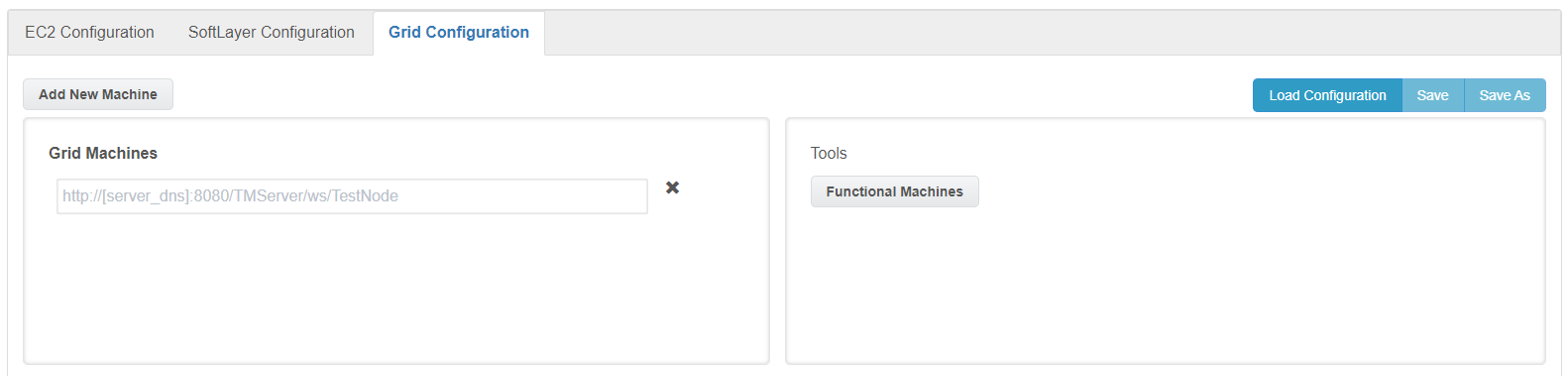
Grid Machines: Provide the URL of the TestNodes of the grid
beforemachinesincreasingwhereload.ReviewAIQexecutionisoutputinstalled. TestNode URL will be like "http://localhost:8080/TMServer/ws/TestNode", In place of localhost, provide the hostname of the grid machine.Add New Machine Button: Use this button to add as many machines as required to create the Grid Configuration file.
Functional Machines: Will display the list of functional machines from the configuration file.
Save and
resultsSave As: Button can be used toconfirmsaveworkthewasconfigurationdistributedfile. Files will be saved with .cloud extension.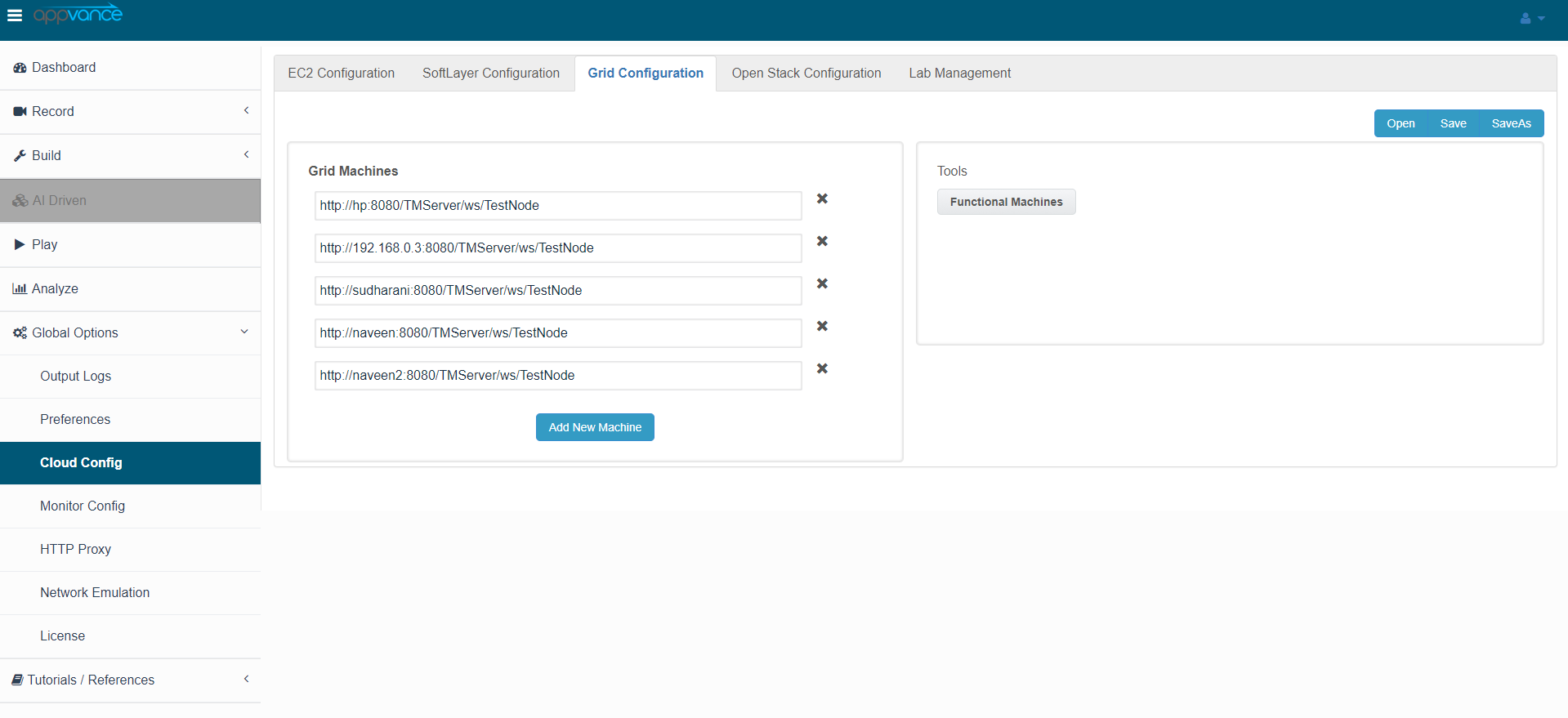
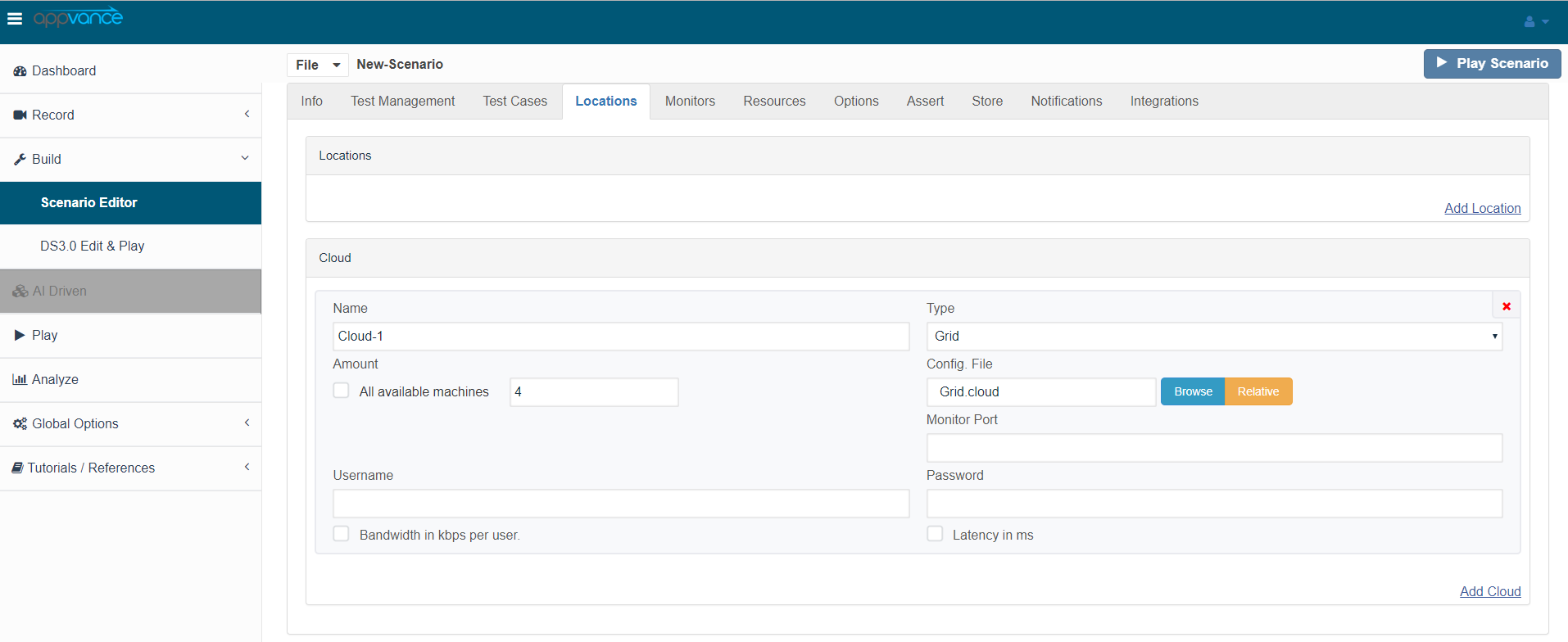
Use the Appvance Scenario Builder to identify the grid to deploy your test. In the TestNodes tab use the Add Cloud command. Choose Grid in the Type pop-up menu. Choose the quantity of TestNodes in the quantity field. Choose the Grid configuration file using the Browse button. AIQ automatically uses the available TestNodes from the Grid configuration file to deploy and operate your test.
AIQ displays the status of the TestNodes in a controller window for the selected TestScenario as
expected.
The Grid Configuration utility automatically updates the TestNode status every 30 seconds with Auto-Update selected. Use the Tools drop-down menu, to manually update the status.
Cloud and Grid Environment Client Utilities
AIQ provides a Cloud Test client to identify cloud provider-specific security tokens, names, and parameters. AIQ provides integrated clients for Amazon EC2 and IBM Softlayer Cloud Testing environments.
Last updated: SeptemberJuly 24,17, 20262023
If you have any feedback on this topic, please contact us at documentation@appvance.ai.