
Administer Jira Integration in AIQ
Last reviewed: September 24, 2026
Use Jira Integration Administration to connect AIQ defects or execution findings to the correct Jira project workflow.
Recommended guidance
- Use Jira Cloud tokens or approved service credentials instead of personal passwords.
- Map required Jira fields before enabling issue creation from AIQ.
- Test with a non-production issue first to confirm project, issue type, and field mappings.
Validation workflow
- Confirm the Jira
administrationURL,screenauthentication method, project key, and issue type. - Map required fields and defaults in the AIQ integration settings.
- Create a test issue from AIQ and verify it appears correctly in Jira.
Note: Keep integration credentials restricted to maintain your integration with Atlassian Jira.
From AIQ navigate to Global Options > Admin Options.
Select the Jiraminimum tab.
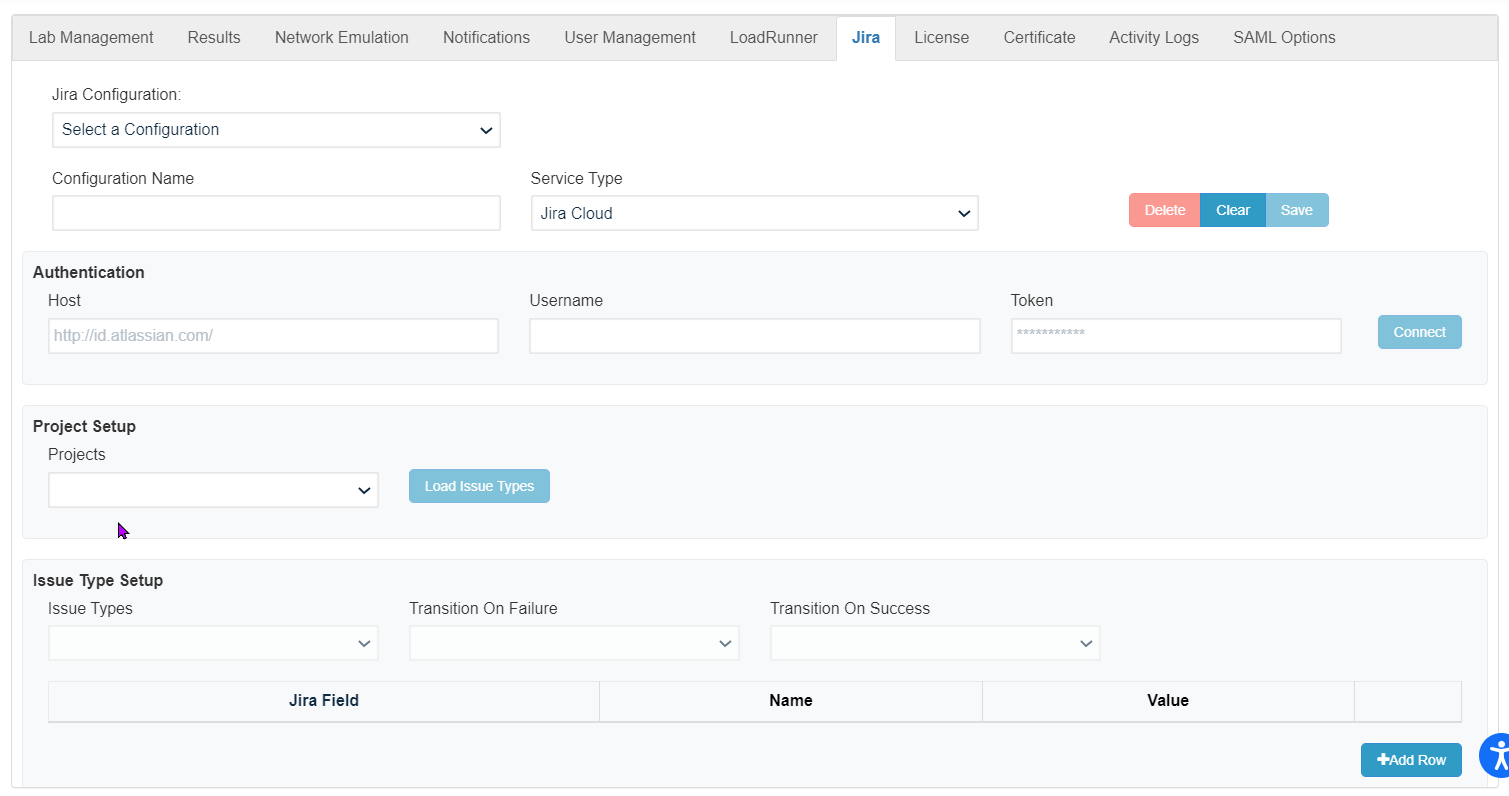
See Integration with Atlassian Jiraneeded for informationissue oncreation configuringand Jira.updates.
Last updated: JulySeptember 17,24, 20232026
If you have any feedback on this topic, please contact us at documentation@appvance.ai.